











QuickBooks Online Advanced Discount - Up to 15% off
QuickBooks Online Advanced streamlines accounting for growing businesses with powerful automation, reporting, and collaboration tools.
Get discountCategory
Accounting Software


What is QuickBooks Online Advanced?
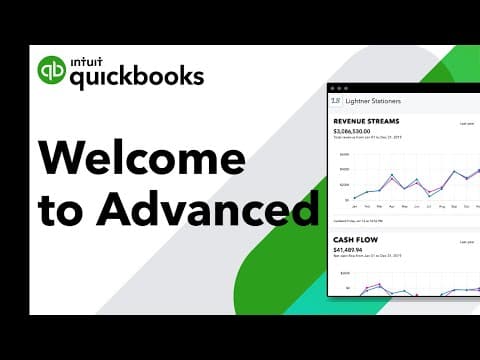
QuickBooks Online Advanced is a cloud-based accounting solution tailored for growing businesses across various industries. It offers customizable dashboards and reports, enabling users to gain financial insights. Key features include automated workflows, batch invoicing, and expense management, which streamline operations and enhance productivity. The software supports integration with over 750 third-party applications, facilitating seamless data synchronization. Enhanced security measures, such as custom user permissions and automatic data backups, ensure data integrity. Additionally, users benefit from priority customer support and comprehensive training resources to maximize the platform’s capabilities.
Looking for a great deal on QuickBooks Online Advanced?
Good news! QuickBooks Online Advanced is currently offering discounts of up to 15% off regular subscription rates. This is your chance to leverage premium photo editing tools to enhance team coordination and productivity at a significantly reduced cost.
- Cloud-based, accessible from any device
- Highly customizable and automated workflows
- Real-time dashboards for revenue management
- Integrates with major business applications
- Advanced sales and invoice tracking
- Automated accounts payable and receivable
Eligibility
Number of Seats/Users: QuickBooks Online Advanced offers discounts based on the number of users or seats. A higher volume typically leads to a better discount structure, especially for enterprise-level usage.
Commitment to a Long-Term Contract: Discounts are often provided to companies that commit to using the service for a longer period (e.g., 1-year or 3-year contracts). A longer commitment shows QuickBooks Online Advanced that the company is serious and willing to invest in the platform long-term.
No Active Discounts: Companies that are not already receiving other active discounts may have a better chance of qualifying for additional discounts from QuickBooks Online Advanced. QuickBooks Online Advanced reserves discounts for new customers or those not currently under promotional pricing.
Volume or Usage Commitment: QuickBooks Online Advanced offers discounts if you agree to a minimum amount of usage or transaction volume. This could be based on data storage, transactions, or other metrics tied to how much you will use the platform.
Enterprise-Level Negotiation: Companies that qualify as “enterprise” due to their size or complexity (e.g., having large teams, multiple departments, or geographical presence) may be eligible for additional discounts from QuickBooks Online Advanced. Such companies are often in a position to negotiate for better pricing.
Early Renewal or Prepayment: QuickBooks Online Advanced often offers discounts if you renew early or prepay for the entire contract period. This is a common approach to securing a lower price.

QuickBooks Online Advanced - Up to 15% off
Reviews
Here at Spendbase, our internal data shows that QuickBooks Online Advanced is a leading choice for small to mid-sized businesses looking for a cloud-based accounting solution. Based on insights from Spendbase clients, we see some clear trends around what works well—and where QuickBooks could do better.
Top Benefits Noted by Spendbase Clients:
– Ease of Use: Many Spendbase clients appreciate how intuitive and user-friendly QuickBooks Online Advanced is. The process from creating quotes to generating invoices is seamless, and clients often mention time saved in bookkeeping.
– Accessibility: Using QuickBooks from anywhere, anytime, and on any device is highlighted as a game-changer. This flexibility makes it much easier for businesses with remote or mobile teams.
– Automated Features: Automation for tasks like recurring transactions, payroll, accounts payable, and accounts receivable is a standout. Several Spendbase clients enjoy that repetitive tasks are taken care of in the background, allowing them to focus on growth.
– Comprehensive Reporting: While some wish for even more customization, many find the existing reporting and exporting features robust enough for regular business needs. Clients also praise the integrations with apps like Salesforce and HubSpot.
– Collaboration: Sharing access with accountants or other team members and the helpful online community support is frequently cited as a plus.
Areas for Improvement:
– Custom Reporting: Our data shows a recurring theme where clients want more advanced, flexible reporting capabilities, especially as businesses scale.
– Customer Support: While some had great experiences, others found it hard to get help or felt their specific context wasn’t well understood.
– Interface and Onboarding: Spendbase clients mention a learning curve—especially for those migrating from the desktop version or with less accounting experience. Some also report the interface feels outdated and could be more modern.
– Migration Issues: Several clients who migrated to QuickBooks Online Advanced mention some challenges, like reapplying payments or payroll issues. This can make transitions tough for larger or more complex setups.
– Functionality Limitations: Clients using more advanced features, or needing specialized modules like integrated payment processing, noticed occasional roadblocks.
Quick Summary of Client-Proven Benefits:
– Saves significant time on repetitive tasks
– Offers excellent integrations with top business software
– Makes financials accessible and shareable anywhere you go
– Suitable for a wide variety of industries (construction, retail, nonprofit, hospitality, tech, etc.)
In short, our Spendbase clients say QuickBooks Online Advanced is a strong, modern accounting solution—especially for SMBs. If you’re considering making the switch or need help securing a good deal, reach out to us here at Spendbase!
See how much you can save on your stack
Pick your team’s tools!
Click to select one or more tools.


What’s your company size?
Just click to select.
What’s your business email?
We'll send you calculations right away
The email is flying to your inbox!
Beyond discounts, you may qualify for up to $100K in AWS credits.

FAQ
1. Are there discounts for purchasing multiple QuickBooks Online Advanced subscriptions?
Yes, bulk pricing is available for multiple subscriptions. Contact us to discuss your needs and available discounts.
2. What promotional discounts are available for new QuickBooks Online Advanced subscribers?
New subscribers often receive promotional discounts, such as 50% off monthly plans for the first three months. Offers may vary over time.
3. Can I set up quantity-based discounts in QuickBooks Online Advanced?
Yes, you can create quantity discounts that automatically adjust prices based on the volume purchased by each customer.
4. How do I apply a discount to an invoice in QuickBooks Online?
To add a discount, enable the discount feature in settings, then apply it directly to the invoice or sales receipt.
5. Is there a free trial available for QuickBooks Online Advanced?
Yes, a 30-day free trial is available, allowing you to explore the platform's features before committing to a subscription.
6. Can I combine the ProAdvisor Preferred Pricing Program discounts with other promotions?
No, discounts from the Preferred Pricing Program cannot be combined with other discounts or promotions.
7. How do I manage wholesale discount plans for clients in QuickBooks?
You can offer wholesale discounts to clients, providing up to 50% off current prices, with the flexibility to cancel anytime.
Related discounts

Ulegalize
Accounting Software
Up to 20% off

Intelisis ERP 6000
Accounting Software
Up to 30% off

Yuki
Accounting Software
Up to 30% off

Wave
Accounting Software
Up to 25% off

SortMyBooks
Accounting Software
Up to 45% off

JobBag
Accounting Software
Up to 45% off
Software cost optimization
QuickBooks Online Advanced savings in five steps
Let’s estimate your potential savings and see how you can scale your cloud infrastructure.
One call. No cost. No commitments


meet vendor relationship EXPERTS
Our customers save millions with us



Save on QuickBooks Online Advanced
It’s time to shrink your bill
Let our SaaS cost optimization experts check what deals you can get and how much you can save on your corporate subscriptions
See how you can:
- Learn about pricing benchmarks and discounts
- Present potential savings by vendor to your team
- Meet your SaaS and cloud cost optimization goals
Get QuickBooks Online Advanced discount
We’ll email you back within 1 business day