











Wix Bookings Discount - Up to 25% off
Cloud and mobile-based appointment management tool that allows users to accept payments, manage calendar and client profiles, and more.
Get discountCategory
Calendar Software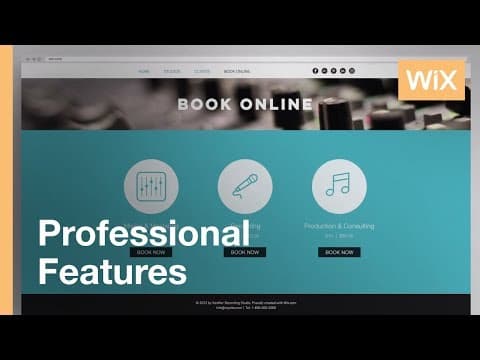


What is Wix Bookings?
Wix Bookings is an online scheduling platform designed to help businesses manage appointments, calendars, and client interactions. It supports various service types, including one-on-one appointments, group sessions, classes, and workshops. Key features include Google Calendar synchronization, customizable working hours, and tools to enhance client loyalty, such as free trials, memberships, and coupons. Clients can book and pay for services through a mobile app, utilizing major payment providers. Additionally, Wix Bookings offers analytics on finances, staff performance, and client attendance, facilitating informed, data-driven decisions.
- Online scheduling for appointments, classes, workshops
- Seamless integration with Wix-built websites
- Online payments via major providers
- Google Calendar sync and mobile access
- Client management with memberships, coupons, packages
- Analytics on finances, staff, attendance
Eligibility
Number of Seats/Users: Wix Bookings offers discounts based on the number of users or seats. A higher volume typically leads to a better discount structure, especially for enterprise-level usage.
Commitment to a Long-Term Contract: Discounts are often provided to companies that commit to using the service for a longer period (e.g., 1-year or 3-year contracts). A longer commitment shows Wix Bookings that the company is serious and willing to invest in the platform long-term.
No Active Discounts: Companies that are not already receiving other active discounts may have a better chance of qualifying for additional discounts from Wix Bookings. Wix Bookings reserves discounts for new customers or those not currently under promotional pricing.
Volume or Usage Commitment: Wix Bookings offers discounts if you agree to a minimum amount of usage or transaction volume. This could be based on data storage, transactions, or other metrics tied to how much you will use the platform.
Enterprise-Level Negotiation: Companies that qualify as “enterprise” due to their size or complexity (e.g., having large teams, multiple departments, or geographical presence) may be eligible for additional discounts from Wix Bookings. Such companies are often in a position to negotiate for better pricing.
Early Renewal or Prepayment: Wix Bookings often offers discounts if you renew early or prepay for the entire contract period. This is a common approach to securing a lower price.

Wix Bookings - Up to 25% off
Reviews
Here at Spendbase our internal data shows that Wix Bookings tends to work best for small teams that want something easy and “good enough” rather than ultra‑custom scheduling.
From what our Spendbase clients tell us, the main strengths are:
- Very quick to set up on an existing Wix site
- Simple, familiar interface for both admins and customers
- Built‑in online payments (Stripe, PayPal, Square, Apple Pay, WorldPay, etc.)
- Basic staff calendar management and group sessions
- 24/7 self‑service bookings that help capture more clients
- Google Calendar sync (when it works as intended)
However, our internal data also highlights recurring pain points:
- Customization limits
- Hard to fully control booking hours and complex schedules
- No easy way to book multiple services or multiple openings in a single flow
- Limited layout/field customization; some fields are forced
-
Not SEO‑friendly and no full source‑code access
-
Calendar & mobile issues
- Sync problems and only syncing with the primary Google Calendar
- Time‑zone confusion for clients
-
Mobile admin is weak: limited editing, no quick blocks, confusing monthly view
-
Platform lock‑in & pricing
- Must be hosted on Wix; can become expensive long‑term
- Free plan is quite limited; premium needed for payments and advanced usage
- Some Spendbase clients feel the feature depth does not fully match the price point
In terms of fit, our internal data shows:
- Works well for:
- Solo providers and small teams (coaches, salons, basic studios, simple classes)
-
Businesses that value simplicity, fast setup, and integrated payments on a Wix site
-
Struggles with:
- Complex multi‑schedule courses (e.g., same class at several times per week)
- Operations needing multiple simultaneous slots (e.g., tours, workshops)
- Companies that need deep customization or multi‑platform flexibility
From a Spendbase discount perspective, Wix Bookings usually makes sense when:
- You actually need the paid features (online payments, group sessions, reminders)
- You’re already committed to Wix and can lock into annual billing to reduce effective cost
- You compare it against external schedulers and factor in the benefit of keeping users on‑site
If your workflows are simple and you’re on Wix anyway, we generally see a solid ROI; if you need heavy customization or multi‑service bookings in one checkout, our clients often outgrow it and should negotiate hard or explore alternatives.
See how much you can save on your stack
Pick your team’s tools!
Click to select one or more tools.


What’s your company size?
Just click to select.
What’s your business email?
We'll send you calculations right away
The email is flying to your inbox!
Beyond discounts, you may qualify for up to $100K in AWS credits.

FAQ
1. How can I create discount coupons in Wix Bookings?
In your dashboard, go to Coupons, click '+ New Coupon', and set your discount details.
2. Can I apply discounts to specific services only?
Yes, you can choose which services or products the coupon applies to during setup.
3. Is it possible to limit the number of times a coupon can be used?
Absolutely, you can set a total usage limit and restrict to one use per customer.
4. Can clients use multiple coupons for a single booking?
No, only one coupon can be applied per order.
5. How do clients apply a discount coupon during booking?
Clients select 'I have a promo code' on the booking form and enter their code at checkout.
6. Can I offer discounts to clients who pay offline?
Yes, apply coupons to services purchased with the Manual payment method and mark as 'Paid'.
7. Are there apps to help manage discounts in Wix Bookings?
Yes, apps like 'Quantity & Volume Discounts' and 'Automatic Paid Plan Discounts' can assist.
8. Can I schedule discounts for future dates?
Yes, you can set start and end dates for your coupons during creation.
Related discounts

Legion
Calendar Software
Up to 30% off

Proton Calendar
Calendar Software
Up to 40% off

SkedPal
Calendar Software
Up to 25% off

Zoyya
Calendar Software
Up to 25% off

TuCalendi
Calendar Software
Up to 15% off

Yalendar
Calendar Software
Up to 50% off
Software cost optimization
Wix Bookings savings in five steps
Let’s estimate your potential savings and see how you can scale your cloud infrastructure.
One call. No cost. No commitments


meet vendor relationship EXPERTS
Our customers save millions with us



Save on Wix Bookings
It’s time to shrink your bill
Let our SaaS cost optimization experts check what deals you can get and how much you can save on your corporate subscriptions
See how you can:
- Learn about pricing benchmarks and discounts
- Present potential savings by vendor to your team
- Meet your SaaS and cloud cost optimization goals
Get Wix Bookings discount
We’ll email you back within 1 business day