











Form Director Discount - Up to 30% off
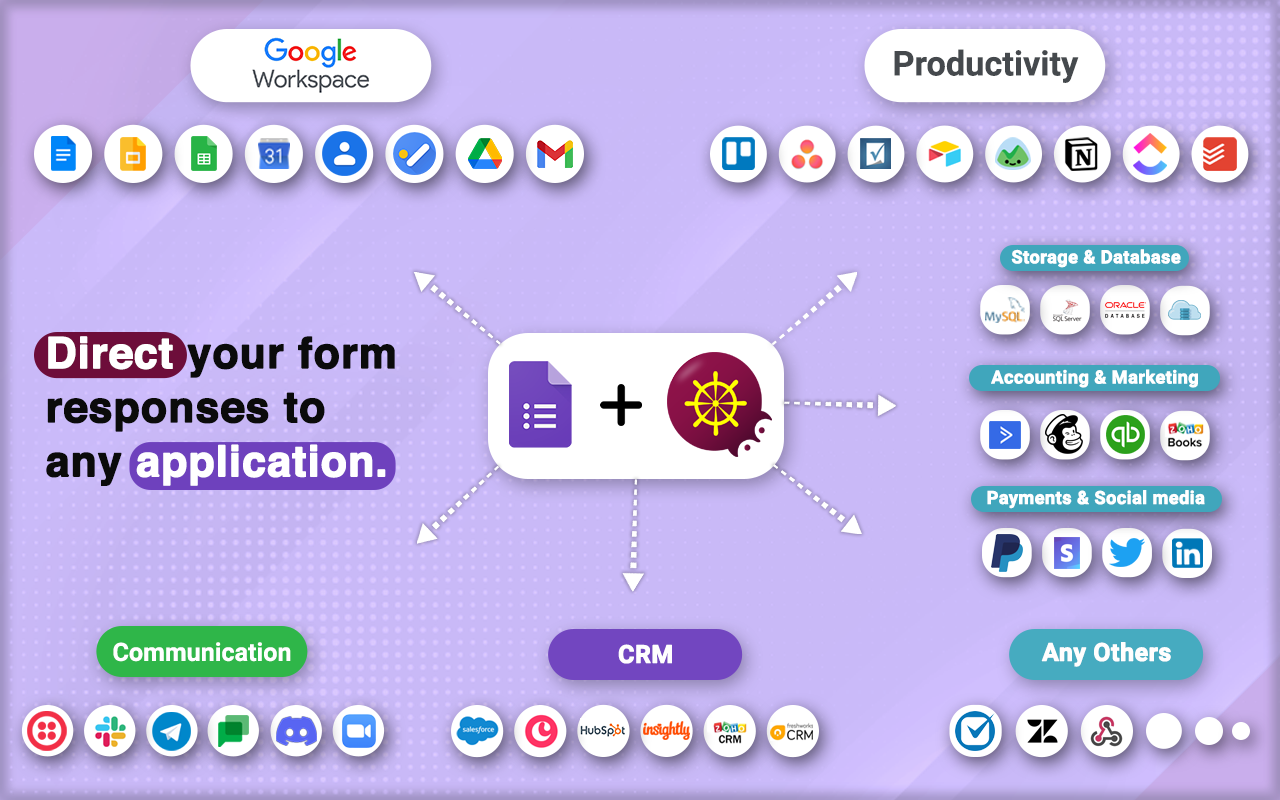
Form Director seamlessly integrates Google Forms with various apps, automating data transfer across Google Workspace, CRM, productivity
Get discountCategory
Integration Software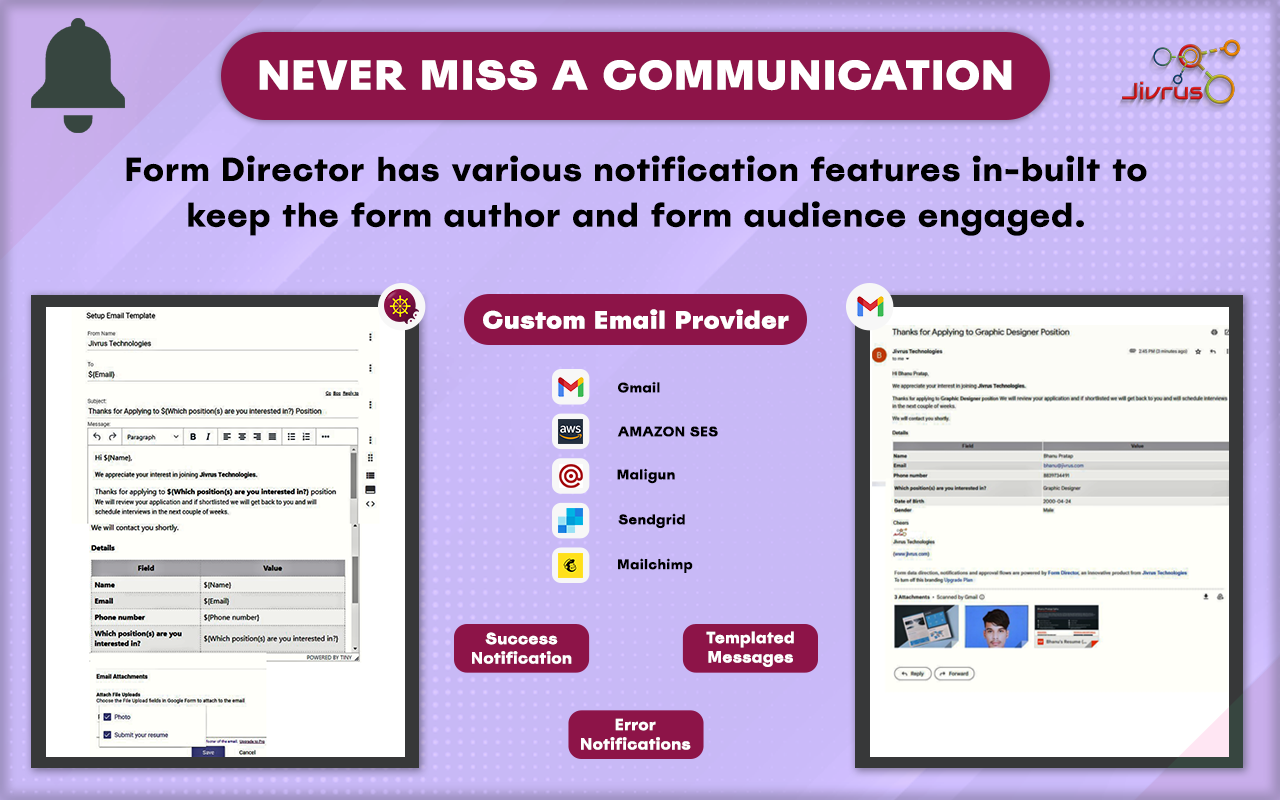

What is Form Director?
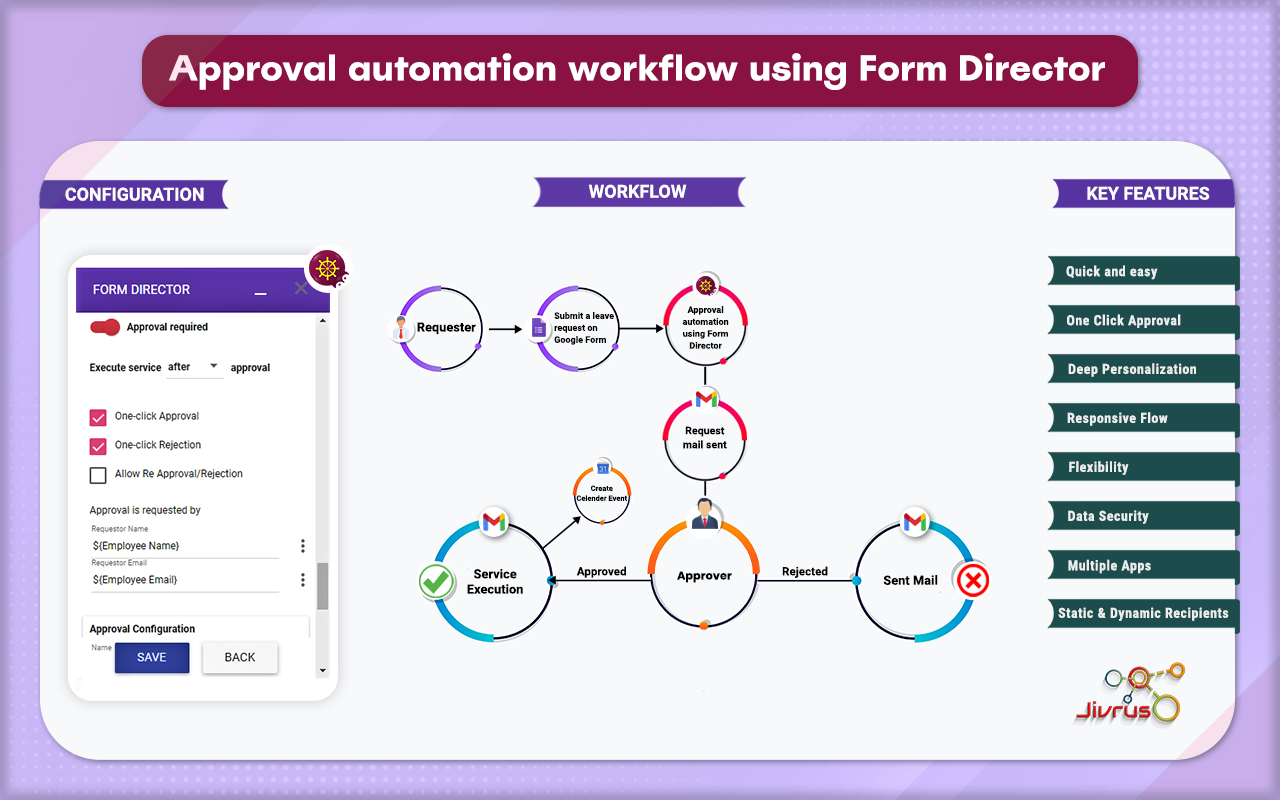
Form Director is a versatile tool that integrates seamlessly with Google Forms, enabling users to automate workflows and enhance productivity. It allows for automated responses after each form submission, streamlining communication processes. Users can connect forms to various platforms and services, such as Google Sheets, Google Docs, and CRM systems, facilitating efficient data management. The intuitive user interface simplifies the setup of complex form automations without requiring extensive technical knowledge. Additionally, Form Director offers features like bulk document generation and customizable settings, further enhancing its utility in automating and managing form-related tasks.
- Seamless Google Forms integration with applications
- No-code automation for repetitive workflow tasks
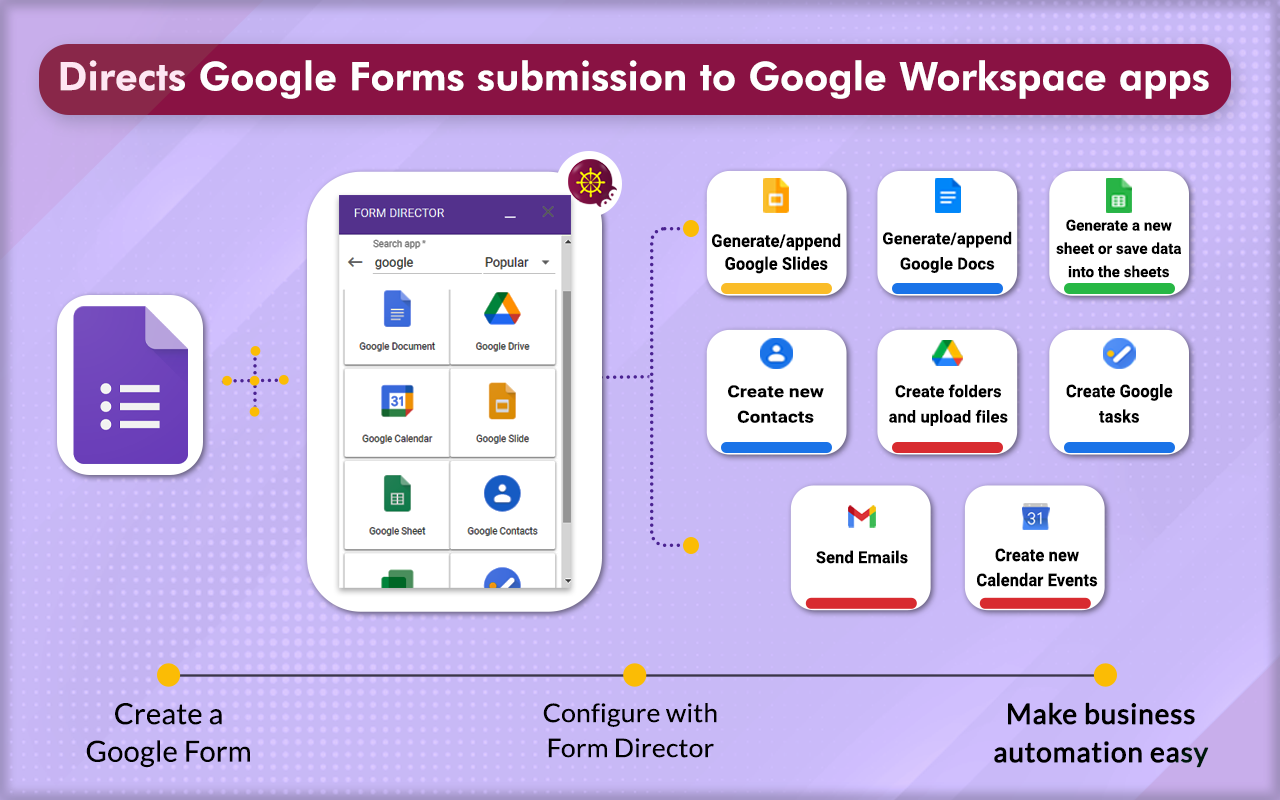
- Automate Google Calendar event creation workflows
- Automated, personalized email notifications and responses
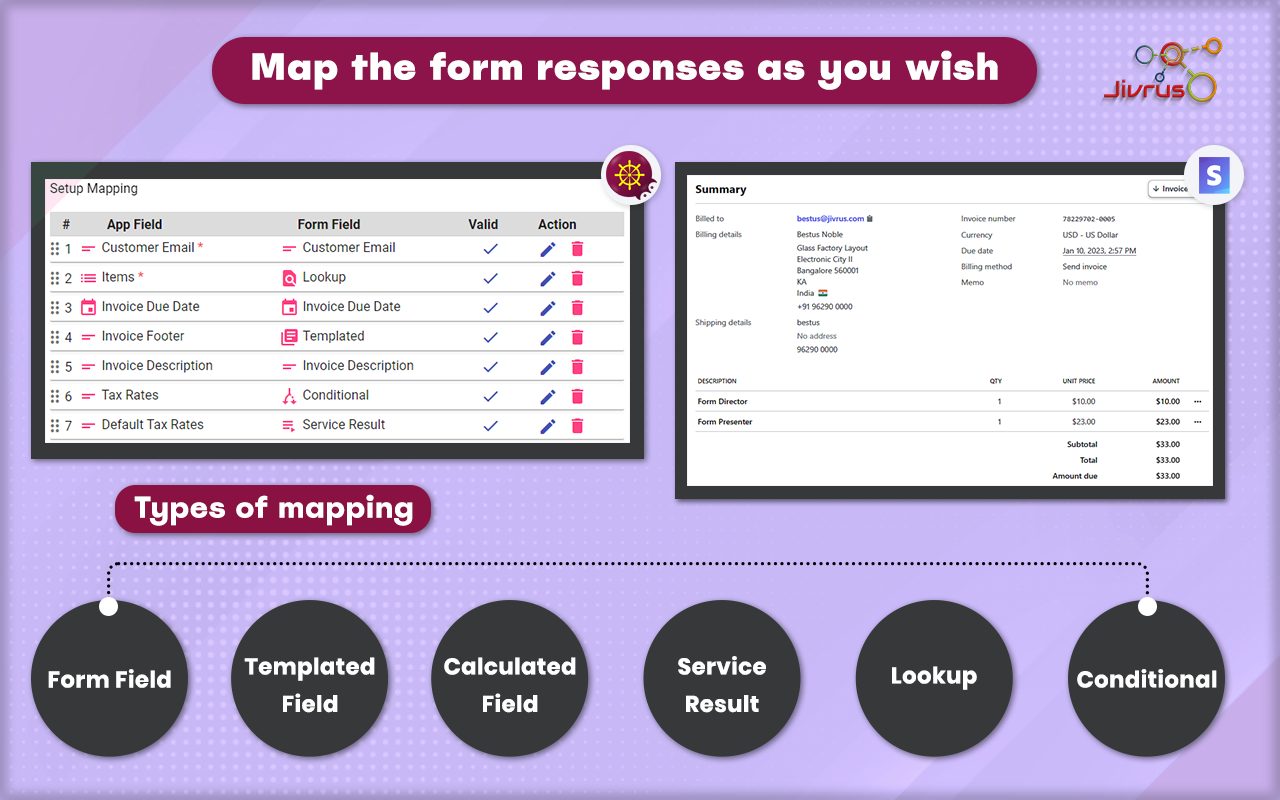
- Conditional routing and manager approval workflows
- Integrations with CRM, Sheets, Docs, Chat
Eligibility
Number of Seats/Users: Form Director offers discounts based on the number of users or seats. A higher volume typically leads to a better discount structure, especially for enterprise-level usage.
Commitment to a Long-Term Contract: Discounts are often provided to companies that commit to using the service for a longer period (e.g., 1-year or 3-year contracts). A longer commitment shows Form Director that the company is serious and willing to invest in the platform long-term.
No Active Discounts: Companies that are not already receiving other active discounts may have a better chance of qualifying for additional discounts from Form Director. Form Director reserves discounts for new customers or those not currently under promotional pricing.
Volume or Usage Commitment: Form Director offers discounts if you agree to a minimum amount of usage or transaction volume. This could be based on data storage, transactions, or other metrics tied to how much you will use the platform.
Enterprise-Level Negotiation: Companies that qualify as “enterprise” due to their size or complexity (e.g., having large teams, multiple departments, or geographical presence) may be eligible for additional discounts from Form Director. Such companies are often in a position to negotiate for better pricing.
Early Renewal or Prepayment: Form Director often offers discounts if you renew early or prepay for the entire contract period. This is a common approach to securing a lower price.

Form Director - Up to 30% off
Reviews
Here at Spendbase our internal data shows that Form Director is seen very positively, with satisfaction sitting in the high 4‑out‑of‑5 range. Most Spendbase clients keep it in their stack once it’s set up, because it cuts a lot of manual work.
Key strengths our clients highlight
– Time savings & automation
– Auto‑creating Calendar events from Forms (especially for schools and appointment scheduling)
– Auto‑sending personalized email responses and notifications
– Moving data into Sheets, Docs, CRMs, and even Chat with no coding
– Breadth of integrations
– Strong with Google Workspace: Calendar, Sheets, Docs, Tasks, Gmail, Chat
– Useful for: registrations, approvals, invoice/payment tracking, walkthrough feedback, shift logging
– Ease of use (after setup)
– Interface is described as intuitive for day‑to‑day use
– Once a flow is configured, it tends to run reliably and consistently
– Value for money
– Many clients call out the low price relative to the time saved
– Good fit for organizations that live inside Google Workspace
Main pain points we see
– Learning curve
– Initial setup, especially for complex mappings, approvals, and conditional logic, can feel tricky
– Clients often rely on YouTube or documentation; they’d like more in‑product guidance or quick tutorials
– Free tier & transaction caps
– 25 free entries and limited calendar events are a common frustration
– Some note that competitors offer higher or unlimited caps at similar price points
– Onboarding & reliability
– Registration and first‑time configuration can feel slow
– A few cases of automations “stopping” due to required re‑authorization, which isn’t obvious
– Pricing perception
– Heavy users see strong ROI
– Light users who don’t need advanced features sometimes feel the paid plans are more than they need
How we at Spendbase usually advise clients
– Consolidate form‑based workflows into Form Director if you’re already on Google Workspace; it often replaces several smaller tools.
– If you frequently hit free or monthly caps, upgrading can be cheaper than maintaining manual work.
– For teams with limited tech skills, factor in the initial setup time; once configured, the ongoing “cost” drops sharply.
See how much you can save on your stack
Pick your team’s tools!
Click to select one or more tools.


What’s your company size?
Just click to select.
What’s your business email?
We'll send you calculations right away
The email is flying to your inbox!
Beyond discounts, you may qualify for up to $100K in AWS credits.

FAQ
1. What is Form Director?
Form Director automates Google Forms submissions to various apps like Google Docs, Sheets, Calendar, and external services.
2. Is there a free plan available?
Yes, Form Director offers a free plan with basic features and a limited quota.
3. Do you offer discounts for non-profits or educators?
Yes, we provide customized pricing plans for non-profits and educators to support their initiatives.
4. How is usage calculated in Form Director?
Usage is based on successful service executions and approvals, resetting on the 1st of each month.
5. Can I use Form Director with a Gmail account?
Yes, Form Director is compatible with both Gmail and Google Workspace accounts.
6. Does Form Director support integration with QuickBooks?
Yes, Form Director integrates with QuickBooks to streamline financial record-keeping and management.
7. How do I check my current usage and remaining quota?
Access the 'Usage' section in Form Director's menu to view your current usage and remaining quota.
8. Does my plan renew automatically?
Plans via PayPal or Stripe renew automatically; manual requests require manual renewal.
Related discounts

Paragon
Integration Software
Up to 25% off

Devart Excel Add-In for Zoho Desk
Integration Software
Up to 40% off

LeadsBridge
Integration Software
Up to 35% off

Xstreami
Integration Software
Up to 35% off

SSIS Data Flow Components for Zoho Inventory
Integration Software
Up to 15% off

Cloud Elements
Integration Software
Up to 35% off
Software cost optimization
Form Director savings in five steps
Let’s estimate your potential savings and see how you can scale your cloud infrastructure.
One call. No cost. No commitments


meet vendor relationship EXPERTS
Our customers save millions with us



Save on Form Director
It’s time to shrink your bill
Let our SaaS cost optimization experts check what deals you can get and how much you can save on your corporate subscriptions
See how you can:
- Learn about pricing benchmarks and discounts
- Present potential savings by vendor to your team
- Meet your SaaS and cloud cost optimization goals
Get Form Director discount
We’ll email you back within 1 business day