











Adobe Bridge Discount - Up to 20% off
Digital asset management solution that helps with image editing, exporting, and organizing and visualizing creative assets.
Get discountCategory
Photo Editing Software
What is Adobe Bridge?
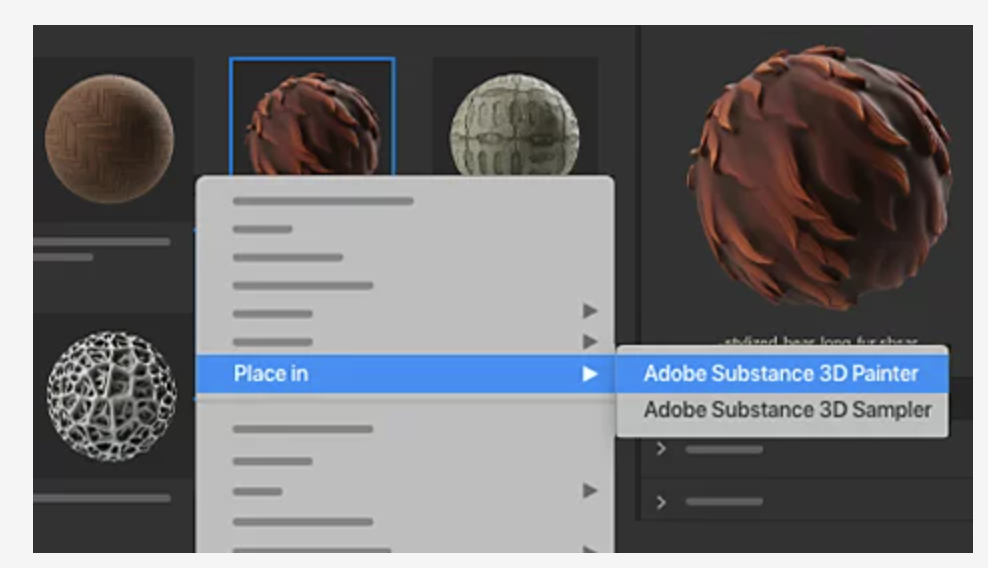
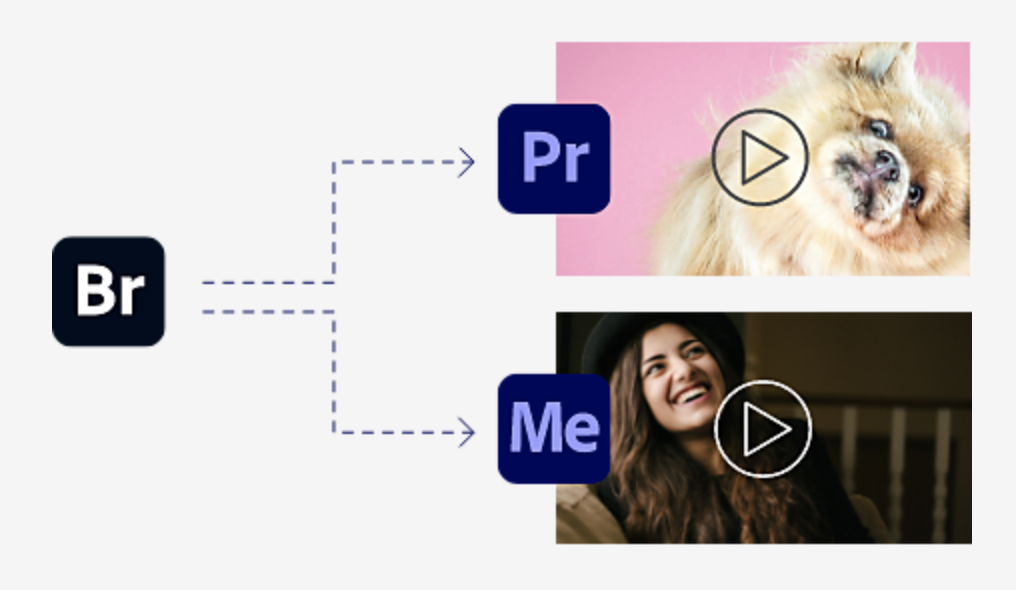
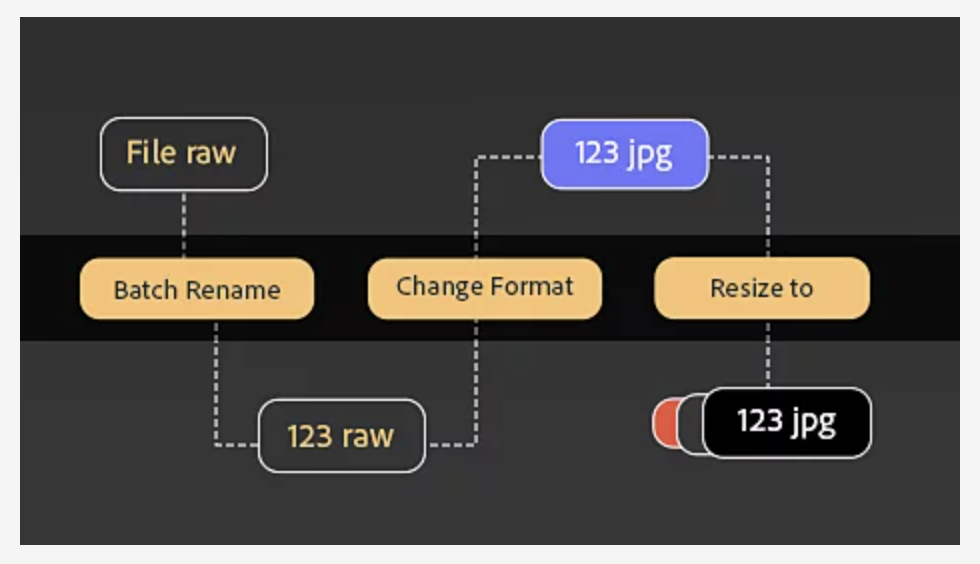
Adobe Bridge is a free digital asset management application developed by Adobe Inc., designed to help users organize, preview, and manage various media files. It supports a wide range of file formats, including RAW images, JPEGs, PSDs, and videos. Key features include batch renaming, assigning metadata, and rating files for efficient organization. The software offers multiple content panels for easy comparison and transfer between folders. Recent updates introduced Quick Actions for swift image and video edits, such as background removal and format conversion. Bridge also integrates seamlessly with other Adobe applications like Photoshop and Premiere Pro, enhancing workflow efficiency. Additionally, it provides support for HEIC and HEIF image formats on Windows and includes performance improvements for smoother operation.
- Centralized organization of photos and assets
- Deep integration with Adobe Creative Cloud
- Fast previewing and culling of images
- Batch renaming, conversions, and processing
- Powerful metadata tagging and smart collections
- Broad camera RAW and file support
Eligibility
Number of Seats/Users: Adobe Bridge offers discounts based on the number of users or seats. A higher volume typically leads to a better discount structure, especially for enterprise-level usage.
Commitment to a Long-Term Contract: Discounts are often provided to companies that commit to using the service for a longer period (e.g., 1-year or 3-year contracts). A longer commitment shows Adobe Bridge that the company is serious and willing to invest in the platform long-term.
No Active Discounts: Companies that are not already receiving other active discounts may have a better chance of qualifying for additional discounts from Adobe Bridge. Adobe Bridge reserves discounts for new customers or those not currently under promotional pricing.
Volume or Usage Commitment: Adobe Bridge offers discounts if you agree to a minimum amount of usage or transaction volume. This could be based on data storage, transactions, or other metrics tied to how much you will use the platform.
Enterprise-Level Negotiation: Companies that qualify as “enterprise” due to their size or complexity (e.g., having large teams, multiple departments, or geographical presence) may be eligible for additional discounts from Adobe Bridge. Such companies are often in a position to negotiate for better pricing.
Early Renewal or Prepayment: Adobe Bridge often offers discounts if you renew early or prepay for the entire contract period. This is a common approach to securing a lower price.

Adobe Bridge - Up to 20% off
Reviews
Here at Spendbase our internal data shows that Adobe Bridge is seen as a “quiet workhorse” in the Adobe stack: not flashy, but critical for many creative workflows.
Overall sentiment
Our Spendbase clients generally rate Adobe Bridge highly, especially those who handle lots of photos and design assets daily. It’s often described as “essential” or “daily” software once adopted.
What Spendbase clients like most
Our internal data shows that these strengths come up again and again:
- Deep Adobe ecosystem fit
- Tight integration with Photoshop, Illustrator, and other Creative Cloud apps
- Smooth handoff of assets without opening each file
- Powerful organization tools
- Fast visual browsing of many file types (RAW, PSD, PDFs, images, video)
- Strong batch functions: renaming, tagging, applying metadata
- Smart Collections and labels for easy search and filtering
- Photographer-friendly features
- Reliable handling of many camera RAW formats
- Easy ingest from cards, quick culling, and basic adjustments
- Workflow efficiency
- Multi-window support for moving files between folders
- Central “hub” for marketing, education, and operations teams managing shared assets
Key pain points to factor into buying decisions
Our internal data also shows several consistent drawbacks:
- Performance
- Can be slow or laggy with very large libraries or heavy folders
- Resource‑hungry on older machines; occasional crashes with big data sets
- User experience
- Interface feels dated to many
- Steep learning curve; some Spendbase clients never got comfortable with it
- Interface can feel overloaded with options rarely used
- Feature gaps
- Limited editing capabilities; you still need Photoshop/Lightroom for real edits
- Few AI/automation features for smart tagging and naming
- No native cloud storage or true sync with Creative Cloud assets
- Newer versions sometimes reported as buggy
How this impacts cost optimization
For Spendbase clients:
- Teams that live in Adobe apps and manage large asset libraries tend to get high ROI from Bridge and low risk of shelfware.
- For lighter use cases, similar functionality in Lightroom or OS file browsers may create overlap, so pushing for bundle discounts or right‑sizing licenses makes sense.
If you share your current Adobe stack and asset volume, we can pinpoint where Bridge delivers real value and where you can negotiate or trim spend.
See how much you can save on your stack
Pick your team’s tools!
Click to select one or more tools.


What’s your company size?
Just click to select.
What’s your business email?
We'll send you calculations right away
The email is flying to your inbox!
Beyond discounts, you may qualify for up to $100K in AWS credits.

FAQ
1. Is Adobe Bridge free to use?
Yes, Adobe Bridge is completely free for everyone, offering full functionality without any cost.
2. Does Adobe Bridge come with Creative Cloud subscriptions?
Yes, Adobe Bridge is included with Adobe Creative Cloud subscriptions, providing seamless integration with other Adobe apps.
3. Are there any discounts available for Adobe Bridge?
Adobe Bridge is free, so no discounts are necessary; it's accessible to all users at no cost.
4. Can students get a discount on Adobe Bridge?
Adobe Bridge is free for all users, including students, so no additional discounts are needed.
5. Is Adobe Bridge available as a standalone application?
Yes, Adobe Bridge can be downloaded and used as a standalone application without any associated costs.
6. Do I need a Creative Cloud subscription to use Adobe Bridge?
No, Adobe Bridge is available for free and does not require a Creative Cloud subscription.
7. Are there any hidden fees associated with Adobe Bridge?
No, Adobe Bridge is entirely free with no hidden fees or charges.
Related discounts

remove.bg
Photo Editing Software
Up to 25% off

JumpStory
Photo Editing Software
Up to 30% off

Img.vision
Photo Editing Software
Up to 25% off

LunaPic
Photo Editing Software
Up to 25% off

PhotoScape X
Photo Editing Software
Up to 15% off

Home Photo Studio
Photo Editing Software
Up to 45% off
Software cost optimization
Adobe Bridge savings in five steps
Let’s estimate your potential savings and see how you can scale your cloud infrastructure.
One call. No cost. No commitments


meet vendor relationship EXPERTS
Our customers save millions with us



Save on Adobe Bridge
It’s time to shrink your bill
Let our SaaS cost optimization experts check what deals you can get and how much you can save on your corporate subscriptions
See how you can:
- Learn about pricing benchmarks and discounts
- Present potential savings by vendor to your team
- Meet your SaaS and cloud cost optimization goals
Get Adobe Bridge discount
We’ll email you back within 1 business day