











AWS Systems Manager Discount - Up to 40% off
Cloud-based solution that helps enterprises track and resolve operational issues across your AWS applications.
Get discountCategory
IT Management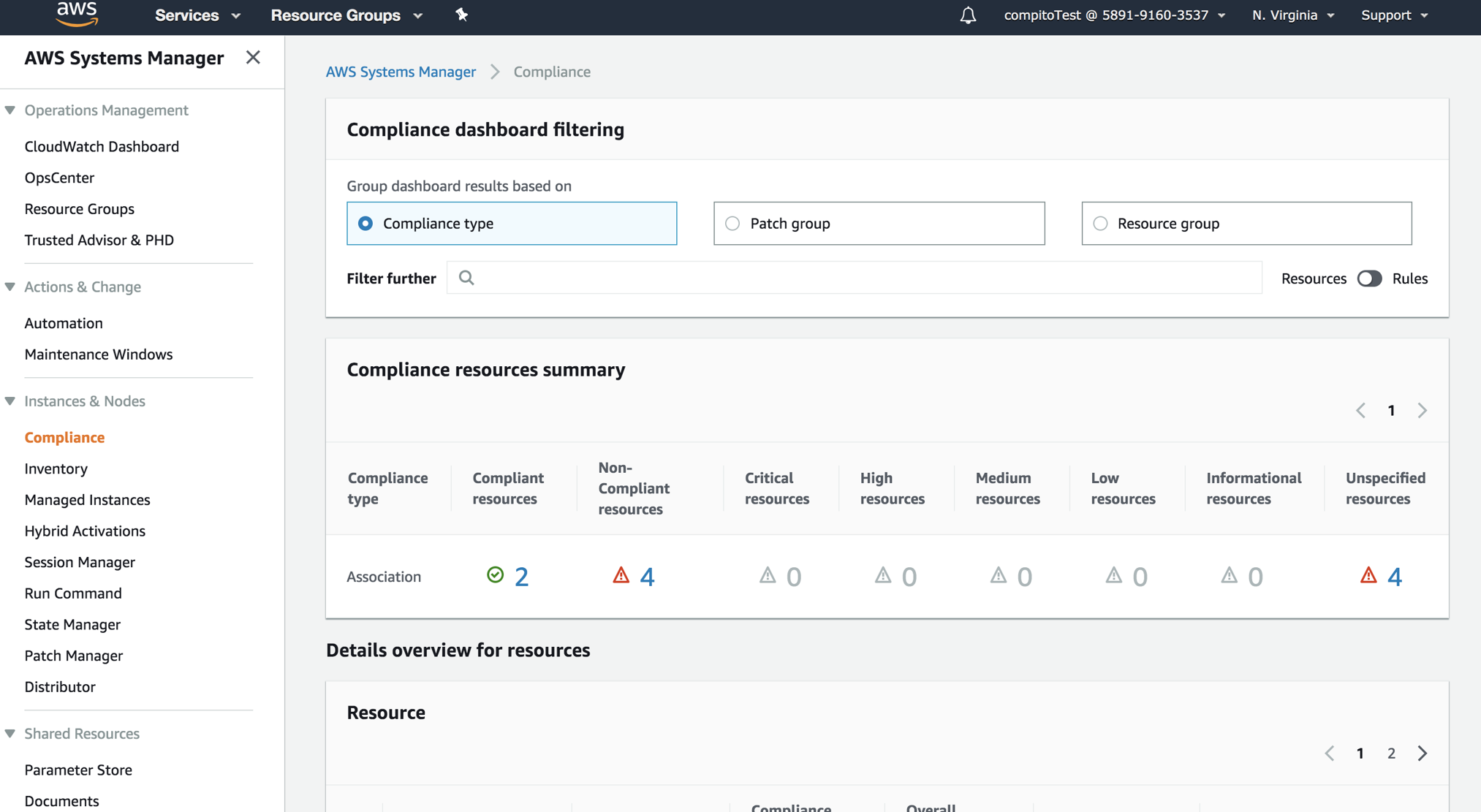
What is AWS Systems Manager?
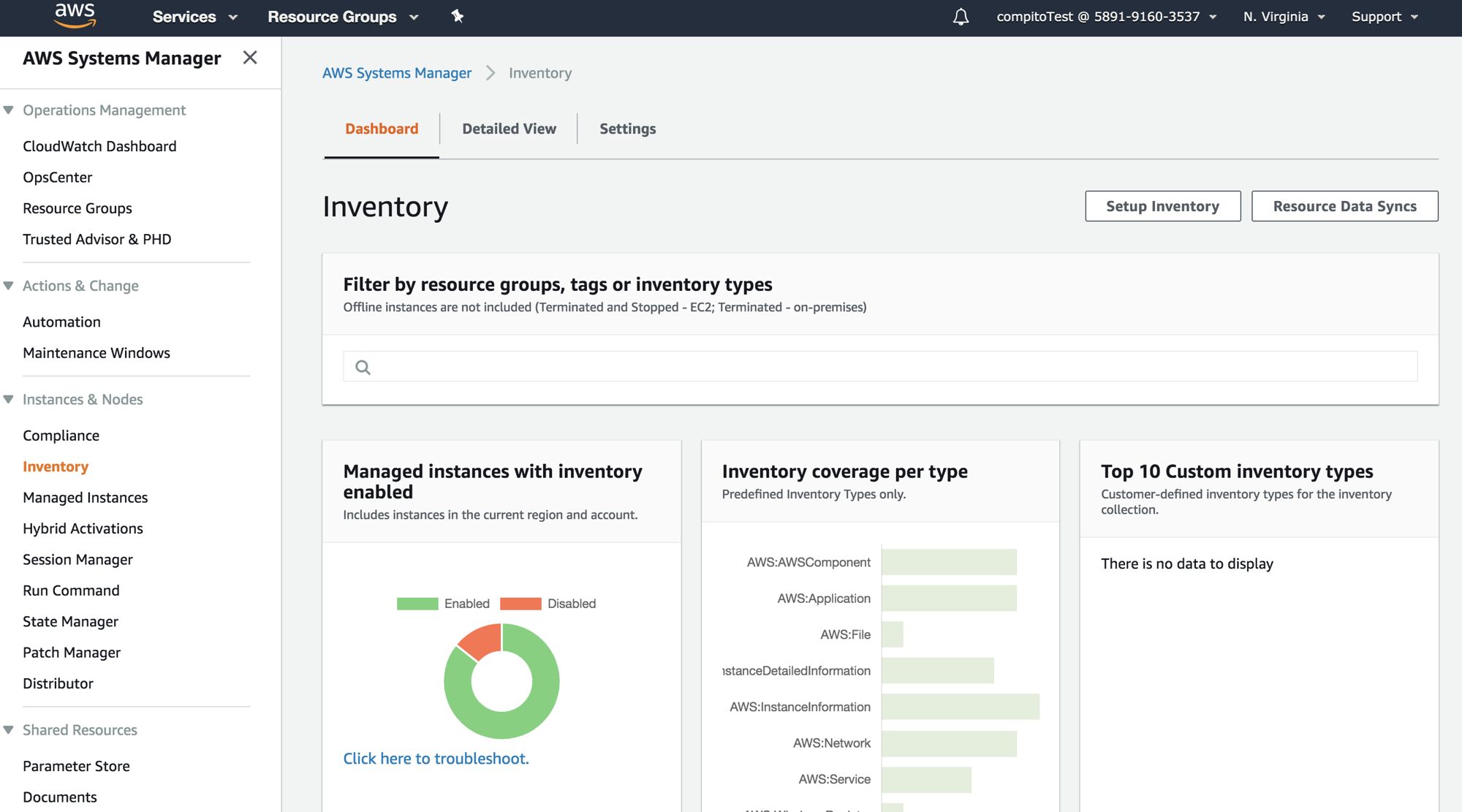
AWS Systems Manager is a cloud-based solution that enables enterprises to track and resolve operational issues across their AWS applications. It offers centralized management of EC2 and hybrid servers, secure remote access through Session Manager, and robust automation capabilities using Runbooks. The platform integrates seamlessly with AWS services like IAM, CloudWatch, and CloudTrail, enhancing visibility and compliance reporting. Users can perform common systems administration tasks without manually connecting to managed nodes, manage nodes across multiple platforms and operating systems from a single console, and improve operational efficiency. Additionally, it provides features such as Patch Manager for automated OS and security patch deployment, and Parameter Store for securely storing configuration data and secrets.
- Centralized management for AWS and hybrid
- Secure remote access via Session Manager
- Automation for patching, deployments, operational tasks
- Parameter Store for configuration data, secrets
- Deep integration with core AWS services
- Compliance, monitoring, and operational visibility features
Eligibility
Number of Seats/Users: AWS Systems Manager offers discounts based on the number of users or seats. A higher volume typically leads to a better discount structure, especially for enterprise-level usage.
Commitment to a Long-Term Contract: Discounts are often provided to companies that commit to using the service for a longer period (e.g., 1-year or 3-year contracts). A longer commitment shows AWS Systems Manager that the company is serious and willing to invest in the platform long-term.
No Active Discounts: Companies that are not already receiving other active discounts may have a better chance of qualifying for additional discounts from AWS Systems Manager. AWS Systems Manager reserves discounts for new customers or those not currently under promotional pricing.
Volume or Usage Commitment: AWS Systems Manager offers discounts if you agree to a minimum amount of usage or transaction volume. This could be based on data storage, transactions, or other metrics tied to how much you will use the platform.
Enterprise-Level Negotiation: Companies that qualify as “enterprise” due to their size or complexity (e.g., having large teams, multiple departments, or geographical presence) may be eligible for additional discounts from AWS Systems Manager. Such companies are often in a position to negotiate for better pricing.
Early Renewal or Prepayment: AWS Systems Manager often offers discounts if you renew early or prepay for the entire contract period. This is a common approach to securing a lower price.

AWS Systems Manager - Up to 40% off
Reviews
Here at Spendbase our internal data shows that AWS Systems Manager is seen as a strong, cost-effective control plane for AWS environments, especially once it’s properly set up.
From what Spendbase clients share, the main strengths are:
- Centralized control
- Single place to manage EC2 and hybrid/on‑prem servers
- Easy to orchestrate updates, patching, and configuration across many instances
-
Helpful “single pane of glass” for larger or multi-account setups
-
Automation & DevOps fit
- Run Command, Automation, and Runbooks save a lot of manual ops time
- Parameter Store is widely used for config and secrets, especially with CloudFormation
-
Good fit for CI/CD and compliance workflows
-
Security & access
- Session Manager is a big win: shell access without SSH keys or open ports
-
Native integrations with IAM, CloudWatch, CloudTrail help with governance
-
Cost perception
- Many clients like that core features are low-cost or free-tier friendly
- Some mention excellent value for money at their current scale
- A smaller group flags:
- Pricing structure feels complex
- Experimentation (students, labs, heavy Parameter Store usage) can add up
- API throttling on Parameter Store under heavy use
At the same time, our internal feedback highlights recurring friction points:
- Onboarding & complexity
- Initial setup (roles, permissions, agents) is often called “tedious” or “built for pros”
- Several teams needed an experienced engineer to configure things correctly
-
Many mention a noticeable learning curve
-
User experience
- Interface can be confusing; core features hidden in the sidebar
- Broad feature set makes it hard to know “what does what” at first
-
Documentation is thorough but not beginner-friendly
-
Operational quirks
- Occasional latency or glitches in commands and UI
- Slow updates for some compliance/insight data
- No easy “resume from failure” for some Automation workflows
From a Spendbase discount and optimization angle, this all points to:
- Good ROI if:
- You centralize ops and lean heavily on automation
-
You design usage to avoid unnecessary API calls and misconfigured features
-
Risk of overspend or wasted effort if:
- You turn on “everything” without a clear plan
- You underestimate setup time and required skill level
In short, Systems Manager is powerful and usually worth the spend, but our clients get the best value when they budget for expert setup and keep a close eye on usage patterns and throttling.
See how much you can save on your stack
Pick your team’s tools!
Click to select one or more tools.


What’s your company size?
Just click to select.
What’s your business email?
We'll send you calculations right away
The email is flying to your inbox!
Beyond discounts, you may qualify for up to $100K in AWS credits.

FAQ
1. Are there any free tiers available for AWS Systems Manager?
Yes, AWS offers a Free Tier for Systems Manager, including 1,000 free Automation executions per month and 5 managed instances for Patch Manager.
2. How can I reduce costs when using AWS Systems Manager?
Utilize the Free Tier, monitor usage to avoid exceeding free limits, and consider third-party services for automated discount management.
3. Does AWS Systems Manager offer volume discounts?
AWS Systems Manager pricing is primarily pay-as-you-go; volume discounts may be available through AWS Organizations or consolidated billing.
4. Are there any additional charges for using AWS Systems Manager features?
Some features, like advanced parameters in Parameter Store, may incur additional charges beyond the Free Tier limits.
5. Can I get discounts on AWS Systems Manager through third-party services?
Yes, some third-party services offer automated discount management for AWS services, including Systems Manager, to help reduce costs.
6. Is there a cost associated with using AWS Systems Manager Distributor?
Distributor is priced on a pay-per-use model, with charges based on storage size, API calls, and data transfer for your own packages.
7. How does AWS Systems Manager pricing work for on-premises instances?
Standard on-premises instances are free up to 1,000 per account per Region; advanced instances incur hourly charges.
8. Are there any promotional credits available for AWS Systems Manager?
Promotional credits may be available through AWS partners, offering significant discounts or credits for AWS services.
Related discounts

SmartDeploy
Disk Imaging Software
Up to 15% off

VIZOR IT Asset Management
IT Management
Up to 30% off

XIA Automation Server
IT Management
Up to 50% off

Workelevate
IT Management
Up to 30% off
Auslogics Registry Cleaner
IT Management
Up to 40% off

Runecast
AIOps Tools
Up to 15% off
Software cost optimization
AWS Systems Manager savings in five steps
Let’s estimate your potential savings and see how you can scale your cloud infrastructure.
One call. No cost. No commitments


meet vendor relationship EXPERTS
Our customers save millions with us



Save on AWS Systems Manager
It’s time to shrink your bill
Let our SaaS cost optimization experts check what deals you can get and how much you can save on your corporate subscriptions
See how you can:
- Learn about pricing benchmarks and discounts
- Present potential savings by vendor to your team
- Meet your SaaS and cloud cost optimization goals
Get AWS Systems Manager discount
We’ll email you back within 1 business day