











InnoPlanner Discount - Up to 45% off
An interior decoration 3D software accessible directly via browser without the hassle of installation or downloads.
Get discountCategory
3D CAD Software


What is InnoPlanner?
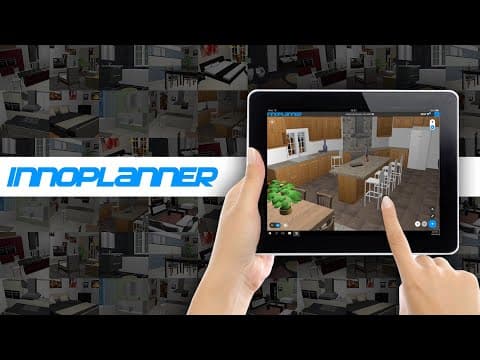
InnoPlanner is a professional online 3D interior design software tailored for designers, architects, retailers, dealers, and manufacturers. It offers various versions, from basic designer accounts to white-label solutions for e-commerce integration. Key features include annotations, an API for integration, and customizable branding options. Users have rated it highly for ease of use, customer service, and overall functionality.
- Online professional 3D interior design platform
- Built for designers, architects, retailers, manufacturers
- White-label versions with ecommerce integration options
- Intuitive, fast, clean, easy-to-learn interface
- Rich generic catalog plus custom catalog support
- Highly responsive support and custom feature additions
Eligibility
Number of Seats/Users: InnoPlanner offers discounts based on the number of users or seats. A higher volume typically leads to a better discount structure, especially for enterprise-level usage.
Commitment to a Long-Term Contract: Discounts are often provided to companies that commit to using the service for a longer period (e.g., 1-year or 3-year contracts). A longer commitment shows InnoPlanner that the company is serious and willing to invest in the platform long-term.
No Active Discounts: Companies that are not already receiving other active discounts may have a better chance of qualifying for additional discounts from InnoPlanner. InnoPlanner reserves discounts for new customers or those not currently under promotional pricing.
Volume or Usage Commitment: InnoPlanner offers discounts if you agree to a minimum amount of usage or transaction volume. This could be based on data storage, transactions, or other metrics tied to how much you will use the platform.
Enterprise-Level Negotiation: Companies that qualify as “enterprise” due to their size or complexity (e.g., having large teams, multiple departments, or geographical presence) may be eligible for additional discounts from InnoPlanner. Such companies are often in a position to negotiate for better pricing.
Early Renewal or Prepayment: InnoPlanner often offers discounts if you renew early or prepay for the entire contract period. This is a common approach to securing a lower price.

InnoPlanner - Up to 45% off
Reviews
Here at Spendbase our internal data shows that InnoPlanner is seen as a strong-value, pro-grade interior design tool, especially for teams that care about affordability and flexibility.
From what Spendbase clients share with us, the main themes look like this:
What Spendbase clients like most
- Ease of use once adopted
- Described as intuitive, clean UI, fast loading
- Easy to learn for designers and business users
- Good value for money
- “Good price/offering ratio” is mentioned often
- Affordable designer accounts, especially for remote / freelance work
- Content and catalogs
- Rich generic catalog with “tons of items”
- Business users can upload their own product catalog without much friction
- Service and implementation
- Very responsive support team
- Strong guidance during installation and customization
- Custom features can be added on request, with clear communication
Common pain points and gaps
- Learning curve
- Some clients find it a bit cumbersome at the beginning, especially more advanced functionality.
- Bugs and stability
- Minor bugs do appear, though the vendor reacts quickly to fix them.
- File format support
- A recurring wish is direct support for importing .dwg files.
- On‑premise complexity
- When companies choose a self-hosted/server setup, it can be trickier to install and maintain than the online version.
How this translates into Spendbase insights
Our internal benchmarks show that InnoPlanner tends to deliver:
- High satisfaction for:
- Small and mid-size design studios
- Retailers and manufacturers that need custom catalogs and white‑label options
- Best cost efficiency when:
- Teams actually use the customization and catalog features
- Companies opt for the online version instead of managing their own server, unless they have strong in‑house IT
Discount and optimization opportunities we usually look for
- Right-sizing the number and type of designer accounts
- Negotiating better terms if you plan custom features or white‑label integration
- Avoiding unnecessary spend on self-hosted infrastructure when the cloud version would suffice
Overall, Spendbase clients see InnoPlanner as a capable, budget-friendly 3D interior design platform, with the best ROI when support and customization options are actively leveraged and the deployment model is chosen carefully.
See how much you can save on your stack
Pick your team’s tools!
Click to select one or more tools.


What’s your company size?
Just click to select.
What’s your business email?
We'll send you calculations right away
The email is flying to your inbox!
Beyond discounts, you may qualify for up to $100K in AWS credits.

FAQ
1. Do you offer any special discounts or reward programs?
Yes, we offer a 10% discount on annual plans and a referral program rewarding $25 credits for each friend who subscribes.
2. Can I use multiple discount codes at once?
No, only one discount code can be applied per purchase. However, some promotions may automatically apply at checkout.
3. How can I set up a promotional rate plan?
Log in, navigate to Inventory > Rates Grid, add a rate plan, and set a promo code to restrict access to discounted rates.
4. Do discounts apply to membership extras?
Yes, when the base membership plan includes extras, the selected discount will also automatically apply to all plan extras.
5. How do I add discounts and coupons to my items?
Log in to your account, go to 'My Page,' select an item, edit details, and set up a discount under 'Pricing.'
6. What is a stacking discount?
Stacking discounts combine multiple promotions, like a bulk discount with a subscription discount, to maximize savings.
7. How do I set up a discount schedule?
Go to Billing > Discounts, add a plan discount, define the discount amount, and apply it to eligible memberships.
Related discounts

VinylMaster
3D CAD Software
Up to 20% off

3D_Evolution
3D CAD Software
Up to 30% off

Advance Steel
3D CAD Software
Up to 20% off

Web Solar Cloud
3D CAD Software
Up to 20% off

Vi BIM solutions
3D CAD Software
Up to 25% off

CARL Source
3D CAD Software
Up to 25% off
Software cost optimization
InnoPlanner savings in five steps
Let’s estimate your potential savings and see how you can scale your cloud infrastructure.
One call. No cost. No commitments


meet vendor relationship EXPERTS
Our customers save millions with us



Save on InnoPlanner
It’s time to shrink your bill
Let our SaaS cost optimization experts check what deals you can get and how much you can save on your corporate subscriptions
See how you can:
- Learn about pricing benchmarks and discounts
- Present potential savings by vendor to your team
- Meet your SaaS and cloud cost optimization goals
Get InnoPlanner discount
We’ll email you back within 1 business day