











Arlo Training Management Software Discount - Up to 15% off
Manage course scheduling, registrations, payments, website, CRM, and reporting—all in one powerful and easy-to-use platform.
Get discountCategory
Event Booking Software


What is Arlo Training Management Software?
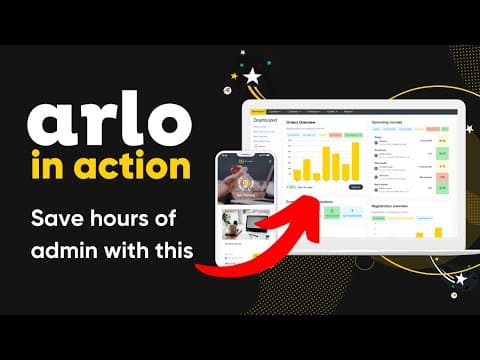
Arlo Training Management Software is a comprehensive platform designed to streamline the administration of training programs. It automates tasks such as course scheduling, online registrations, and communication, reducing manual effort. Key features include course management, eLearning content creation and delivery, reporting and CRM integration, website integration for course promotion, automated registration and payment processing, an instructor app for attendance and grading, and flexible course booking and scheduling options. Arlo also offers integrations with tools like Zoom, WordPress, Salesforce, and Xero, enhancing its functionality and adaptability to various training needs.
- Centralized course registrations, payments, and CRM
- Deep website integration, including WordPress embedding
- Powerful automation for emails and workflows
- Comprehensive event scheduling, venues, and instructors
- Strong reporting, dashboards, and data exports
- Integrations with Moodle, Mailchimp, SurveyMonkey, Zoom
Eligibility
Number of Seats/Users: Arlo Training Management Software offers discounts based on the number of users or seats. A higher volume typically leads to a better discount structure, especially for enterprise-level usage.
Commitment to a Long-Term Contract: Discounts are often provided to companies that commit to using the service for a longer period (e.g., 1-year or 3-year contracts). A longer commitment shows Arlo Training Management Software that the company is serious and willing to invest in the platform long-term.
No Active Discounts: Companies that are not already receiving other active discounts may have a better chance of qualifying for additional discounts from Arlo Training Management Software. Arlo Training Management Software reserves discounts for new customers or those not currently under promotional pricing.
Volume or Usage Commitment: Arlo Training Management Software offers discounts if you agree to a minimum amount of usage or transaction volume. This could be based on data storage, transactions, or other metrics tied to how much you will use the platform.
Enterprise-Level Negotiation: Companies that qualify as “enterprise” due to their size or complexity (e.g., having large teams, multiple departments, or geographical presence) may be eligible for additional discounts from Arlo Training Management Software. Such companies are often in a position to negotiate for better pricing.
Early Renewal or Prepayment: Arlo Training Management Software often offers discounts if you renew early or prepay for the entire contract period. This is a common approach to securing a lower price.

Arlo Training Management Software - Up to 15% off
Reviews
Here at Spendbase our internal data shows that Arlo Training Management Software lands very well overall with Spendbase clients, but there are a few consistent friction points that matter for both usability and cost-efficiency.
Overall sentiment
– Average satisfaction is high (majority 4–5 stars)
– A small but important share reports serious onboarding and integration frustration
Key strengths our clients highlight
– Purpose-built for training providers:
– Strong course/event setup and templating
– Easy cloning of events and recurring courses
– Automation and time savings:
– Automated emails, waitlists, instructor notifications
– Mobile app for trainers to manage classes and attendance
– Professional image and growth impact:
– Several clients report Arlo helped them look “more legit” and scale rapidly
– Integrations that work well when configured correctly:
– WordPress, Moodle (once set up), SurveyMonkey, Mailchimp
Main pain points affecting value
– Onboarding & setup effort:
– Complex initial configuration, especially with varied course models
– Some clients paid extra for setup and still had to self-learn
– Integrations & technical limitations:
– Time-zone and support availability issues for US teams
– Mixed experiences with Zoom/GoToWebinar/Moodle integrations
– Dated API and some website/widget quirks
– Usability gaps:
– Too many steps for basic tasks (e.g., adding classes)
– Limited flexibility for automated emails and registration logic
– Admin-required changes for relatively simple corrections
– Feature gaps that can trigger hidden costs:
– Limited invoicing sophistication (units, fees)
– No built-in duplicate detection, language localization, or flexible certificates
– Manual steps for attendance, certification, and some integrations
From a Spendbase discount and optimization angle, our internal data shows that Arlo delivers strong ROI for teams that:
– Run many courses and can fully leverage automation
– Have capacity (or budget) for a thorough implementation
– Are ready to standardize their workflows around Arlo’s strengths
However, we also see:
– Higher-than-expected onboarding and integration costs for smaller teams
– Some clients switching platforms after paying substantial setup fees
In negotiations, we typically push for:
– Discounted or bundled implementation hours
– Clear commitments and timelines on required integrations/features
– Contract terms that reduce lock-in if Arlo doesn’t fit after rollout
See how much you can save on your stack
Pick your team’s tools!
Click to select one or more tools.


What’s your company size?
Just click to select.
What’s your business email?
We'll send you calculations right away
The email is flying to your inbox!
Beyond discounts, you may qualify for up to $100K in AWS credits.

FAQ
1. What types of discounts does Arlo offer?
Arlo provides various discounts, including early-bird, group booking, and membership discounts, to cater to diverse customer needs.
2. How can I apply an early-bird discount to my courses?
Set up time-based discounts in Arlo to automatically apply early-bird pricing for registrations completed before a specified date.
3. Is it possible to offer group booking discounts?
Yes, Arlo allows you to create group booking discounts that apply automatically when multiple participants register together.
4. Can I provide discounts to specific organizations or members?
Absolutely, Arlo enables discounts based on registrants' details, such as email domains or membership status.
5. How do I manage and edit existing discounts?
You can easily edit, archive, or delete discounts through Arlo's management platform to keep your offerings up-to-date.
6. Are there any limitations on combining multiple discounts?
Arlo allows you to set rules on whether discounts can be combined, giving you control over your pricing strategies.
7. Does Arlo support promotional codes for discounts?
Yes, you can create promotional codes in Arlo, allowing customers to apply specific discounts during the registration process.
8. How can I track the usage and effectiveness of my discounts?
Arlo provides reporting tools to monitor discount usage, helping you assess their impact and adjust strategies accordingly.
Related discounts

EventsHub
Event Booking Software
Up to 40% off

Purplepass Ticketing
Event Booking Software
Up to 20% off

Yapsody
Event Booking Software
Up to 25% off

GiveSmart
Event Booking Software
Up to 25% off

Ticket Tailor
Event Booking Software
Up to 15% off

Sports Carnival
Event Booking Software
Up to 30% off
Software cost optimization
Arlo Training Management Software savings in five steps
Let’s estimate your potential savings and see how you can scale your cloud infrastructure.
One call. No cost. No commitments


meet vendor relationship EXPERTS
Our customers save millions with us



Save on Arlo Training Management Software
It’s time to shrink your bill
Let our SaaS cost optimization experts check what deals you can get and how much you can save on your corporate subscriptions
See how you can:
- Learn about pricing benchmarks and discounts
- Present potential savings by vendor to your team
- Meet your SaaS and cloud cost optimization goals
Get Arlo Training Management Software discount
We’ll email you back within 1 business day