











Malwarebytes for Teams Discount - Up to 20% off
Malwarebytes for Teams protects against malware, ransomware, viruses, hackers, and other established and emerging cyberthreats.
Get discountCategory
Cybersecurity Software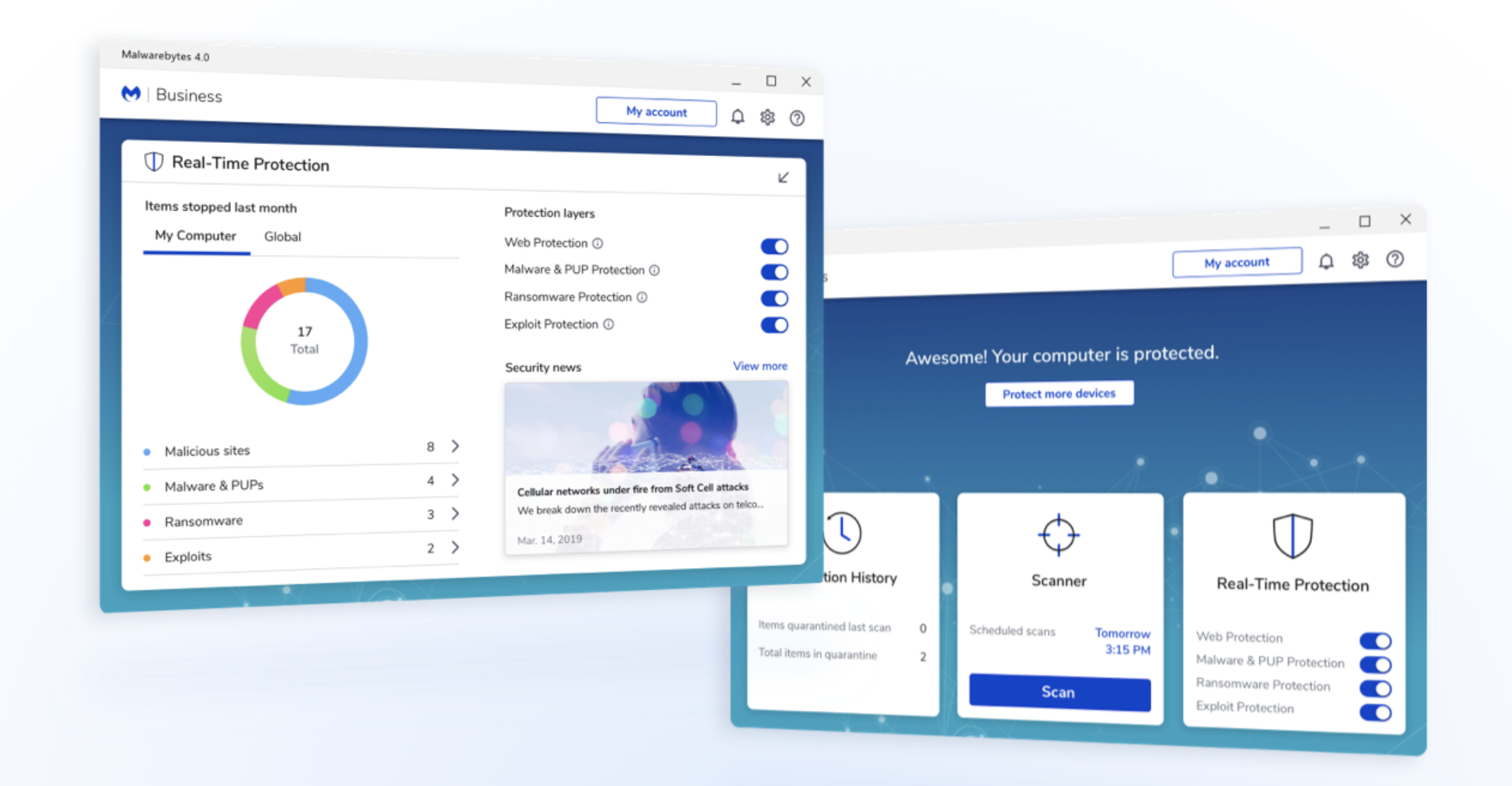
What is Malwarebytes for Teams?
Malwarebytes for Teams is a cybersecurity solution tailored for small businesses, offering protection for up to 20 devices across Windows, Mac, Android, and iOS platforms. Its key features include AI-powered defense against malware, viruses, and brute-force attacks; scam and ransomware protection; secure browsing with a built-in VPN; and enhanced Windows Firewall Control. The intuitive dashboard simplifies management, requiring no prior IT expertise. Additionally, it provides 24/7 priority support, monthly security reports, and device alerts, ensuring comprehensive security for small business operations.
- Protects up to 20 office devices
- Advanced malware, ransomware detection and removal
- Lightweight scans with minimal performance impact
- Real-time protection with constant automatic updates
- Simple, intuitive interface for nontechnical users
- Compatible across Windows, Mac, Chromebook, Android
Eligibility
Number of Seats/Users: Malwarebytes for Teams offers discounts based on the number of users or seats. A higher volume typically leads to a better discount structure, especially for enterprise-level usage.
Commitment to a Long-Term Contract: Discounts are often provided to companies that commit to using the service for a longer period (e.g., 1-year or 3-year contracts). A longer commitment shows Malwarebytes for Teams that the company is serious and willing to invest in the platform long-term.
No Active Discounts: Companies that are not already receiving other active discounts may have a better chance of qualifying for additional discounts from Malwarebytes for Teams. Malwarebytes for Teams reserves discounts for new customers or those not currently under promotional pricing.
Volume or Usage Commitment: Malwarebytes for Teams offers discounts if you agree to a minimum amount of usage or transaction volume. This could be based on data storage, transactions, or other metrics tied to how much you will use the platform.
Enterprise-Level Negotiation: Companies that qualify as “enterprise” due to their size or complexity (e.g., having large teams, multiple departments, or geographical presence) may be eligible for additional discounts from Malwarebytes for Teams. Such companies are often in a position to negotiate for better pricing.
Early Renewal or Prepayment: Malwarebytes for Teams often offers discounts if you renew early or prepay for the entire contract period. This is a common approach to securing a lower price.

Malwarebytes for Teams - Up to 20% off
Reviews
Here at Spendbase our internal data shows that Malwarebytes for Teams is generally a strong fit for small offices that want simple but powerful protection without constant babysitting.
From what our Spendbase clients say, the key strengths are:
- Strong protection & detection
- Consistently praised for catching malware, spyware, trojans, and ransomware.
- Often used as a second layer alongside Windows Defender or another AV, and it frequently finds threats others miss.
-
Many clients report “no infections since deployment” and successful ransomware prevention.
-
Performance & usability
- Runs quietly in the background with minimal impact on device speed.
- Fast scanning, even on large drives (1TB+).
- Interface is described as simple and intuitive once you’re used to it.
-
Good for mixed environments (Windows, Mac, Chromebook, Android) when you just want one tool across the office.
-
“Set and forget” experience
- Automatic, frequent updates that keep endpoints protected against new threats.
- Easy scheduling so scans don’t interrupt work.
- Very few pop‑ups or nags; most clients like that they don’t have to think about it day‑to‑day.
At the same time, our internal feedback highlights some consistent drawbacks:
- Not a full all‑in‑one security suite
- Some clients feel web/phishing and traditional antivirus coverage isn’t as deep as bigger “name brand” suites.
-
Often used as a companion rather than the only security product.
-
Pricing and plan structure
- Per‑device cost is seen as fair to good, but:
- Free version is limited.
- Team plans can be awkward for “in‑between” org sizes (not tiny, not large).
-
A few clients specifically note it’s “pricey for what it is” without a bundle.
-
Support & account issues
- Mixed experience: some say support is friendly and helpful, others report:
- Slow or hard‑to‑reach support.
- Billing problems (double charges, license confusion).
- Frustration with lifetime/legacy license handling.
- Website and renewal flow can be confusing.
In Spendbase negotiations, we typically focus on:
– Getting better tiering for mid‑sized teams.
– Clarifying support SLAs.
– Ensuring you’re not overpaying if you mainly use it as a second‑layer malware shield rather than a full suite.
See how much you can save on your stack
Pick your team’s tools!
Click to select one or more tools.


What’s your company size?
Just click to select.
What’s your business email?
We'll send you calculations right away
The email is flying to your inbox!
Beyond discounts, you may qualify for up to $100K in AWS credits.

FAQ
1. Are there any discounts available for Malwarebytes for Teams?
Yes, we offer special discounts for students, educators, military personnel, and public sector employees.
2. How can I verify my eligibility for a Malwarebytes for Teams discount?
You can verify your eligibility through Proxi.ID by entering your institution or organization credentials.
3. Do I need to use my official email to qualify for the discount?
Yes, please use your official military, government, faculty, or student email address for verification.
4. Will my discounted plan automatically renew at the same rate?
Yes, your plan will renew with the discount applied to future renewals.
5. Is there a free trial available for Malwarebytes for Teams?
Yes, you can try out Malwarebytes' security features individually via trials before purchasing a Teams subscription.
6. Can I add more devices to my Malwarebytes for Teams subscription later?
Yes, you can add more devices as needed by modifying your subscription through your Malwarebytes account.
7. Does Malwarebytes for Teams include VPN capabilities?
Yes, Malwarebytes for Teams now includes personal VPN access for all registered devices at no additional cost.
8. How do I get support for Malwarebytes for Teams?
Support is available via chat, phone, or by creating a ticket through our support portal.
Related discounts

TRAC
Cybersecurity Software
Up to 40% off

CanIPhish
Cybersecurity Software
Up to 30% off

Open Bridge
Cybersecurity Software
Up to 40% off

Kaymera
Cybersecurity Software
Up to 15% off

Ivanti Security Controls
Cybersecurity Software
Up to 15% off

Detectify
Cybersecurity Software
Up to 35% off
Software cost optimization
Malwarebytes for Teams savings in five steps
Let’s estimate your potential savings and see how you can scale your cloud infrastructure.
One call. No cost. No commitments


meet vendor relationship EXPERTS
Our customers save millions with us



Save on Malwarebytes for Teams
It’s time to shrink your bill
Let our SaaS cost optimization experts check what deals you can get and how much you can save on your corporate subscriptions
See how you can:
- Learn about pricing benchmarks and discounts
- Present potential savings by vendor to your team
- Meet your SaaS and cloud cost optimization goals
Get Malwarebytes for Teams discount
We’ll email you back within 1 business day