











Boomerang for Gmail Discount - Up to 20% off
Boomerang for Gmail delivers one click calendar scheduling that’s as easy for the person you’re inviting as it is for you.Lear
Get discountCategory
Calendar Software



What is Boomerang for Gmail?
Boomerang for Gmail is an email productivity tool that enhances Gmail’s functionality. It allows users to schedule emails to be sent later, set reminders for follow-ups, and track email opens and clicks. The ‘Inbox Pause’ feature helps manage incoming emails by temporarily halting their arrival, reducing distractions. ‘Respondable’ uses AI to assist in crafting effective emails by analyzing tone and engagement likelihood. Additionally, Boomerang offers recurring emails, meeting scheduling, and real-time notifications, streamlining email management and improving communication efficiency.
- Schedule emails to send later automatically
- Return emails to inbox as reminders
- Pause inbox to stop new messages
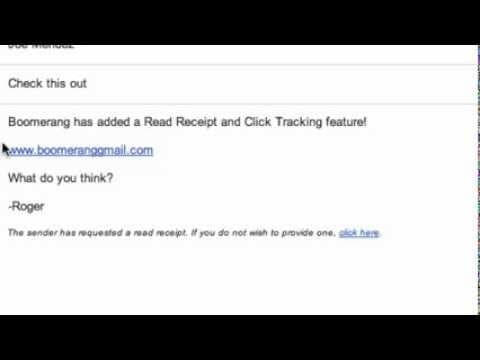
- Track opens, reads, and link clicks
- AI writing assistant to improve responses
- Automatic follow‑up prompts on unanswered emails
Eligibility
Number of Seats/Users: Boomerang for Gmail offers discounts based on the number of users or seats. A higher volume typically leads to a better discount structure, especially for enterprise-level usage.
Commitment to a Long-Term Contract: Discounts are often provided to companies that commit to using the service for a longer period (e.g., 1-year or 3-year contracts). A longer commitment shows Boomerang for Gmail that the company is serious and willing to invest in the platform long-term.
No Active Discounts: Companies that are not already receiving other active discounts may have a better chance of qualifying for additional discounts from Boomerang for Gmail. Boomerang for Gmail reserves discounts for new customers or those not currently under promotional pricing.
Volume or Usage Commitment: Boomerang for Gmail offers discounts if you agree to a minimum amount of usage or transaction volume. This could be based on data storage, transactions, or other metrics tied to how much you will use the platform.
Enterprise-Level Negotiation: Companies that qualify as “enterprise” due to their size or complexity (e.g., having large teams, multiple departments, or geographical presence) may be eligible for additional discounts from Boomerang for Gmail. Such companies are often in a position to negotiate for better pricing.
Early Renewal or Prepayment: Boomerang for Gmail often offers discounts if you renew early or prepay for the entire contract period. This is a common approach to securing a lower price.

Boomerang for Gmail - Up to 20% off
Reviews
Here at Spendbase our internal data shows that Boomerang for Gmail is viewed as a high‑value, “small tool, big impact” purchase for most Spendbase clients, especially those who live in their inbox.
Overall sentiment and fit
Our data indicates:
- Strong satisfaction with core functionality
- Best suited for:
- Sales and account management
- Founders/consultants working odd hours
- Roles with heavy follow‑up needs (recruiting, education, customer-facing teams)
Key value drivers our clients highlight
1) Email scheduling and time‑zone control
Spendbase clients consistently say Send Later is the feature that justifies the spend. It helps:
– Hit recipients’ working hours across time zones
– Protect work–life boundaries (write at night, deliver in the morning)
– Maintain a more “professional” image vs. sending at 2–3 a.m.
2) Follow‑up and “never drop the ball”
Our internal data shows that Boomerang’s reminder/return‑to‑inbox logic is the second major value pillar:
– Automatic reminders if no reply
– Using the inbox as a to‑do system without clutter
– Reduced chasing inside teams and with clients
3) Inbox load management
Features like Inbox Pause and scheduling messages back to the inbox help:
– Batch email time and reduce constant context switching
– Avoid mental overhead of remembering future tasks
4) Tracking and engagement insight
Read receipts and link tracking are used as:
– Lightweight deal/lead insight when a full CRM is overkill
– A way to validate if quotes or outreach are being seen
Cost, plan, and adoption concerns
Our internal data also shows several consistent friction points:
- Free tier limits:
- Credits run out fast for active users
-
Many would happily upgrade if pricing on mid/individual tiers were a bit more generous
-
UX and reliability:
- Design inside Gmail feels dated or slightly confusing for some
- Occasional glitches and calendar re‑auth annoy heavier users
-
Mobile usage requires a separate app, which reduces adoption on phones
-
Behavior risk:
- Easy to “boomerang things forever” and create a future backlog instead of resolving items
How we typically advise Spendbase clients
- Power users in sales, recruiting, and client service usually see clear ROI on paid plans.
- Light users can often stay on free but should prioritize Boomerang for high‑value deals and time‑zone sensitive emails.
- Teams expecting it to replace a full CRM usually end up disappointed and overpaying; pairing it with a proper CRM is more cost‑effective.
See how much you can save on your stack
Pick your team’s tools!
Click to select one or more tools.


What’s your company size?
Just click to select.
What’s your business email?
We'll send you calculations right away
The email is flying to your inbox!
Beyond discounts, you may qualify for up to $100K in AWS credits.

FAQ
1. Do you offer discounts for nonprofit organizations?
Yes, we offer discounts for nonprofits. Please email support@baydin.com for more details.
2. Is there a free trial available for Boomerang?
Yes, all new accounts come with a free 30-day trial of Boomerang Professional.
3. Can I get a discount for annual billing?
Yes, we offer an extra discount for annual billing on all subscription plans.
4. Are there group or team discounts available?
Yes, we offer group subscriptions. Please email sales@baydin.com for more information.
5. Do you provide student discounts?
Currently, we do not offer specific student discounts.
6. Is there a free version of Boomerang?
Yes, Boomerang Basic is free and includes 10 message credits per month.
7. How do I cancel my subscription?
You can cancel your subscription via the 'Manage scheduled messages' option in your Gmail.
8. Can I transfer my subscription to a different email address?
Yes, please email support@baydin.com with both your old and new email addresses.
Related discounts

BigChange
Calendar Software
Up to 50% off

GlossGenius
Calendar Software
Up to 20% off

Setster
Calendar Software
Up to 45% off

TimeTree
Calendar Software
Up to 35% off

Kronologic
Calendar Software
Up to 50% off

Kiute Pro
Calendar Software
Up to 40% off
Software cost optimization
Boomerang for Gmail savings in five steps
Let’s estimate your potential savings and see how you can scale your cloud infrastructure.
One call. No cost. No commitments


meet vendor relationship EXPERTS
Our customers save millions with us



Save on Boomerang for Gmail
It’s time to shrink your bill
Let our SaaS cost optimization experts check what deals you can get and how much you can save on your corporate subscriptions
See how you can:
- Learn about pricing benchmarks and discounts
- Present potential savings by vendor to your team
- Meet your SaaS and cloud cost optimization goals
Get Boomerang for Gmail discount
We’ll email you back within 1 business day