











CAD Pro Discount - Up to 30% off
On-premise CAD solution that lets businesses manage landscape and mechanical designs, add pop-up images, notes or audio files & more.
Get discountCategory
Architectural CAD Software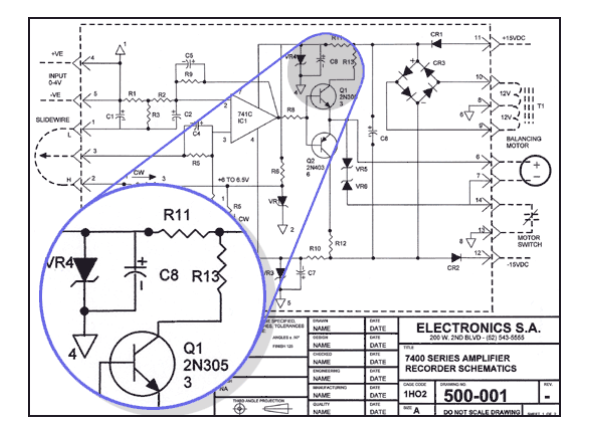


What is CAD Pro?
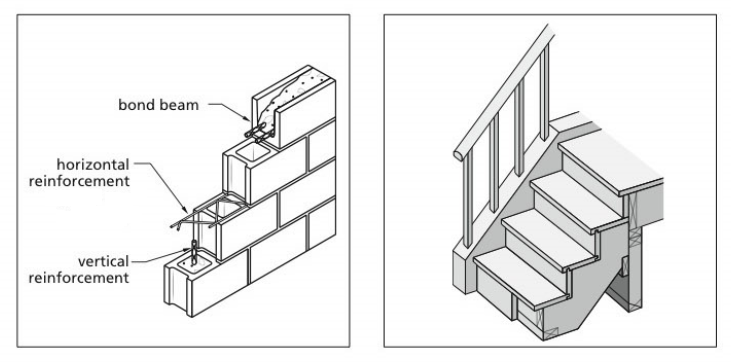
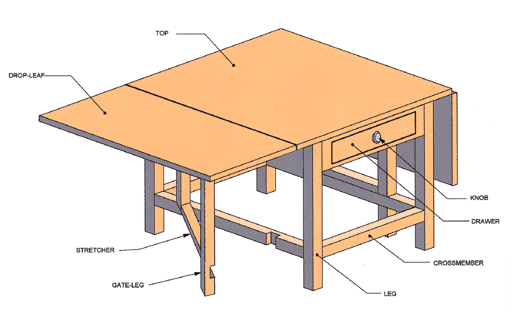
CAD Pro is an on-premise CAD solution designed for creating landscape and mechanical designs. It offers interactive features such as pop-up images, text notes, and audio files, enhancing design visualization and communication. The software includes tools for home design, blueprints, remodeling, and various layouts, catering to both professionals and DIY enthusiasts. Its intuitive interface supports precise dimension calculations and allows for easy modification of floor plans. Additional features like sketch and photo tracing enable users to import and enhance existing images or drawings. CAD Pro integrates seamlessly with Microsoft applications, facilitating the incorporation of designs into presentations and documents.
- On-premise CAD for architectural, mechanical, landscape
- Smart drafting and advanced design toolset
- Attach photos, notes, and audio annotations
- Generates project reports and basic analytics
- Integrates drawings into Microsoft Office applications
- Relatively low-cost compared to major competitors
Eligibility
Number of Seats/Users: CAD Pro offers discounts based on the number of users or seats. A higher volume typically leads to a better discount structure, especially for enterprise-level usage.
Commitment to a Long-Term Contract: Discounts are often provided to companies that commit to using the service for a longer period (e.g., 1-year or 3-year contracts). A longer commitment shows CAD Pro that the company is serious and willing to invest in the platform long-term.
No Active Discounts: Companies that are not already receiving other active discounts may have a better chance of qualifying for additional discounts from CAD Pro. CAD Pro reserves discounts for new customers or those not currently under promotional pricing.
Volume or Usage Commitment: CAD Pro offers discounts if you agree to a minimum amount of usage or transaction volume. This could be based on data storage, transactions, or other metrics tied to how much you will use the platform.
Enterprise-Level Negotiation: Companies that qualify as “enterprise” due to their size or complexity (e.g., having large teams, multiple departments, or geographical presence) may be eligible for additional discounts from CAD Pro. Such companies are often in a position to negotiate for better pricing.
Early Renewal or Prepayment: CAD Pro often offers discounts if you renew early or prepay for the entire contract period. This is a common approach to securing a lower price.

CAD Pro - Up to 30% off
Reviews
Here at Spendbase our internal data shows that CAD Pro sits in a very specific niche: cost‑effective for technically skilled teams, but risky for beginners and for anyone who expects strong support or flexible licensing.
Below is a concise summary of what our clients tell us.
Positive themes our Spendbase clients highlight
– Strong value for technical users
– Affordable compared to “big” CAD tools.
– Good fit for mechanical, landscape, and basic architectural layouts.
– Helpful tools: smart design/editing, drafting, fill patterns, and basic reporting.
– Easy to use for experienced designers
– Clients familiar with CAD or engineering concepts say it’s simple and flexible.
– Integrates nicely into Microsoft Word, PowerPoint, Publisher, and Excel for presentations.
– Good for basic / phase‑1 work
– Works well for simple floor plans, mechanical designs, and network diagrams.
Key pain points our internal data flags
– Very poor customer support
– Many clients report unanswered emails.
– No clear refund path; some mention aggressive or unhelpful responses.
– Re‑installation on a new machine often requires paying again.
– Steep learning curve for non‑experts
– Not intuitive for novices; limited in‑product guidance.
– Almost no accessible tutorials or how‑to material.
– Basic tasks like line thickness, layers, curved walls, and 3D views can be hard to find.
– Stability and feature gaps
– Described as “clunky,” with crashes on complex designs.
– Limited symbol libraries and very basic 3D; some features (multi‑story, structural elements) are missing or hard to achieve.
– Commercial and technical constraints
– Windows‑only; no pre‑purchase OS screening, which leads to frustration for Mac users.
– Licensing and download limitations (e.g., second install after a hardware issue).
– Needs relatively powerful hardware for smooth work.
How we at Spendbase usually position CAD Pro in cost‑cutting strategies
– Good candidate when:
– Teams are technically skilled and only need 2D/basic CAD.
– Budget is tight and you’re replacing expensive flagship CAD for lightweight work.
– High‑risk when:
– You rely on responsive vendor support.
– You have mixed‑skill teams or non‑technical users.
– You need advanced 3D, BIM‑level workflows, or Mac compatibility.
Net takeaway from Spendbase clients: CAD Pro can reduce license costs for specific, well‑defined use cases with experienced users, but it often generates hidden costs in support, training, and rework if deployed as a general‑purpose CAD standard.
See how much you can save on your stack
Pick your team’s tools!
Click to select one or more tools.


What’s your company size?
Just click to select.
What’s your business email?
We'll send you calculations right away
The email is flying to your inbox!
Beyond discounts, you may qualify for up to $100K in AWS credits.

FAQ
1. Are there any current discounts available for CAD Pro software?
Yes, we offer seasonal promotions and student discounts. Please check our website for the latest offers.
2. How can I apply a discount code to my CAD Pro purchase?
Enter the discount code at checkout in the designated field to apply the savings to your order.
3. Do you offer educational discounts for students and educators?
Yes, we provide special pricing for students and educators. Verification of academic status is required.
4. Is there a discount for purchasing multiple licenses of CAD Pro?
Yes, we offer volume discounts for multiple licenses. Contact our sales team for a customized quote.
5. Can I combine multiple discount codes on a single purchase?
Typically, only one discount code can be applied per purchase. Please refer to the terms and conditions for details.
6. Are there any discounts available for upgrading from an older version of CAD Pro?
Yes, we offer upgrade discounts for existing customers. Log in to your account to view available upgrade options.
7. Do you offer discounts for non-profit organizations?
Yes, we provide special pricing for non-profits. Please contact our support team with your organization's details.
8. How often do you offer promotional discounts on CAD Pro?
We run promotions periodically throughout the year. Subscribe to our newsletter to stay informed about upcoming deals.
Related discounts

CorelCAD
Architectural CAD Software
Up to 30% off

ArcSite
Architectural CAD Software
Up to 25% off

SolidBuilder
Architectural CAD Software
Up to 45% off

Cadvilla
Architectural CAD Software
Up to 30% off

progeCAD 2010 Professional
3D CAD Software
Up to 15% off

QCAD
Architectural CAD Software
Up to 30% off
Software cost optimization
CAD Pro savings in five steps
Let’s estimate your potential savings and see how you can scale your cloud infrastructure.
One call. No cost. No commitments


meet vendor relationship EXPERTS
Our customers save millions with us



Save on CAD Pro
It’s time to shrink your bill
Let our SaaS cost optimization experts check what deals you can get and how much you can save on your corporate subscriptions
See how you can:
- Learn about pricing benchmarks and discounts
- Present potential savings by vendor to your team
- Meet your SaaS and cloud cost optimization goals
Get CAD Pro discount
We’ll email you back within 1 business day