Xcode 12 Pricing Score & Analysis
App Building Software
Pricing score
Xcode 12 is Apple’s integrated development environment for building iOS, iPadOS, macOS, tvOS, and watchOS applications, enabling coding, testing, and deployment from one platform.
Main features:
- Code development
- Code editing
- Debugging
- Deployment management
- Graphical user interface tools
- Web/mobile app development
- Built for professional developers

Xcode 12 up to 45% off
Unlock special pricing on Xcode 12 with Spendbase
Product Overview
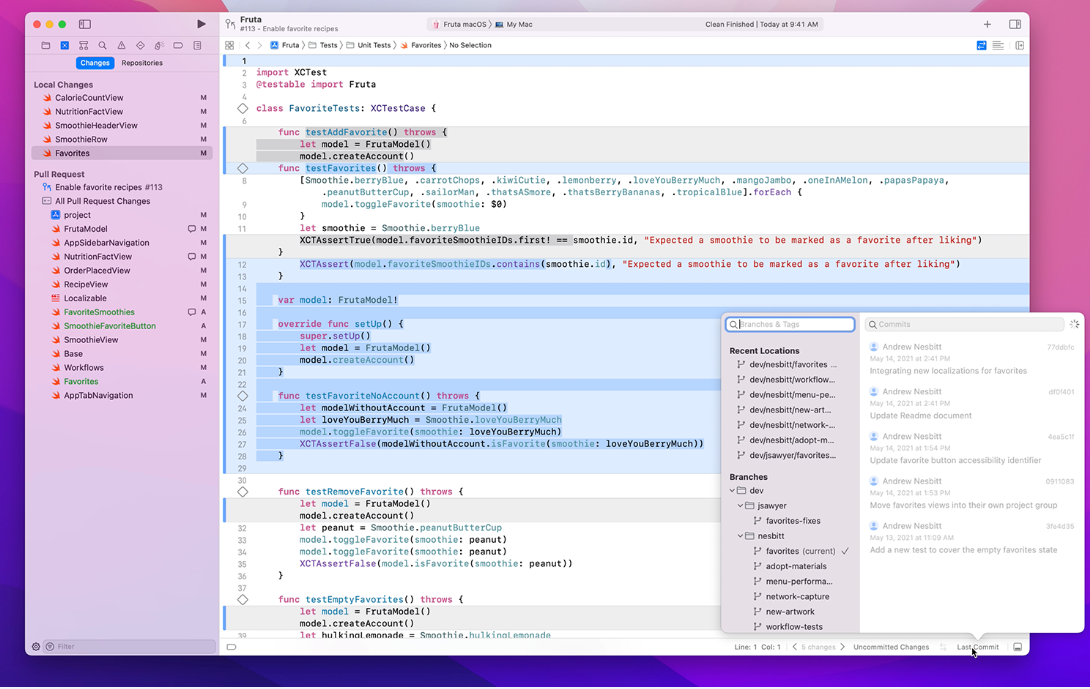
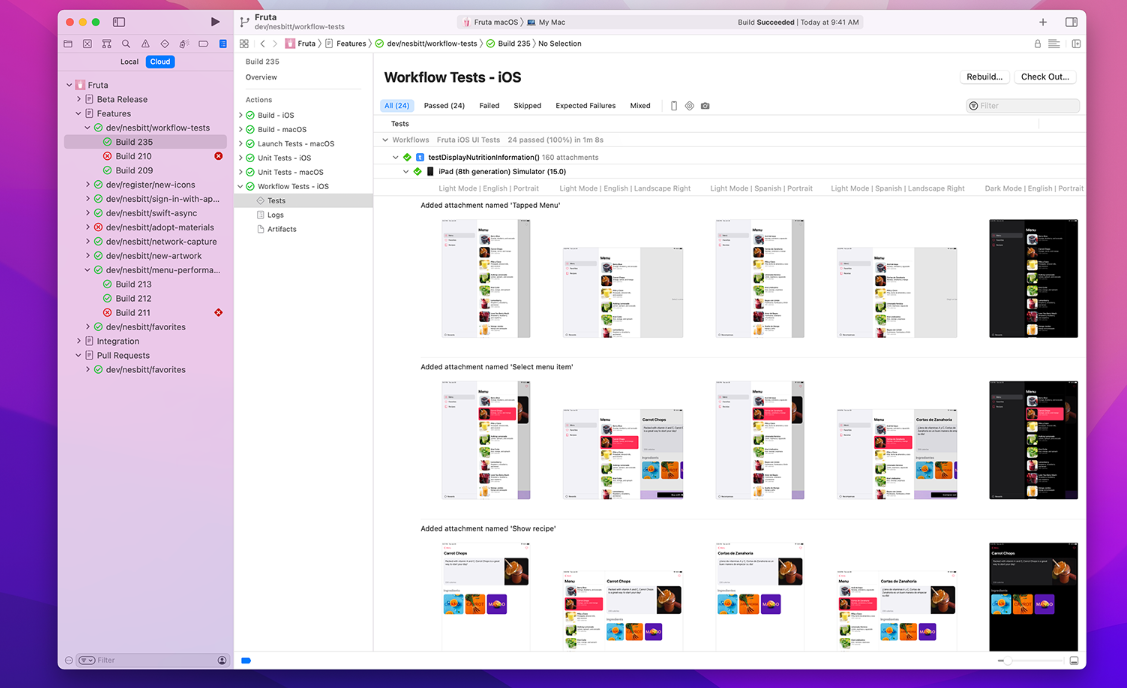
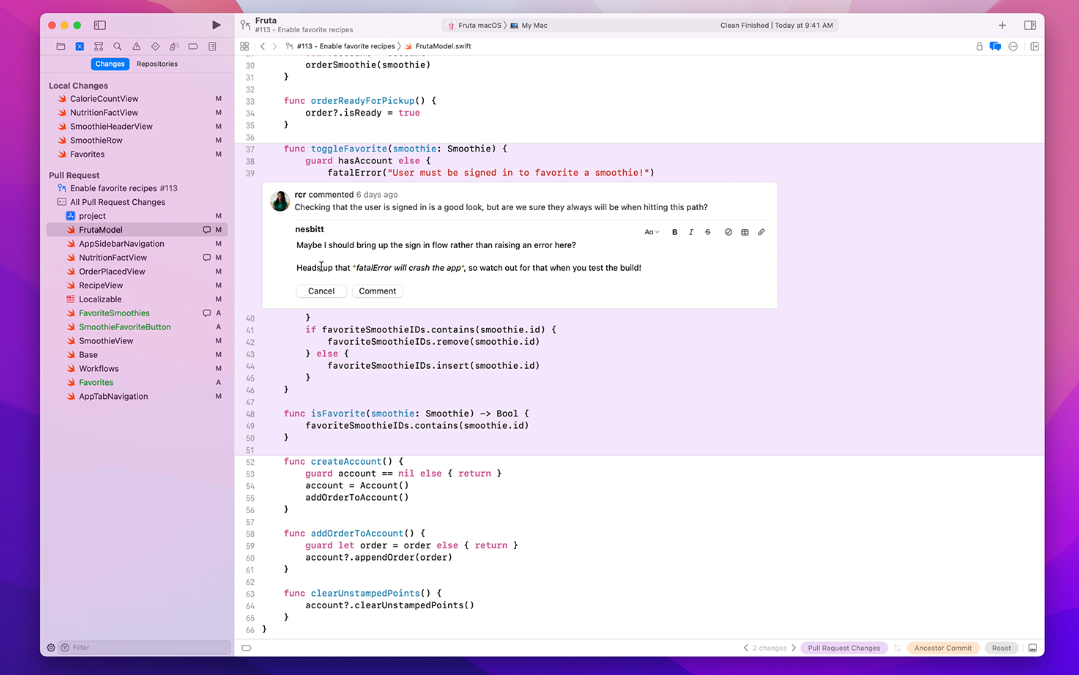
Xcode 12 is Apple’s integrated development environment for building, testing, and deploying apps for iOS, iPadOS, macOS, watchOS, and tvOS. It provides tools for code development, code editing, graphical user interface design, debugging, and deployment management, along with simulators for different Apple devices.
Teams or departments that might be interested include:
- Mobile and desktop application development teams focused on Apple platforms
- Software engineering and R&D departments
- Product teams creating consumer or enterprise apps for the Apple ecosystem
- Startups and agencies offering iOS or macOS app development services
- Freelance Apple-platform developers
Xcode 12 up to 45% off
Unlock special pricing on Xcode 12 with Spendbase
INSIGHTS
Plan highlights
 Individual Developer Tier
Our internal data shows that individual developers typically access Xcode 12 free via the Mac App Store, with many opting for the $99/year Apple developer program. Best for solo iOS/macOS developers needing basic build, debug, and App Store deployment capabilities.
 Small Team Tooling Tier
Our internal data shows that small teams pair free Xcode 12 with paid CI and repository tools (e.g., hosted git, basic mobile CI runners). Designed for start‑ups and 3–15 person squads needing shared pipelines, build automation, and basic artifact storage on top of Xcode.
 Growth Mobile Engineering Tier
Our internal data shows that scaling teams combine Xcode 12 with mid‑range CI/CD, test clouds, and device farms, averaging this per‑user spend. Suited for 15–100 developer organizations focused on release automation, multi‑environment testing, and tighter collaboration around Xcode projects.
 Enterprise Mobile Platform Tier
Our internal data shows that enterprises layer Xcode 12 with advanced CI/CD, test cloud, MDM, security, and compliance tooling. Ideal for large regulated organizations needing governed pipelines, role‑based access, policy controls, and global support wrapped around their Xcode‑based mobile engineering stack.

INSIGHTS
How much does Xcode 12 typically cost?
These are the publicly listed prices — our deals are even better
 |
Free
For individual developers and small teams getting started with iOS and macOS development |
Developer
For small teams needing code signing, testing on devices, and App Store distribution |
Business
For growing organizations using typical third-party toolchains alongside Xcode (average market pricing) |
Enterprise
For large enterprises with complex compliance and support needs using broader mobile dev platforms around Xcode |
|---|---|---|---|---|
|
Monthly cost
Per User |
$0
|
$8.25
|
$20
|
Custom pricing
|
|
Monthly cost
Total (50 users) |
$0
|
$412.50
|
$1,000
|
Custom pricing
|
|
Annual cost
Per User |
$0
|
$99
|
$240
|
Custom pricing
|
|
Annual cost
Total (50 users) |
$0
|
$4,950
|
$12,000
|
Custom pricing
|

Spendbase price
|
$0
|
$2,723
45% off |
$6,600
45% off |
Custom pricing
|
Calculated based on data for a company of 50 people - for individual calculations
contact us.ANALYZE SAAS SPEND
How do we save you on Slack?

Hoop on a call with us
See cost saving options

Get detailed calculations

Share it with your team

SaaS SAVINGS AND WINS
Our customers save up to 39% on software - you can too

We saved over $500k and got SaaS visibility
Global IT Manager

Spendbase has been a game-changer for us. Their platform helps tech companies like ours to slash SaaS and cloud bills by up to 35%
Chief of Stuff, BRIDGE IN

I had no idea you can get huge discounts for most SaaS subscriptions
CEO and Co-founder, Sellestial

They worked exactly like we do—efficiently and professionally. They completely offloaded the hard work from our shoulders
Operations Director, WithU

With Spendbase.co, we locked in 10–15% savings on several of our main SaaS tools. If SaaS spend is a major cost for you, they’re a strong partner.
VP of Operations at Seven Peaks
We saved over $500k and got SaaS visibility
Global IT Manager
Spendbase has been a game-changer for us. Their platform helps tech companies like ours to slash SaaS and cloud bills by up to 35%
Chief of Stuff, BRIDGE IN
I had no idea you can get huge discounts for most SaaS subscriptions
CEO and Co-founder, Sellestial
They worked exactly like we do—efficiently and professionally. They completely offloaded the hard work from our shoulders
Operations Director, WithU
With Spendbase.co, we locked in 10–15% savings on several of our main SaaS tools. If SaaS spend is a major cost for you, they’re a strong partner.
VP of Operations at Seven Peaks





Features & Benefits with Discount Lens
See what you get — for less
Detailed feature comparison table with tier benefits Text here for the second row
Unified IDE for All Apple Platforms
Xcode 12 provides a single integrated environment to design, code, test, and ship apps across iOS, iPadOS, macOS, tvOS, and watchOS. Teams avoid juggling multiple tools and environments, which reduces complexity and keeps Apple development workflows standardized and predictable.

Discount impact
Consolidating development on one IDE cuts context switching, shortens onboarding, and improves delivery predictability, which directly lowers engineering overhead and accelerates time‑to‑market for Apple-focused product lines.
Strong Code Development And Editing Tooling
Robust code development and editing capabilities, including intelligent completion, refactoring, and syntax-aware navigation, let developers write and maintain Swift and Objective‑C code efficiently. This reduces manual effort and minimizes defects introduced during frequent changes in fast-moving roadmaps.
Discount impact
Higher code quality with fewer regressions means less time firefighting in production, more time delivering features, and ultimately lower maintenance cost per app over its lifecycle.
Integrated Debugging And Error Detection
Xcode 12 includes powerful debugging tools to detect and resolve issues early—breakpoints, step-through debugging, and runtime insights. Automated checks and diagnostics surface crashes, performance issues, and logic errors long before apps reach end users or reviewers.
Discount impact
Early issue detection dramatically reduces rework after release, improves app stability, and lowers support ticket volume, which together translate into lower operational costs and better user satisfaction scores.
Streamlined Deployment And Release Management
Built-in deployment management simplifies packaging, signing, and distributing apps to TestFlight and the App Store. Teams can manage builds, profiles, and release workflows directly in Xcode instead of relying on fragmented external tools and manual processes.
Discount impact
Automated, repeatable deployment flows reduce release risk, cut time spent on manual submissions, and enable more frequent, smaller releases—improving responsiveness to market and stakeholder demands.
Rich UI Design And App Simulation
Xcode 12 offers a graphical interface builder and device simulators for iPhone, iPad, Apple Watch, and more. Teams can visually design screens, preview behavior, and test layouts on multiple device types without physical hardware for every configuration.
Discount impact
Faster UI iteration and wider coverage of device scenarios reduce design defects and layout issues, improving user experience while keeping hardware and QA costs under control.