











Icecream PDF Editor Discount - Up to 40% off
Icecream PDF Editor is a PDF management software that enables users to edit, annotate, and organize PDF documents on Windows systems.
Get discountCategory
PDF Editor Software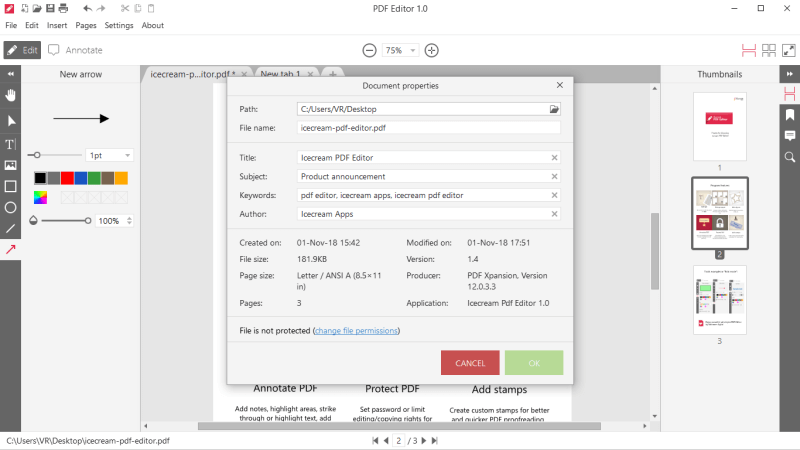

What is Icecream PDF Editor?
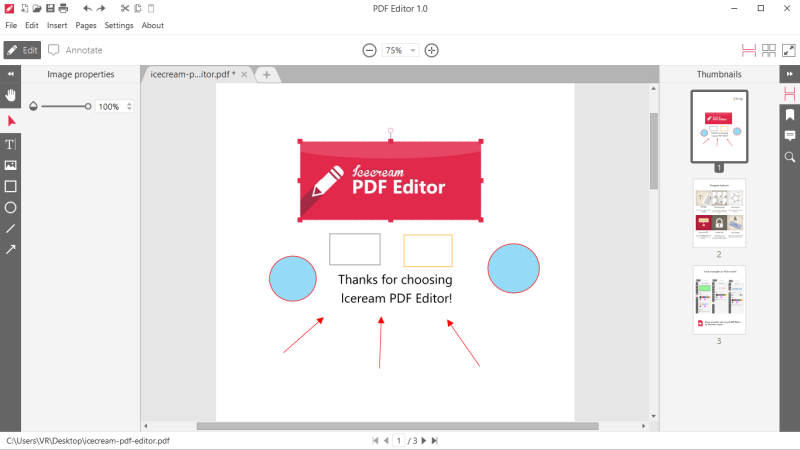
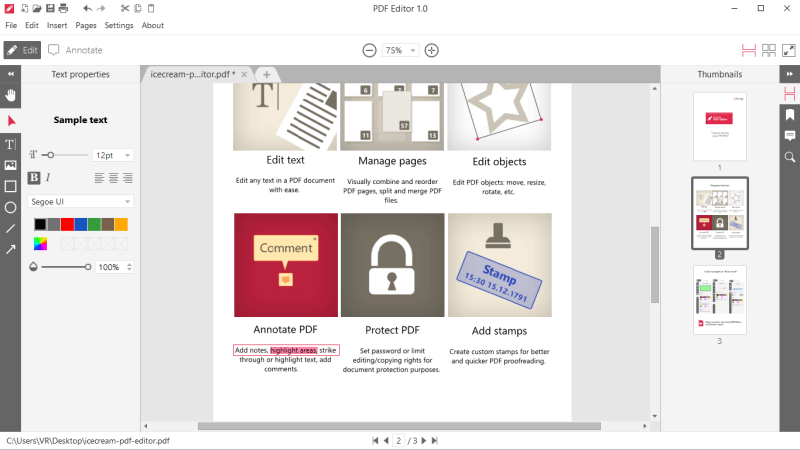
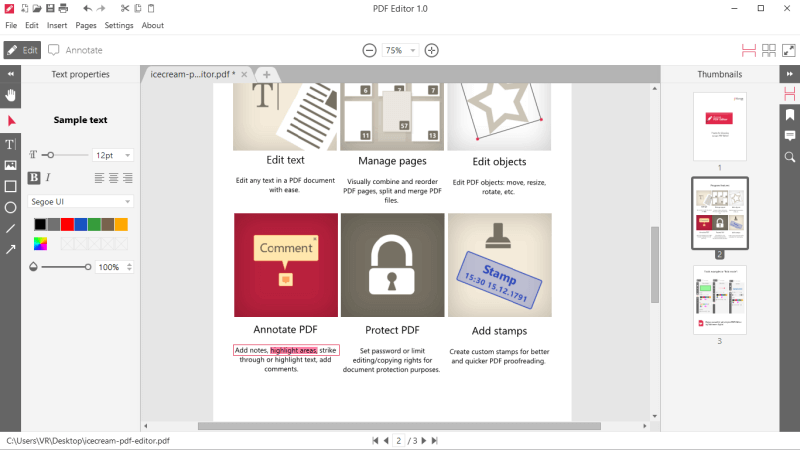
Icecream PDF Editor is a versatile software for Windows that enables users to edit, annotate, and manage PDF documents. Its main features include editing text and images, adding comments and highlights, inserting shapes, rearranging, rotating, deleting, or adding pages, merging multiple PDFs into a single document, and applying password protection for security. The software also offers conversion capabilities, allowing users to transform PDF pages into various image formats. Its intuitive interface makes it accessible for both personal and professional use.
- Edit PDF text, images, and metadata
- Annotate with comments, highlights, and shapes
- Manage pages: rearrange, rotate, delete, add
- Merge multiple PDFs into one document
- Protect documents with passwords and permissions
- Convert PDFs to images; extract content
Eligibility
Number of Seats/Users: Icecream PDF Editor offers discounts based on the number of users or seats. A higher volume typically leads to a better discount structure, especially for enterprise-level usage.
Commitment to a Long-Term Contract: Discounts are often provided to companies that commit to using the service for a longer period (e.g., 1-year or 3-year contracts). A longer commitment shows Icecream PDF Editor that the company is serious and willing to invest in the platform long-term.
No Active Discounts: Companies that are not already receiving other active discounts may have a better chance of qualifying for additional discounts from Icecream PDF Editor. Icecream PDF Editor reserves discounts for new customers or those not currently under promotional pricing.
Volume or Usage Commitment: Icecream PDF Editor offers discounts if you agree to a minimum amount of usage or transaction volume. This could be based on data storage, transactions, or other metrics tied to how much you will use the platform.
Enterprise-Level Negotiation: Companies that qualify as “enterprise” due to their size or complexity (e.g., having large teams, multiple departments, or geographical presence) may be eligible for additional discounts from Icecream PDF Editor. Such companies are often in a position to negotiate for better pricing.
Early Renewal or Prepayment: Icecream PDF Editor often offers discounts if you renew early or prepay for the entire contract period. This is a common approach to securing a lower price.

Icecream PDF Editor - Up to 40% off
Reviews
Here at Spendbase our internal data shows that Icecream PDF Editor is seen as a strong, budget‑friendly PDF tool, but with some important caveats around licensing and support.
Key positives our Spendbase clients highlight:
– Powerful core features for the price (especially in the free tier)
– Easy editing of:
– Text (insert, delete, resize)
– Images
– Pages (merge, rearrange, rotate, delete, add)
– Handy extras:
– Annotations (comments, highlights, shapes)
– Form filling
– Export pages to images (JPG, PNG)
– Text and image extraction
– Lightweight installer and simple interface that works well even on weaker machines
Main pain points we see:
– Free vs Pro limitations:
– Watermark on edited PDFs in the free version
– Limited font control (often only font size, not font family)
– Functional quirks:
– Occasional issues with text selection/editing accuracy
– Copy/paste sometimes flips text or images with no easy fix
– No quick batch selection of objects
– Can’t easily move objects between pages
– UX:
– Interface feels a bit “tacky” or dated to some clients, though still usable
The most critical red flags for procurement:
– Licensing and “lifetime” terms:
– “Lifetime” license appears to be tied to:
– Only a limited number of major version upgrades
– Very strict device transfer policy (one‑time “courtesy” transfer, then possible lockout)
– This creates risk for long‑term use and hardware refresh cycles.
– Customer support:
– Reports of slow or unhelpful responses
– Issues escalated to “future versions” without real troubleshooting
How we typically advise Spendbase clients:
– Treat the “lifetime” offer as a limited‑horizon license, not truly lifetime.
– Factor in potential re‑purchase or upgrade costs into your total cost of ownership.
– If you expect frequent device changes or major OS upgrades, negotiate:
– Clear transfer rights
– Transparent upgrade policy
– Use the free version internally to validate workflows and check for editing quirks before scaling Pro licenses.
Overall, our data shows Icecream PDF Editor delivers strong value on features, but the licensing model and support quality need careful attention when you are optimizing software spend.
See how much you can save on your stack
Pick your team’s tools!
Click to select one or more tools.


What’s your company size?
Just click to select.
What’s your business email?
We'll send you calculations right away
The email is flying to your inbox!
Beyond discounts, you may qualify for up to $100K in AWS credits.

FAQ
1. Are there any current discounts available for Icecream PDF Editor?
Yes, we offer various discounts, including up to 80% off on our desktop applications.
2. How can I apply a discount code when purchasing Icecream PDF Editor?
Enter the provided discount code during checkout to apply the savings to your purchase.
3. Is the lifetime license for Icecream PDF Editor truly for a lifetime?
Our lifetime license includes all future updates and is valid indefinitely for the purchased version.
4. Can I use Icecream PDF Editor on multiple devices with one license?
Each license is valid for a single device; additional licenses are required for multiple devices.
5. Do you offer discounts for educational institutions or non-profits?
Yes, we provide special discounts for educational institutions and non-profits; please contact our support for details.
6. Are there seasonal promotions for Icecream PDF Editor?
We frequently offer seasonal promotions; subscribe to our newsletter to stay informed about upcoming deals.
7. Is there a free trial available before purchasing Icecream PDF Editor?
Yes, we offer a free trial version so you can explore the features before making a purchase.
8. What is your refund policy if I'm not satisfied with Icecream PDF Editor?
We offer a 30-day money-back guarantee if you're not satisfied with our product.
Related discounts

PDF Agile
PDF Editor Software
Up to 40% off

Scanner Go
PDF Editor Software
Up to 40% off

Adobe Acrobat Reader
PDF Editor Software
Up to 35% off

UPDF
PDF Editor Software
Up to 25% off

AmindPDF
PDF Editor Software
Up to 20% off

SkyPDF
PDF Editor Software
Up to 35% off
Software cost optimization
Icecream PDF Editor savings in five steps
Let’s estimate your potential savings and see how you can scale your cloud infrastructure.
One call. No cost. No commitments


meet vendor relationship EXPERTS
Our customers save millions with us



Save on Icecream PDF Editor
It’s time to shrink your bill
Let our SaaS cost optimization experts check what deals you can get and how much you can save on your corporate subscriptions
See how you can:
- Learn about pricing benchmarks and discounts
- Present potential savings by vendor to your team
- Meet your SaaS and cloud cost optimization goals
Get Icecream PDF Editor discount
We’ll email you back within 1 business day