











Amazon RDS Discount - Up to 20% off
Amazon Relational Database Service (RDS) makes it easy to set up, operate, and scale a database, including Aurora, MySQL, PostgreSQL
Get discountCategory
Data Center Management Software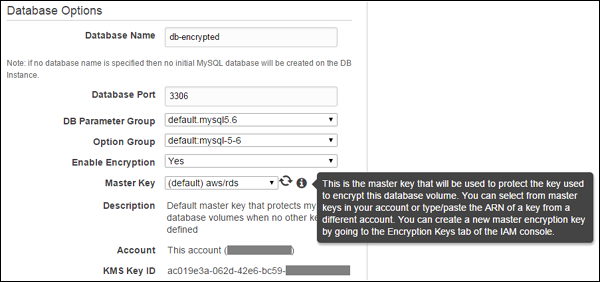


What is Amazon RDS?
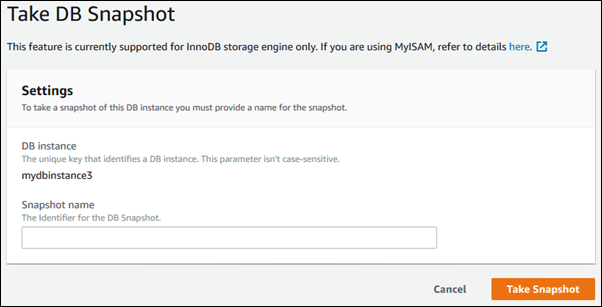
Amazon Relational Database Service (RDS) is a managed cloud service that simplifies the setup, operation, and scaling of relational databases. It supports multiple database engines, including Amazon Aurora, MySQL, PostgreSQL, MariaDB, Oracle Database, and SQL Server. Key features include automated administrative tasks such as hardware provisioning, database setup, patching, and backups. RDS offers high availability through Multi-AZ deployments, automated backups, and read replicas for scalability. It also provides security features like encryption at rest and in transit, and network isolation. With flexible pricing options, RDS allows users to focus on application development while managing database infrastructure efficiently.
Looking for a great deal on Amazon RDS?
Good news! Amazon RDS is currently offering discounts of up to 20% off regular subscription rates. This is your chance to leverage premium photo editing tools to enhance team coordination and productivity at a significantly reduced cost.
- Automated backups and patching management
- Supports multiple popular database engines
- Easy scaling and deployment options
- High availability with multi-AZ support
- Secure and reliable managed database service
- Performance monitoring and replication capabilities
Eligibility
Number of Seats/Users: Amazon RDS offers discounts based on the number of users or seats. A higher volume typically leads to a better discount structure, especially for enterprise-level usage.
Commitment to a Long-Term Contract: Discounts are often provided to companies that commit to using the service for a longer period (e.g., 1-year or 3-year contracts). A longer commitment shows Amazon RDS that the company is serious and willing to invest in the platform long-term.
No Active Discounts: Companies that are not already receiving other active discounts may have a better chance of qualifying for additional discounts from Amazon RDS. Amazon RDS reserves discounts for new customers or those not currently under promotional pricing.
Volume or Usage Commitment: Amazon RDS offers discounts if you agree to a minimum amount of usage or transaction volume. This could be based on data storage, transactions, or other metrics tied to how much you will use the platform.
Enterprise-Level Negotiation: Companies that qualify as “enterprise” due to their size or complexity (e.g., having large teams, multiple departments, or geographical presence) may be eligible for additional discounts from Amazon RDS. Such companies are often in a position to negotiate for better pricing.
Early Renewal or Prepayment: Amazon RDS often offers discounts if you renew early or prepay for the entire contract period. This is a common approach to securing a lower price.
Amazon RDS - Up to 20% off
Reviews
Here at Spendbase, our internal data shows that Amazon RDS stands out as a go-to solution for companies looking for a reliable managed database in the cloud. Our clients often appreciate the way RDS simplifies setup, management, and scaling, especially for popular engines like MySQL, PostgreSQL, and Aurora. However, several important trends come up from Spendbase client feedback, both positive and negative.
Top Benefits Noted by Spendbase Clients:
– Ease of Setup: Getting started is quick and painless, allowing rapid prototyping and onboarding of new applications.
– Automated Management: Tasks like provisioning, patching, backups, and failover are automated, freeing up IT and development teams.
– Strong Security: Clients value data security, snapshot backups, and secure remote connections.
– High Reliability and Availability: RDS is praised for uptime, automated failover, and easy scalability for global growth.
– Performance Monitoring: The management console offers helpful tools for tracking performance and identifying slow queries.
– Multi-Engine Support: RDS covers a wide range of database types, so most projects find a fit.
Cons and Challenges Shared by Spendbase Clients:
– Cost: Pricing is frequently flagged as higher than self-managed or on-premise solutions, especially for I/O-heavy workloads and during scaling.
– Limited Control: Some clients feel restricted by the lack of deep OS or root database access. Customization is limited compared to self-hosted setups.
– Steep Learning Curve: Initial configuration and dashboard navigation can be challenging, requiring extra training or expertise.
– Feature Lag: Occasionally, support for the latest features in engines like SQL Server and PostgreSQL is delayed.
– Scaling Limits: Downscaling resources and reducing storage allocation is not straightforward.
Other Insights from Spendbase Clients:
– The service excels for test, pilot, and production workloads alike.
– Automation and managed services are a big time-saver for growing teams.
– Aurora’s write forwarding and multi-writer features stand out for global deployments.
– RDS is a key tool for compliance-minded industries.
– Smaller companies sometimes feel the solution is too sophisticated or expensive for their needs.
Summary:
Spendbase clients report high satisfaction with the ease, security, and reliability of Amazon RDS. It’s ideal for organizations seeking to minimize database management overhead and maximize uptime. Cost and control limitations can affect some use cases, but for many, the managed features and scalability outweigh the negatives. If your spend optimization strategy includes cloud infrastructure, we definitely see RDS as a strong candidate. Want to lower your RDS costs? Let’s chat!
See how much you can save on your stack
Pick your team’s tools!
Click to select one or more tools.


What’s your company size?
Just click to select.
What’s your business email?
We'll send you calculations right away
The email is flying to your inbox!
Beyond discounts, you may qualify for up to $100K in AWS credits.

FAQ
1. What are Amazon RDS Reserved Instances?
Amazon RDS Reserved Instances allow you to reserve a database instance for a one- or three-year term, offering significant discounts compared to on-demand pricing.
2. How much can I save with Reserved Instances?
By committing to a one- or three-year term, you can save up to 75% compared to on-demand rates.
3. What payment options are available for Reserved Instances?
You can choose from No Upfront, Partial Upfront, or All Upfront payment options, balancing upfront costs with effective hourly rates.
4. Can I modify my Reserved Instance after purchase?
Reserved Instances are associated with specific attributes; modifying these may affect the applicability of the reserved pricing.
5. Do Reserved Instances provide capacity reservations?
Reserved Instances are purchased for a region and do not provide capacity reservations for specific Availability Zones.
6. How do I purchase a Reserved Instance?
You can purchase Reserved Instances through the AWS Management Console, AWS CLI, or AWS API.
7. What happens when my Reserved Instance term ends?
Upon expiration, your database instance reverts to the on-demand hourly rate unless you renew or purchase a new Reserved Instance.
Related discounts

MongoDB
App Development Software
Up to 15% off

System Center
Data Center Management Software
Up to 20% off

Anyformat
Data Entry Software
Up to 45% off

Cognito Forms
Data Collection software
Up to 25% off

PhraseExpander
Data Entry Software
Up to 20% off

Kaseya VSA
Data Center Management Software
Up to 15% off
Software cost optimization
Amazon RDS savings in five steps
Let’s estimate your potential savings and see how you can scale your cloud infrastructure.
One call. No cost. No commitments


meet vendor relationship EXPERTS
Our customers save millions with us



Save on Amazon RDS
It’s time to shrink your bill
Let our SaaS cost optimization experts check what deals you can get and how much you can save on your corporate subscriptions
See how you can:
- Learn about pricing benchmarks and discounts
- Present potential savings by vendor to your team
- Meet your SaaS and cloud cost optimization goals
Get Amazon RDS discount
We’ll email you back within 1 business day