











CoSchedule Marketing Suite Discount - Up to 40% off
Manage marketing campaigns from start to finish with the CoSchedule Marketing Suite.
Get discountCategory
Campaign Management Software


What is CoSchedule Marketing Suite?
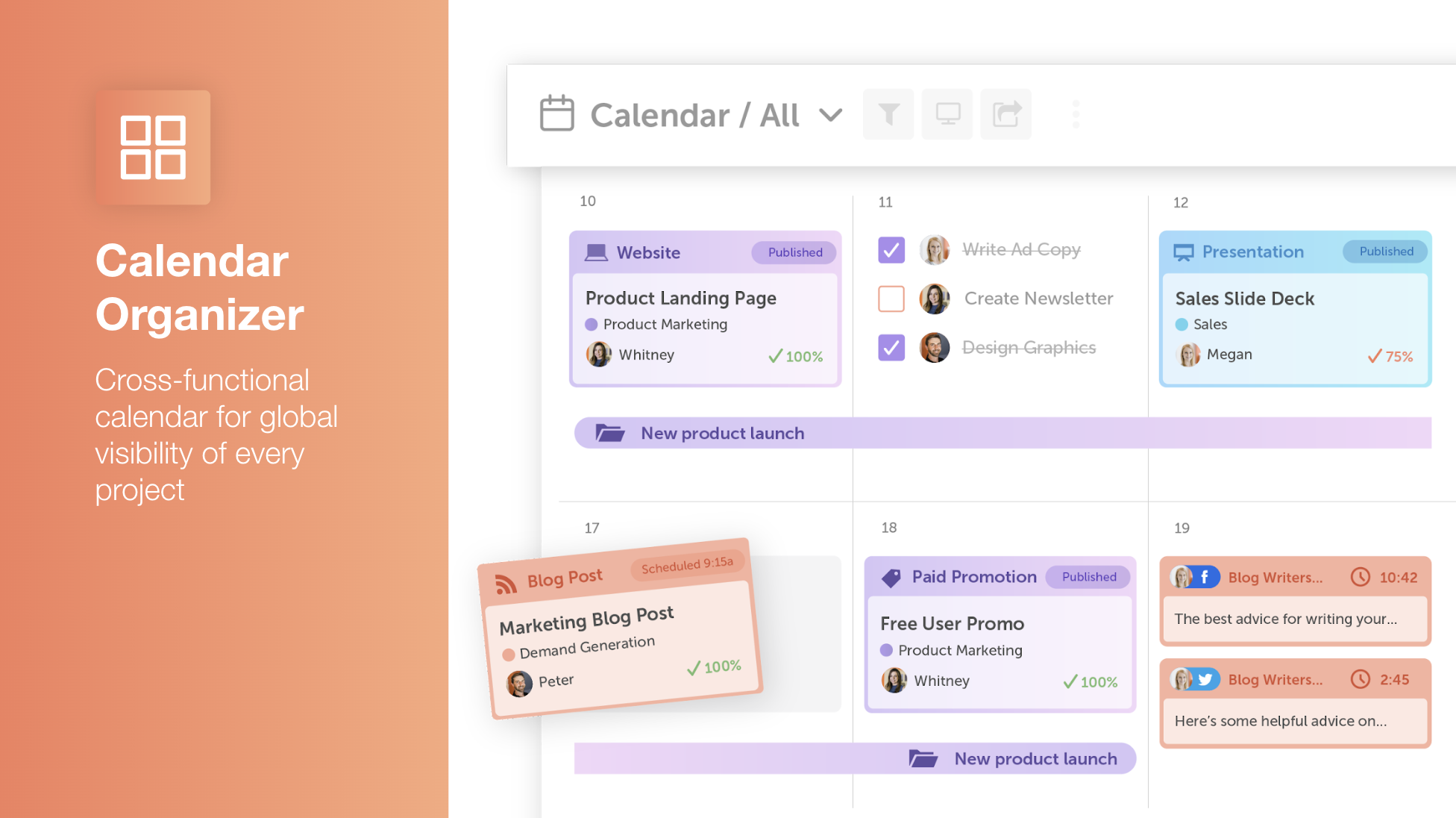
CoSchedule Marketing Suite is a comprehensive platform designed to streamline marketing operations by integrating content management, social media scheduling, and project coordination. Key features include a unified marketing calendar for real-time strategy visualization, workflow automation with customizable approval processes, and digital asset management for efficient storage and sharing. The suite also offers AI-powered tools to generate copy, ideas, and images, enhancing content creation. Additionally, it provides analytics and reporting capabilities to measure team productivity and campaign performance. By consolidating these functions, CoSchedule aims to help marketing teams increase efficiency, meet deadlines, and demonstrate their value to stakeholders.
- Unified marketing calendar for campaigns and content
- Advanced social media scheduling and rescheduling
- Team collaboration with workflows and task management
- Reusable templates for campaigns and posts
- WordPress and multi-channel marketing integrations
- Built-in AI assistant for content creation
Eligibility
Number of Seats/Users: CoSchedule Marketing Suite offers discounts based on the number of users or seats. A higher volume typically leads to a better discount structure, especially for enterprise-level usage.
Commitment to a Long-Term Contract: Discounts are often provided to companies that commit to using the service for a longer period (e.g., 1-year or 3-year contracts). A longer commitment shows CoSchedule Marketing Suite that the company is serious and willing to invest in the platform long-term.
No Active Discounts: Companies that are not already receiving other active discounts may have a better chance of qualifying for additional discounts from CoSchedule Marketing Suite. CoSchedule Marketing Suite reserves discounts for new customers or those not currently under promotional pricing.
Volume or Usage Commitment: CoSchedule Marketing Suite offers discounts if you agree to a minimum amount of usage or transaction volume. This could be based on data storage, transactions, or other metrics tied to how much you will use the platform.
Enterprise-Level Negotiation: Companies that qualify as “enterprise” due to their size or complexity (e.g., having large teams, multiple departments, or geographical presence) may be eligible for additional discounts from CoSchedule Marketing Suite. Such companies are often in a position to negotiate for better pricing.
Early Renewal or Prepayment: CoSchedule Marketing Suite often offers discounts if you renew early or prepay for the entire contract period. This is a common approach to securing a lower price.

CoSchedule Marketing Suite - Up to 40% off
Reviews
Here at Spendbase our internal data shows that CoSchedule Marketing Suite is seen as a strong, time‑saving hub for content and social planning, but it must be used deeply to justify the spend.
Overall sentiment
– Average rating across our Spendbase clients: around 4–4.5/5
– Most positive feedback: productivity, visibility, collaboration
– Most negative feedback: pricing vs usage, learning curve, minor glitches
What Spendbase clients value most
– Calendar & planning
– Clear, color‑coded calendar to see all campaigns and posts in one place
– Easy drag‑and‑drop rescheduling and long‑term planning (months or even a year ahead)
– Social & content automation
– Strong for multi‑channel social scheduling tied to blog posts
– Templates and “requeue” style posting save a lot of manual work
– WordPress integration is especially loved where it fits the stack
– Team workflows
– Task lists, assignments, collaboration, and approvals in one tool
– Good fit for small to mid‑size teams that manage several channels
Key pain points our data highlights
– Pricing & value
– Many solo users and small teams find it “pricey” unless they fully exploit most features
– Best ROI is achieved when it becomes the central marketing operations tool, not “just” a scheduler
– Usability & setup
– Powerful but not always intuitive; initial setup and template building can feel heavy
– Some clients feel they are paying for advanced features they never touch
– Technical & feature gaps
– Occasional issues with LinkedIn authentication and missed posts
– Limited or basic analytics compared to dedicated reporting tools
– Requests for: bulk scheduling, recurring events, more automation rules, better filtering on the calendar
– Strongest experience when using WordPress.org; less elegant for other CMSs
How we typically optimize CoSchedule spend
– Identify whether the team truly needs the full Marketing Suite or only core calendar/social modules
– Map actual usage:
– Heavy use of templates, campaigns, and multi‑user workflows → Suite often worth it
– Light social scheduling by a single user → cheaper alternatives may fit better
– Negotiate better tiers or seat counts where usage is concentrated in a few power users
In short, our internal data shows CoSchedule delivers excellent time savings and coordination when fully adopted, but Spendbase clients need careful license sizing and plan selection to avoid overpaying for underused functionality.
See how much you can save on your stack
Pick your team’s tools!
Click to select one or more tools.


What’s your company size?
Just click to select.
What’s your business email?
We'll send you calculations right away
The email is flying to your inbox!
Beyond discounts, you may qualify for up to $100K in AWS credits.

FAQ
1. Does CoSchedule offer discounts for annual Marketing Suite plans?
Yes, purchasing an annual Marketing Suite plan provides a 20% discount.
2. Are there any discounts available for nonprofit organizations?
Registered nonprofits receive a 30% discount on all CoSchedule plans upon verification.
3. Can I get a discount by referring new customers?
Yes, each successful referral earns you a 10% discount on your subscription.
4. Is there a discount for writing a review about CoSchedule?
Publishing a qualifying review can grant you a 50% discount for one year.
5. Can I combine multiple discounts on my CoSchedule subscription?
No, discounts and promotional rates cannot be combined.
6. How do I apply for the nonprofit discount?
Submit official documentation, like a 501(c)(3), through our application process.
7. What happens after I submit a review for a discount?
Our team reviews your submission and applies the discount upon approval.
8. How long does it take to process a nonprofit discount application?
Applications are typically reviewed within 2 business days.
Related discounts

impact.com
Campaign Management Software
Up to 15% off

Q:chi ) Harmoni
Campaign Management Software
Up to 45% off

Dialog Insight
Campaign Management Software
Up to 25% off

Acquia DAM (Widen)
Campaign Management Software
Up to 35% off

BeMob
Campaign Management Software
Up to 20% off

CallBlitzer
Campaign Management Software
Up to 30% off
Software cost optimization
CoSchedule Marketing Suite savings in five steps
Let’s estimate your potential savings and see how you can scale your cloud infrastructure.
One call. No cost. No commitments


meet vendor relationship EXPERTS
Our customers save millions with us



Save on CoSchedule Marketing Suite
It’s time to shrink your bill
Let our SaaS cost optimization experts check what deals you can get and how much you can save on your corporate subscriptions
See how you can:
- Learn about pricing benchmarks and discounts
- Present potential savings by vendor to your team
- Meet your SaaS and cloud cost optimization goals
Get CoSchedule Marketing Suite discount
We’ll email you back within 1 business day