











CourierMate Discount - Up to 35% off
Web-based courier system that integrates with eCommerce stores of shipping company's clients and allows direct shipping submissions.
Get discountCategory
Courier Software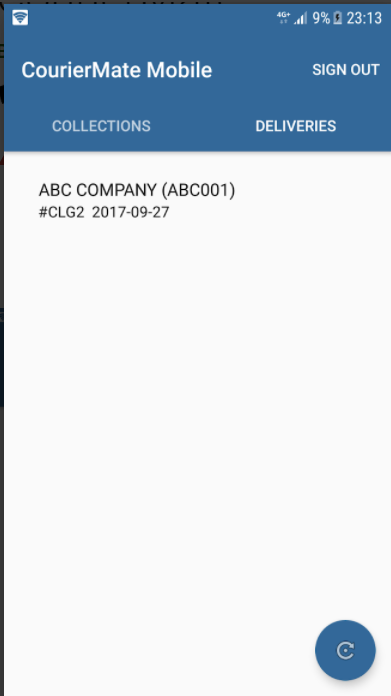
What is CourierMate?
CourierMate is a web-based courier management system designed to streamline delivery operations by integrating with clients’ eCommerce platforms, enabling direct shipping submissions. Key features include barcode recognition, invoicing, customer database management, custom label printing, order entry, route optimization, scheduling, and dispatch management. The platform also offers a mobile app for drivers, enhancing ease of use and operational efficiency.
- Web-based courier management and tracking platform
- eCommerce store integration via simple plugins
- Direct client shipping submissions from websites
- Intuitive, easy-to-use interface for staff
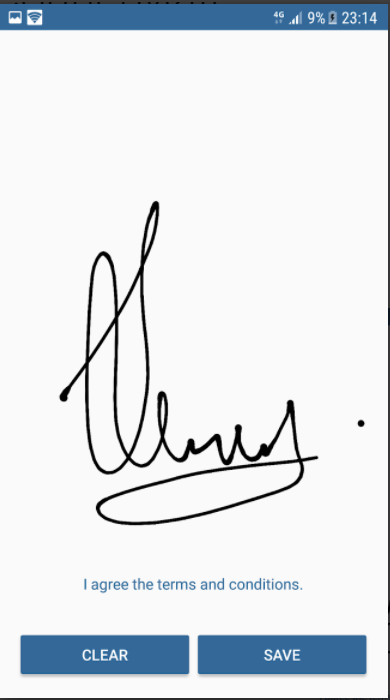
- Driver mobile app, simple and accessible
- Cost-effective compared to other courier packages
Eligibility
Number of Seats/Users: CourierMate offers discounts based on the number of users or seats. A higher volume typically leads to a better discount structure, especially for enterprise-level usage.
Commitment to a Long-Term Contract: Discounts are often provided to companies that commit to using the service for a longer period (e.g., 1-year or 3-year contracts). A longer commitment shows CourierMate that the company is serious and willing to invest in the platform long-term.
No Active Discounts: Companies that are not already receiving other active discounts may have a better chance of qualifying for additional discounts from CourierMate. CourierMate reserves discounts for new customers or those not currently under promotional pricing.
Volume or Usage Commitment: CourierMate offers discounts if you agree to a minimum amount of usage or transaction volume. This could be based on data storage, transactions, or other metrics tied to how much you will use the platform.
Enterprise-Level Negotiation: Companies that qualify as “enterprise” due to their size or complexity (e.g., having large teams, multiple departments, or geographical presence) may be eligible for additional discounts from CourierMate. Such companies are often in a position to negotiate for better pricing.
Early Renewal or Prepayment: CourierMate often offers discounts if you renew early or prepay for the entire contract period. This is a common approach to securing a lower price.

CourierMate - Up to 35% off
Reviews
Here at Spendbase our internal data shows that CourierMate is seen as a solid, cost‑efficient choice for courier and delivery operations, especially for eCommerce-focused businesses.
Key positive themes from Spendbase clients:
- Ease of use
- Described as “very easy to use” both in the web dashboard and the driver mobile app.
- Simple, clear workflows help teams adopt the system quickly.
-
Onboarding time is generally short, even for non-technical staff.
-
Integrations and plugins
- Strong feedback on the range of eCommerce plugins.
- Integrations are viewed as “simple to install” and stable once set up.
-
Clients appreciate the ability to submit shipments directly from their online stores, reducing manual entry.
-
Driver mobile app
- Drivers find the app intuitive and easy to understand.
- Lower training overhead for delivery staff.
-
Smoother handoff between dispatch and drivers, which indirectly reduces operational costs.
-
Pricing and value
- Our internal data shows that CourierMate is consistently perceived as cheaper than many competing courier systems.
- Clients feel they get good value for the feature set, which aligns well with teams looking to optimize SaaS spend.
- The hosted model (no server maintenance on the client side) is seen as cost-saving for IT resources.
Areas where Spendbase clients see room for improvement:
- Deployment preferences
-
Some would prefer a local application or more deployment options, rather than only a hosted solution.
-
Feature discovery and learning curve
- Multiple comments point out that there are “many more features” they plan to use.
- This suggests the platform is rich in functionality, but clients may need clearer guidance or training to unlock full value.
Overall Spendbase takeaway:
- CourierMate fits best for:
- Courier companies with strong eCommerce ties.
- Teams wanting straightforward tools for dispatch and drivers.
- Organizations that are cost-conscious but still need modern integrations.
From a discount and savings angle, our internal benchmarks indicate that teams moving to CourierMate typically trade some advanced customization for noticeably lower total cost of ownership and simpler day-to-day operations.
See how much you can save on your stack
Pick your team’s tools!
Click to select one or more tools.


What’s your company size?
Just click to select.
What’s your business email?
We'll send you calculations right away
The email is flying to your inbox!
Beyond discounts, you may qualify for up to $100K in AWS credits.

FAQ
1. How can I apply a discount to an item in CourierMate?
Select the item, choose 'Discount', and apply the desired percentage or dollar amount.
2. Is it possible to apply a discount to the entire bill?
Yes, select 'Account Discount' on the payment screen and choose the discount type.
3. Can I set up automatic discounts in CourierMate?
Yes, configure triggers and set the discount to 'Automatic' in the settings.
4. How do I track discounts applied in CourierMate?
Use the 'Discounts & Surcharges Reports' to analyze applied discounts.
5. Can I limit the maximum discount amount in CourierMate?
Yes, set a cap amount for percentage discounts to control the maximum discount.
6. Is it possible to apply multiple discounts to a single item?
No, only one discount can be applied per item to maintain pricing integrity.
7. How do I remove a discount applied to an item?
Select the item, choose 'Discount', and select 'Remove Discount' to clear it.
8. Can I apply discounts to specific customer groups?
Yes, set up customer-specific pricing levels to apply targeted discounts.
Related discounts

Tookan
Courier Software
Up to 15% off

Sendcloud
Courier Software
Up to 20% off

Notifii Track
Courier Software
Up to 25% off

PitneyShip
Courier Software
Up to 25% off

Elite EXTRA
Courier Software
Up to 25% off

Sherpa
Courier Software
Up to 15% off
Software cost optimization
CourierMate savings in five steps
Let’s estimate your potential savings and see how you can scale your cloud infrastructure.
One call. No cost. No commitments


meet vendor relationship EXPERTS
Our customers save millions with us



Save on CourierMate
It’s time to shrink your bill
Let our SaaS cost optimization experts check what deals you can get and how much you can save on your corporate subscriptions
See how you can:
- Learn about pricing benchmarks and discounts
- Present potential savings by vendor to your team
- Meet your SaaS and cloud cost optimization goals
Get CourierMate discount
We’ll email you back within 1 business day