











Enterprise Excel Discount - Up to 15% off
A3 Enterprise Excel is a powerful cloud app for Excel that accelerates and enhances time-consuming budget modeling for your FP&A team.
Get discountCategory
Accounting Software
What is Enterprise Excel?
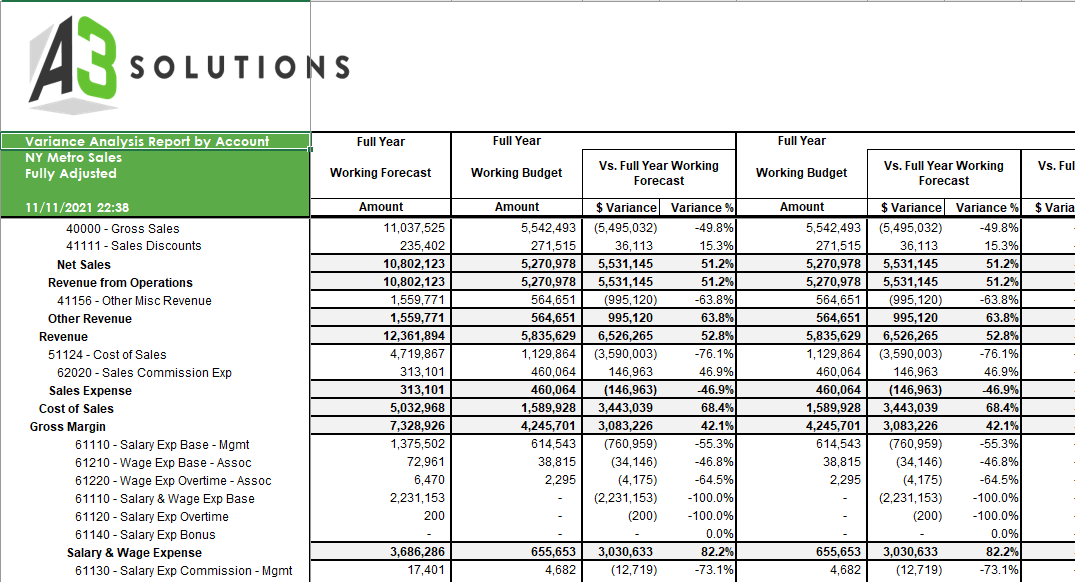
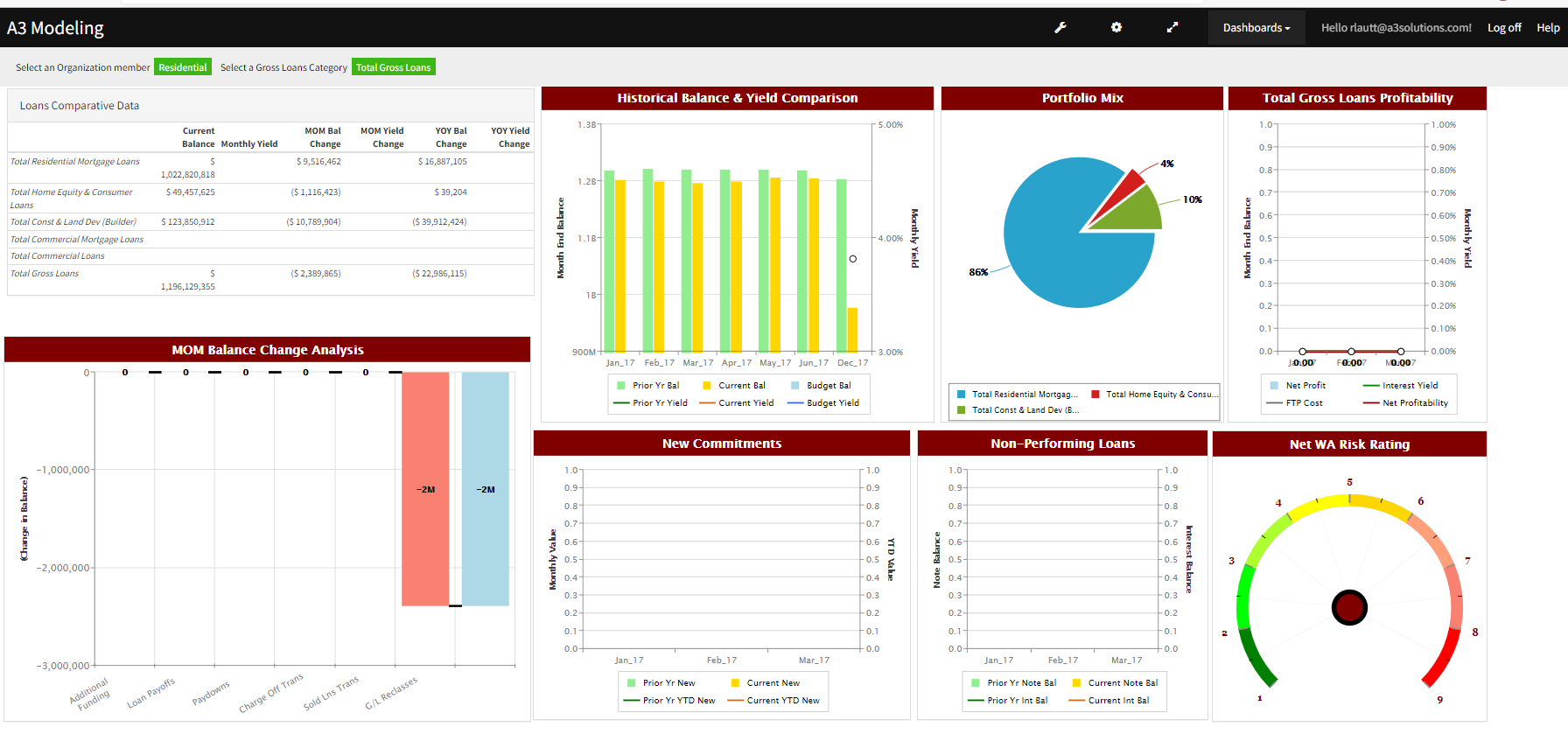
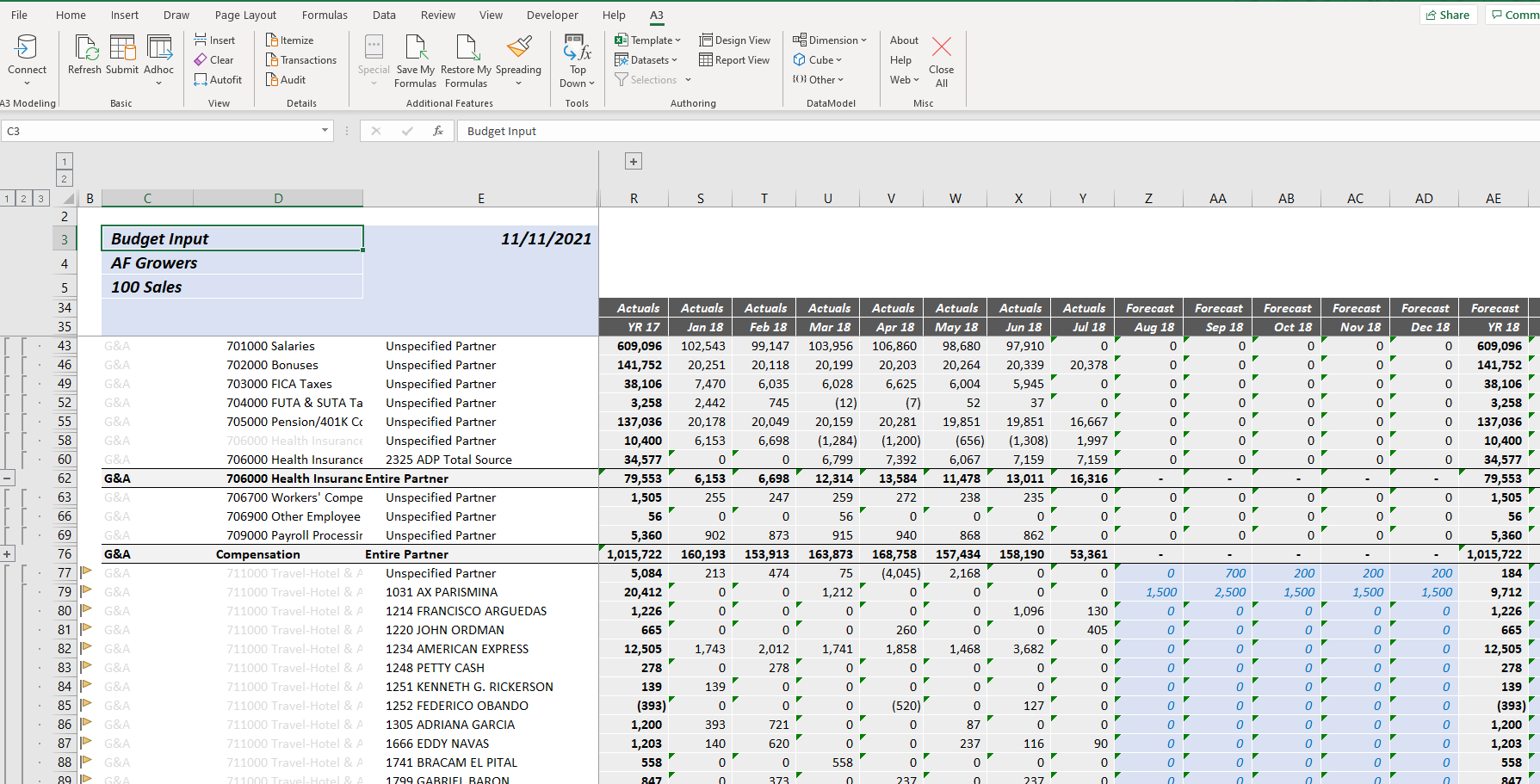
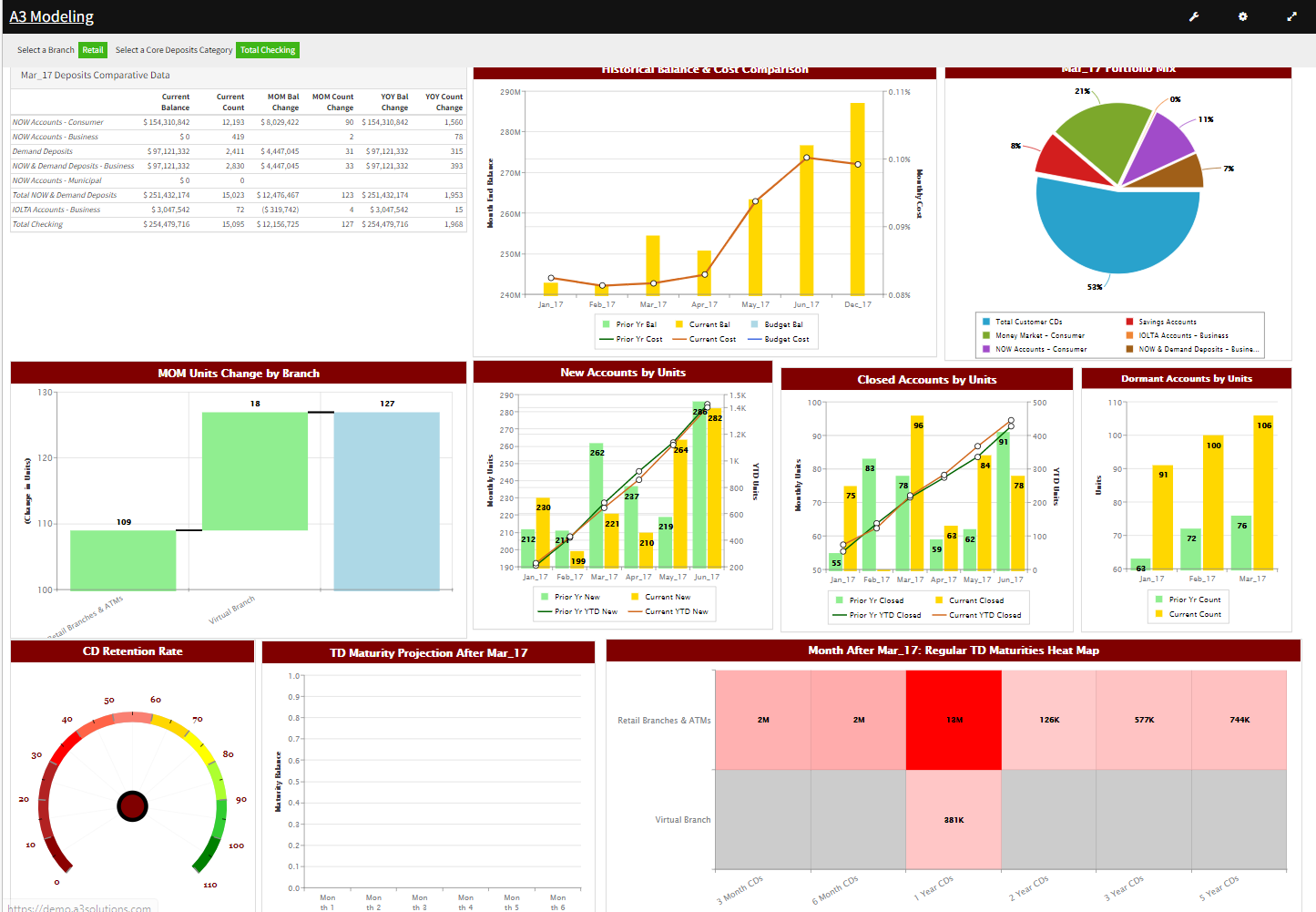
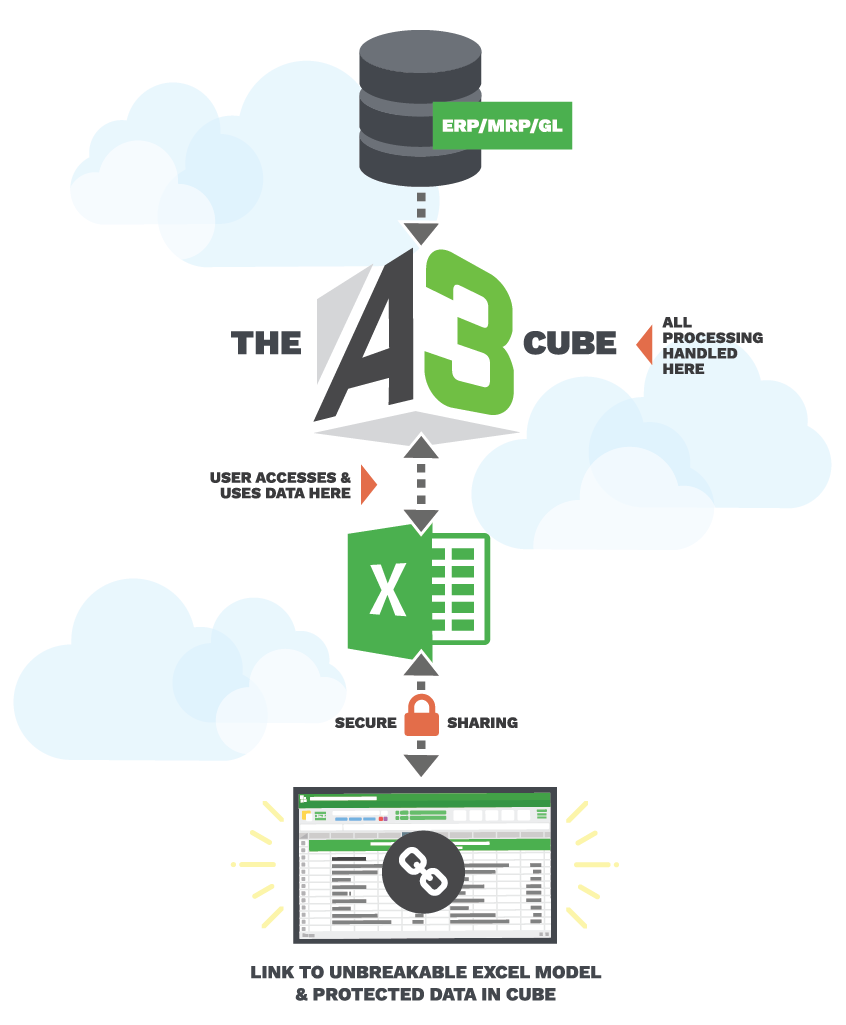
Enterprise Excel, also known as A3 Modeling, is a corporate performance management (CPM) platform that integrates seamlessly with Microsoft Excel. It enables organizations to perform budgeting, forecasting, reporting, and financial analysis within a familiar spreadsheet environment. Key features include:
-
Flexibility: Supports customized models and complex business logic without rigid templates.
-
Scalability: Accommodates multi-user input, multi-currency support, and complex consolidations, scaling with organizational growth.
-
Security: Provides cell-level security, ensuring users access only authorized data.
-
Integration: Connects with various data sources, including GL, HRIS, CRM, and data warehouses, for comprehensive analysis.
-
Usability: Leverages existing Excel skills, minimizing the learning curve and facilitating quick adoption.
- Excel-based interface leverages existing user skills
- Scales models 100X for thousands users
- Real-time consolidation without links or macros
- Supports budgeting, forecasting, complex financial modeling
- Integrates OLAP, relational data for BI
- Secure multi-user access, workflow, approvals management
Eligibility
Number of Seats/Users: Enterprise Excel offers discounts based on the number of users or seats. A higher volume typically leads to a better discount structure, especially for enterprise-level usage.
Commitment to a Long-Term Contract: Discounts are often provided to companies that commit to using the service for a longer period (e.g., 1-year or 3-year contracts). A longer commitment shows Enterprise Excel that the company is serious and willing to invest in the platform long-term.
No Active Discounts: Companies that are not already receiving other active discounts may have a better chance of qualifying for additional discounts from Enterprise Excel. Enterprise Excel reserves discounts for new customers or those not currently under promotional pricing.
Volume or Usage Commitment: Enterprise Excel offers discounts if you agree to a minimum amount of usage or transaction volume. This could be based on data storage, transactions, or other metrics tied to how much you will use the platform.
Enterprise-Level Negotiation: Companies that qualify as “enterprise” due to their size or complexity (e.g., having large teams, multiple departments, or geographical presence) may be eligible for additional discounts from Enterprise Excel. Such companies are often in a position to negotiate for better pricing.
Early Renewal or Prepayment: Enterprise Excel often offers discounts if you renew early or prepay for the entire contract period. This is a common approach to securing a lower price.

Enterprise Excel - Up to 15% off
Reviews
Here at Spendbase our internal data shows that Enterprise Excel (A3) lands very well with finance teams that want enterprise-grade power without leaving Excel behind.
Our Spendbase clients consistently highlight four big themes:
1) Adoption and ease of use
– Excel-native interface is the standout point.
– Minimal training: users leverage formulas and structures they already know.
– Works well for all skill levels, from junior staff to power users.
2) Flexibility and functional depth
Spendbase clients use Enterprise Excel for:
– Budgeting, rolling forecasts, and revenue modeling
– Complex allocations, eliminations, and multi-currency consolidations
– Balance sheet reconciliations and driver-based forecasting
– Web-based dashboards, workflows, and approvals
The general sentiment: “If we can design it in Excel, we can scale it in A3.”
3) IT dependency, scalability, and security
Internal feedback shows:
– A moderately technical finance user can run and maintain the system with little IT help.
– Models scale dramatically (100x data, up to 1000 users) from a single central model.
– Real-time consolidation removes email chains, broken links, and macro issues.
– Security is strong enough to satisfy SOX/COSO-style controls and user-level access needs.
4) Cost-effectiveness and support
From a Spendbase discount perspective, this is where Enterprise Excel shines:
– Frequently described as “enterprise power at a fraction of the big-brand cost.”
– High self-sufficiency lowers long-term consulting and support spend.
– Vendor support is praised as fast, experienced, and very responsive, which reduces hidden downtime costs.
Potential cautions we see:
– Because it’s so flexible and Excel-based, governance and template discipline are important to avoid “too many variations.”
– Success still depends on having at least a few strong Excel/finance owners internally.
Overall Spendbase takeaway:
– Enterprise Excel is a strong fit for finance teams that love Excel but need centralized, secure, multi-user planning at scale.
– For negotiations, the combination of high value, lower TCO vs legacy EPM tools, and minimal IT footprint usually gives our clients room to push for:
– Volume discounts on higher user counts
– Better pricing on multi-year terms
– Included training and support hours instead of add-ons.
See how much you can save on your stack
Pick your team’s tools!
Click to select one or more tools.


What’s your company size?
Just click to select.
What’s your business email?
We'll send you calculations right away
The email is flying to your inbox!
Beyond discounts, you may qualify for up to $100K in AWS credits.

FAQ
1. What types of discounts are available for Enterprise Excel?
We offer bulk purchase discounts, seasonal promotions, and special offers for educational institutions and non-profits.
2. How can I qualify for bulk purchase discounts?
Purchasing multiple licenses qualifies you for bulk discounts; contact our sales team for specific pricing details.
3. Are there any discounts for educational institutions?
Yes, we provide special pricing for educational institutions; please reach out to discuss your needs.
4. Do non-profit organizations receive any special discounts?
Non-profits are eligible for discounted rates; contact us to learn more about our non-profit pricing.
5. How often do you offer seasonal promotions?
We run seasonal promotions periodically; subscribe to our newsletter to stay informed about upcoming deals.
6. Can I combine multiple discounts on a single purchase?
Typically, only one discount applies per purchase; our team can help you determine the best available offer.
7. Is there a loyalty program for repeat customers?
Yes, we value our loyal customers and offer a rewards program; contact us for more details.
8. How do I stay updated on the latest discounts and promotions?
Join our mailing list or follow us on social media to receive updates on new discounts and promotions.
Related discounts

MoneyWorks
Accounting Software
Up to 15% off

Finanshels.com
Accounting Software
Up to 35% off

AGRIS
Accounting Software
Up to 50% off

DataSnipper
Accounting Software
Up to 15% off

My CPA Dashboard
Accounting Software
Up to 25% off

MySchoolAccounting
Accounting Software
Up to 30% off
Software cost optimization
Enterprise Excel savings in five steps
Let’s estimate your potential savings and see how you can scale your cloud infrastructure.
One call. No cost. No commitments


meet vendor relationship EXPERTS
Our customers save millions with us



Save on Enterprise Excel
It’s time to shrink your bill
Let our SaaS cost optimization experts check what deals you can get and how much you can save on your corporate subscriptions
See how you can:
- Learn about pricing benchmarks and discounts
- Present potential savings by vendor to your team
- Meet your SaaS and cloud cost optimization goals
Get Enterprise Excel discount
We’ll email you back within 1 business day