











GetCost Discount - Up to 40% off
GetCost help small businesses to grow by spending more time on what you do and less time on managing and keeping track of your estimate
Get discountCategory
Billing and Invoicing Software


What is GetCost?
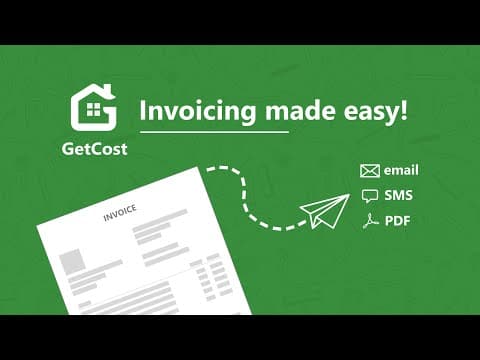
GetCost is an all-in-one solution designed to help small businesses, particularly in fields like construction and field services, streamline their operations. With features like job/project management, scheduling, invoicing, and timesheets, GetCost simplifies administrative tasks. Users can send estimates, quotes, and invoices, track job progress, and manage their teams efficiently. It also offers a portfolio showroom, enabling businesses to showcase their work. Integrated online payment options and real-time updates keep clients informed, allowing businesses to focus on what they do best without worrying about paperwork and tracking.
- Quick creation of estimates and invoices
- Job and project management tools
- Team management with integrated timesheets
- Scheduling agenda for jobs and appointments
- QuickBooks integration and financial reporting
- Online credit card payment processing
Eligibility
Number of Seats/Users: GetCost offers discounts based on the number of users or seats. A higher volume typically leads to a better discount structure, especially for enterprise-level usage.
Commitment to a Long-Term Contract: Discounts are often provided to companies that commit to using the service for a longer period (e.g., 1-year or 3-year contracts). A longer commitment shows GetCost that the company is serious and willing to invest in the platform long-term.
No Active Discounts: Companies that are not already receiving other active discounts may have a better chance of qualifying for additional discounts from GetCost. GetCost reserves discounts for new customers or those not currently under promotional pricing.
Volume or Usage Commitment: GetCost offers discounts if you agree to a minimum amount of usage or transaction volume. This could be based on data storage, transactions, or other metrics tied to how much you will use the platform.
Enterprise-Level Negotiation: Companies that qualify as “enterprise” due to their size or complexity (e.g., having large teams, multiple departments, or geographical presence) may be eligible for additional discounts from GetCost. Such companies are often in a position to negotiate for better pricing.
Early Renewal or Prepayment: GetCost often offers discounts if you renew early or prepay for the entire contract period. This is a common approach to securing a lower price.

GetCost - Up to 40% off
Reviews
Here at Spendbase our internal data shows that GetCost is especially valuable for small trade and construction businesses that want to save admin time and get paid faster, without a heavy learning curve or big software spend.
From what Spendbase clients share with us, the strongest points are:
- Fast creation and sending of:
- Estimates and quotes
- Invoices
- Simple job proposals that look professional
- Very simple navigation – most teams can use it with little to no training
- Ability to work from both phone and computer, on-site or in the office
- Clear overview of:
- Unpaid invoices
- Yearly reports and basic planning
- Helpful extras:
- QuickBooks transfer
- Online card payments (when enabled)
- Searchable materials database
- Job history and portfolio-style info
Clients often highlight that this directly reduces time spent on admin, shortens quote-to-cash cycles, and makes the business look more professional to end customers. That’s where we usually see the biggest “discount in effort and time” compared to manual spreadsheets or paper.
At the same time, our internal feedback also points to several friction points:
- Estimating and inventory
- Job estimate categories feel too narrow or cumbersome for some trades
- Pre-populated inventory is not always wanted or trusted
-
Some users want clearer separation of materials vs labor in estimates
-
Workflow & usability
- Time sheet, reports and work orders are perceived as harder to use
- Filtering reports and transactions is not intuitive on mobile
- Contact management can feel clunky
-
Occasional learning curve on Chromebook or specific devices
-
Reliability & integrations
- Card payment (Stripe) sometimes not working as expected
- Invoices/estimates occasionally not going through, with no clear notification
- Desire for tighter calendar integration (e.g., Google Calendar)
From a Spendbase savings standpoint, GetCost tends to deliver the highest value when:
- The main need is fast, professional estimates/invoices
- The team is small but mobile (on-site work, field teams)
- Advanced scheduling and complex reporting are “nice to have,” not critical
In those scenarios, the time savings and faster payments often outweigh the product’s current limitations, effectively acting as a meaningful “discount” on both admin workload and cash-collection delays.
See how much you can save on your stack
Pick your team’s tools!
Click to select one or more tools.


What’s your company size?
Just click to select.
What’s your business email?
We'll send you calculations right away
The email is flying to your inbox!
Beyond discounts, you may qualify for up to $100K in AWS credits.

FAQ
1. What is GetCost?
GetCost is a platform that helps manage subscriptions and recurring bills, providing insights into your expenses.
2. How can I apply a discount code on GetCost?
To apply a discount code, enter it during the checkout process in the designated field before completing your purchase.
3. Does GetCost offer a free plan?
Yes, GetCost offers a free plan that allows users to send professional estimates and invoices without any cost.
4. How do I contact GetCost customer support?
You can contact GetCost customer support through the 'Help' section on their website or via the provided email address.
5. Is GetCost safe to use?
Yes, GetCost has a high trust score and is considered safe for managing your subscriptions and expenses.
6. Can I access GetCost on mobile devices?
Yes, GetCost offers mobile applications compatible with both Android and iOS devices for on-the-go access.
7. How often does GetCost receive new merchandise?
GetCost updates its offerings regularly, ensuring users have access to the latest features and services.
8. Does GetCost offer bulk discounts or special pricing for large orders?
For information on bulk discounts or special pricing, please contact GetCost's sales team directly.
Related discounts
Mollie
Billing and Invoicing Software
Up to 25% off

Simplybill
Billing and Invoicing Software
Up to 35% off

TimeSentry
Billing and Invoicing Software
Up to 35% off

Alegra POS
Billing and Invoicing Software
Up to 15% off

Partial.ly
Billing and Invoicing Software
Up to 20% off

XRechnung
Billing and Invoicing Software
Up to 40% off
Software cost optimization
GetCost savings in five steps
Let’s estimate your potential savings and see how you can scale your cloud infrastructure.
One call. No cost. No commitments


meet vendor relationship EXPERTS
Our customers save millions with us



Save on GetCost
It’s time to shrink your bill
Let our SaaS cost optimization experts check what deals you can get and how much you can save on your corporate subscriptions
See how you can:
- Learn about pricing benchmarks and discounts
- Present potential savings by vendor to your team
- Meet your SaaS and cloud cost optimization goals
Get GetCost discount
We’ll email you back within 1 business day