











GoTab POS Discount - Up to 20% off
Point of Sale | Pocket Point of Sale | Mobile Ordering & Payment | Self-Ordering Kiosk | Kitchen Display System | Manager App
Get discountCategory
Brewery Software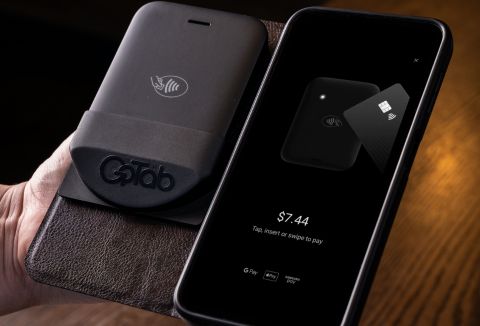
What is GoTab POS?
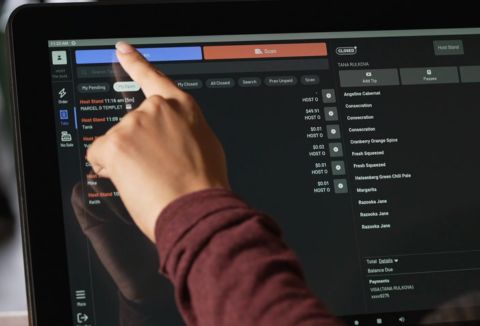
GoTab POS is a cloud-based point-of-sale system tailored for the hospitality industry, including restaurants, breweries, and hotels. It offers flexible service models, supporting table service, quick service, and hybrid operations. Key features include tableside ordering via handheld devices, integrated payments with shared tab functionality, real-time sales and inventory management, and seamless integrations with various systems. The platform is hardware-agnostic, compatible with Windows, iOS, and Android devices, and provides 24/7 support. On average, GoTab operators experience a 20% increase in tips, a 35-50% increase in check size, and 25% faster table turnover.
Looking for a great deal on GoTab POS?
Good news! GoTab POS is currently offering discounts of up to 20% off regular subscription rates. This is your chance to leverage premium photo editing tools to enhance team coordination and productivity at a significantly reduced cost.
- Highly customizable and flexible operating model
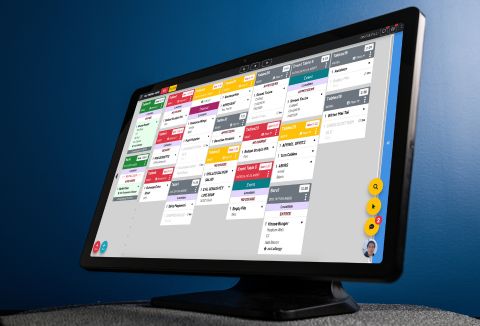
- Integrated kitchen display system with messaging
- Optional integration with popular POS systems
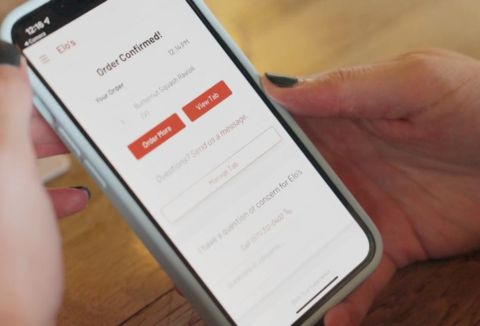
- Guest self-ordering with QR codes
- Real-time menu and tab management
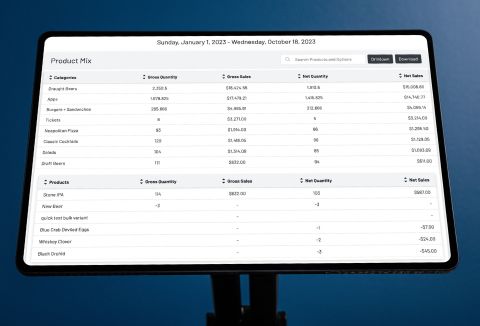
- Comprehensive reporting for sales and labor
Eligibility
Number of Seats/Users: GoTab POS offers discounts based on the number of users or seats. A higher volume typically leads to a better discount structure, especially for enterprise-level usage.
Commitment to a Long-Term Contract: Discounts are often provided to companies that commit to using the service for a longer period (e.g., 1-year or 3-year contracts). A longer commitment shows GoTab POS that the company is serious and willing to invest in the platform long-term.
No Active Discounts: Companies that are not already receiving other active discounts may have a better chance of qualifying for additional discounts from GoTab POS. GoTab POS reserves discounts for new customers or those not currently under promotional pricing.
Volume or Usage Commitment: GoTab POS offers discounts if you agree to a minimum amount of usage or transaction volume. This could be based on data storage, transactions, or other metrics tied to how much you will use the platform.
Enterprise-Level Negotiation: Companies that qualify as “enterprise” due to their size or complexity (e.g., having large teams, multiple departments, or geographical presence) may be eligible for additional discounts from GoTab POS. Such companies are often in a position to negotiate for better pricing.
Early Renewal or Prepayment: GoTab POS often offers discounts if you renew early or prepay for the entire contract period. This is a common approach to securing a lower price.

GoTab POS - Up to 20% off
Reviews
Here at Spendbase, our internal data shows that GoTab POS is making a strong impression among our clients, especially in the hospitality and foodservice sectors. We noted several consistent themes in client feedback, as well as some clear opportunities for improvement. Here’s a quick breakdown of the main points based on what our clients are saying, along with our own analysis.
What’s working well?
– Customization & Flexibility: Spendbase clients love how easy it is to mold GoTab to unique business models. The ability to customize menus, manage scheduled items, and adjust on the fly is a major asset.
– Support & Customer Service: Many clients mention prompt, 24/7 support and a dedicated onboarding team. This hands-on approach is a lifesaver during both setup and troubleshooting.
– Ease of Use: User-friendly interfaces help staff pick up the system quickly. Clients appreciate being able to train teams fast and manage operations smoothly.
– Integration Potential: Integrating with kitchen display systems, self-dispensing tech, and even existing hardware is a big win for operational efficiency.
– Operational Savings: Data points to reduced labor costs and better spend per labor hour, helping businesses optimize their bottom line.
Areas where Spendbase clients want more:
– Internet Dependence: In rural or spotty wifi areas, clients report outages and system slowdowns. If you don’t have rock-solid connectivity, this is something to keep in mind.
– Third-Party Integration: While GoTab has its own loyalty and ordering platforms, there’s room to grow connections with major delivery apps and expand accounting integrations.
– Reporting: Some clients would like easier-to-understand financial and accounting reports, especially for multi-venue or back-end management.
– Hardware Hiccups: Freezing credit card readers and small UI bugs still happen, though most report the support team is fast to react.
– End-User Experience: Guest ordering can be tricky for first-timers without explanation, and a few mention menu management gets tough with large teams.
Key Features Loved by Spendbase Clients:
– Two-way messaging between the bar and kitchen
– Tab sharing and mobile ordering
– Compatibility with non-proprietary hardware
– Real-time updates to menus and tabs
Suggestions from Spendbase Clients:
– Improve menu course management and guest-facing options
– Enhance physical gift card flexibility
– Continue developing smoother payment processor transitions
In short, most of our Spendbase clients find GoTab POS to be a strong, evolving solution for dynamic hospitality environments. Its blend of flexibility, support, and operational efficiency shines, with a few notable gaps that are already being addressed through ongoing updates. If you need a POS that adapts as you grow, GoTab might just fit the bill!
See how much you can save on your stack
Pick your team’s tools!
Click to select one or more tools.


What’s your company size?
Just click to select.
What’s your business email?
We'll send you calculations right away
The email is flying to your inbox!
Beyond discounts, you may qualify for up to $100K in AWS credits.

FAQ
1. How can I create a discount in GoTab POS?
Navigate to 'Settings' > 'Discounts' in the GoTab POS application, then click '+ New Discount' to set up your desired discount parameters.
2. Can I apply discounts to specific products or entire orders?
Yes, GoTab allows you to apply discounts either to specific products or to the entire order, depending on your configuration.
3. Is it possible to set a maximum discount value?
Yes, when creating a discount, you can specify a maximum discount value to control the total discount amount applied.
4. Can I limit the number of times a discount is used?
Yes, you can set a redemption limit to restrict how many times a discount can be applied per check or customer.
5. Does GoTab support Buy One, Get One (BOGO) discounts?
Yes, GoTab allows you to create BOGO discounts by configuring the discount settings accordingly.
6. How do I manage customer groups for targeted discounts?
Use the 'Segments' feature in GoTab to add or remove customers from specific groups, enabling targeted discounts.
7. Can I schedule discounts to be active during specific times?
Yes, you can set time frames for discounts to be active, allowing for promotions during specific periods.
Related discounts

Crafted ERP
Brewery Software
Up to 20% off

Ohanafy
Brewery Software
Up to 45% off

Perfect Venue
Brewery Software
Up to 20% off
Evergreen
Brewery Software
Up to 20% off
Software cost optimization
GoTab POS savings in five steps
Let’s estimate your potential savings and see how you can scale your cloud infrastructure.
One call. No cost. No commitments


meet vendor relationship EXPERTS
Our customers save millions with us



Save on GoTab POS
It’s time to shrink your bill
Let our SaaS cost optimization experts check what deals you can get and how much you can save on your corporate subscriptions
See how you can:
- Learn about pricing benchmarks and discounts
- Present potential savings by vendor to your team
- Meet your SaaS and cloud cost optimization goals
Get GoTab POS discount
We’ll email you back within 1 business day