











HelpOnClick Discount - Up to 15% off
Set up live chat on your website in just 5 minutes. Talk to your website visitors from your PC, tablet or mobile phone. Increase sales!
Get discountCategory
Help Desk Software

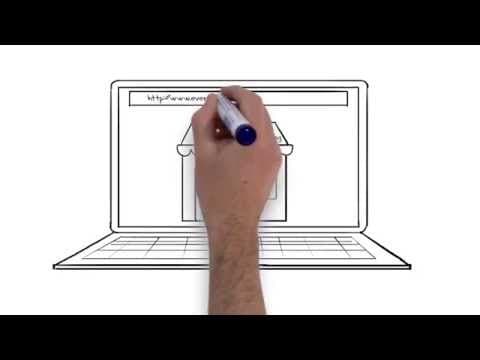

What is HelpOnClick?
HelpOnClick is a live chat and help desk software designed to enhance customer engagement and support. It enables real-time communication with website visitors, facilitating instant assistance and improved customer satisfaction. Key features include customizable chat widgets to align with your brand, proactive chat invitations based on visitor behavior, and a virtual agent for 24/7 automated responses. The platform offers real-time traffic monitoring, allowing businesses to track visitor activity and engage at optimal moments. Additionally, HelpOnClick integrates seamlessly with various CRM, CMS, and help desk systems, ensuring a cohesive workflow. Its user-friendly interface and quick setup process make it accessible for businesses seeking to boost conversions and provide efficient customer support.
- Simple, intuitive live chat interface
- Real-time visitor tracking and monitoring
- Virtual chat agent with preloaded FAQs
- Integrations with CRM, CMS, Help Desk
- Multi-platform access: web, desktop, mobile
- Admin tools: canned responses, user management
Eligibility
Number of Seats/Users: HelpOnClick offers discounts based on the number of users or seats. A higher volume typically leads to a better discount structure, especially for enterprise-level usage.
Commitment to a Long-Term Contract: Discounts are often provided to companies that commit to using the service for a longer period (e.g., 1-year or 3-year contracts). A longer commitment shows HelpOnClick that the company is serious and willing to invest in the platform long-term.
No Active Discounts: Companies that are not already receiving other active discounts may have a better chance of qualifying for additional discounts from HelpOnClick. HelpOnClick reserves discounts for new customers or those not currently under promotional pricing.
Volume or Usage Commitment: HelpOnClick offers discounts if you agree to a minimum amount of usage or transaction volume. This could be based on data storage, transactions, or other metrics tied to how much you will use the platform.
Enterprise-Level Negotiation: Companies that qualify as “enterprise” due to their size or complexity (e.g., having large teams, multiple departments, or geographical presence) may be eligible for additional discounts from HelpOnClick. Such companies are often in a position to negotiate for better pricing.
Early Renewal or Prepayment: HelpOnClick often offers discounts if you renew early or prepay for the entire contract period. This is a common approach to securing a lower price.

HelpOnClick - Up to 15% off
Reviews
Here at Spendbase our internal data shows that HelpOnClick is generally seen as a solid, budget‑friendly live chat tool, especially for smaller teams that need something simple and reliable.
From what our Spendbase clients tell us, the strongest points are:
- Very easy to install on a website
- Intuitive for both agents and visitors
- Helps increase sales and lead capture
- Works well across desktop and smartphone
- Virtual chat agent can deflect common questions
- Stable uptime with very few availability issues
Many clients highlight that they like:
- Seeing what a visitor is typing in real time
- Real‑time traffic monitoring to see who is on the site
- Customizable icons/texts to match branding
- Simple administration for adding/removing users
- Use cases in both sales (quotes, pre‑sale questions) and support
On the downside, our internal feedback surfaces a few recurring pain points:
- Customer support from HelpOnClick itself is often slow or hard to reach
- Some friction with browser compatibility (notably Chrome in one case)
- Desktop app issues when updates break it, with slow fix timelines
- Dashboard and admin tools can feel limited or clunky for more advanced needs
- No bulk actions for archived chats, which wastes time for high‑volume teams
- Auto log‑off / offline status management is not smart enough, leading to missed chats
Pricing‑wise, Spendbase clients usually describe HelpOnClick as:
- More affordable than many competitors
- Good value for basic and mid‑level use cases
- But: adding more users can become costly as teams grow
From a Spendbase savings perspective, the pattern looks like this:
- Teams that only need core live chat functions get good ROI with current pricing
- As seat count grows, discount negotiations around additional users matter a lot
- Some clients would benefit from packaged upgrades that are easier to trigger in‑app
In short, our internal data shows that HelpOnClick fits best for:
- Small to mid‑sized teams needing straightforward live chat
- Organizations that value simplicity and fast setup over deep customization
- Businesses willing to accept slower vendor support in exchange for lower cost
If you decide to keep or expand HelpOnClick, the main levers we’d push on are per‑user pricing, support SLAs, and potential discounts tied to contract length and user volume.
See how much you can save on your stack
Pick your team’s tools!
Click to select one or more tools.


What’s your company size?
Just click to select.
What’s your business email?
We'll send you calculations right away
The email is flying to your inbox!
Beyond discounts, you may qualify for up to $100K in AWS credits.

FAQ
1. Does HelpOnClick offer discounts for prepaid accounts?
Yes, we offer 15% off for quarterly payments and 40% off for annual payments.
2. Are there any current promo codes available for HelpOnClick?
Yes, we occasionally offer promo codes. Please check our website or subscribe to our newsletter for the latest offers.
3. Does HelpOnClick provide discounts for new customers?
Yes, new customers can enjoy a 14-day free trial with no credit card required.
4. Are there any hidden costs with HelpOnClick's discounted plans?
No, we are transparent about our pricing. All costs are clearly outlined before purchase.
5. Can I combine multiple discounts on HelpOnClick services?
Typically, discounts cannot be combined. Please refer to the specific terms of each offer.
6. Does HelpOnClick offer discounts for non-profit organizations?
We support non-profits and may offer special pricing. Please contact our sales team for more information.
7. How can I stay informed about upcoming HelpOnClick discounts?
Subscribe to our newsletter or follow us on social media to receive updates on promotions and discounts.
Related discounts

ThriveDesk
Help Desk Software
Up to 25% off

Inserve
Help Desk Software
Up to 25% off

Replyco
Help Desk Software
Up to 15% off

CXone Mpower
Help Desk Software
Up to 15% off

ENSPACE
Data Management Software
Up to 25% off
Grasp
Help Desk Software
Up to 25% off
Software cost optimization
HelpOnClick savings in five steps
Let’s estimate your potential savings and see how you can scale your cloud infrastructure.
One call. No cost. No commitments


meet vendor relationship EXPERTS
Our customers save millions with us



Save on HelpOnClick
It’s time to shrink your bill
Let our SaaS cost optimization experts check what deals you can get and how much you can save on your corporate subscriptions
See how you can:
- Learn about pricing benchmarks and discounts
- Present potential savings by vendor to your team
- Meet your SaaS and cloud cost optimization goals
Get HelpOnClick discount
We’ll email you back within 1 business day