











Invu POS Discount - Up to 30% off
Streamlined, cloud-based POS system for efficient transactions, inventory management, and customer engagement.
Get discountCategory
Billing and Invoicing Software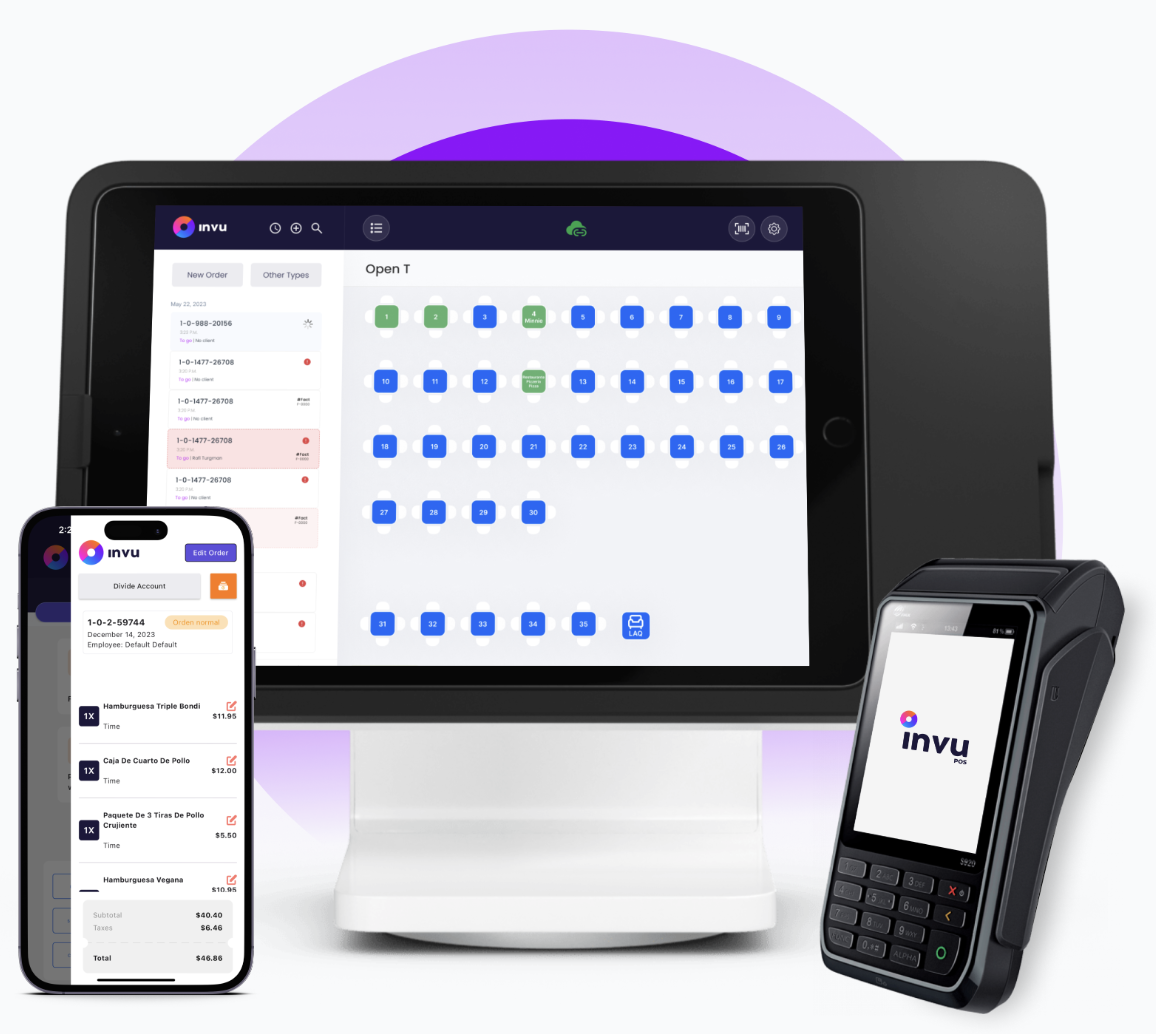
What is Invu POS?
Invu POS is a versatile, cloud-based Point of Sale solution designed to streamline transactions, manage inventory, and enhance customer engagement across various sectors. Its user-friendly interface ensures secure and efficient operations, while robust analytics provide valuable business insights. Key features include sales reporting, inventory management, order processing, billing and invoicing, credit card processing, and customer relationship management (CRM). The system also supports multi-location management, mobile access, and integrates with various payment gateways, offering flexibility and scalability for businesses of all sizes.
- User-friendly, intuitive interface and implementation
- Centralized management for multiple locations/franchises
- Robust inventory, suppliers, and purchasing control
- Advanced reporting with real-time business analytics
- Extensive integrations: payment, delivery, reservations systems
- Exceptional, fast, 24/7 customer support
Eligibility
Number of Seats/Users: Invu POS offers discounts based on the number of users or seats. A higher volume typically leads to a better discount structure, especially for enterprise-level usage.
Commitment to a Long-Term Contract: Discounts are often provided to companies that commit to using the service for a longer period (e.g., 1-year or 3-year contracts). A longer commitment shows Invu POS that the company is serious and willing to invest in the platform long-term.
No Active Discounts: Companies that are not already receiving other active discounts may have a better chance of qualifying for additional discounts from Invu POS. Invu POS reserves discounts for new customers or those not currently under promotional pricing.
Volume or Usage Commitment: Invu POS offers discounts if you agree to a minimum amount of usage or transaction volume. This could be based on data storage, transactions, or other metrics tied to how much you will use the platform.
Enterprise-Level Negotiation: Companies that qualify as “enterprise” due to their size or complexity (e.g., having large teams, multiple departments, or geographical presence) may be eligible for additional discounts from Invu POS. Such companies are often in a position to negotiate for better pricing.
Early Renewal or Prepayment: Invu POS often offers discounts if you renew early or prepay for the entire contract period. This is a common approach to securing a lower price.

Invu POS - Up to 30% off
Reviews
Here at Spendbase our internal data shows that Invu POS scores very high in overall satisfaction, especially for restaurants, hotels, and franchises that need multi-location control.
From what our Spendbase clients share, the main strengths cluster around:
- Ease of use and onboarding
- Strong, fast support
- Centralized control of multiple locations
- Solid reporting and real‑time visibility
- Good value for money and flexible scalability
Key positives our clients highlight
-
User experience & adoption
– Described as “fácil y amigable” and intuitive even for non‑technical staff.
– Quick training and smooth implementation, including in new markets like El Salvador. -
Operations & visibility
– Central dashboard for managing all branches.
– Real‑time sales and inventory data, with detailed, easy‑to-generate reports.
– Strong fit for restaurants and hospitality (franchise management, floor management, reservations, loyalty, promotions). -
Support quality
– Repeated mentions of responsive 24/7 assistance.
– Issues are generally solved in minutes, with personalized attention via phone or video. -
Value & integrations
– Perceived as high value vs. cost.
– Integrations with inventory, delivery platforms, and tools like OpenTable are seen as big operational wins.
Main friction points our data surfaces
-
Inventory & reporting depth
– Some clients want more precise inventory, automated purchase orders, and more customizable reports.
– A few mention differences in amounts or quantities that need fine‑tuning. -
Product development gaps
– Missing or basic features compared with some other POS tools:- No built‑in accounting
- Limited API/report customization
- Some “basic” POS options still requested (simpler cash‑out, editing payments after closing, online card payments).
-
UX and configuration pain
– Certain functions are hard to find.
– Screen layout customization is limited.
– Occasional configuration issues after updates. -
Performance & reliability
– When the connection fails, it can cause lost or delayed orders.
– Some accounts report occasional slow support or delays in implementing requested changes.
How we see it from a discount and value angle
- Invu POS delivers strong operational value and support, which often justifies its cost for multi‑location businesses.
- The best savings are realized when clients:
- Leverage all-in-one features (POS + inventory + integrations) to cut other tools.
- Negotiate around upcoming feature gaps (inventory, reporting, accounting) as part of the commercial package.
Overall, our internal data shows Invu POS is a high‑satisfaction option with clear strengths, and a roadmap that still has room to mature in advanced features and automation.
See how much you can save on your stack
Pick your team’s tools!
Click to select one or more tools.


What’s your company size?
Just click to select.
What’s your business email?
We'll send you calculations right away
The email is flying to your inbox!
Beyond discounts, you may qualify for up to $100K in AWS credits.

FAQ
1. What types of discounts can I apply in Invu POS?
Invu POS supports fixed percentage, fixed value, free percentage, free value, and tax-exempt discounts.
2. How do I create a new discount in Invu POS?
Navigate to Settings > Discounts > Create Discount, set the description, select the type, assign value, and save.
3. Can I assign discounts to specific categories?
Yes, you can define which categories a discount applies to by managing categories in the discount settings.
4. Is it possible to restrict discount application to certain employees?
Yes, you can assign user permissions to control which employees are authorized to apply specific discounts.
5. How do I disable or enable a discount?
In the Manage Discounts panel, select the discount and use the checkmark icon to disable or enable it.
6. Can I apply multiple discounts to a single order?
Yes, multiple discounts can be applied, but this feature must first be enabled by an Invu POS Admin.
7. How do I remove a discount from an order?
Tap the discount line in the order and select 'Void Discount' to remove it from the transaction.
8. Are there default discounts in Invu POS?
Yes, default discounts include Wallet, Courtesy, Employees, Tax Exempt, Loyalty Clau, Points, and Offer.
Related discounts

Ruul
Billing and Invoicing Software
Up to 20% off

a3factura
Billing and Invoicing Software
Up to 40% off

XRechnung
Billing and Invoicing Software
Up to 40% off

Square Point of Sale
Billing and Invoicing Software
Up to 50% off

CheddarGetter
Billing and Invoicing Software
Up to 30% off

ERP Cloud Toolbox
Accounts Payable Software
Up to 20% off
Software cost optimization
Invu POS savings in five steps
Let’s estimate your potential savings and see how you can scale your cloud infrastructure.
One call. No cost. No commitments


meet vendor relationship EXPERTS
Our customers save millions with us



Save on Invu POS
It’s time to shrink your bill
Let our SaaS cost optimization experts check what deals you can get and how much you can save on your corporate subscriptions
See how you can:
- Learn about pricing benchmarks and discounts
- Present potential savings by vendor to your team
- Meet your SaaS and cloud cost optimization goals
Get Invu POS discount
We’ll email you back within 1 business day