











Keeping.com Discount - Up to 35% off
Keeping is the easiest way to share an inbox in Gmail.
Get discountCategory
Help Desk Software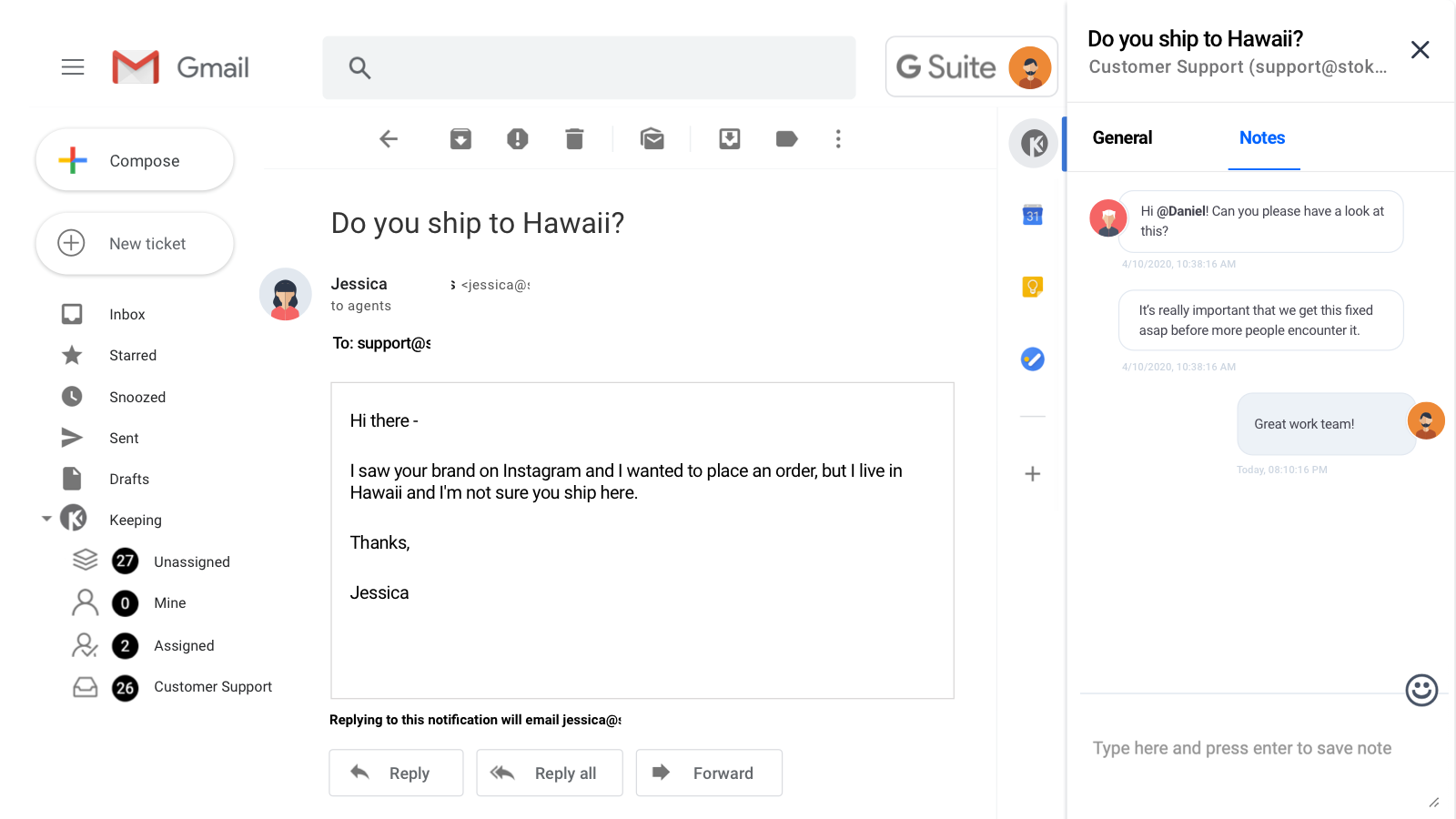

What is Keeping.com?
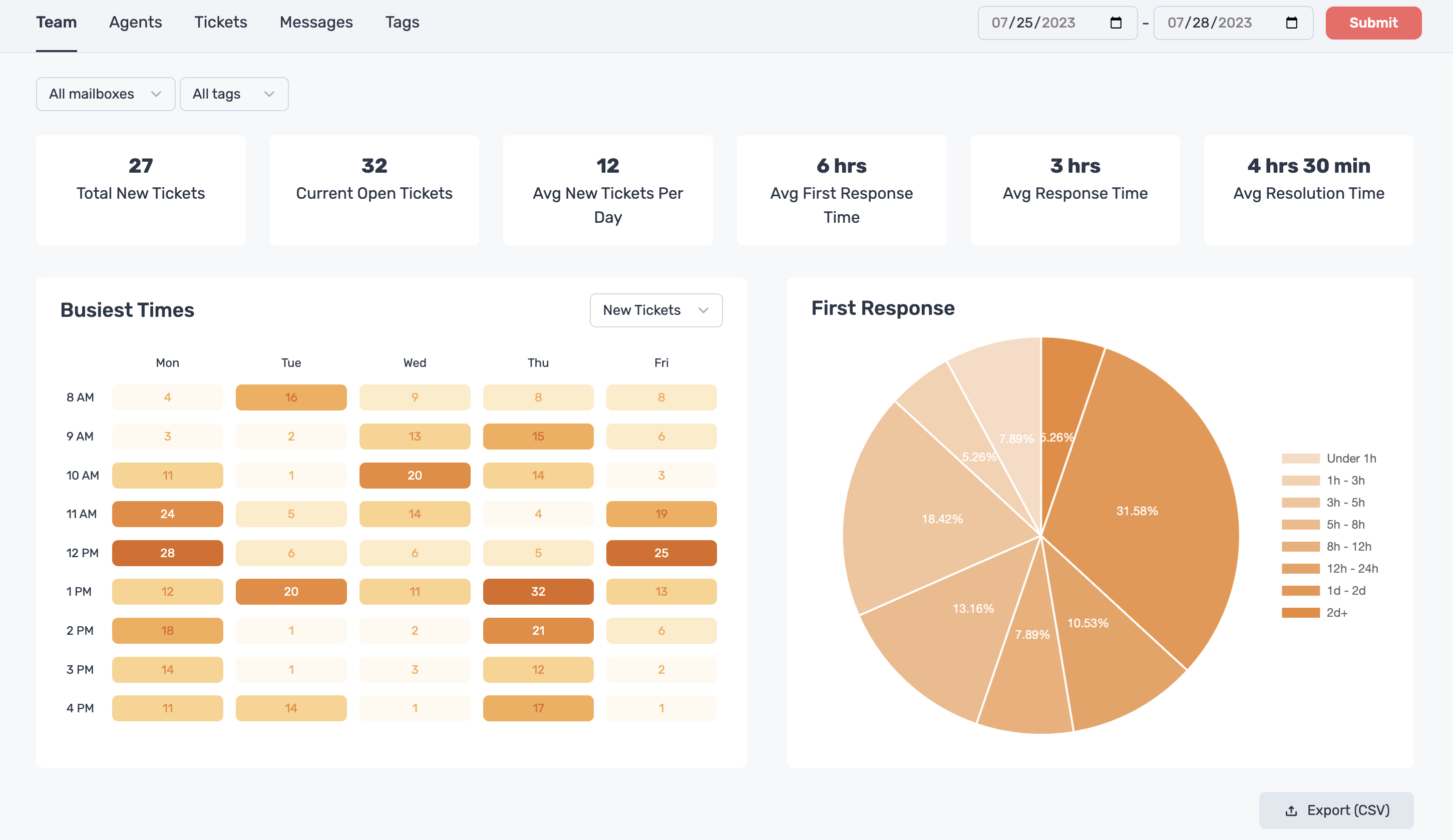
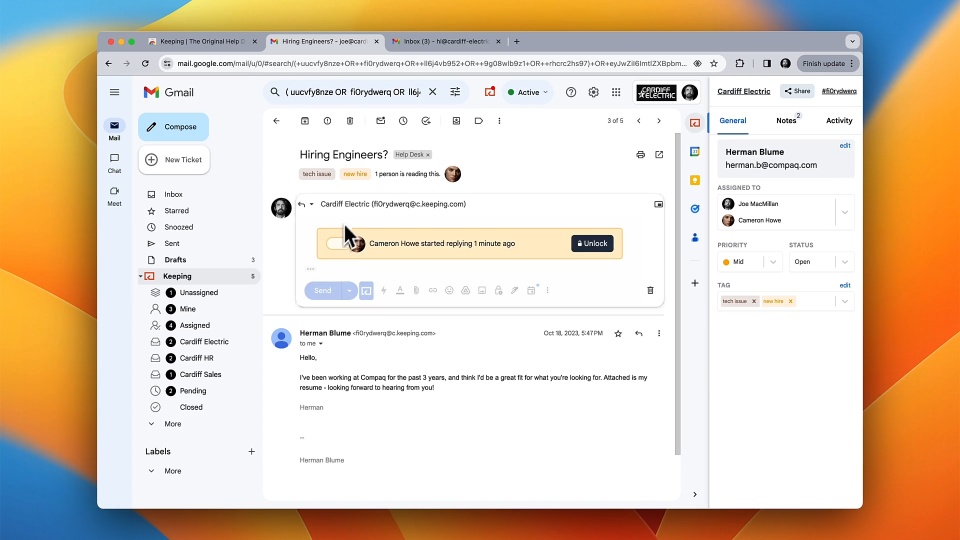
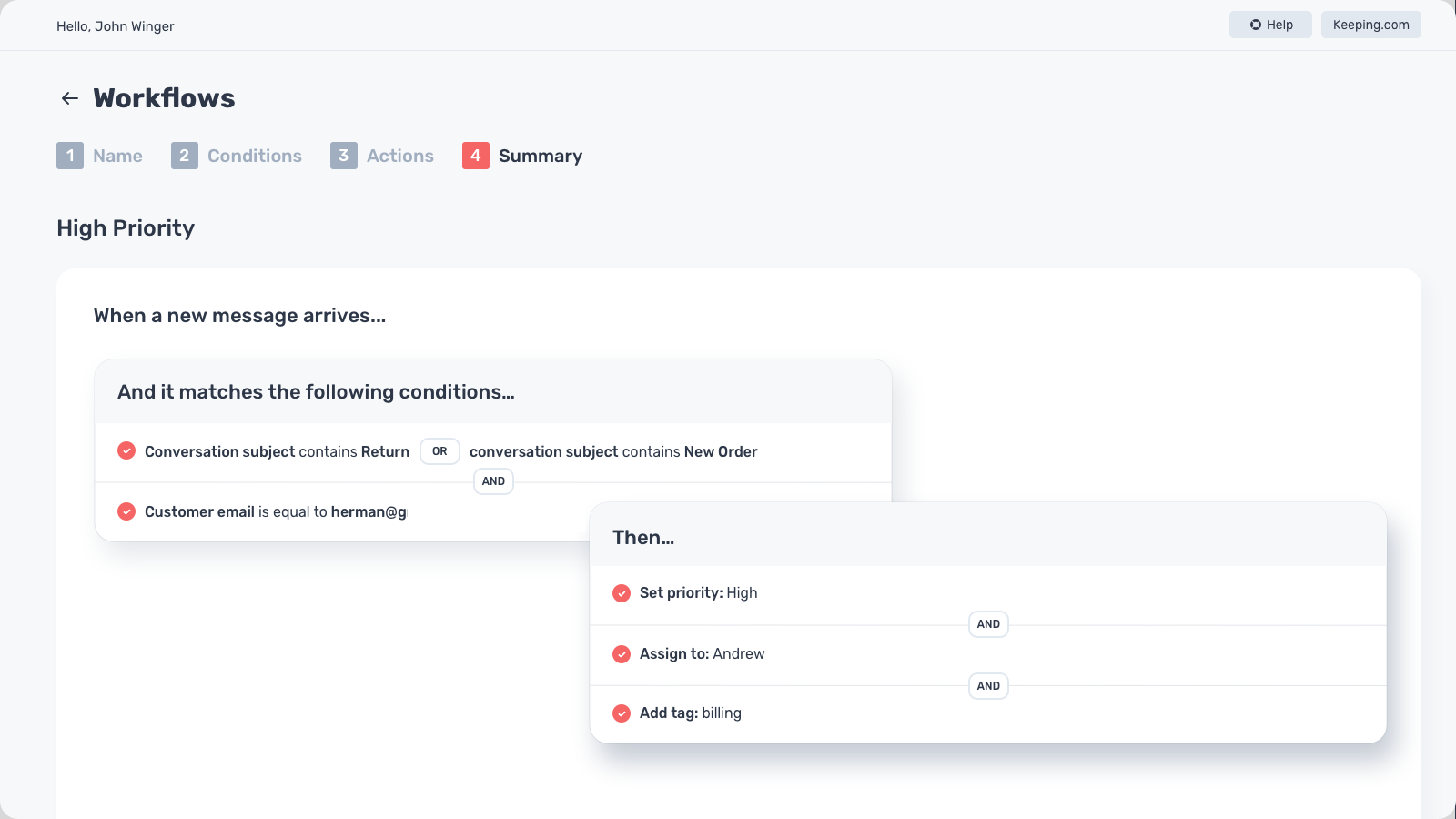
Keeping.com transforms Gmail into a help desk, enabling teams to manage customer support directly within their inbox. Key features include assigning support requests to teammates, adding private notes, and setting statuses—all within Gmail. It supports shared inboxes like support@ or help@, facilitating seamless collaboration. Additional functionalities encompass email and inbox management, alerts and escalation, support ticket management, performance metrics, queue management, access controls, knowledge base management, templated responses, prioritization, reporting, third-party integrations, and workflow management. This integration streamlines support processes without the need for external platforms.
- Gmail-native help desk and ticketing
- Shared inbox for team collaboration
- Assign tickets to teammates with statuses
- Internal private notes on conversations
- Easy setup, minimal training required
- Affordable solution for growing small businesses
Eligibility
Number of Seats/Users: Keeping.com offers discounts based on the number of users or seats. A higher volume typically leads to a better discount structure, especially for enterprise-level usage.
Commitment to a Long-Term Contract: Discounts are often provided to companies that commit to using the service for a longer period (e.g., 1-year or 3-year contracts). A longer commitment shows Keeping.com that the company is serious and willing to invest in the platform long-term.
No Active Discounts: Companies that are not already receiving other active discounts may have a better chance of qualifying for additional discounts from Keeping.com. Keeping.com reserves discounts for new customers or those not currently under promotional pricing.
Volume or Usage Commitment: Keeping.com offers discounts if you agree to a minimum amount of usage or transaction volume. This could be based on data storage, transactions, or other metrics tied to how much you will use the platform.
Enterprise-Level Negotiation: Companies that qualify as “enterprise” due to their size or complexity (e.g., having large teams, multiple departments, or geographical presence) may be eligible for additional discounts from Keeping.com. Such companies are often in a position to negotiate for better pricing.
Early Renewal or Prepayment: Keeping.com often offers discounts if you renew early or prepay for the entire contract period. This is a common approach to securing a lower price.

Keeping.com - Up to 35% off
Reviews
Here at Spendbase our internal data shows that Keeping is hitting the mark especially for teams living in Google Workspace and wanting a lightweight, affordable help desk.
From what Spendbase clients tell us, a few themes stand out very clearly:
1) Strengths our clients value most
– Native Gmail experience
– “Feels like normal email” is a recurring point. No extra tool to learn, no complex ticketing UI.
– Easy setup and fast onboarding for teams.
– Great value for money
– Frequently called out as “perfect for small businesses” and “game‑changer” given the price.
– Seen as a strong alternative to heavier tools like Zendesk.
– Productivity & collaboration
– Shared inboxes (support@, help@, it@) handled directly in Gmail.
– Easy assignment of emails to team members.
– Private notes and ticket statuses help prevent things from slipping through the cracks.
– Solid fit for long‑term use
– Several clients mention using it for years and staying happy as it improves.
2) Pain points and gaps
Our internal insights highlight some recurring friction areas:
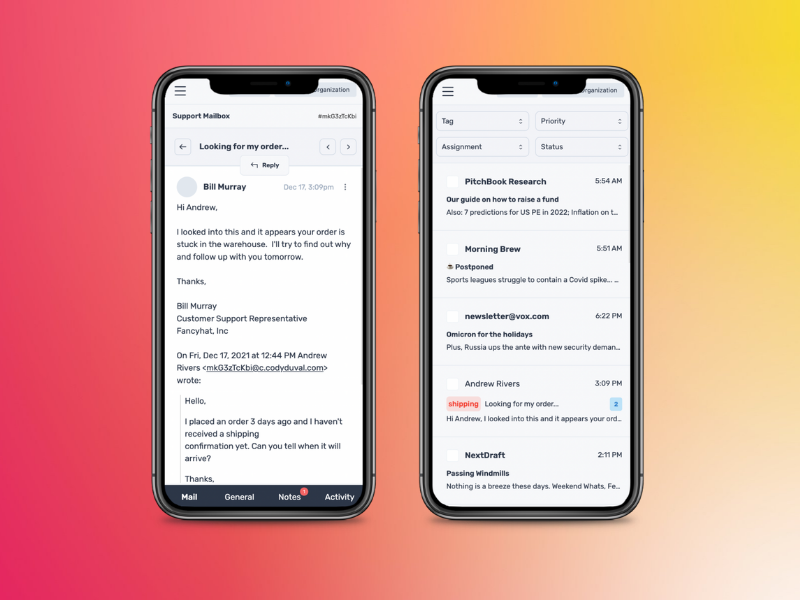
– Mobile limitations
– No dedicated mobile app and limited ability to convert emails to tickets from Gmail mobile.
– Gmail-only ecosystem
– Some clients would love Outlook or other email platform support.
– Advanced features still missing or basic
– Desire for:
– Customer satisfaction (CSAT) surveys
– Ticket merge functionality
– Cleaner subject lines without extra tracking text
– Scaling with larger teams
– For bigger groups, assigning to the “right person” can get confusing.
– A few mention extra clicks or steps that feel a bit redundant.
3) Overall sentiment and fit
– Satisfaction is very high (ratings skew strongly toward 5.0).
– Best suited for:
– Small to midsize teams using Google Workspace
– Companies that want structured support without a heavy, complex help desk
– Less ideal for:
– Organizations needing advanced, enterprise‑grade ticketing workflows
– Teams requiring strong mobile or non‑Gmail support today
From a Spendbase discount perspective, our takeaway is simple: if your team is already in Google Workspace and you’re looking to replace or avoid high-cost tools like Zendesk, Keeping tends to deliver strong ROI with minimal change management, as long as you’re comfortable with its Gmail-first, lightweight approach.
See how much you can save on your stack
Pick your team’s tools!
Click to select one or more tools.


What’s your company size?
Just click to select.
What’s your business email?
We'll send you calculations right away
The email is flying to your inbox!
Beyond discounts, you may qualify for up to $100K in AWS credits.

FAQ
1. How can I apply a discount code to my Keeping.com subscription?
Enter the discount code during the subscription process; the discount applies to your first invoice.
2. Are there any current promotions or discount codes available for Keeping.com?
Currently, there are no active discount codes; please check our website for future promotions.
3. Can I use multiple discount codes on a single Keeping.com subscription?
No, only one discount code can be applied per subscription.
4. Do discounts apply to both monthly and annual Keeping.com subscriptions?
Yes, discounts apply to both; annual subscriptions offer the most savings.
5. Is the discount applied to subsequent invoices after the first one?
No, the discount is one-time and applies only to the first invoice.
6. How often does Keeping.com offer promotional discounts?
Promotional discounts are offered periodically; check our website regularly for updates.
7. Can existing customers apply new discount codes to their current subscriptions?
Discount codes are typically for new subscriptions; existing customers should contact support for eligibility.
8. What should I do if my discount code isn't working during checkout?
Ensure the code is entered correctly and hasn't expired; contact support if issues persist.
Related discounts

Korra
Help Desk Software
Up to 20% off

DoneDone
Help Desk Software
Up to 15% off
Faveo Helpdesk
Help Desk Software
Up to 15% off

Enchant
Help Desk Software
Up to 30% off

Oracle B2C Service
Help Desk Software
Up to 20% off

UKG HR Service Delivery
Help Desk Software
Up to 50% off
Software cost optimization
Keeping.com savings in five steps
Let’s estimate your potential savings and see how you can scale your cloud infrastructure.
One call. No cost. No commitments


meet vendor relationship EXPERTS
Our customers save millions with us



Save on Keeping.com
It’s time to shrink your bill
Let our SaaS cost optimization experts check what deals you can get and how much you can save on your corporate subscriptions
See how you can:
- Learn about pricing benchmarks and discounts
- Present potential savings by vendor to your team
- Meet your SaaS and cloud cost optimization goals
Get Keeping.com discount
We’ll email you back within 1 business day