











MacDraft Professional Discount - Up to 15% off
The 2D CAD App that makes floor plan design, architectural drawing and illustration simple and affordable on the Mac
Get discountCategory
Architectural CAD Software


What is MacDraft Professional?
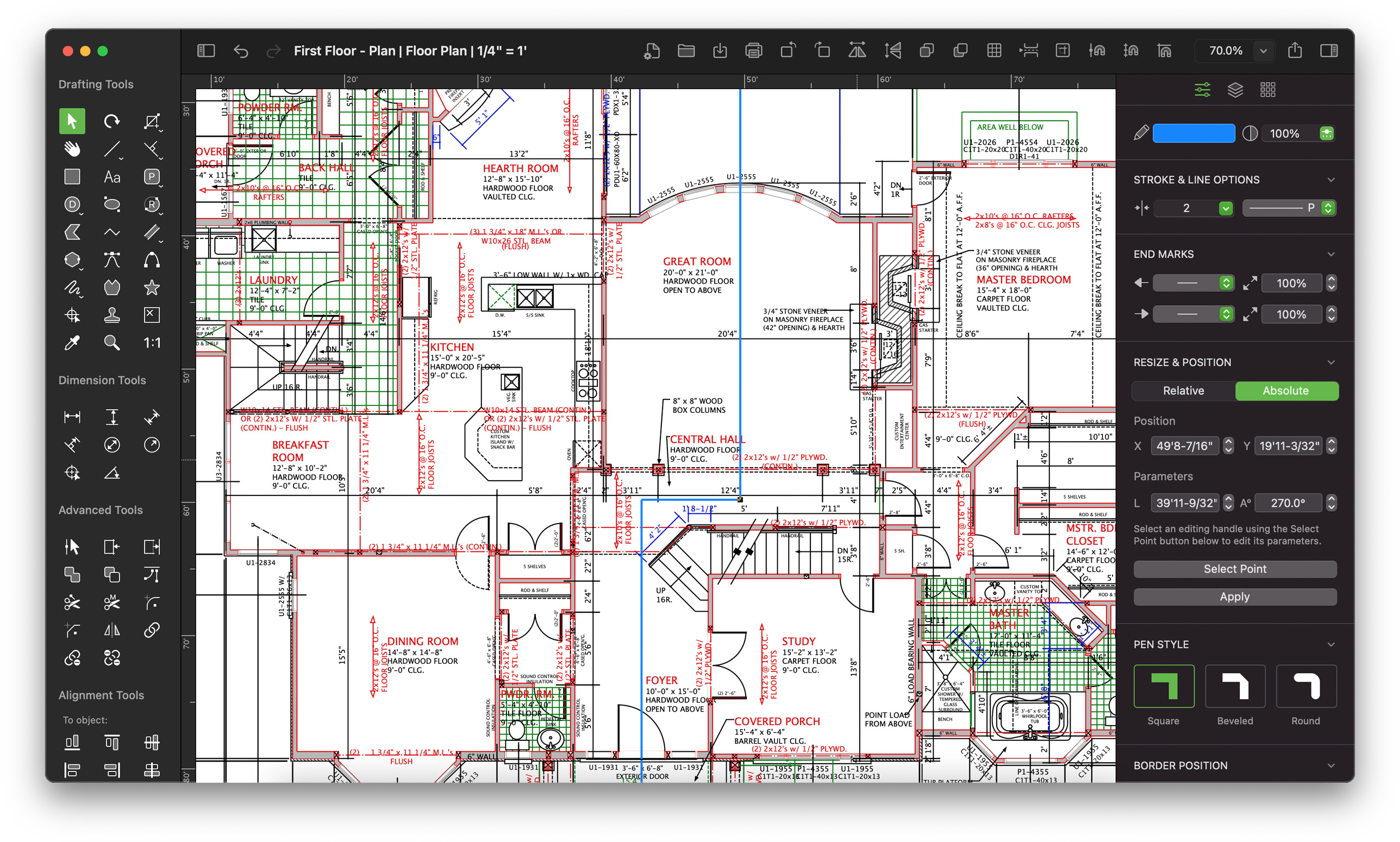
MacDraft Professional is a 2D CAD software tailored for macOS, ideal for architects, designers, and engineers. It offers precise drafting tools for creating detailed floor plans and technical illustrations. Key features include a comprehensive library of pre-designed components, support for multiple projects, and customizable templates. The software supports both metric and imperial units, ensuring versatility across various design requirements. Its intuitive interface and robust functionality make it a valuable tool for professionals seeking efficient and accurate design solutions.
- Native macOS, optimized 2D CAD environment
- Intuitive, easy-to-learn drafting workflow for designers
- Specialized tools for architectural floor plans
- Strong color and illustration presentation tools
- DWG/DXF import and export for interoperability
- Stable performance for small-to-midsize design projects
Eligibility
Number of Seats/Users: MacDraft Professional offers discounts based on the number of users or seats. A higher volume typically leads to a better discount structure, especially for enterprise-level usage.
Commitment to a Long-Term Contract: Discounts are often provided to companies that commit to using the service for a longer period (e.g., 1-year or 3-year contracts). A longer commitment shows MacDraft Professional that the company is serious and willing to invest in the platform long-term.
No Active Discounts: Companies that are not already receiving other active discounts may have a better chance of qualifying for additional discounts from MacDraft Professional. MacDraft Professional reserves discounts for new customers or those not currently under promotional pricing.
Volume or Usage Commitment: MacDraft Professional offers discounts if you agree to a minimum amount of usage or transaction volume. This could be based on data storage, transactions, or other metrics tied to how much you will use the platform.
Enterprise-Level Negotiation: Companies that qualify as “enterprise” due to their size or complexity (e.g., having large teams, multiple departments, or geographical presence) may be eligible for additional discounts from MacDraft Professional. Such companies are often in a position to negotiate for better pricing.
Early Renewal or Prepayment: MacDraft Professional often offers discounts if you renew early or prepay for the entire contract period. This is a common approach to securing a lower price.

MacDraft Professional - Up to 15% off
Reviews
Here at Spendbase our internal data shows that MacDraft Professional is seen as a strong, budget‑friendly 2D CAD option for Mac‑only teams, with a solidly positive satisfaction score (around 4/5).
From what Spendbase clients tell us, the main positives cluster around:
- Ease of use & learning curve
- Described as intuitive, “like a drawing board” rather than heavy CAD.
- Many clients have comfortably used it for 10–35+ years.
-
Great for architects, interior designers, cabinetmakers, event planners, educators, and hobbyists who only need 2D.
-
Versatility
- Used for: floor plans, houses, furniture/built‑ins, site layouts, elevations, posters, colored presentations, even illustrations/comics.
- Strong color and presentation tools; good for client‑facing drawings.
-
Pro version’s DWG/DXF export is considered a big plus.
-
Mac-native experience
- Clients like the macOS feel: clean UI, good performance, and improved stability in recent versions.
- Support is frequently described as quick and helpful when contacted.
On the flip side, our internal data also highlights some consistent friction points:
- Workflow & productivity gaps
- Some architectural users feel common tasks (offsets, dimensioning, symbols) take too many clicks.
- Limited customization of dimensions, snaps, and keyboard shortcuts is a pain for power users.
-
Symbol libraries are viewed as basic and not very modern.
-
UI and usability quirks
- Panels (especially libraries) can get in the way, with limited rearrangement options.
- Scrolling/zooming sometimes feels too “jumpy” or not dynamic enough.
-
Smaller laptop screens feel cramped due to the number of palettes.
-
Printing and file handling
- Printing can be finicky, especially:
- Printing just part of a page
- Some edge cases that force export to JPG or PDF first
-
Large DWG/DXF files and heavy image imports can hit memory limits.
-
Learning & upgrades
- Long‑time users sometimes feel “lost” after big version jumps.
-
Clients ask for more tutorials and more in‑app guidance.
-
Platform constraints
- Mac‑only and the proprietary .mcd format add friction for mixed Mac/Windows environments.
From a Spendbase discount perspective, MacDraft Pro tends to be a cost‑effective fit for:
- Mac‑centric teams focused on 2D only
- Small to mid‑sized studios and solo pros who value speed and simplicity over full BIM/3D
It’s less ideal if your team:
– Heavily depends on Windows
– Requires advanced BIM/3D
– Needs very deep automation and custom shortcuts across a large CAD team.
See how much you can save on your stack
Pick your team’s tools!
Click to select one or more tools.


What’s your company size?
Just click to select.
What’s your business email?
We'll send you calculations right away
The email is flying to your inbox!
Beyond discounts, you may qualify for up to $100K in AWS credits.

FAQ
1. Are there discounts for purchasing multiple MacDraft Professional licenses?
Yes, we offer up to 35% off on multi-license purchases, allowing installations on multiple machines.
2. Do you provide educational discounts for MacDraft Professional?
Absolutely, educational institutions can receive up to 70% off on MacDraft Professional licenses.
3. Are there seasonal promotions for MacDraft Professional?
Yes, we offer seasonal promotions, such as Black Friday deals, with discounts up to 75% on extra licenses.
4. Is there a free trial available for MacDraft Professional?
Yes, we offer a 14-day free trial with all features unlocked, plus an exclusive 15% discount upon purchase.
5. Can I upgrade from a previous version of MacDraft Professional at a discounted rate?
Yes, upgrade options are available for previous versions, allowing you to access the latest features at a reduced cost.
6. Do you offer discounts for adding extra user licenses?
Yes, adding extra user licenses comes with significant discounts, saving up to 75% on additional licenses.
7. Are there any discounts for purchasing MacDraft Professional bundles?
Yes, our bundles offer savings up to 40%, providing comprehensive tools and symbols for various design needs.
8. Do you offer discounts for students purchasing MacDraft Professional?
Yes, students can benefit from educational discounts, receiving up to 70% off on MacDraft Professional licenses.
Related discounts

CAD Pro
Architectural CAD Software
Up to 30% off

SolidBuilder
Architectural CAD Software
Up to 45% off

CorelCAD
Architectural CAD Software
Up to 30% off

Cadvilla
Architectural CAD Software
Up to 30% off

Artlantis
Architectural CAD Software
Up to 35% off

AutoCAD LT
Architectural CAD Software
Up to 20% off
Software cost optimization
MacDraft Professional savings in five steps
Let’s estimate your potential savings and see how you can scale your cloud infrastructure.
One call. No cost. No commitments


meet vendor relationship EXPERTS
Our customers save millions with us



Save on MacDraft Professional
It’s time to shrink your bill
Let our SaaS cost optimization experts check what deals you can get and how much you can save on your corporate subscriptions
See how you can:
- Learn about pricing benchmarks and discounts
- Present potential savings by vendor to your team
- Meet your SaaS and cloud cost optimization goals
Get MacDraft Professional discount
We’ll email you back within 1 business day