











Microsoft 365 Discount - Up to 25% off
An integrated suite of applications include email, calendar and address book that are accessed via the Internet 24/7.
Get discountCategory
Calendar Software


What is Microsoft 365?
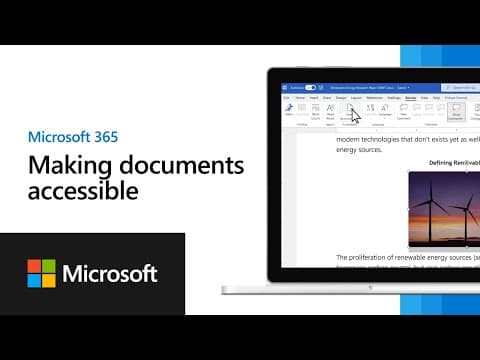
Microsoft 365 is a cloud-powered productivity platform that includes applications like Word, Excel, PowerPoint, Outlook, and OneNote. It offers AI-powered features through Copilot, enhancing productivity in these apps. Users can install it on PCs, Macs, tablets, and phones, and it provides 1 TB of OneDrive cloud storage. Microsoft 365 also includes advanced security features and regular updates.
- All-in-one productivity and collaboration suite
- Cloud-based storage with anywhere document access
- Seamless integration between apps and services
- Real-time file sharing and co-authoring
- Enterprise-grade security, compliance, and controls
- Cross-platform access on web, desktop, mobile
Eligibility
Number of Seats/Users: Microsoft 365 offers discounts based on the number of users or seats. A higher volume typically leads to a better discount structure, especially for enterprise-level usage.
Commitment to a Long-Term Contract: Discounts are often provided to companies that commit to using the service for a longer period (e.g., 1-year or 3-year contracts). A longer commitment shows Microsoft 365 that the company is serious and willing to invest in the platform long-term.
No Active Discounts: Companies that are not already receiving other active discounts may have a better chance of qualifying for additional discounts from Microsoft 365. Microsoft 365 reserves discounts for new customers or those not currently under promotional pricing.
Volume or Usage Commitment: Microsoft 365 offers discounts if you agree to a minimum amount of usage or transaction volume. This could be based on data storage, transactions, or other metrics tied to how much you will use the platform.
Enterprise-Level Negotiation: Companies that qualify as “enterprise” due to their size or complexity (e.g., having large teams, multiple departments, or geographical presence) may be eligible for additional discounts from Microsoft 365. Such companies are often in a position to negotiate for better pricing.
Early Renewal or Prepayment: Microsoft 365 often offers discounts if you renew early or prepay for the entire contract period. This is a common approach to securing a lower price.

Microsoft 365 - Up to 25% off
Reviews
Here at Spendbase, our internal data shows that Microsoft 365 is seen as a “must‑have” by most Spendbase clients, but with some clear pain points that usually sit around cost, complexity, and reliability.
Overall sentiment
– Strongly positive: most clients rate Microsoft 365 very highly for day‑to‑day work.
– A minority report serious frustration, mainly tied to support, authentication, and cloud reliability.
What Spendbase clients like most
Our data highlights a few consistent strengths:
– All‑in‑one ecosystem
– Email, storage, collaboration, documents, and security in one place.
– Tight integration between Outlook, Teams, OneDrive, SharePoint, Word, and Excel.
– Anytime, anywhere access
– Web and mobile access is a big win for remote work and multi‑device workflows.
– Collaboration & productivity
– Real‑time co‑editing, file sharing, and Teams meetings are heavily used.
– Built‑in tools like templates, mail merge, and autosave are seen as major time savers.
– Security & admin controls
– Conditional Access, MFA, Defender, and admin dashboards are valued, especially in larger environments.
Where clients struggle
Our internal feedback surfaces recurring issues:
– Cost & licensing
– Subscription costs creep up over time, especially for larger organizations.
– Licensing SKUs and app bundles are confusing; many pay for tools they rarely use.
– Stability & sync
– Some report outages, slow or clunky portals, and OneDrive/SharePoint sync issues, including version rollbacks.
– Constant change
– Frequent UI changes and updates cause friction, especially for less tech‑savvy staff.
– New features like Copilot sometimes feel “pushed” rather than optional.
– Support & access issues
– Experiences with support are mixed: some rave about fast help, others report very poor resolution for account and authenticator problems.
– Cloud vs desktop gaps
– Occasional formatting problems moving between mobile, online, and desktop apps.
How Spendbase typically helps
– Identify unused or underused SKUs and downgrade where safe.
– Consolidate plans to reduce per‑user cost while keeping needed security and apps.
– Flag where third‑party tools (e‑sign, storage, marketing) duplicate M365 features you already pay for.
Net takeaway: Microsoft 365 is viewed as the business standard, but also a prime candidate for optimization and discount negotiation.
See how much you can save on your stack
Pick your team’s tools!
Click to select one or more tools.


What’s your company size?
Just click to select.
What’s your business email?
We'll send you calculations right away
The email is flying to your inbox!
Beyond discounts, you may qualify for up to $100K in AWS credits.

FAQ
1. What is the Microsoft Workplace Discount Program?
It allows eligible employees to purchase Microsoft 365 subscriptions at a discounted rate for personal use.
2. How can I check if I'm eligible for the Workplace Discount Program?
Enter your corporate email on the program's page to verify eligibility.
3. Are there discounts available for students?
Yes, U.S. college students can get a free one-year Microsoft 365 subscription, followed by a 50% discount on the monthly fee.
4. Can I get a discount on Microsoft 365 through Costco?
Costco members can receive discounts on Microsoft 365, including extra months and Visa eGift cards.
5. What happens to my discounted subscription if I leave my company?
The discount continues as long as you maintain recurring billing on your subscription.
6. How do I renew my discounted Microsoft 365 subscription?
Ensure recurring billing is on; you'll be billed automatically until canceled.
7. Can I use the Workplace Discount Program if I already have a Microsoft 365 subscription?
Yes, purchasing through the program adds time to your existing subscription at the discounted rate.
8. Are there any current promotions for Microsoft 365 E3 and E5 plans?
Yes, there are limited-time discounts available for new customers on E3 and E5 licenses.
Related discounts

Vonigo
Calendar Software
Up to 20% off

CalendarBridge
Calendar Software
Up to 25% off

GCalToolkit
Calendar Software
Up to 30% off

Mariana Tek
Calendar Software
Up to 30% off

MarketBox
Calendar Software
Up to 50% off

FieldEZ
Calendar Software
Up to 30% off
Software cost optimization
Microsoft 365 savings in five steps
Let’s estimate your potential savings and see how you can scale your cloud infrastructure.
One call. No cost. No commitments


meet vendor relationship EXPERTS
Our customers save millions with us



Save on Microsoft 365
It’s time to shrink your bill
Let our SaaS cost optimization experts check what deals you can get and how much you can save on your corporate subscriptions
See how you can:
- Learn about pricing benchmarks and discounts
- Present potential savings by vendor to your team
- Meet your SaaS and cloud cost optimization goals
Get Microsoft 365 discount
We’ll email you back within 1 business day