











Quick File Discount - Up to 30% off
Simple, intuitive cloud based accounting software for UK freelancers and SMEs.
Get discountCategory
Accounting Software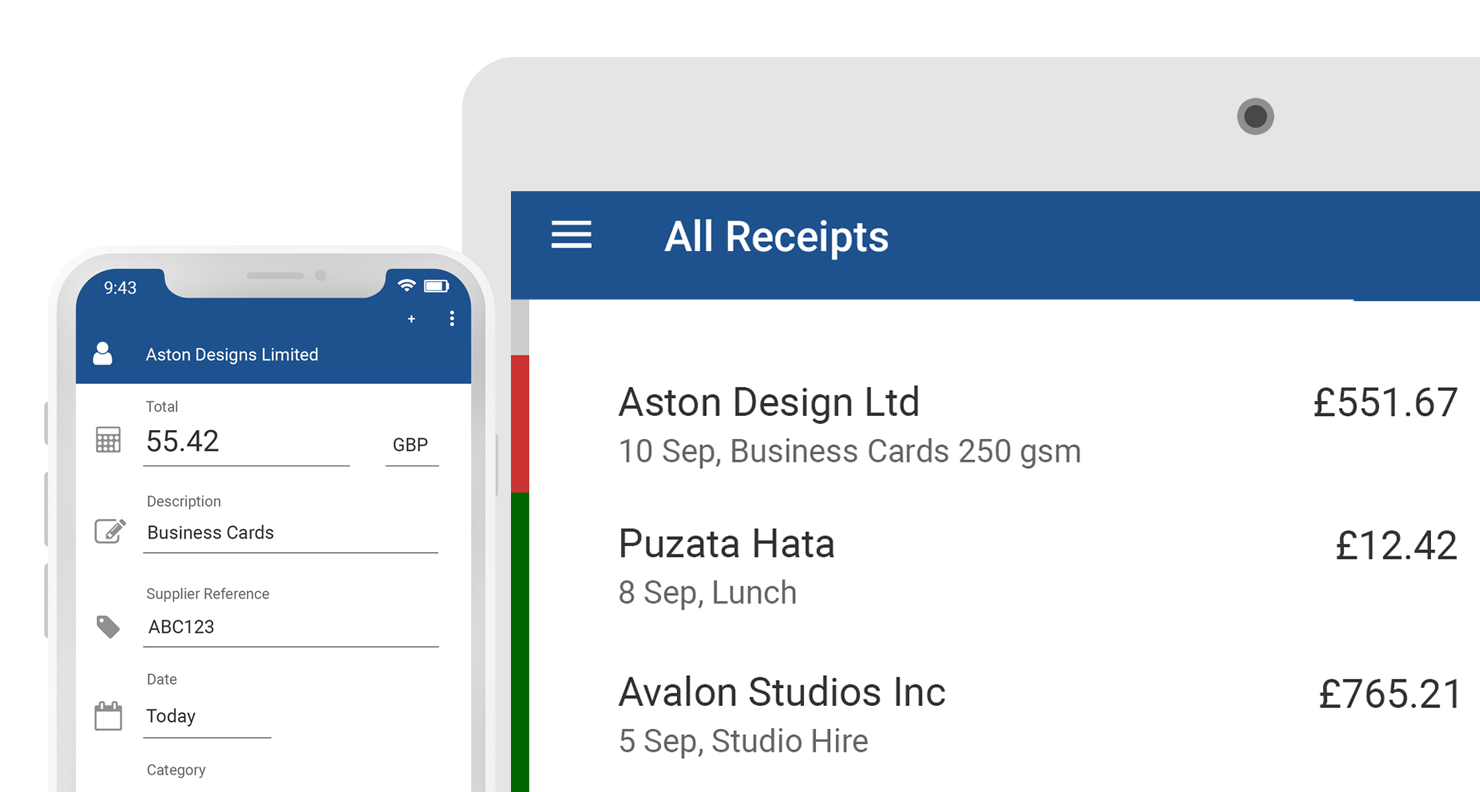

What is Quick File?
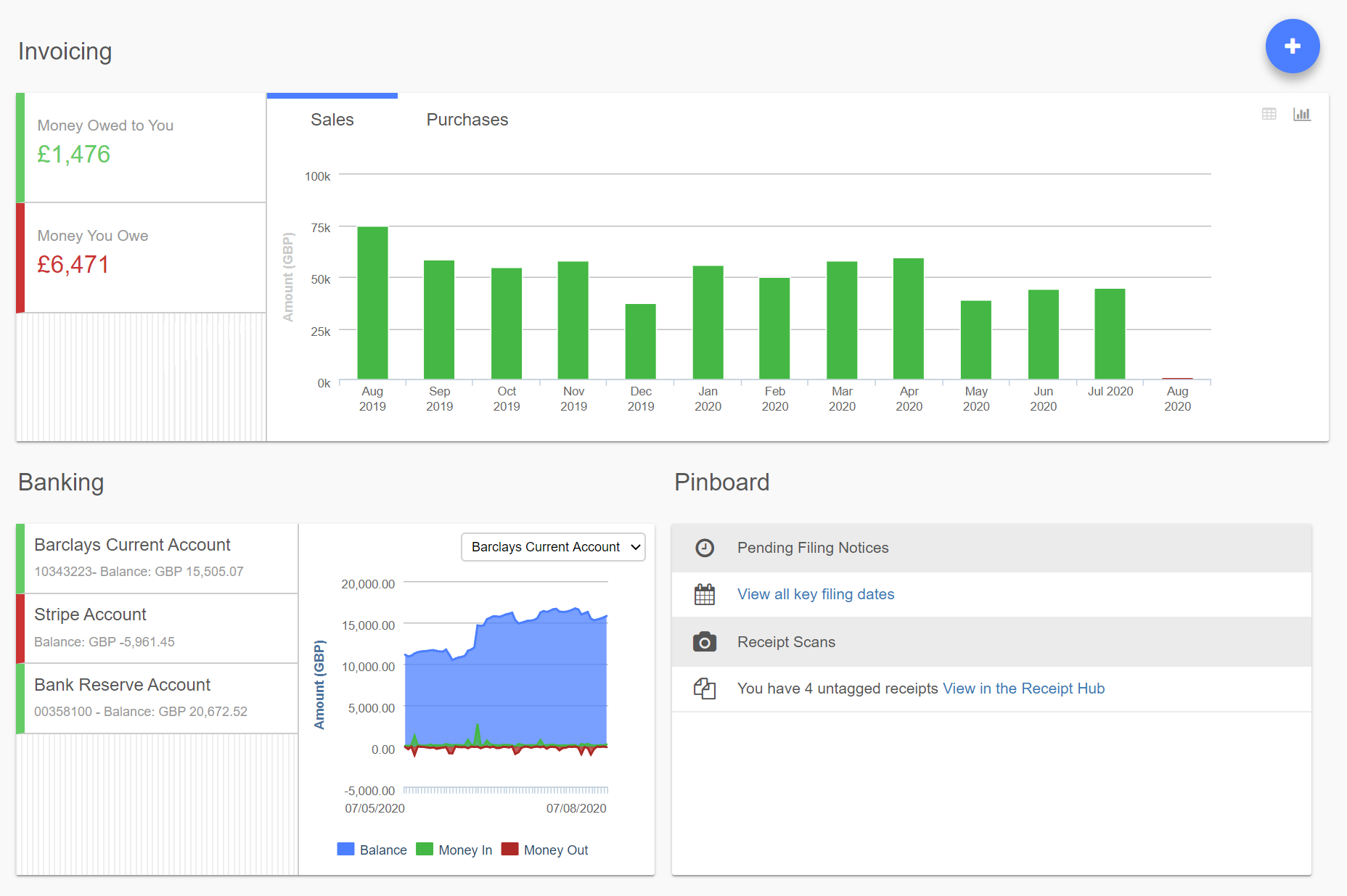
Quick File is a cloud-based accounting software tailored for UK freelancers and small to medium-sized enterprises. It offers a comprehensive suite of features, including professional invoicing, expense management, VAT handling, and bank feeds. With over 300 integrations, Quick File ensures seamless connectivity with various platforms. The software also provides access to a network of UK accountants, offering support as needed. Users appreciate its intuitive interface and the ability to manage bookkeeping efficiently, saving both time and money.
- Cloud-based access from anywhere, multi-user
- Professional invoicing with client portal
- Expense management with receipt capture automation
- Bank feeds and streamlined bank reconciliation
- Extensive integrations and powerful open API
- Simple, intuitive interface for non-accountants
Eligibility
Number of Seats/Users: Quick File offers discounts based on the number of users or seats. A higher volume typically leads to a better discount structure, especially for enterprise-level usage.
Commitment to a Long-Term Contract: Discounts are often provided to companies that commit to using the service for a longer period (e.g., 1-year or 3-year contracts). A longer commitment shows Quick File that the company is serious and willing to invest in the platform long-term.
No Active Discounts: Companies that are not already receiving other active discounts may have a better chance of qualifying for additional discounts from Quick File. Quick File reserves discounts for new customers or those not currently under promotional pricing.
Volume or Usage Commitment: Quick File offers discounts if you agree to a minimum amount of usage or transaction volume. This could be based on data storage, transactions, or other metrics tied to how much you will use the platform.
Enterprise-Level Negotiation: Companies that qualify as “enterprise” due to their size or complexity (e.g., having large teams, multiple departments, or geographical presence) may be eligible for additional discounts from Quick File. Such companies are often in a position to negotiate for better pricing.
Early Renewal or Prepayment: Quick File often offers discounts if you renew early or prepay for the entire contract period. This is a common approach to securing a lower price.

Quick File - Up to 30% off
Reviews
Here at Spendbase our internal data shows that Quick File is generally a very strong value choice for UK freelancers and small businesses, especially for those who want solid functionality without enterprise-level pricing.
Overall sentiment from Spendbase clients
– Ratings cluster around 4–5 stars
– Main themes: simplicity, automation, and low cost
– Key trade‑off: power and flexibility vs a bit of a learning curve
What Spendbase clients like most
1) Ease of use for day‑to‑day work
– Simple invoicing and purchase entry
– Clear dashboards and basic reports
– Many clients with little or no bookkeeping experience can get going quickly
2) Cloud-based flexibility
– Access from anywhere, team access from multiple locations
– Clients’ ability to log in and see invoices and documents
– Strong mobile workflows via the app and receipt capture (iPhone photos, Dropbox upload, auto-ingest)
3) Automation & integrations
– Bank feeds and automatic bank-ledger updates
– Automatic invoices, reminders, and auto-tagging
– Helpful API that allows integrating internal platforms
– Wide range of payment options for end customers
4) Cost-effectiveness
– Frequently described as affordable or “best for the price”
– Free or low-cost tiers suitable for very small businesses
– No major core feature gating by price, mainly volume-based
Main friction points and hidden “costs”
Our internal data also highlights some areas where clients lose time or value:
1) Learning curve
– Non-accountants often need time to grasp more advanced entries and reports
– System doesn’t “hold your hand” as much as some more expensive tools
2) Reporting gaps
– Some clients struggle to generate very simple “money in/money out per month” views
– Built-in reporting is seen as adequate but not deep; many export to spreadsheets
3) Feature limitations
– No inventory control
– Some niche gaps (e.g., reusable standard service lines, more integrations)
4) Usability details
– Mobile web interface isn’t as friendly as it could be
– A few clients feel the product is so feature-rich they’re not using it to its full potential
From a Spendbase discount and optimization angle, Quick File looks ideal for cost-conscious SMBs that:
– Don’t need complex inventory
– Are okay investing a bit of time upfront to learn the system
– Want to squeeze maximum value from automation and bank feeds without enterprise fees.
See how much you can save on your stack
Pick your team’s tools!
Click to select one or more tools.


What’s your company size?
Just click to select.
What’s your business email?
We'll send you calculations right away
The email is flying to your inbox!
Beyond discounts, you may qualify for up to $100K in AWS credits.

FAQ
1. What is Quick File Discounts?
Quick File Discounts offers exclusive deals on our products, providing significant savings for our valued customers.
2. How can I access Quick File Discounts?
Simply visit our website and navigate to the 'Discounts' section to view current offers and promotions.
3. Are there any eligibility requirements for Quick File Discounts?
Our discounts are available to all customers; no special eligibility criteria are required to take advantage of our offers.
4. How often are new discounts offered?
We update our discounts regularly, so check back frequently to discover the latest deals and promotions.
5. Can I combine Quick File Discounts with other promotions?
Discounts cannot be combined with other promotions unless explicitly stated; please refer to the specific terms of each offer.
6. Do Quick File Discounts apply to all products?
Discounts may vary by product; please check the specific terms of each offer to see which products are included.
7. How do I redeem a Quick File Discount?
To redeem a discount, enter the provided promo code at checkout or follow the instructions specified in the offer details.
8. Who can I contact for more information about Quick File Discounts?
For more information, please contact our customer support team through the 'Contact Us' page on our website.
Related discounts

Tradepoint Enterprise
Accounting Software
Up to 50% off

NewLedger
Accounting Software
Up to 35% off

Jedox
Accounting Software
Up to 25% off

WISO MeinBüro
Accounting Software
Up to 35% off

Prophix One
Accounting Software
Up to 15% off

MIP Fund Accounting
Accounting Software
Up to 15% off
Software cost optimization
Quick File savings in five steps
Let’s estimate your potential savings and see how you can scale your cloud infrastructure.
One call. No cost. No commitments


meet vendor relationship EXPERTS
Our customers save millions with us



Save on Quick File
It’s time to shrink your bill
Let our SaaS cost optimization experts check what deals you can get and how much you can save on your corporate subscriptions
See how you can:
- Learn about pricing benchmarks and discounts
- Present potential savings by vendor to your team
- Meet your SaaS and cloud cost optimization goals
Get Quick File discount
We’ll email you back within 1 business day