











REAPER Discount - Up to 50% off
Advanced multi-track audio, MIDI and video production and recording environment for Windows and OS X.
Get discountCategory
Audio Editing Software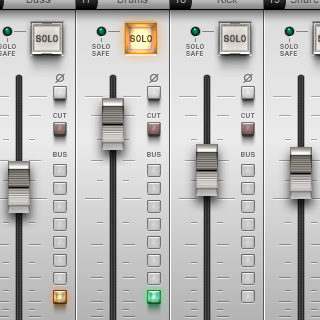

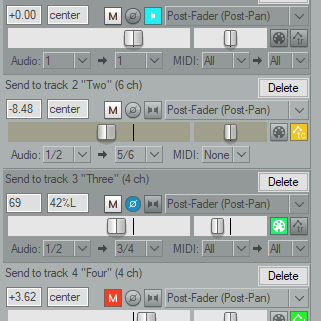
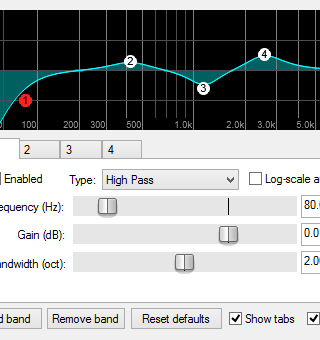
What is REAPER?
REAPER (Rapid Environment for Audio Production, Engineering, and Recording) is a digital audio workstation (DAW) developed by Cockos. It offers comprehensive multitrack audio and MIDI recording, editing, processing, mixing, and mastering capabilities. Key features include support for various plugin formats (VST, VST3, LV2, AU, CLAP, DX), a customizable interface with themes, non-destructive editing, flexible routing options, and a powerful automation system. REAPER also supports scripting languages like Lua and Python, enabling users to automate tasks and create custom functions. Its lightweight design ensures efficient performance across different systems.
- Lightweight, low CPU usage, very stable
- Highly customizable interface, actions, scripting
- Affordable licensing with generous free trial
- Powerful multi-track audio and MIDI editing
- Extensive VST and third‑party integration
- Active, helpful community and documentation
Eligibility
Number of Seats/Users: REAPER offers discounts based on the number of users or seats. A higher volume typically leads to a better discount structure, especially for enterprise-level usage.
Commitment to a Long-Term Contract: Discounts are often provided to companies that commit to using the service for a longer period (e.g., 1-year or 3-year contracts). A longer commitment shows REAPER that the company is serious and willing to invest in the platform long-term.
No Active Discounts: Companies that are not already receiving other active discounts may have a better chance of qualifying for additional discounts from REAPER. REAPER reserves discounts for new customers or those not currently under promotional pricing.
Volume or Usage Commitment: REAPER offers discounts if you agree to a minimum amount of usage or transaction volume. This could be based on data storage, transactions, or other metrics tied to how much you will use the platform.
Enterprise-Level Negotiation: Companies that qualify as “enterprise” due to their size or complexity (e.g., having large teams, multiple departments, or geographical presence) may be eligible for additional discounts from REAPER. Such companies are often in a position to negotiate for better pricing.
Early Renewal or Prepayment: REAPER often offers discounts if you renew early or prepay for the entire contract period. This is a common approach to securing a lower price.

REAPER - Up to 50% off
Reviews
Here at Spendbase our internal data shows that REAPER delivers a very strong value-to-price ratio for most teams.
Overall sentiment
– Average satisfaction is very high (mostly 4–5 stars).
– Spendbase clients consistently call it “professional”, “feature-loaded” and “incredibly stable” at a fraction of the cost of big-name DAWs.
What Spendbase clients like most
Our data highlights a clear set of strengths:
– Pricing & licensing
– Often purchased around the 60 USD mark and perceived as “incredible value”.
– Generous free trial period makes it easy to test before committing.
– Performance & stability
– Very light on CPU/RAM, fast startup, and near-zero crashes even on modest hardware.
– Flexibility & customization
– Deep customization of workflow, actions/macros, layouts and scripts.
– Strong VST and third‑party integration; widely used in music, post, and game audio.
– Cross‑platform & use cases
– Works well on Windows, macOS, and even via Linux/WINE in some cases.
– Used for recording, mixing, mastering, and basic video editing.
Main pain points
Our internal data also shows recurring friction areas:
– Learning curve & onboarding
– Power comes at the cost of complexity; many clients call the first weeks “overwhelming”.
– Some find the default workflow and right‑click behavior unintuitive compared to other DAWs.
– User interface
– Described as dated, austere, and with small fonts; initial customization can be confusing.
– Built‑in content
– Very few bundled instruments/effects vs. competitors; clients often must add third‑party plugins.
– Documentation vs. support
– Community tutorials are excellent, but official guidance and structured “getting started” paths could be stronger.
Who gets the most value
Based on Spendbase client usage patterns, REAPER is ideal for:
– Cost‑sensitive studios and indie artists wanting pro features without a big subscription.
– Power users who like to script, automate and fine‑tune workflows.
– Teams needing rock‑solid stability on mid‑range machines.
Spendbase discount view
Because the license is already low-cost and updates are frequent, most savings come from:
– Consolidating other DAW subscriptions into REAPER where workflows allow.
– Avoiding unnecessary “plugin bundle” tiers by leveraging free/low‑cost third‑party tools.
In short, our internal data shows REAPER is a high‑leverage, low‑price DAW that rewards teams willing to invest a bit of time upfront in setup and learning.
See how much you can save on your stack
Pick your team’s tools!
Click to select one or more tools.


What’s your company size?
Just click to select.
What’s your business email?
We'll send you calculations right away
The email is flying to your inbox!
Beyond discounts, you may qualify for up to $100K in AWS credits.

FAQ
1. What is the cost of a REAPER license?
A discounted license is $60; a commercial license is $225. Both offer full features and updates up to version 8.99.
2. Is there a free trial available for REAPER?
Yes, REAPER offers a fully functional 60-day free trial for users to evaluate all features before purchasing.
3. Are there any discounts for students or non-profits?
Yes, educational and non-profit organizations qualify for the discounted $60 license, providing full access to all features.
4. Can I continue using REAPER after the trial without purchasing?
After the 60-day trial, a purchase is required. However, the software remains fully functional, relying on an honor system.
5. Does REAPER offer lifetime licenses?
Yes, purchasing a license grants free upgrades through two major versions, e.g., from 6.0 to 7.99.
6. Are there promotional codes available for REAPER?
Occasionally, promotional codes are offered. For instance, a 'SUMMER' code provided a 50% discount on courses.
7. Can I install REAPER on multiple computers with one license?
Yes, a single license allows installation on multiple computers, provided you are the primary user on each.
8. Is REAPER a subscription-based software?
No, REAPER requires a one-time payment for a license, with no subscription fees, offering long-term value.
Related discounts

Serato Studio
Audio Editing Software
Up to 30% off

Audo Studio
Audio Editing Software
Up to 20% off

RapidComposer
Audio Editing Software
Up to 25% off

Reason
Audio Editing Software
Up to 35% off

DJ.Studio
Audio Editing Software
Up to 35% off

AudiFab Apple Music Converter
Audio Editing Software
Up to 45% off
Software cost optimization
REAPER savings in five steps
Let’s estimate your potential savings and see how you can scale your cloud infrastructure.
One call. No cost. No commitments


meet vendor relationship EXPERTS
Our customers save millions with us



Save on REAPER
It’s time to shrink your bill
Let our SaaS cost optimization experts check what deals you can get and how much you can save on your corporate subscriptions
See how you can:
- Learn about pricing benchmarks and discounts
- Present potential savings by vendor to your team
- Meet your SaaS and cloud cost optimization goals
Get REAPER discount
We’ll email you back within 1 business day