











Sage 200 Discount - Up to 15% off
Cloud-based solution that helps users manage sales funnel, cash flow, compliance, inventory, manufacturing processes, and payments.
Get discountCategory
ERP Software

What is Sage 200?
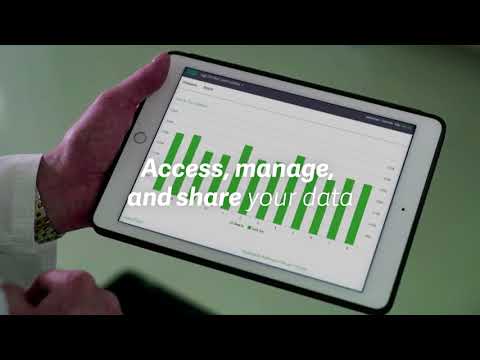
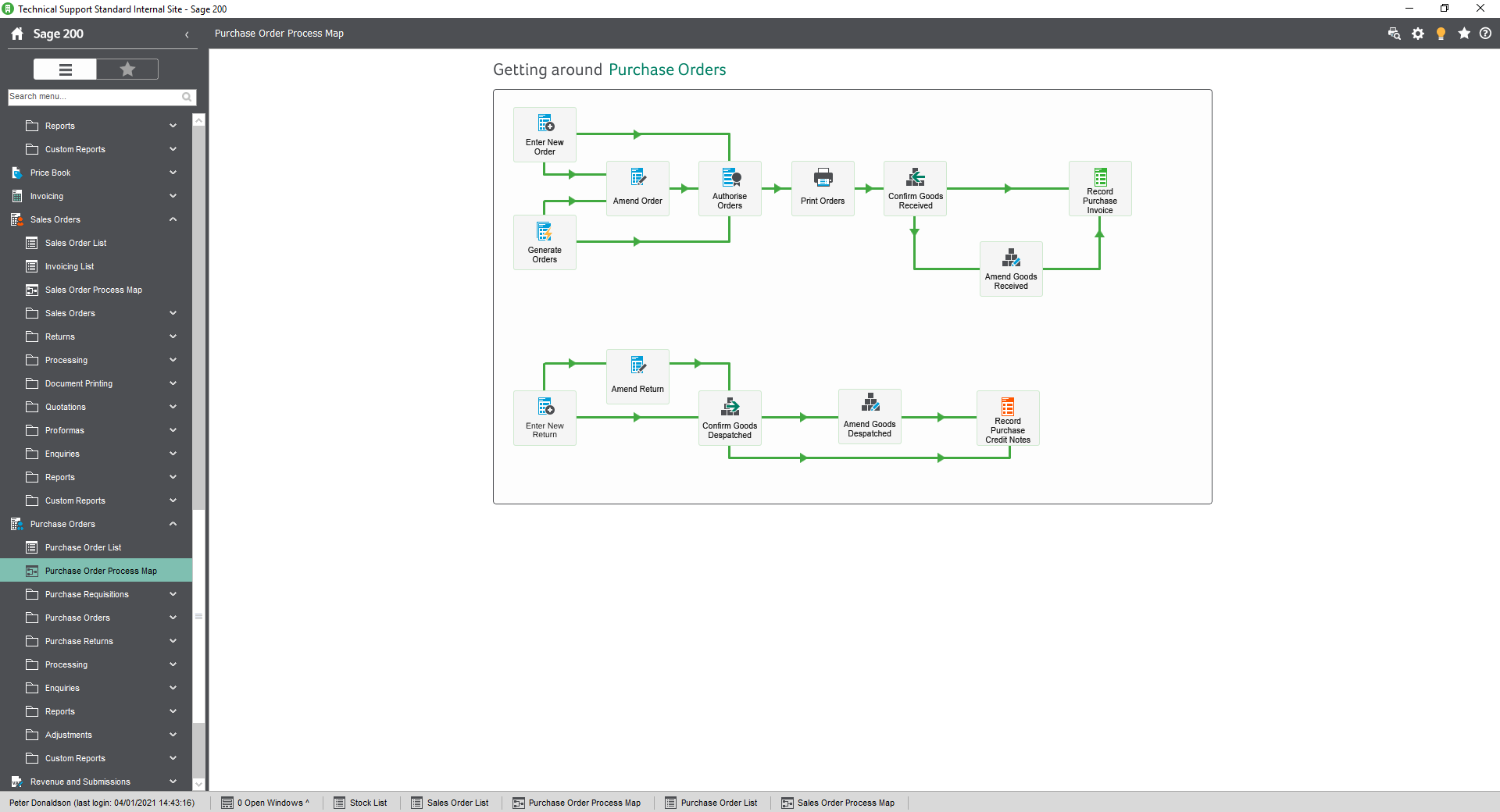
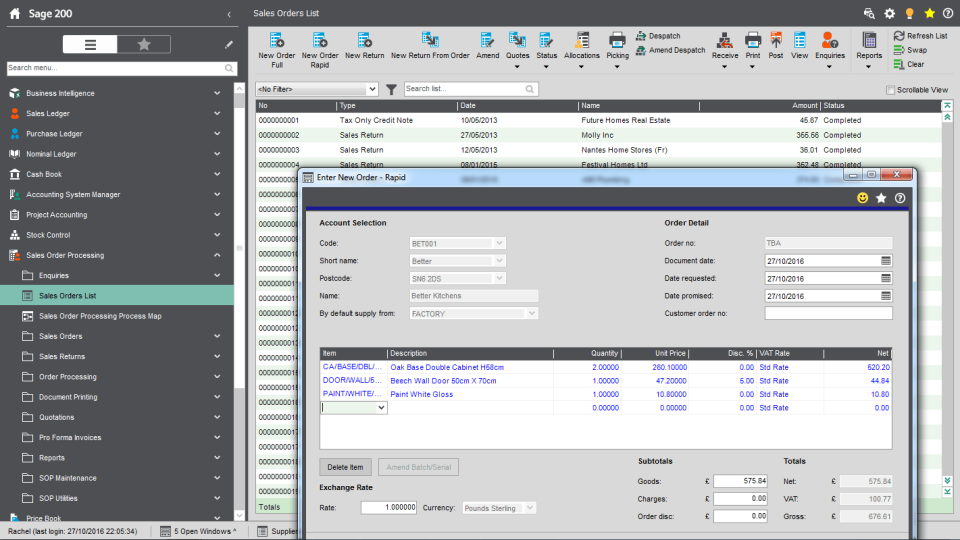
Sage 200 is a cloud-connected business management solution designed for small to medium-sized enterprises, aiming to streamline operations and enhance financial management. It integrates various business functions, including accounting, inventory, manufacturing, and customer relationship management (CRM), into a single platform. Key features include real-time financial insights, automation of payments and banking processes, comprehensive resource planning, and integration with Microsoft 365 for enhanced collaboration. Additionally, Sage 200 offers business intelligence tools for in-depth analysis and reporting, helping businesses make informed decisions and drive growth.
Looking for a great deal on Sage 200?
Good news! Sage 200 is currently offering discounts of up to 15% off regular subscription rates. This is your chance to leverage premium photo editing tools to enhance team coordination and productivity at a significantly reduced cost.
- Comprehensive financial management and reporting tools
- Customizable modules for business processes integration
- Advanced inventory and stock management capabilities
- Cloud access for remote work flexibility
- CRM features for customer relationship management
- Multi-currency support and compliance features
Eligibility
Number of Seats/Users: Sage 200 offers discounts based on the number of users or seats. A higher volume typically leads to a better discount structure, especially for enterprise-level usage.
Commitment to a Long-Term Contract: Discounts are often provided to companies that commit to using the service for a longer period (e.g., 1-year or 3-year contracts). A longer commitment shows Sage 200 that the company is serious and willing to invest in the platform long-term.
No Active Discounts: Companies that are not already receiving other active discounts may have a better chance of qualifying for additional discounts from Sage 200. Sage 200 reserves discounts for new customers or those not currently under promotional pricing.
Volume or Usage Commitment: Sage 200 offers discounts if you agree to a minimum amount of usage or transaction volume. This could be based on data storage, transactions, or other metrics tied to how much you will use the platform.
Enterprise-Level Negotiation: Companies that qualify as “enterprise” due to their size or complexity (e.g., having large teams, multiple departments, or geographical presence) may be eligible for additional discounts from Sage 200. Such companies are often in a position to negotiate for better pricing.
Early Renewal or Prepayment: Sage 200 often offers discounts if you renew early or prepay for the entire contract period. This is a common approach to securing a lower price.

Sage 200 - Up to 15% off
Reviews
Here at Spendbase, our internal data shows that Sage 200 is a top pick for small and medium-sized businesses who want to streamline and integrate their business management operations. By analyzing client feedback, we’ve identified what stands out most in both pros and cons, so you can make a smarter decision (and potentially, save with a Spendbase discount!).
Key Benefits Noted by Spendbase Clients:
– Comprehensive Business Management: Clients love that Sage 200 brings accounting, inventory, CRM, budgeting, and reporting all under one roof. This reduces the need for multiple disjointed tools.
– Customization and Flexibility: Many find the customization options impressive. You can tailor modules and processes to fit very specific industry or company needs.
– Powerful Reporting: Real-time collaboration, advanced reporting tools, and customizable reports help businesses get actionable insights and boost decision-making.
– Cloud and Remote Access: The ability to access Sage 200 securely from anywhere is a significant plus, especially for teams working remotely or across sites.
– Integration Capabilities: Sage 200 connects smoothly with Microsoft products and supports add-ons for CRM, planning, and more.
– Support and Training: Ongoing support, in-depth documentation, and training resources help onboard teams and maximize usage.
– Multi-currency Functionality: Particularly valued by clients with international operations.
Potential Downsides Raised by Spendbase Clients:
– Cost: Pricing can be a concern, especially for smaller businesses just starting out. Licensing, server costs, and professional editions add up.
– Learning Curve: The variety of features means there’s a sharper learning curve, especially for first-timers or smaller, less-experienced teams.
– User Interface: Sage 200’s interface is described as outdated and less user-friendly compared to newer platforms. Some wish for modernized navigation and design.
– Performance: With large product or data volumes, the system can get slow.
– Support Challenges: Some clients mention that getting timely support (especially for more complex issues) can involve significant wait times or extra fees.
– On-Premise Requirements: Some editions need dedicated servers, which isn’t ideal for every business.
– Scalability: While great for small and medium businesses, very rapidly-growing companies often outgrow the system and need to migrate elsewhere.
Most Loved Features (based on client mentions):
– Ease of financial management
– Advanced reporting
– Customization opportunities
– Easy integration and remote access
– Inventory and order management
Top Challenges to Consider:
– Upfront and ongoing costs
– Initial complexity and onboarding
– Older design/interface
If you’re considering Sage 200, check out Spendbase’s discounts to make setup and scaling more affordable. The insights above come from real Spendbase clients, so you’ll know exactly what matches your own business priorities!
See how much you can save on your stack
Pick your team’s tools!
Click to select one or more tools.


What’s your company size?
Just click to select.
What’s your business email?
We'll send you calculations right away
The email is flying to your inbox!
Beyond discounts, you may qualify for up to $100K in AWS credits.

FAQ
1. What types of discounts can I set up in Sage 200?
Sage 200 allows flat rate, quantity-based, product group, invoice/order value, line, and settlement discounts.
2. Can I apply different discounts to specific customers?
Yes, you can assign unique discounts to individual customers or customer groups.
3. Is it possible to set up quantity-based discounts?
Yes, you can create discounts that apply when customers purchase specific quantities of items.
4. How do I reverse a settlement discount in Sage 200?
To reverse a settlement discount, create a journal entry to adjust the account balance accordingly.
5. Can I restrict the discount levels my sales staff can offer?
Sage 200 doesn't natively support discount restrictions by staff level; custom solutions may be needed.
6. Do discounts apply to partial payments?
Yes, if configured, cash discounts can apply to partial payments made within the discount period.
7. How do discounts affect inventory costing in Sage 200?
When a discount is applied, the net price after the discount is used to calculate the new average unit cost.
Related discounts

Deltek Ajera
ERP Software
Up to 25% off

Agni Link
Data Management Software
Up to 15% off

SyteLine
ERP Software
Up to 20% off

Jestor
ERP Software
Up to 25% off

Alobees
ERP Software
Up to 25% off

Versa Cloud ERP
ERP Software
Up to 25% off
Software cost optimization
Sage 200 savings in five steps
Let’s estimate your potential savings and see how you can scale your cloud infrastructure.
One call. No cost. No commitments


meet vendor relationship EXPERTS
Our customers save millions with us



Save on Sage 200
It’s time to shrink your bill
Let our SaaS cost optimization experts check what deals you can get and how much you can save on your corporate subscriptions
See how you can:
- Learn about pricing benchmarks and discounts
- Present potential savings by vendor to your team
- Meet your SaaS and cloud cost optimization goals
Get Sage 200 discount
We’ll email you back within 1 business day