











SalesPro CRM Discount - Up to 20% off
Web-based solution that provides customer relationship management through sales pipeline tracking, reporting, calendar and more.
Get discountCategory
CRM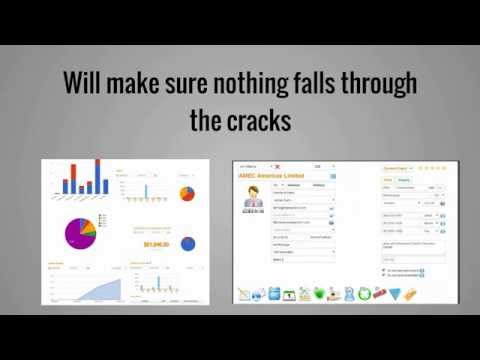
What is SalesPro CRM?
SalesPro CRM is a web-based customer relationship management solution designed to streamline sales processes for businesses. It offers features such as sales pipeline tracking, reporting, and calendar management. Users can manage contacts, track leads, and monitor sales performance through an intuitive interface. The platform also includes tools for task management, email integration, and real-time productivity dashboards. With centralized data access, teams can coordinate information across sales, marketing, and customer service departments, enhancing overall efficiency. SalesPro CRM is accessible from anywhere, supporting both in-office and remote work environments.
- Web-based access from any modern browser
- Sales pipeline tracking for opportunities
- Reporting and analytics on sales activities
- Integrated calendar with automated deadline reminders
- Centralized customer and company information management
- Team collaboration and shared account visibility
Eligibility
Number of Seats/Users: SalesPro CRM offers discounts based on the number of users or seats. A higher volume typically leads to a better discount structure, especially for enterprise-level usage.
Commitment to a Long-Term Contract: Discounts are often provided to companies that commit to using the service for a longer period (e.g., 1-year or 3-year contracts). A longer commitment shows SalesPro CRM that the company is serious and willing to invest in the platform long-term.
No Active Discounts: Companies that are not already receiving other active discounts may have a better chance of qualifying for additional discounts from SalesPro CRM. SalesPro CRM reserves discounts for new customers or those not currently under promotional pricing.
Volume or Usage Commitment: SalesPro CRM offers discounts if you agree to a minimum amount of usage or transaction volume. This could be based on data storage, transactions, or other metrics tied to how much you will use the platform.
Enterprise-Level Negotiation: Companies that qualify as “enterprise” due to their size or complexity (e.g., having large teams, multiple departments, or geographical presence) may be eligible for additional discounts from SalesPro CRM. Such companies are often in a position to negotiate for better pricing.
Early Renewal or Prepayment: SalesPro CRM often offers discounts if you renew early or prepay for the entire contract period. This is a common approach to securing a lower price.

SalesPro CRM - Up to 20% off
Reviews
Here at Spendbase our internal data shows that SalesPro CRM delivers solid day‑to‑day value, especially for teams moving off spreadsheets or paper-based tracking, but there are a few friction points that matter for cost–benefit decisions.
Key strengths our Spendbase clients highlight:
- Operational efficiency
- Central place to keep all customer and company details.
- Clear sales pipeline tracking and follow‑up reminders.
- Helpful calendar and deadline alerts so tasks don’t slip.
-
Easier than “flipping pages” or juggling multiple tools.
-
User experience
- Described as generally user‑friendly and easy to learn.
- Teams can quickly update records and keep management informed.
From a savings perspective, this usually means:
– Less time wasted searching for info.
– Fewer missed deals due to forgotten follow‑ups.
– Better visibility for managers without extra reporting tools.
Main friction points our internal data surfaces:
- Data entry burden
- SalesPro CRM only works well if data is entered consistently.
- Some Spendbase clients mention that if they don’t log interactions right away, they lose context and the system’s value drops.
-
This can turn into “hidden costs” in time and adoption issues.
-
Access and login issues
- A subset of clients report frequent login or password reset problems.
- When users struggle to get into the system, usage drops and licenses become under‑utilized.
From a Spendbase discount and optimization angle, we typically recommend:
- License right‑sizing
- Check actual login activity; trim inactive seats or move some users to lighter roles.
- Contract terms
- Negotiate support for smoother authentication (e.g., SSO) if your org is large.
- Push for onboarding/training packages focused on data-entry habits, so the tool doesn’t become shelfware.
- Adoption safeguards
- Pilot with the most process‑driven teams first.
- Tie renewal and expansion to measured usage and pipeline visibility gains.
Overall, our internal data shows that SalesPro CRM can be a cost‑effective option when paired with strong data-entry discipline and clear login/access processes, and that’s where smart discounting and contract structure make the biggest difference.
See how much you can save on your stack
Pick your team’s tools!
Click to select one or more tools.


What’s your company size?
Just click to select.
What’s your business email?
We'll send you calculations right away
The email is flying to your inbox!
Beyond discounts, you may qualify for up to $100K in AWS credits.

FAQ
1. What discounts are available for SalesPro CRM?
We offer a 30% discount on annual plans, reducing monthly costs significantly.
2. Is there a free trial for SalesPro CRM?
Yes, we provide a 60-day free trial to experience all features without commitment.
3. Are there any long-term contracts required?
No, our pricing is contract-free; you can cancel anytime without penalties.
4. Do you offer discounts for educational institutions?
Yes, we provide special pricing for educational institutions and non-profits.
5. Can I change my plan at any time?
Yes, you can upgrade or downgrade your plan at any time with prorated billing adjustments.
6. Is my data secure with SalesPro CRM?
Absolutely. We use enterprise-grade security with 256-bit SSL encryption and regular security audits.
7. What payment methods do you accept?
We accept all major credit cards, bank transfers, and local payment methods.
8. Do you offer refunds?
Yes, we offer a 30-day money-back guarantee for all paid plans. No questions asked.
Related discounts

HyperTeam CRM for Office 365
CRM
Up to 15% off

Exeevo Omnipresence
CRM
Up to 40% off

Pipedrive
CRM
Up to 30% off

Peppercan
CRM
Up to 45% off

MIYN
CRM
Up to 25% off

Gallabox
CRM
Up to 25% off
Software cost optimization
SalesPro CRM savings in five steps
Let’s estimate your potential savings and see how you can scale your cloud infrastructure.
One call. No cost. No commitments


meet vendor relationship EXPERTS
Our customers save millions with us



Save on SalesPro CRM
It’s time to shrink your bill
Let our SaaS cost optimization experts check what deals you can get and how much you can save on your corporate subscriptions
See how you can:
- Learn about pricing benchmarks and discounts
- Present potential savings by vendor to your team
- Meet your SaaS and cloud cost optimization goals
Get SalesPro CRM discount
We’ll email you back within 1 business day