











Shutterstock Editor Discount - Up to 40% off
Photo editing tool that helps professionals create artworks, presentations, gift certificates and other designs using custom templates.
Get discountCategory
Photo Editing Software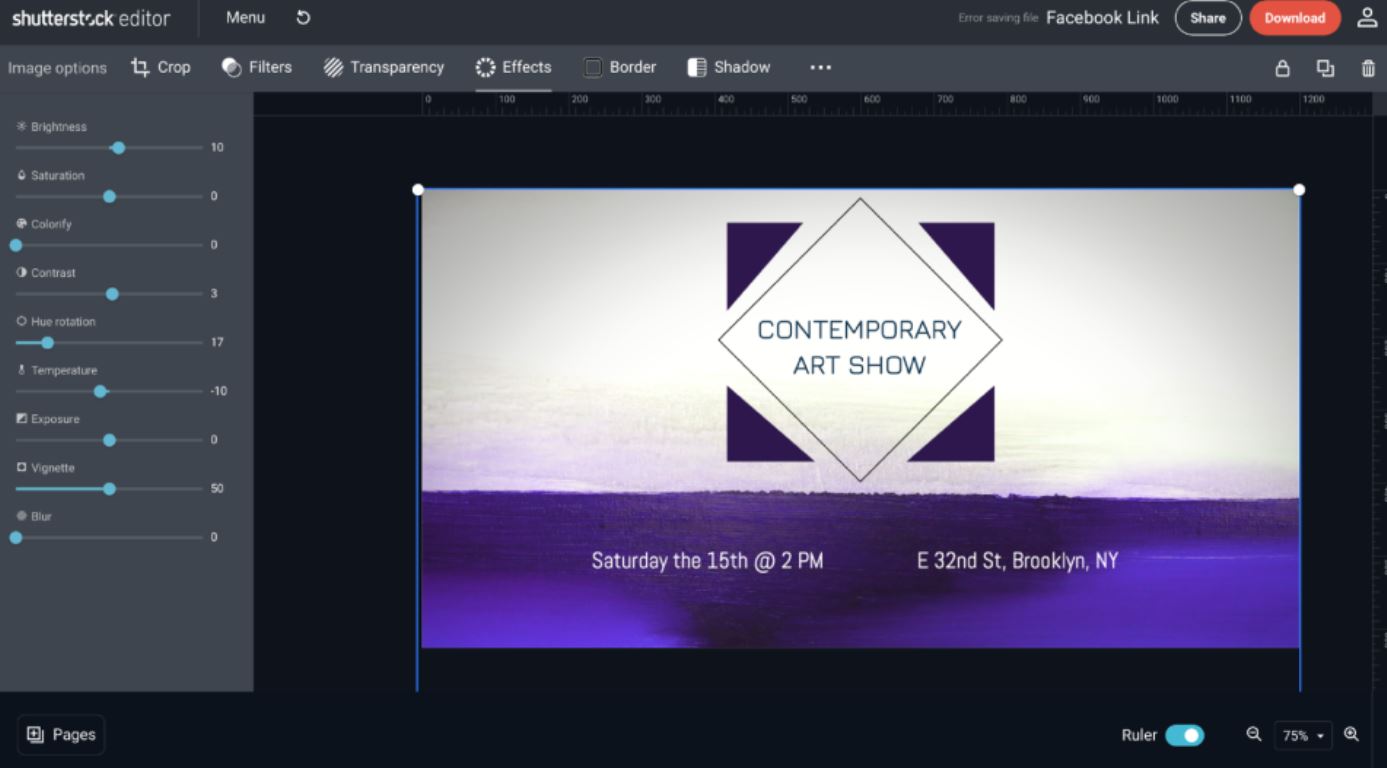
What is Shutterstock Editor?
Shutterstock Editor is a web-based photo editing tool designed for professionals to create artworks, presentations, and other designs using custom templates. Its main features include an extensive image library, content import/export capabilities, drag-and-drop functionality, pre-built templates, real-time editing, and content sharing. Users can also personalize designs by uploading logos or business images, save projects for future editing, and publish directly to social media. The platform offers smart resizing for various formats, ensuring consistency across different platforms. Additionally, it provides tools for background removal, text and typography controls, and filters to enhance images. Shutterstock Editor is accessible via web browsers on desktops and some laptops.
- Large integrated Shutterstock stock media library
- Easy drag-and-drop, beginner-friendly interface
- Customizable templates for social and print
- Smart resize for multiple platform formats
- Supports PNG and scalable PDF vectors
- Browser-based editor with savable projects
Eligibility
Number of Seats/Users: Shutterstock Editor offers discounts based on the number of users or seats. A higher volume typically leads to a better discount structure, especially for enterprise-level usage.
Commitment to a Long-Term Contract: Discounts are often provided to companies that commit to using the service for a longer period (e.g., 1-year or 3-year contracts). A longer commitment shows Shutterstock Editor that the company is serious and willing to invest in the platform long-term.
No Active Discounts: Companies that are not already receiving other active discounts may have a better chance of qualifying for additional discounts from Shutterstock Editor. Shutterstock Editor reserves discounts for new customers or those not currently under promotional pricing.
Volume or Usage Commitment: Shutterstock Editor offers discounts if you agree to a minimum amount of usage or transaction volume. This could be based on data storage, transactions, or other metrics tied to how much you will use the platform.
Enterprise-Level Negotiation: Companies that qualify as “enterprise” due to their size or complexity (e.g., having large teams, multiple departments, or geographical presence) may be eligible for additional discounts from Shutterstock Editor. Such companies are often in a position to negotiate for better pricing.
Early Renewal or Prepayment: Shutterstock Editor often offers discounts if you renew early or prepay for the entire contract period. This is a common approach to securing a lower price.

Shutterstock Editor - Up to 40% off
Reviews
Here at Spendbase our internal data shows that Shutterstock Editor is generally perceived as a strong, budget-friendly way to create marketing visuals, but with clear functional limits compared to full pro suites.
Overall sentiment
– Most Spendbase clients rate it highly for:
– Speed and ease of use
– Huge integrated Shutterstock asset library
– Good enough editing for everyday business needs
– Lower scores appear when expectations are closer to Photoshop/Illustrator-level power.
Key strengths our clients highlight
– Content & templates
– Enormous stock image, video and music library.
– Ready-made templates for:
– Social media posts
– Flyers, banners, business cards
– Presentations and basic marketing assets
– Great for small teams needing quick ad or social content.
- Ease of use
- Drag-and-drop interface, simple resizing, cropping, text editing.
- Smart resize is a big time-saver for multi-channel posting.
-
Works well for non-designers and beginners.
-
File formats & quality
- Support for PNG (transparent backgrounds), PDF/vector for print.
- Basic effects, colors, filters, and shadow enhancement mentioned as useful.
Cost and value insights
Our internal data shows that many Spendbase clients see Shutterstock Editor as:
– A cost-efficient alternative to hiring designers for simple assets.
– Very attractive when:
– Bundled with an existing Shutterstock plan
– Using free templates and images where possible
– Pain points:
– Image and template access often locked behind subscriptions.
– Watermarks on unpaid assets make “testing before buying” annoying.
Main friction points
Spendbase clients most often call out:
- Functional limitations
- Too basic for professional print or complex design work.
- Limited or confusing access to advanced features like filters and effects.
-
Some say UI feels clunky or “different” and needs learning time.
-
Platform limitations
- Desktop/browser only; no proper mobile or app experience.
-
Requires stable internet; large files can freeze or download slowly.
-
Content and search gaps
- No upload support in some workflows (must rely on Shutterstock assets).
- Icon and font libraries are “okay but not great,” with weak search.
How we at Spendbase position it
For our clients, Shutterstock Editor makes most sense when:
– You already pay for Shutterstock content.
– You need fast, simple designs across many channels.
– You don’t require deep, pro-level editing.
In those scenarios, our discount strategies usually focus on optimizing Shutterstock plans rather than replacing dedicated design tools.
See how much you can save on your stack
Pick your team’s tools!
Click to select one or more tools.


What’s your company size?
Just click to select.
What’s your business email?
We'll send you calculations right away
The email is flying to your inbox!
Beyond discounts, you may qualify for up to $100K in AWS credits.

FAQ
1. Are there any current discounts available for Shutterstock Editor?
Yes, we offer various discounts, including 15% off all subscriptions and image packs. Check our promotions for the latest offers.
2. How can I apply a discount code to my Shutterstock Editor subscription?
Enter the promo code at checkout to apply the discount to your subscription or image pack purchase.
3. Do Shutterstock Editor discounts apply to both monthly and annual plans?
Yes, our discounts are applicable to both monthly and annual subscription plans, providing flexibility for your needs.
4. Can I combine multiple discount codes on a single Shutterstock Editor purchase?
No, only one discount code can be applied per purchase. Choose the code that offers the best savings for you.
5. Are there any exclusive discounts for new Shutterstock Editor users?
Yes, new users can enjoy exclusive discounts, such as 15% off on all orders. Welcome aboard!
6. Do Shutterstock Editor discounts extend to other products like videos and music?
Yes, our discounts often apply to a range of products, including videos and music. Check specific promotions for details.
7. How often do Shutterstock Editor discounts and promotions change?
Our promotions are updated regularly. We recommend checking our website frequently to stay informed about the latest deals.
8. Is there a free trial available for Shutterstock Editor?
Yes, we offer a free trial that provides 10 free images for one month to new subscribers.
Related discounts

Banana AI
Photo Editing Software
Up to 15% off

graficai
Photo Editing Software
Up to 40% off

AutoBG
Photo Editing Software
Up to 25% off

PhotoLab
Photo Editing Software
Up to 30% off

PixelBin
Photo Editing Software
Up to 40% off

ClipDrop
Photo Editing Software
Up to 40% off
Software cost optimization
Shutterstock Editor savings in five steps
Let’s estimate your potential savings and see how you can scale your cloud infrastructure.
One call. No cost. No commitments


meet vendor relationship EXPERTS
Our customers save millions with us



Save on Shutterstock Editor
It’s time to shrink your bill
Let our SaaS cost optimization experts check what deals you can get and how much you can save on your corporate subscriptions
See how you can:
- Learn about pricing benchmarks and discounts
- Present potential savings by vendor to your team
- Meet your SaaS and cloud cost optimization goals
Get Shutterstock Editor discount
We’ll email you back within 1 business day