











Trigger Discount - Up to 40% off
Track time. Manage projects. Improve team collaboration. Analyse insights. Invoice clients (direct to Xero, Freshbooks and Saasu).
Get discountCategory
Task Management Software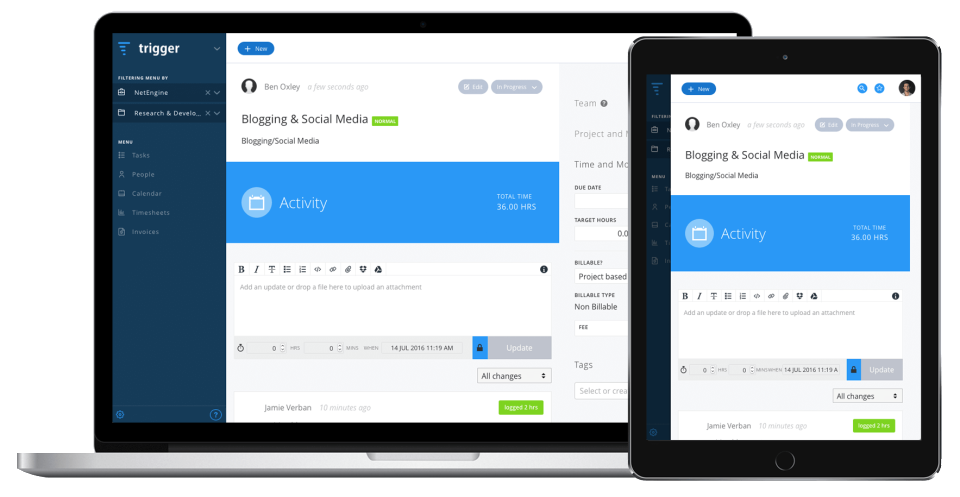
What is Trigger?
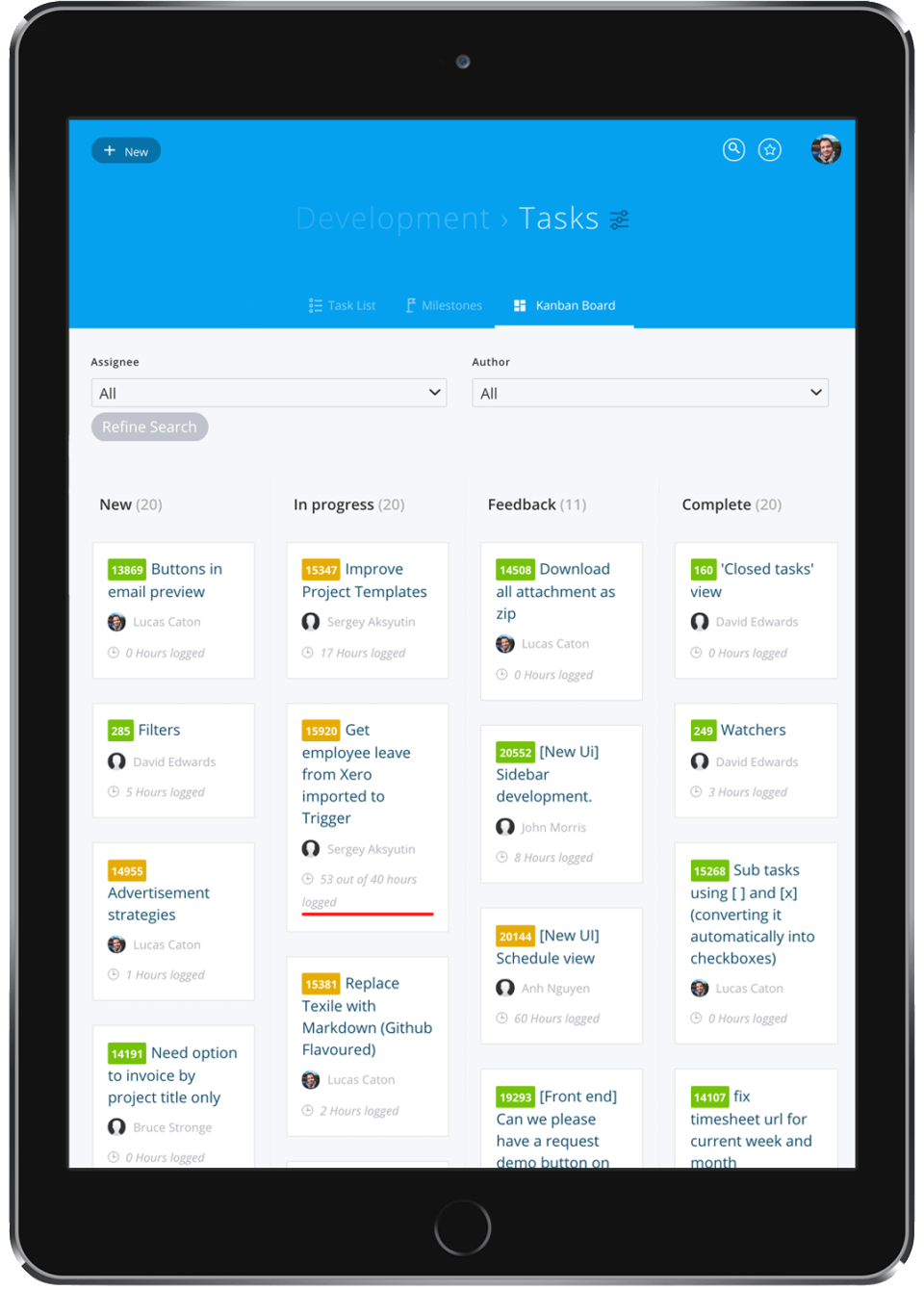
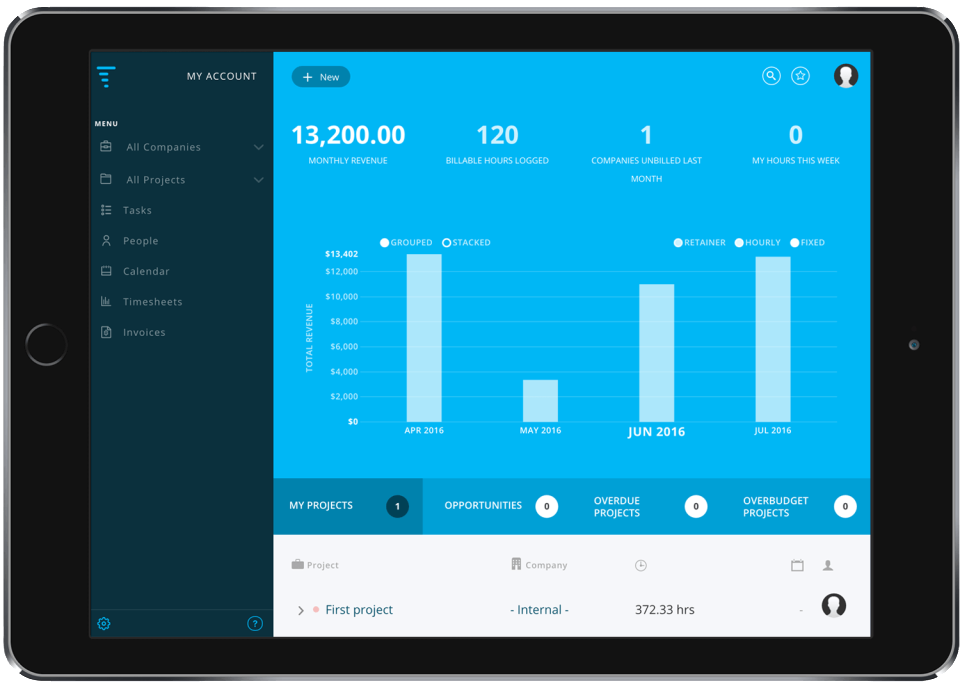
Trigger is a project management tool designed to help teams collaborate, track time, manage projects, analyze insights, and invoice clients efficiently. Its main features include seamless integration with accounting software like Xero, FreshBooks, and Saasu, as well as collaboration tools such as Slack and Google Workspace. Trigger offers Kanban options for task management, customizable branding, data exporting, downloadable reports, and in-app and email support. It also allows inviting clients into the platform for greater collaboration and transparency. Pricing plans range from a free Start-up plan to Premium options, catering to different team sizes and needs.
- Easy time tracking and timesheet management
- Project and task management with Kanban
- Integrated invoicing with Xero and accounting
- Client collaboration, transparency, and role control
- Reporting, budgets, and project profitability insights
- Integrations with Slack, Google, Zapier, more
Eligibility
Number of Seats/Users: Trigger offers discounts based on the number of users or seats. A higher volume typically leads to a better discount structure, especially for enterprise-level usage.
Commitment to a Long-Term Contract: Discounts are often provided to companies that commit to using the service for a longer period (e.g., 1-year or 3-year contracts). A longer commitment shows Trigger that the company is serious and willing to invest in the platform long-term.
No Active Discounts: Companies that are not already receiving other active discounts may have a better chance of qualifying for additional discounts from Trigger. Trigger reserves discounts for new customers or those not currently under promotional pricing.
Volume or Usage Commitment: Trigger offers discounts if you agree to a minimum amount of usage or transaction volume. This could be based on data storage, transactions, or other metrics tied to how much you will use the platform.
Enterprise-Level Negotiation: Companies that qualify as “enterprise” due to their size or complexity (e.g., having large teams, multiple departments, or geographical presence) may be eligible for additional discounts from Trigger. Such companies are often in a position to negotiate for better pricing.
Early Renewal or Prepayment: Trigger often offers discounts if you renew early or prepay for the entire contract period. This is a common approach to securing a lower price.

Trigger - Up to 40% off
Reviews
Here at Spendbase our internal data shows that Trigger performs very well for small to midsize creative and digital teams that need simple time tracking plus invoicing, not heavy enterprise PM.
Overall sentiment and fit
– Strong satisfaction across agencies, studios and consultancies
– Especially valued where teams bill by the hour and work with many small tasks
– Seen as “aggressively priced” and good value for core project + billing needs
What Spendbase clients like most
– Ease of use
– Very intuitive UI, low training overhead
– Teams adopt it quickly, even non‑technical staff
– Time tracking & invoicing
– Reliable timesheets, helpful for not missing billable minutes
– Clear visibility on project and company‑level budgets
– Smooth invoicing flows, especially when integrated with Xero or similar tools
– Integrations
– Xero and Google Workspace mentioned most
– Also used with Slack, FreshBooks, Dropbox, etc.
– Transparency & collaboration
– Easy to invite clients and contractors
– Better visibility for clients without losing internal control
– Reliability
– Several clients note stable uptime and few bugs
Common pain points our internal data highlights
– Reporting & exports
– Limited export fields and formats
– Frequent wish for richer data export and PDF/white‑labeled reports
– Billing & invoicing complexity
– Billing setup described as “convoluted” by some
– Proposal/budgeting side is more basic than some teams need
– Support consistency
– Many report great, responsive support
– A smaller but important group flags delayed or non‑existent email responses
– Workflow gaps
– Resource allocation and capacity planning not as strong as best‑in‑class tools
– Notification controls not granular enough
– Need for a desktop timer and better offline options mentioned
Spendbase discount and procurement insight
– Trigger makes the most financial sense when:
– Your main goal is to track time accurately and invoice faster
– You already use Xero or Google Suite and can leverage the integrations
– You don’t require very advanced planning or BI‑grade reporting
For teams with heavier reporting, proposal building, or resource‑planning needs, our internal data shows they sometimes keep Trigger for time & invoicing but pair it with additional tools—or negotiate pricing accordingly to keep total SaaS spend efficient.
See how much you can save on your stack
Pick your team’s tools!
Click to select one or more tools.


What’s your company size?
Just click to select.
What’s your business email?
We'll send you calculations right away
The email is flying to your inbox!
Beyond discounts, you may qualify for up to $100K in AWS credits.

FAQ
1. What is a trigger discount?
A trigger discount automatically applies a price reduction when specific conditions are met, enhancing customer engagement and boosting sales.
2. How can I set up a trigger discount?
Configure trigger discounts by defining conditions like purchase amount or product selection in your store's discount settings.
3. Do trigger discounts apply to all products?
You can specify which products or collections are eligible for trigger discounts during setup.
4. Can customers combine trigger discounts with other offers?
Depending on your settings, trigger discounts can be combined with other promotions or restricted to single use.
5. How do I promote trigger discounts to customers?
Use website banners, email campaigns, and social media to inform customers about available trigger discounts.
6. Are trigger discounts time-limited?
Yes, you can set start and end dates for trigger discounts to create urgency and drive sales.
7. How can I track the performance of trigger discounts?
Monitor sales reports and analytics to assess the effectiveness of your trigger discount campaigns.
8. What should I do if a trigger discount isn't applying correctly?
Verify the discount conditions and settings, and ensure there are no conflicts with other active promotions.
Related discounts

Lytho Workflow
Task Management Software
Up to 35% off

UnitXPro
Task Management Software
Up to 35% off

Ceptah Bridge
Task Management Software
Up to 35% off

SAFEcheck
Task Management Software
Up to 45% off

OpsX
Task Management Software
Up to 30% off

BSCW Social
Task Management Software
Up to 50% off
Software cost optimization
Trigger savings in five steps
Let’s estimate your potential savings and see how you can scale your cloud infrastructure.
One call. No cost. No commitments


meet vendor relationship EXPERTS
Our customers save millions with us



Save on Trigger
It’s time to shrink your bill
Let our SaaS cost optimization experts check what deals you can get and how much you can save on your corporate subscriptions
See how you can:
- Learn about pricing benchmarks and discounts
- Present potential savings by vendor to your team
- Meet your SaaS and cloud cost optimization goals
Get Trigger discount
We’ll email you back within 1 business day