











WeekCal Discount - Up to 35% off
WeekCal is a multifunctional and customizable calendar specially tailored for the Apple iPhone, Apple Watch, and iPad.
Get discountCategory
Calendar Software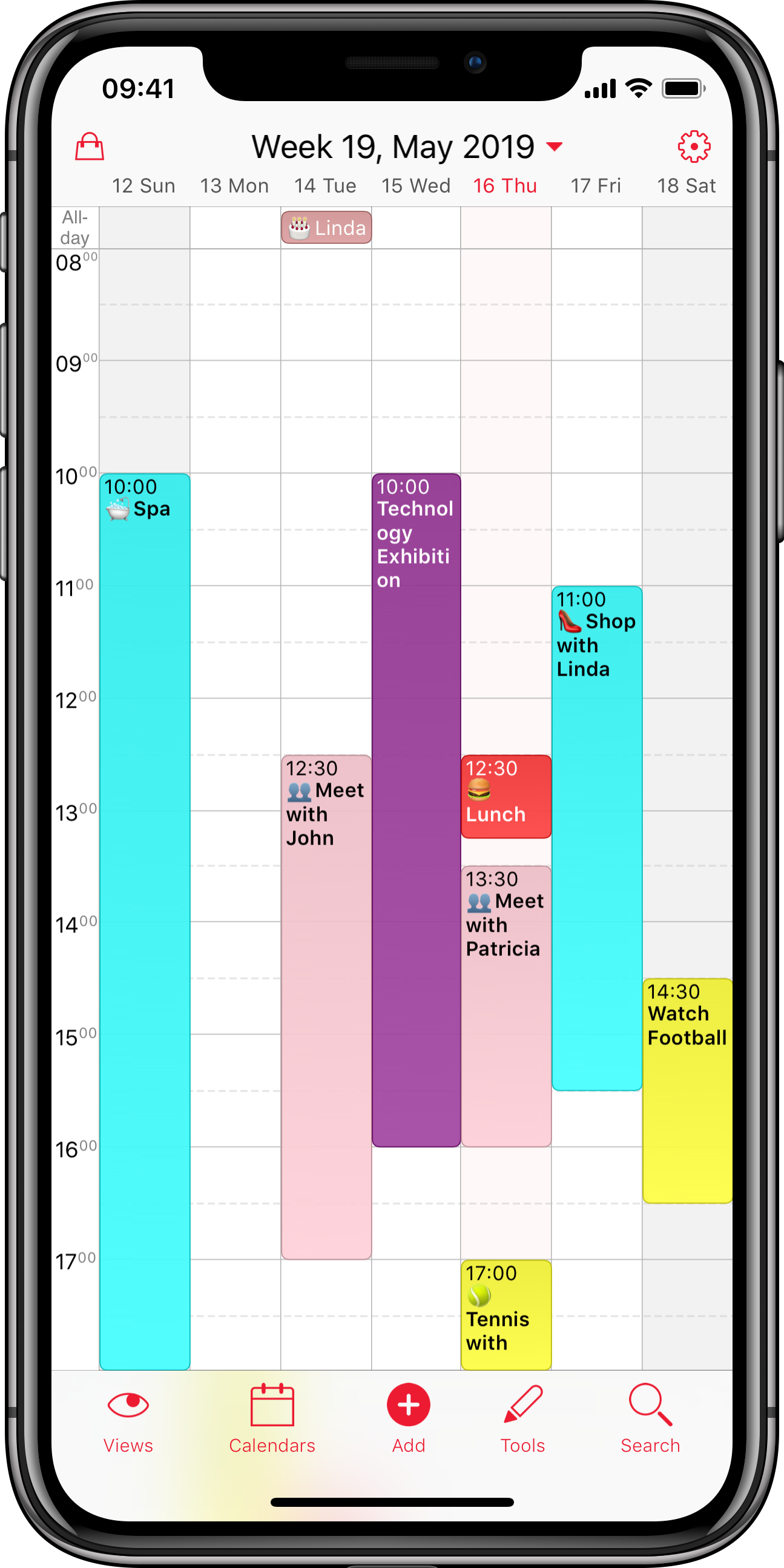
What is WeekCal?
WeekCal is an enhanced calendar application for iOS devices, offering features beyond the standard iOS calendar. It integrates seamlessly with Google, Yahoo, Outlook, and Exchange calendars. Users can assign different colors or emoji characters to various appointment types for easy identification. The app allows the creation of recurring appointment templates and supports drag-and-drop functionality for quick movement or duplication of events. Additionally, WeekCal enables calendar sharing with customizable permissions, allowing users to set read-only or full-access rights.
- Integrates with Google, Yahoo, Outlook, Exchange
- Color and emoji customization for appointments
- Recurring appointment templates for faster scheduling
- Drag-and-drop to move or copy
- Multiple calendar layouts optimized for readability
- Shareable calendars with read-only permission control
Eligibility
Number of Seats/Users: WeekCal offers discounts based on the number of users or seats. A higher volume typically leads to a better discount structure, especially for enterprise-level usage.
Commitment to a Long-Term Contract: Discounts are often provided to companies that commit to using the service for a longer period (e.g., 1-year or 3-year contracts). A longer commitment shows WeekCal that the company is serious and willing to invest in the platform long-term.
No Active Discounts: Companies that are not already receiving other active discounts may have a better chance of qualifying for additional discounts from WeekCal. WeekCal reserves discounts for new customers or those not currently under promotional pricing.
Volume or Usage Commitment: WeekCal offers discounts if you agree to a minimum amount of usage or transaction volume. This could be based on data storage, transactions, or other metrics tied to how much you will use the platform.
Enterprise-Level Negotiation: Companies that qualify as “enterprise” due to their size or complexity (e.g., having large teams, multiple departments, or geographical presence) may be eligible for additional discounts from WeekCal. Such companies are often in a position to negotiate for better pricing.
Early Renewal or Prepayment: WeekCal often offers discounts if you renew early or prepay for the entire contract period. This is a common approach to securing a lower price.

WeekCal - Up to 35% off
Reviews
Here at Spendbase our internal data shows that WeekCal hits a sweet spot between price, simplicity, and flexibility for most of our clients.
Overall sentiment
Most Spendbase clients describe WeekCal as:
- Easy to set up and use daily
- A clear upgrade over the default iOS calendar
- Cost‑effective, with many staying on the free plan and a smaller group choosing the paid tier for extra features
Key strengths our clients highlight
1) Cost and licensing
– The free version covers core needs for many teams and individuals
– The paid options are seen as “reasonable” rather than premium-priced
– Our internal data shows that teams often start on the free tier, then selectively upgrade only power users to Pro
2) Productivity and usability
– Simple, clean layout that makes daily and weekly schedules easy to read
– Color-coding and emoji help visually separate work, personal, and family events
– Drag-and-drop to move or copy appointments saves time for heavy calendar users
– Recurring appointments as templates reduce manual work for repetitive bookings
3) Integration and adoption
– Smooth sync with Google Calendar is mentioned often; some clients entirely replace the Google app with WeekCal
– Support for Outlook, Exchange, and other calendars allows teams to unify multiple schedules in one view
– Calendar sharing with read-only vs full-access permissions is useful for managers and assistants
4) Use cases we see most
– Individual professionals scheduling patients, clients, or meetings
– Neurodivergent users (ADHD especially) who need a very visual and clear schedule
– Small teams needing better visibility without buying complex enterprise tools
Common pain points
Our internal data also shows a few recurring frictions:
- Some clients wish for more “advanced” features in the free plan
- Occasional confusion around which features are Pro vs included
- A minority mention that the interface, while clear, could feel a bit dated compared to newer productivity apps
How Spendbase positions WeekCal
From a cost-optimization angle, WeekCal works best when:
- Most staff stay on the free tier
- Pro licenses are reserved for roles that live in their calendar (operations, coordinators, assistants)
This setup keeps calendar tooling costs low while still giving power users the features they need.
See how much you can save on your stack
Pick your team’s tools!
Click to select one or more tools.


What’s your company size?
Just click to select.
What’s your business email?
We'll send you calculations right away
The email is flying to your inbox!
Beyond discounts, you may qualify for up to $100K in AWS credits.

FAQ
1. How do I redeem a WeekCal promo code?
Open the App Store, tap your profile, select 'Redeem Gift Card or Code,' enter the code, and tap 'Redeem.'
2. Is there a free trial available for WeekCal Premium?
Yes, a 3-month free trial is available through AppBundles.com, followed by a discounted annual subscription.
3. Do I need a promo code for the AppBundles.com offer?
No promo code is required; the free trial and discounted rate are automatically applied during checkout.
4. What features are included in WeekCal's Pro subscription?
Pro includes weather forecasts, premium views, pro colors, tools and automations, custom widgets, and more.
5. How can I cancel my WeekCal subscription?
You can cancel your subscription anytime during the free trial through AppBundles.com.
6. Does WeekCal support multiple calendar integrations?
Yes, WeekCal seamlessly integrates with iCloud, Exchange/Outlook, Yahoo, and Google Calendar.
7. Is WeekCal available on Android devices?
Yes, WeekCal is available for Android devices and can be downloaded from the Google Play Store.
8. What is the cost of WeekCal's annual subscription after the free trial?
After the 3-month free trial, the annual subscription is available at a special rate of $49.99/year.
Related discounts

Full Slate
Calendar Software
Up to 50% off

Yalendar
Calendar Software
Up to 50% off

Skedda
Calendar Software
Up to 25% off

Demo Wizard
Calendar Software
Up to 45% off

AddEvent
Calendar Software
Up to 20% off

Evolia
Calendar Software
Up to 20% off
Software cost optimization
WeekCal savings in five steps
Let’s estimate your potential savings and see how you can scale your cloud infrastructure.
One call. No cost. No commitments


meet vendor relationship EXPERTS
Our customers save millions with us



Save on WeekCal
It’s time to shrink your bill
Let our SaaS cost optimization experts check what deals you can get and how much you can save on your corporate subscriptions
See how you can:
- Learn about pricing benchmarks and discounts
- Present potential savings by vendor to your team
- Meet your SaaS and cloud cost optimization goals
Get WeekCal discount
We’ll email you back within 1 business day