Backlog Pricing Score & Analysis
Task Management Software
Pricing score
Backlog is a project management and code collaboration tool combining task tracking, bug tracking, and version control for development teams.
Main features:
- Task and issue management
- Bug tracking and backlog management
- Kanban boards and Gantt/timeline views
- Git/SVN code repository integration
- Collaboration tools, comments, @mentions
- Customizable dashboards and notifications

Backlog up to 45% off
Unlock special pricing on Backlog with Spendbase
Product Overview

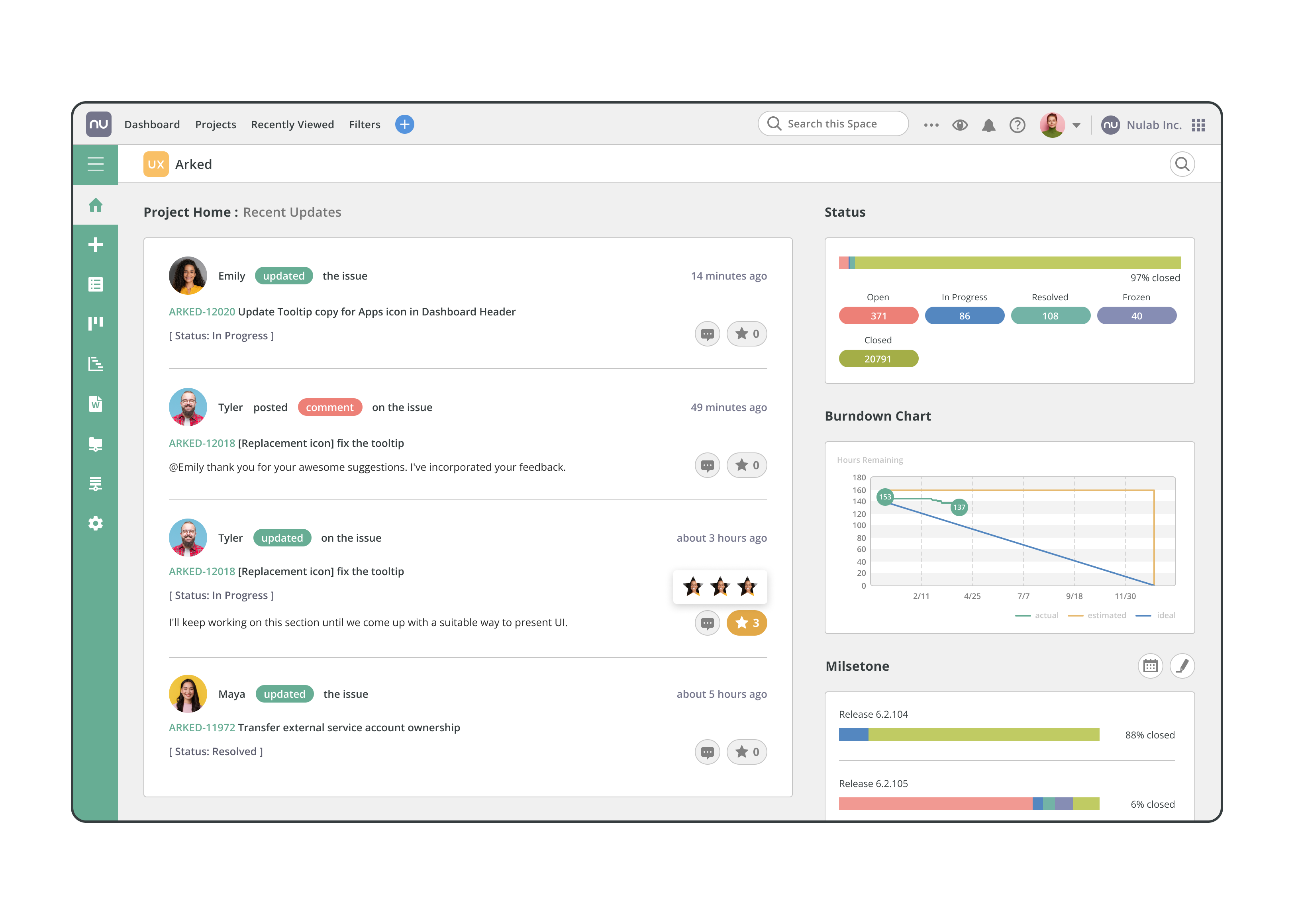
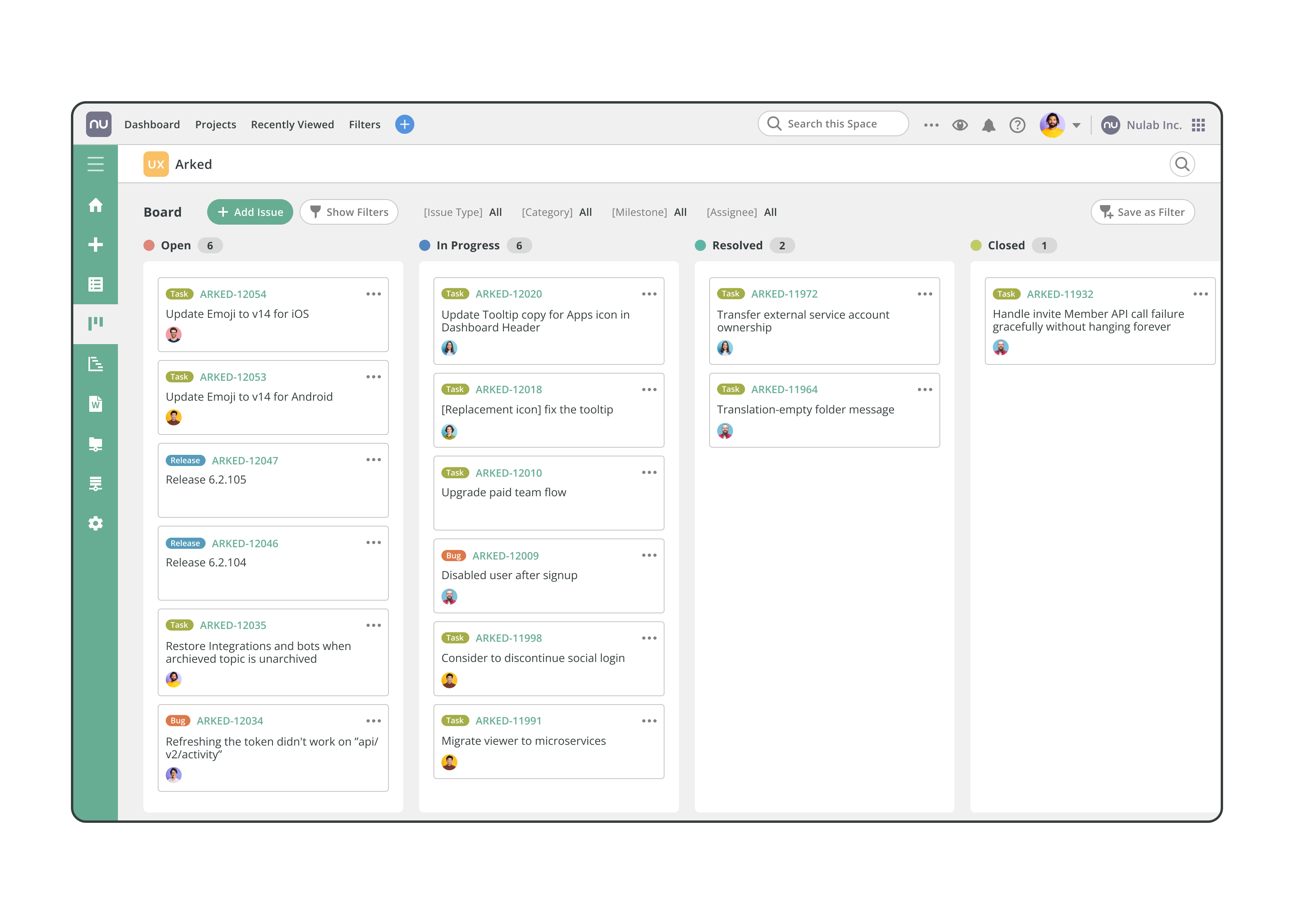



Backlog is a project management and collaboration platform that combines task management, bug tracking, and version control in one place. Teams can plan projects, assign and track tasks, manage software issues, and link work directly to code changes via integrations with repositories like Git and SVN. Features include Kanban boards, Gantt charts, file sharing, discussions, and progress tracking, supporting both agile and traditional workflows.
Teams and departments that might be interested include software development and IT teams, product management, QA and support teams, marketing and operations groups, and any cross‑functional project teams needing a shared workspace to coordinate work and monitor project status.
Backlog up to 45% off
Unlock special pricing on Backlog with Spendbase
INSIGHTS
Plan highlights
 Free Plan
Our internal data shows that Backlog’s Free plan targets very small teams or side projects needing basic task tracking, with up to 10 users, 1 project, limited storage, boards, and issue summaries. Best for startups validating workflows before any SaaS spend.
 Starter Plan
Our internal data shows that the Starter tier fits growing teams under ~30 members managing a handful of projects. It preserves core project management, source control integration, and boards while keeping costs predictable for cost‑sensitive small businesses.
 Standard Plan
Our internal data shows that Standard is optimized for small to mid-sized organizations scaling beyond a single department, requiring more projects and storage. It introduces higher project limits, stronger admin controls, and better scalability while remaining budget-manageable compared with per-seat competitors.
 Premium / Enterprise Plan
Our internal data shows that Premium and Enterprise tiers serve larger companies needing unlimited projects, higher storage, advanced security, IP restrictions, SSO, and audit capabilities. These tiers are best for regulated or multi-team environments consolidating project management under a single, governed platform.

INSIGHTS
How much does Backlog typically cost?
These are the publicly listed prices — our deals are even better
 |
Free
For individuals or very small teams testing Backlog |
Starter
For small teams needing basic project management (up to ~30 users) |
Standard
For growing organizations needing more projects and storage |
Premium
For larger teams requiring full feature set and higher limits |
|---|---|---|---|---|
|
Monthly cost
Per User |
$0
|
$1.17
|
$3.52
|
$5.83
|
|
Monthly cost
Total (50 users) |
$0
|
$58.50
|
$176.00
|
$291.50
|
|
Annual cost
Per User |
$0
|
$14.04
|
$40.13
|
$67.72
|
|
Annual cost
Total (50 users) |
$0
|
$702.00
|
$2,006.40
|
$3,385.80
|

Spendbase price
|
$0
|
$386
45% off |
$1,104
45% off |
$1,862
45% off |
Calculated based on data for a company of 50 people - for individual calculations
contact us.ANALYZE SAAS SPEND
How do we save you on Slack?

Hoop on a call with us
See cost saving options

Get detailed calculations

Share it with your team

SaaS SAVINGS AND WINS
Our customers save up to 39% on software - you can too

We saved over $500k and got SaaS visibility
Global IT Manager

Spendbase has been a game-changer for us. Their platform helps tech companies like ours to slash SaaS and cloud bills by up to 35%
Chief of Stuff, BRIDGE IN

I had no idea you can get huge discounts for most SaaS subscriptions
CEO and Co-founder, Sellestial

They worked exactly like we do—efficiently and professionally. They completely offloaded the hard work from our shoulders
Operations Director, WithU

With Spendbase.co, we locked in 10–15% savings on several of our main SaaS tools. If SaaS spend is a major cost for you, they’re a strong partner.
VP of Operations at Seven Peaks
We saved over $500k and got SaaS visibility
Global IT Manager
Spendbase has been a game-changer for us. Their platform helps tech companies like ours to slash SaaS and cloud bills by up to 35%
Chief of Stuff, BRIDGE IN
I had no idea you can get huge discounts for most SaaS subscriptions
CEO and Co-founder, Sellestial
They worked exactly like we do—efficiently and professionally. They completely offloaded the hard work from our shoulders
Operations Director, WithU
With Spendbase.co, we locked in 10–15% savings on several of our main SaaS tools. If SaaS spend is a major cost for you, they’re a strong partner.
VP of Operations at Seven Peaks





Features & Benefits with Discount Lens
See what you get — for less
Detailed feature comparison table with tier benefits Text here for the second row
Unified project, task, and issue tracking
Backlog consolidates projects, tasks, bugs, and issues in one workspace, with clear ownership, priorities, and due dates. Teams can plan, assign, and monitor work from intake through completion without jumping between multiple tools or spreadsheets.

Discount impact
Reduces coordination overhead, prevents tasks from slipping through the cracks, and gives managers a single source of truth for workload, priorities, and delivery status across multiple projects.
Built-in bug tracking for product teams
Backlog includes dedicated bug and issue management, from bug capture to assignment, scheduling, and resolution tracking. Product and engineering teams can log defects, attach context, and follow each issue’s lifecycle alongside regular project tasks.
Discount impact
Improves product quality, shortens resolution times, and helps teams quantify defect volume and trends, enabling more predictable releases and fewer production incidents affecting customers.
Gantt, Kanban, and multi-board visualization
Backlog offers Gantt/timeline views, Kanban boards, and multi-board support so teams can visualize work the way they operate. Managers see dependencies, milestones, and bottlenecks, while execution teams manage daily flow with drag-and-drop boards.
Discount impact
Enables better planning and capacity management, gives stakeholders real-time visibility into schedules, and helps agile and hybrid teams continuously optimize workflows to hit deadlines reliably.
Code repository and version control integration
Backlog integrates with Git and SVN repositories, linking code commits and branches directly to issues and tasks. This converges project management with code management so developers, product owners, and non-technical stakeholders stay aligned in one environment.
Discount impact
Bridges the gap between business and engineering, improves traceability from requirements to code changes, and reduces context switching, ultimately accelerating development cycles and reducing rework.
Collaboration, notifications, and mobile access
With comments, @mentions, file sharing, email-to-task conversion, alerts, and mobile apps, Backlog keeps discussions and documentation close to the work. Teams collaborate asynchronously while maintaining a complete, searchable history of decisions and updates.
Discount impact
Cuts down on scattered email threads and chat noise, ensures decision trails are captured in context, and supports distributed teams who need to stay aligned on work from anywhere.