










AWS Well-Architected: A Smarter Way to Build on AWS

A cloud bill can look calm until one weak design choice turns into an outage, a breach, or a month of waste. You use AWS Well-Architected to build systems on Amazon Web Services that are safer, stronger, and easier to afford.
The AWS Well-Architected Tool is a free feature in the AWS Management Console. It helps you evaluate a workload against AWS best practices, spot risk, and track making improvements over time. For CTOs, CFOs, and founders, that means faster decisions, fewer surprises, cleaner operations, and better cloud spending.
How the framework works, and what the AWS Well-Architected Tool actually does
The AWS Well-Architected Framework gives you a consistent approach for reviewing cloud architecture. In plain terms, it asks a set of foundational questions about one workload, then shows where your design is strong and where it needs work.
Inside the AWS Management Console, the AWS Well-Architected Tool walks you through a review. You define a workload, answer questions by pillar, and record notes, risks, and remediation steps. AWS calls out high-risk issues, medium-risk issues, and low-risk issues, so you can sort noise from action. You can explore the official AWS Well-Architected documentation or the broader AWS Well-Architected page for implementation details, lenses, and architectural patterns.
This is practical, not academic. You review a real system, create an improvement plan, assign owners, and come back later to measure progress. The framework provides a consistent approach because cloud workloads change, teams change, and business needs over time rarely stay still.
See how much you can save on your stack
Pick your team’s tools!
Click to select one or more tools.


What’s your company size?
Just click to select.
What’s your business email?
We'll send you calculations right away
The email is flying to your inbox!
Beyond discounts, you may qualify for up to $100K in AWS credits.

The six pillars that shape a stronger AWS architecture
AWS now uses six pillars. Together, the pillars of the well-architected framework give you a business lens on operations, security, resilience, performance, cost, and sustainability.
This quick view helps you see where each pillar matters most:
| Pillar | What you ask |
|---|---|
| Operational Excellence | Can your team manage daily operations and improve the workflow? |
| Security | Are data, logs, and permission controls strong enough? |
| Reliability | Can the workload recover fast during failure or change? |
| Performance Efficiency | Are resource types and sizes right for current demand? |
| Cost Optimization | Are you paying only for what creates value? |
| Sustainability | Can you minimize waste and lower utilization of idle resources? |
AWS refreshed 105 best practices across the six pillars in June 2024, and AWS said that update covered 95% of all best practices refreshed since 2022. As of April 2026, there hasn’t been a newer core framework revision than the November 2024 update.

Operational Excellence: keep your team running smoothly and improving
The operational excellence pillar focuses on running and monitoring systems, improving processes, automating changes, and learning from results. That means defining standards, writing runbooks, setting alarms, and holding short reviews after incidents.
When you do this well, your team members spend less time chasing smoke and more time fixing root causes. You also deploy with more confidence because your process is visible, repeatable, and easier to audit.
Security and Reliability: protect the workload and help it recover fast
Security starts with identity, data protection, logging, and response plans. You need clear permission boundaries, useful logs for security events, and a plan for what happens on a bad day. That lowers risk and protects trust.
The reliability pillar focuses on designing for failure, backups, recovery, and steady service during changing requirements. If a zone, service, or dependency breaks, your workload should keep working or recover fast. AWS explains these pillars in detail, and the logic is simple: systems fail, so your cloud architecture should expect that.
Performance efficiency, cost optimization, and sustainability: build smart, not wasteful
The performance efficiency pillar focuses on choosing the right computing resources, using serverless where it fits, and scaling to meet demand without overbuilding. Good performance is not about buying the biggest box. It’s about selecting resource types and sizes that match the job.
The cost optimization pillar focuses on tracking spend, right-sizing, and using efficient infrastructure. If you’re a startup, AWS credits can extend runway while you clean up cloud waste. Spendbase offers a practical route to secure up to $100k AWS credits, which can help you stay cost-effective while you improve your workloads.
Spendbase offer: Up to $100,000 in AWS credits can offset early cloud spend and free cash for product, hiring, or remediation work.
The sustainability pillar asks you to minimize idle capacity and waste. Better design principles often help both cost and carbon, because high-performing systems also avoid needless usage.
Why AWS best practices matter before small issues become expensive problems
Best practices are not a badge. They are a way to catch weak spots while they are still cheap.
Without a review, you might ship faster for a month and then lose time to noisy alerts, failed backups, or surprise bills. With AWS Well-Architected, you find the cracks earlier. That lowers support load, makes change safer, and gives your customers steadier service.
A simple contrast makes the point clear:
| Before review | After review |
|---|---|
| Shared admin access | Tighter access and audit trails |
| Over-sized instances | Better fit and lower spend |
| Ad hoc backups | Tested recovery plan |
| Tribal knowledge | Documented runbooks |
The AWS Well-Architected Framework is useful because it ties technical choices to business outcomes. Cleaner design leads to fewer incidents, faster releases, and lower waste.
How the Well-Architected review process works from start to finish
The review process is light if you keep it focused. It has three phases: prepare, review, and improve.
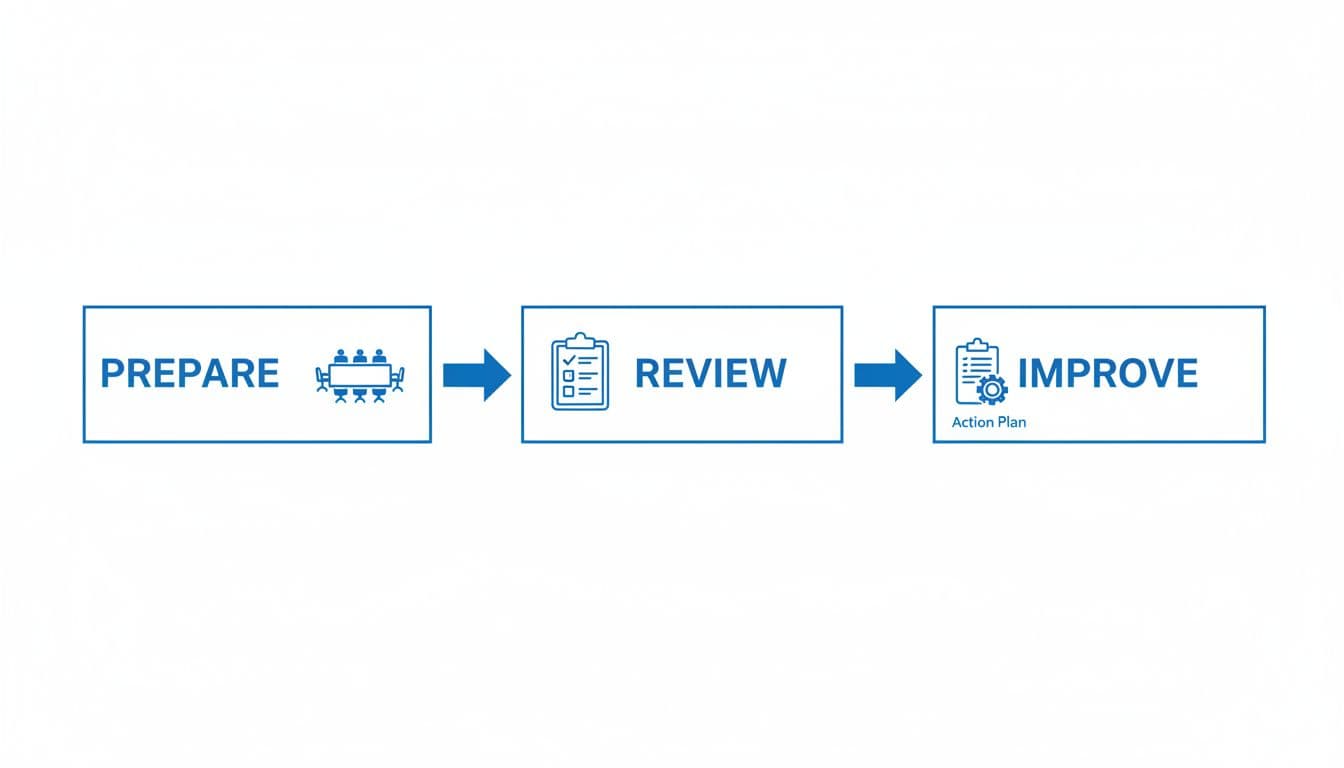
Prepare your workload review with the right people and the right data
Choose one workload first. Bring the people who know it best, such as an architect, finance owner, product lead, security lead, and operations staff. Then gather diagrams, logs, backup settings, policies, and spend data.
A focused 60 to 90-minute session works better than a long meeting. You can also set a theme, such as security first, cost first, or cloud migrations first.
Review the answers, identify risks, and build your improvement plan
During the review, the AWS WA Tool asks foundational questions across each pillar. Your answers show where architectural best practices are missing and where remediation matters most.
Use the results to rank fixes:
| Risk level | Example | Action |
|---|---|---|
| High | No tested recovery path | Fix first |
| Medium | Weak tagging for cost tracking | Plan this sprint |
| Low | Old but stable instance family | Revisit later |
The goal is not blame. It is making improvements that fit your budget, timeline, and team size.
Free virtual cards for non-EU residents
Open in 1 working day, issue 100 virtual cards, and get up to 1.25% cashback.
Get a free account
Three real-world ways teams use AWS Well-Architected to make better decisions
You can see the value fastest when you map the review to a real use case. A growth-stage startup might review its customer-facing app before a launch, trim over-sized services, and use a step-by-step AWS credits plan to cut waste while product traffic is still unpredictable.
Larger firms use the framework to improve governance and reliability across many teams. In the Vanguard case study, the company used the AWS Well-Architected Tool with AWS solutions to improve communication around aws best practices and build more resilient applications. In healthcare, NHS England scaled reviews of critical services with templates and the AWS WA Tool, which helped standardize reviews across sensitive systems.
AI and data-heavy teams also benefit. AWS added a Responsible AI Lens in late 2025, plus updates to machine learning guidance. If you run model training or data pipelines, that lens helps cloud architects and aws solutions architects review fairness, monitoring, cost, and security before large-scale deploy work.
| Team type | Common pain | Outcome |
|---|---|---|
| Startup | Runway pressure | Lower waste, faster launch |
| Regulated enterprise | Audit and uptime risk | Cleaner governance, steadier service |
| AI or data team | Heavy compute use | Better controls, smarter spend |
How to apply the framework in your own cloud environment
You do not need a huge platform team to start. You need one workload, the right people, and a short list of actions.
For a CTO, the first move is to review cloud architecture and assign ownership. For a CFO, set cost targets and ask for visibility by workload. For a founder, decide where risk is least acceptable, revenue systems, customer data, or launch speed.
A simple step-by-step path you can follow this quarter
- Pick one high-value workload.
- Run an AWS Well-Architected review.
- Document findings and owners.
- Fix the top high-risk issues first.
- Measure spend, uptime, and recovery gaps.
- Schedule the next review in 60 to 90 days.
That cycle is small enough to start now and strong enough to improve your workloads over time.
Benefits, tradeoffs, and best practices for getting real value
The upside is clear. AWS Well-Architected helps you build cost-effective systems with stronger security, clearer priorities, and fewer surprises. It also gives your team a shared language for architecting decisions.
There are tradeoffs. Reviews take time, need input from several team members, and only work if you act on the findings. The framework is not magic; it is a habit.
This side-by-side view keeps expectations honest:
| Pros | Cons |
|---|---|
| Better reliability and recovery | Review time can feel hard to spare |
| Clearer priorities | Needs cross-team input |
| Lower waste and better utilization | Findings can expose larger redesign work |
The best results come from a few simple habits: review regularly, fix high-risk issues first, and treat the framework as part of normal cloud best practices.
Helpful resources to keep learning after your first review
Start with the official framework docs and the free tool in the AWS Management Console. Then look at a lens that fits your stack, such as machine learning, analytics, or the new Responsible AI Lens. AWS also offers hands-on labs, partner support, and detailed implementation details through the AWS partner program.
If your team needs outside help, an AWS partner, AWS solutions architects, or independent cloud architects can support reviews, remediation, and cloud services planning. That extra help matters when your system is large, regulated, or mid-migration.

We can unlock discounts on 10,000+ tools you already use.
Conclusion
If you want fewer surprises in the cloud, AWS Well-Architected is one of the clearest ways to get there. It gives you a practical method to evaluate risk, improve cloud architecture, and make sharper business calls.
The value grows when you review often, fix the biggest issues first, and keep the process close to real workloads. For CTOs, CFOs, and founders, that discipline turns cloud spend and cloud risk into decisions you can see, measure, and trust.


Get discounts on your team’s favorite apps
Find deals for 10%, 30%, or even 70% off in our discount marketplace.
Check Discounts



