










Cost optimization
Free Azure Credits to Prototype Your MVP in Weeks, Not Months

In early-stage startups, speed is everything.
The faster a team can launch prototypes and gather real user feedback, the higher the chances of reaching product-market fit before resources and market opportunities run out.
For years, building an MVP meant making constant tradeoffs between speed, scalability, and cost efficiency, let alone months of prototyping.
Fortunately, modern approaches to cloud cost optimization change the game.

With programs offering up to $250K in free Azure credits, startups can build and validate products significantly faster without massive upfront infrastructure investments.
In this article, we’ll explore exactly how to achieve that exploring the following:
- Azure credit application essentials;
- Eligibility requirements (and potential process pitfalls);
- Weekly actionable plan for utilizing Azure credits efficiently.
Looking for a faster and more efficient way to secure Azure credits? Spendbase will help you out.
No operational overhead on your side.
The Traditional MVP Problem
Modern MVP development is no longer lightweight, even relatively small products now often require a complex cloud-native infrastructure stack: cloud services, integrations, operational layers, you name it.
As products become more sophisticated, infrastructure complexity grows rapidly, and so do cloud costs.
To better understand where these costs come from, we’ve compiled the most common MVP infrastructure components and their associated cloud costs.
See them in the table below.
Modern MVP Infrastructure Checklist | |||
| Infrastructure Area | Typical Requirements | Impact on Cloud Costs | Potential Monthly Cost (Mid-Sized MVP) |
| Backend services | APIs, business logic, microservices | – Compute usage – Hosting expenses – Autoscaling overhead | $300–$2,000 |
| Databases | SQL, NoSQL, managed cloud databases | – Storage growth – Replication costs – Query scaling expenses | $200–$2,500 |
| Cloud storage | Object storage, backups, datasets | – Data storage costs – Backup retention – Data transfer fees | $100–$1,000 |
| Analytics & monitoring | Dashboards, logs, metrics, tracing | – Log ingestion costs – Data processing – Monitoring platform fees | $150–$1,500 |
| CI/CD & DevOps tooling | Automated testing and deployments | – Build pipeline usage – Deployment compute costs – Operational tooling | $100–$800 |
| LLM API usage | GPT, Claude, Gemini, open-source models | – Token consumption – API inference requests – Multi-model testing | $500–$10,000+ |
| AI inference workloads | GPU inference endpoints, AI serving | – GPU compute costs – Real-time inference scaling – High-performance infrastructure | $1,000–$15,000+ |
| Vector databases | Embeddings, semantic search, RAG | – Embedding storage – Semantic query processing – Index scaling | $200–$3,000 |
| Networking & traffic management | CDN, load balancing, edge delivery | – Bandwidth costs – CDN traffic – Load balancing fees | $100–$2,000 |
| Scalable deployment infrastructure | Kubernetes, autoscaling, orchestration | – Cluster management – Autoscaling overhead – Container orchestration costs | $300–$3,000 |
Security & compliance | Encryption, IAM, audit logging | – Security tooling – Compliance monitoring – Audit log retention | $100–$1,500 |
| Estimated Total | $3,050–$42,300+ / month | ||
Compared to the traditional approach to MVP costs (where infrastructure limitations often slowed experimentation and scalability), cloud credits enable startups to validate ideas faster and build more flexible foundations from day one.
See the difference it makes, broken down in the table below.
Traditional MVP vs Modern Cloud-Native MVP with Azure Credits | |
| Traditional MVP Constraints | Modern Approach with Azure Credits |
| Infrastructure costs limit experimentation | Credits enable faster experimentation |
| Scalable architecture often delayed | Cloud-native foundations from day one |
| Product decisions driven by cost pressure | Product decisions driven by validation speed |
| Infrastructure optimized for survival | Infrastructure optimized for flexibility |
| Delayed AI experimentation | Faster AI prototyping |
| Manual scaling and provisioning | Autoscaling and serverless adoption |
| Limited deployment flexibility | Faster global-ready deployment |
| Short infrastructure runway | Extended runway through credits |
See how much you can save on your stack
Pick your team’s tools!
Click to select one or more tools.


What’s your company size?
Just click to select.
What’s your business email?
We'll send you calculations right away
The email is flying to your inbox!
Beyond discounts, you may qualify for up to $100K in AWS credits.

Azure Credits for MVP, Explained
Azure credits are cloud funds provided through startup support programs that allow early-stage companies to use Azure services without paying the full infrastructure costs upfront.
In particular:
- They are non-cash cloud grants that help startups access Microsoft Azure infrastructure without major upfront costs;
- Designed to support early-stage companies during MVP development and scaling;
- Can be applied across 200+ Azure services (compute, databases, AI, analytics, DevOps, Kubernetes, networking, security tools).
- Credit amounts vary based on startup stage, eligibility, and program participation.
Eligibility Criteria
To secure free Azure runway, the Microsoft for Startups Investor Program offers eligible startups between $25K and $250K in cloud credits.
Check out the eligibility criteria below, or reach out to the Spendbase team to pre-assess your eligibility.
Microsoft for Startups Investor Offer: Eligibility Checklist | |
| Eligibility Area | Must-Have Requirements |
| Investor affiliation | ✅You must be affiliated with an investor participating in the Microsoft for Startups Investor Network |
| Product type | ✅ You must develop and own a software-based product or service |
| Azure credits limit | ✅ You must have received less than $350,000 in lifetime free Azure credits |
| Geographic availability | ✅ You must be headquartered in a country where Azure services are available |
| Funding stage | ✅ You must not have raised Series C funding |
| Company structure | ✅ You must operate as a privately held company |
| Business model | ✅ You must be a for-profit business |
Excluded organizations | ✅ You cannot operate as: Educational institutionGovernment organizationConsultancy / agencyPersonal blogCrypto mining business |
Additional Qualification Criteria | |
| Founder background | ✅ You are led by an underrepresented founder |
| Founder experience | ✅ You are a second-time founder or have achieved a strategic exit |
| Technical leadership | ✅ You have a technical co-founder or CTO in place |
| Business model maturity | ✅ You operate under a B2B SaaS business model |
| AI/ML adoption | ✅ Your core product leverages AI/ML technologies |
| External backing | ✅ You are backed by a VC, accelerator, incubator, or angel investor |
| Product stage | ✅ Your startup is at MVP stage or beyond |
| Cloud usage maturity | ✅ You demonstrate $10K+/month in cloud usage on any platform (credits or paid) |
Why Most MVPs Take Longer Than Expected
From our experience working with actively growing companies, many startups underestimate how much development time is lost on infrastructure-related friction.
Over time, even small delays compound into months of lost momentum. This often includes:
> Delaying environments to reduce cloud spending.
Teams postpone staging, QA, or testing environments to minimize costs (which often slows validation).
> Manually managing deployments.
Without automation, releases require more engineering effort, meaning, slower iteration cycles and a higher chance of operational errors.
> Postponing scalability planning.
Startups often delay cloud-native architecture decisions early on, which can later result in expensive infrastructure rebuilds as user demand grows.
> Avoiding AI experimentation because of compute costs.
AI workloads can become expensive quickly, causing teams to postpone/slow down testing AI-driven features.
> Rebuilding unstable infrastructure later.
Short-term MVP shortcuts frequently create technical debt. This, in turn, often forces teams to spend additional time stabilizing systems during growth stages.
> Slowing down testing cycles due to operational constraints.
Typically, limited environments and infrastructure bottlenecks reduce the speed of testing and product iteration.
How Azure Credits Help Compress MVP Timelines
Impact Area #1: Faster Environment Setup
One of the biggest hidden delays in MVP development is environment setup.
Without cloud credits, teams often try to minimize infrastructure usage during development.
This, in turn, creates a range of inefficiencies:
- shared unstable environments;
- delayed staging setups;
- limited QA testing;
- slower deployment cycles.
Azure credits help minimize these bottlenecks by giving startups more freedom to establish proper cloud environments earlier in the MVP lifecycle.
Let’s review how exactly this can be achieved based on a real-life scenario.
Overall environment readiness | |
| Without Azure Credits | With Azure Credits |
4–6 weeks ⚠️ Infrastructure gradually built over time | Under 1 week ✅ Full MVP environment ecosystem established early |
Case Scenario Review: Environment Setup With vs Without Azure Credits
To better understand the operational impact Azure credits can have during MVP development, let’s walk through a real-life startup scenario.
Here, we’ll compare how a typical early-stage SaaS team approaches environment setup with and without Azure credits. including development environments, staging infrastructure, QA workflows, deployment setup, AI experimentation environments, you name it.
See the details below.
| Without Azure Credits | With Azure Credits |
| Action 1: Development environment setup | |
1–2 weeks ⚠️ Teams share a single unstable environment to reduce costs | 1–2 days ✅ Separate development environments created immediately |
| Action 2: Staging infrastructure creation | |
2–3 weeks ⚠️ Often delayed until closer to launch | 2–4 days ✅ Established early for continuous testing and validation |
| Action 3: QA testing environment | |
| Delayed testing ⚠️ Limited QA due to infrastructure restrictions | Same-week testing ✅ Dedicated QA/testing environments available from the beginning |
| Action 4: Preview deployments | |
| Manual reviews ⚠️ Rarely used because of operational overhead | Instant, automated previews ✅ Easily created for stakeholder reviews and feature validation |
| Action 5: AI experimentation environment | |
| 2-4 weeks delay ⚠️ AI testing postponed because of compute costs | Immediate testing ✅ Isolated AI experimentation sandboxes available early |
| Action 5: Deployment workflow setup | |
1–2 weeks ⚠️ Manual deployment process remains longer | 2–3 days ✅ CI/CD pipelines introduced during MVP stage |
| Action 6: Scalability/load testing setup | |
Slower release cycles ⚠️ Higher deployment risks due to unstable testing | Faster iteration ✅ Safer releases through isolated staging and QA |
As observed in the case above, Azure credits allow startups to establish critical infrastructure much earlier in the development process.
Some of the main steps to do that:
- Set up isolated development environments for parallel engineering workflows;
- Launch staging infrastructure earlier for safer release validation;
- Enable preview deployments for stakeholder and client reviews;
- Create testing sandboxes for QA and feature experimentation;
- Building dedicated AI experimentation environments for model testing and validation.
Explore the checklist below with actionable steps for each.
Azure-Powered MVP Environment Setup Checklist |
| > Set up isolated development environments |
✅ Create separate environments for developers or feature branches ✅ Prevent deployment conflicts and unstable testing ✅ Enable parallel engineering workflows |
| > Launch staging infrastructure earlier |
✅ Prepare staging environments similar to production ✅ Validate releases and integrations before deployment ✅ Reduce release risks and production issues |
| > Enable preview deployments |
✅ Deploy temporary preview versions of features ✅ Allow stakeholders and clients to review functionality earlier ✅ Accelerate feedback cycles |
| > Create testing sandboxes |
✅ Establish dedicated QA and experimentation environments ✅ Run workflow and scalability tests safely ✅ Avoid disrupting active development |
| > Build AI experimentation environments |
✅ Create isolated environments for AI model testing ✅ Benchmark prompts and automation workflows ✅ Validate AI features safely before production |
Impact Area #2: Parallel Product Experimentation
Traditional MVP development is often sequential because infrastructure spending limits experimentation.
As a result, teams usually test one aspect at a time: one feature, one architecture path, one AI workflow, one onboarding experience, etc.
This slows down validation cycles, and extends MVP timelines significantly.
Azure credits help remove these limitations, by giving startups more operational flexibility for experimentation and parallel validation.
Besides, Azure credits provide access to managed services that reduce development overhead. Startups can experiment with services such as:
- Microsoft Azure OpenAI Service – for AI prototyping and LLM integrations;
- Azure Functions – for serverless backend workflows;
- Azure Kubernetes Service (AKS) – for scalable containerized applications;
- Azure AI Search – for retrieval-augmented generation (RAG) systems;
- Azure DevOps and GitHub integrations – for faster CI/CD experimentation;
- Azure Cosmos DB, Blob Storage, and databases – for scalable MVP infrastructure.
Overall validation speed | |
| Without Azure Credits | With Azure Credits |
4–8 weeks ⚠️ Product learning progresses gradually | 1–3 weeks ✅ Faster experimentation and decision-making |
Case Scenario Review
In this real-life scenario, we’ll focus on how teams test features, AI workflows, onboarding experiences, technical architectures, user journeys, and other critical aspects under different infrastructure constraints.
Altogether, Azure credits can help you accelerate experimentation in multiple ways, especially when combined with the right best practices.
From our experience, we recommend the following:
> Prototype multiple workflows simultaneously
This way, you can validate several product ideas, automation flows, or feature concepts at the same time instead of relying on sequential testing cycles.
> Benchmark technical approaches earlier
It will help you identify more scalable and efficient technical foundations before long-term commitment.
> Validate AI-driven features faster
Experiment with prompts, copilots, recommendation systems, and automation workflows, without delaying validation because of infrastructure costs.
> Test several onboarding journeys in parallel
Once you run multiple onboarding flows and UX experiments simultaneously, you’ll be able to identify stronger conversion paths earlier.
| Without Azure Credits | With Azure Credits |
Impact Area #1: Feature experimentation (Azure App Service) | |
2–3 weeks ⚠️ Teams validate one feature at a time to minimize infrastructure usage | Several days ✅ Multiple features tested simultaneously |
Impact Area #2: AI workflow validation (Azure AI Services) | |
3–5 weeks ⚠️ AI testing delayed because of compute and API costs | 1 week ✅ Multiple AI workflows benchmarked early |
Impact Area #3: Architecture benchmarking (AKS + Azure Functions) | |
Sequential validation (lengthy) ⚠️ Teams commit to one infrastructure path early | Parallel validation (faster) ✅ Several cloud-native approaches tested in parallel |
Impact Area #4: Onboarding experimentation (Azure App Service) | |
1–2 weeks ⚠️ One onboarding flow tested at a time | Several days ✅ Multiple onboarding journeys validated simultaneously |
Impact Area #5: User workflow testing (Azure DevOps) | |
Slower iteration ⚠️ Limited testing due to environment restrictions | Continuous testing ✅ Parallel workflow validation across environments |
Impact Area #6: Scalability benchmarking (AKS) | |
| Post-launch validation ⚠️ Performance testing delayed until later stages | MVP-stage validation ✅ Early load and scalability experiments |
Impact Area #7: Product iteration cycles (Azure Functions + Azure App Service) | |
Longer feedback loops ⚠️ Teams wait for one experiment to finish before starting another | Faster learning cycles ✅ Continuous parallel experimentation |
Impact Area #3: Faster AI Prototyping and Validation
AI features are increasingly becoming part of modern MVPs.
However, AI experimentation often introduces operational and infrastructure challenges, including:
- Compute costs
- GPU limitations
- Inference expenses
- Infrastructure complexity
Azure credits help reduce these barriers by making AI experimentation significantly more accessible during the MVP phase.
Based on our estimates, the difference can be as significant as 1–3 weeks vs. 1–3 months for AI validation timelines.
Let’s review how.
| Without Azure Credits | With Azure Credits | |
LLM integration testing (Microsoft Azure OpenAI Service) | 3–6 weeks ⚠️ Delayed because of API and inference costs | Several days ✅ AI integrations tested during MVP stage |
Prompt experimentation (Azure OpenAI Service + Azure AI Studio) | Sequential testing (lengthy) ⚠️ Limited prompt testing to reduce operational spending | Parallel validation (faster) ✅ Multiple prompts benchmarked simultaneously |
Recommendation system testing (Azure AI Services + Azure Cosmos DB) | 2–4 weeks ⚠️ Minimal experimentation due to infrastructure constraints | Under 1 week ✅ Multiple recommendation workflows tested early |
Document analysis workflows (Azure AI Document Intelligence) | Weeks of delay ⚠️ AI document processing postponed because of operational costs | Immediate experimentation ✅ Automated workflows benchmarked earlier |
Impact Area #4: Earlier Cloud-Native Foundations
Many MVPs accumulate technical debt because scalable infrastructure is postponed for cost reasons.
Azure credits help startups establish cloud-native foundations much earlier in the MVP lifecycle, which makes it easier to introduce:
- CI/CD pipelines;
- autoscaling;
- serverless functions;
- managed databases;
- monitoring systems;
- infrastructure-as-code workflows, and more.
Let’s review how this works based on a real-life startup scenario.
| Without Azure Credits | With Azure Credits | |
CI/CD pipeline setup | 2–4 weeks ⚠️ Manual deployments remain longer to reduce operational costs | Several days ✅ Automated deployment pipelines introduced early |
Autoscaling implementation | Reactive scaling ⚠️ Scaling handled manually during traffic spikes | Proactive scaling ✅ Autoscaling configured during MVP stage |
Managed database setup | Manual maintenance ⚠️ Teams rely on minimal database infrastructure | Automated operations ✅ Managed scalable databases introduced earlier |
| Monitoring and observability | Reactive troubleshooting ⚠️ Monitoring added only after operational issues appear | Continuous visibility ✅ Logging and observability introduced early |
On top of that, consider these pro tips for building cloud-native foundations:
- Automate repetitive infrastructure tasks early – operational automation compounds over time and significantly improves scalability.
- Standardize environments from the beginning – consistent development, staging, and production environments reduce deployment risks later.
- Use managed services whenever possible – managed cloud-native tooling reduces maintenance overhead and accelerates MVP delivery.
- Avoid overengineering infrastructure too early. The goal is scalable simplicity, not enterprise-grade complexity during the MVP stage.
Recommended “Weeks, Not Months” MVP Workflow | ||
| Phase | Timeline | Key Activities |
Phase 1: Validate the Core Problem | Week 1 | • Analyze user pain points • Identify workflow friction • Validate business assumptions • Clarify the value proposition |
Phase 2: Build the Fastest Functional Prototype | Week 1–2 | • Use managed databases • Integrate authentication providers • Deploy serverless APIs • Test AI APIs • Introduce containerized deployments |
Phase 3: Launch Parallel Validation Loops | Week 2–4 | • Test onboarding flows • Validate AI-assisted workflows • Benchmark feature prioritization • Test pricing assumptions • Analyze user engagement behavior |
Phase 4: Introduce Scalable Foundations | Week 3–6 | • Introduce deployment automation • Configure autoscaling • Establish observability and monitoring • Implement infrastructure-as-code • Set up centralized logging |
Free virtual cards for non-EU residents
Open in 1 working day, issue 100 virtual cards, and get up to 1.25% cashback.
Get a free account
Important Considerations & Pro Tips
While Azure credits can significantly accelerate MVP development, the biggest impact usually comes from how efficiently teams structure experimentation, infrastructure, and validation workflows.

To ensure maximized efficiency, consider this:
> Avoid premature infrastructure complexity.
Do not overengineer the MVP too early with unnecessary microservices, overly complex Kubernetes setups, or excessive DevOps tooling. A fast MVP is usually a simple MVP.
> Separate development and staging early.
This helps reduce deployment conflicts, unstable testing conditions, and accidental production issues while improving release stability.
> Automate deployments from the beginning.
Introducing CI/CD pipelines early significantly improves deployment speed and iteration efficiency.
> Prioritize learning speed over infrastructure perfection.
Faster validation cycles help teams identify product-market fit earlier and reduce wasted development effort.
> Avoid sequential testing whenever possible.
Parallel experimentation dramatically shortens MVP timelines and accelerates decision-making.
> Validate AI usefulness and costs early.
AI feasibility alone is not enough; startups should benchmark both user value and operational costs before scaling usage.
Best Azure Services for Fast MVP Development
| Azure Service | Best Used For | Key Benefits |
Azure Functions | – APIs- Automation- Background jobs – Event-driven workflows | ✅ Serverless architecture ✅ Usage-based pricing ✅ Fast deployment |
| Azure App Service | – Web apps- SaaS MVPs- Internal platforms – Dashboards | ✅ Simplified deployment ✅ Managed infrastructure ✅ Fast scaling |
Azure AI Services | – Chatbots- AI copilots- Summarization- OCR- Speech- Translation- Document processing | ✅ Prebuilt AI capabilities ✅ Faster AI experimentation ✅ Managed AI infrastructure |
| Azure Front Door + CDN | – Latency optimization- Caching- Global content delivery | ✅ Faster global performance ✅ Traffic routing ✅ Improved user experience |
| Azure Kubernetes Service (AKS) | – Containerized architectures- Scalable SaaS products – Distributed systems | ✅ Managed Kubernetes ✅ Scalability ✅ Orchestration automation |
Azure Functions
Azure Functions helps startups launch lightweight backend workflows, APIs, automation systems, and event-driven processes much faster, all without spending engineering time managing servers manually.
In doing so, Azure Functions provides the following differentiators:
- Serverless execution model;
- Usage-based pricing;
- Event-driven architecture support;
- Fast API and automation deployment;
- Built-in autoscaling;
- Integration with Azure services and third-party APIs.
Azure Functions: Key Pricing Highlights | |
| Main Cost Drivers | → API calls→ Execution time→ Event volume |
| Typical MVP Cost Estimates | $10–$300/month Get a custom estimate from the Spendbase team |
| Estimated Runway Covered by Azure Credits | 12–24+ months |
Cost Optimization Options | → Use consumption-based plans during MVP stage → Optimize execution time → Minimize unnecessary triggers and executions → Monitor expensive workloads early with Azure Monitor |
Azure App Service
Azure App Service accelerates MVP delivery, by simplifying deployment, reducing operational overhead, and thus allowing teams to scale web applications more efficiently during early growth stages.
Azure App Service helps accelerate MVP delivery through:
- Managed web application hosting;
- Simplified deployment workflows;
- Built-in autoscaling;
- CI/CD integration support;
- Custom domain and SSL support;
- Multi-language runtime support.
Azure App Service: Key Pricing Highlights | |
| Main Cost Drivers | → Compute tier → Running instances → Autoscaling usage → Staging environments |
| Typical MVP Cost Estimates | $30–$600+/month Get a custom estimate from the Spendbase team |
| Estimated Runway Covered by Azure Credits | 12–24+ months |
Cost Optimization Options | → Start with lower-tier plans during MVP stage → Use autoscaling only when needed → Minimize unused staging environments |
Azure AI Services
Azure AI Services provide prebuilt AI capabilities for chatbots, copilots, summarization, OCR, translation, and document processing, without requiring complex infrastructure setup.
This way, AI-enabled MVPs become significantly easier to prototype and validate.
Key features include:
- Prebuilt AI APIs and models;
- AI bot and copilot capabilities;
- OCR and document intelligence;
- Speech recognition and translation;
- Summarization and semantic search;
- Managed AI infrastructure.
Azure AI Services: Key Pricing Highlights | |
| Main Cost Drivers | → Inference requests → Token/API usage → AI model complexity → Document processing volume |
| Typical MVP Cost Estimates | $50–$2,000+/month Get a custom estimate from the Spendbase team |
| Estimated Runway Covered by Azure Credits | 3–12 months |
Cost Optimization Options | → Start with smaller AI workloads and prompts → Optimize token usage and inference frequency → Benchmark multiple models before scaling usage |
Azure Front Door + CDN
Azure Front Door together with CDN services helps startups improve global application performance, reduce latency, and deliver more reliable user experiences without immediately investing in complex multi-region infrastructure.
Its standout features for accelerated MVP:
- Global traffic routing;
- Content caching and acceleration;
- Low-latency content delivery;
- Built-in load balancing;
- Improved application availability;
- Global performance optimization.
Azure Front Door + CDN: Key Pricing Highlights | |
| Main Cost Drivers | → Data transfer volume → Request traffic → CDN caching usage → Geographic traffic distribution |
| Typical MVP Cost Estimates | $20–$500+/month Get a custom estimate from the Spendbase team |
| Estimated Runway Covered by Azure Credits | 6–24 months |
Cost Optimization Options | → Cache static assets aggressively → Optimize traffic routing rules → Reduce unnecessary global traffic requests |
Azure Kubernetes Service (AKS)
Azure Kubernetes Service (AKS) supports startups building scalable cloud-native architectures through the following:
- Managed Kubernetes orchestration
- Containerized deployment support
- Autoscaling capabilities
- Microservices architecture support
- Infrastructure flexibility and portability
- Simplified cluster management
Azure Front Door + CDN: Key Pricing Highlights | |
| Main Cost Drivers | → VM node usage → Cluster size → Autoscaling workloads → Storage and networking resources |
| Typical MVP Cost Estimates | $100–$3,000+/month Get a custom estimate from the Spendbase team |
| Estimated Runway Covered by Azure Credits | 3–12 months |
Cost Optimization Options | → Start with smaller clusters during MVP stage → Enable autoscaling strategically → Avoid overprovisioning compute resources |

We can unlock discounts on 10,000+ tools you already use.
Secure Azure Credits with Spendbase
As already mentioned above, programs offering Azure credits can significantly offset MVP infrastructure costs and reduce financial pressure during early scaling.
In some cases, startups can receive:
- Up to $250K for software startups & infrastructure providers;
- Up to $150,000 for funded startups (Pre-Seed to Series A);
- Up to $5,000 in Azure startup credits during early stages;
- Up to 8.5% discounts (for any eligible startups).
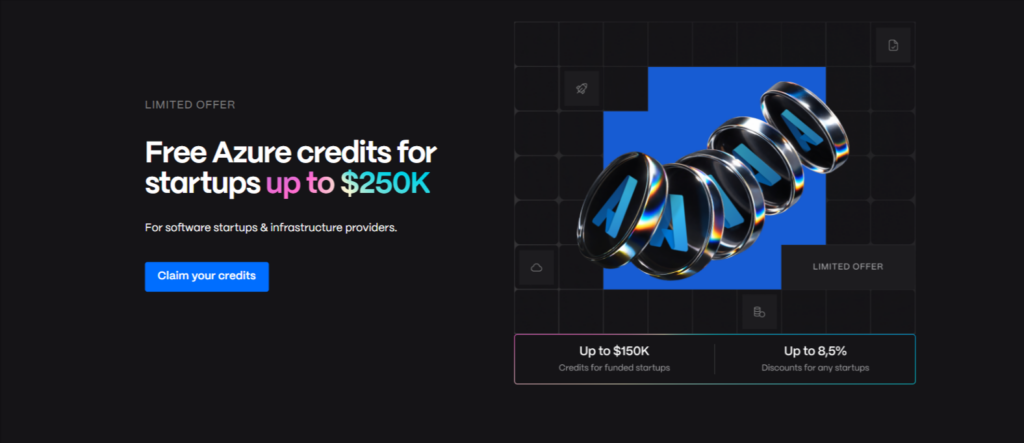
With the help of Spendbase, you can secure Azure startup credits with significantly less operational friction.
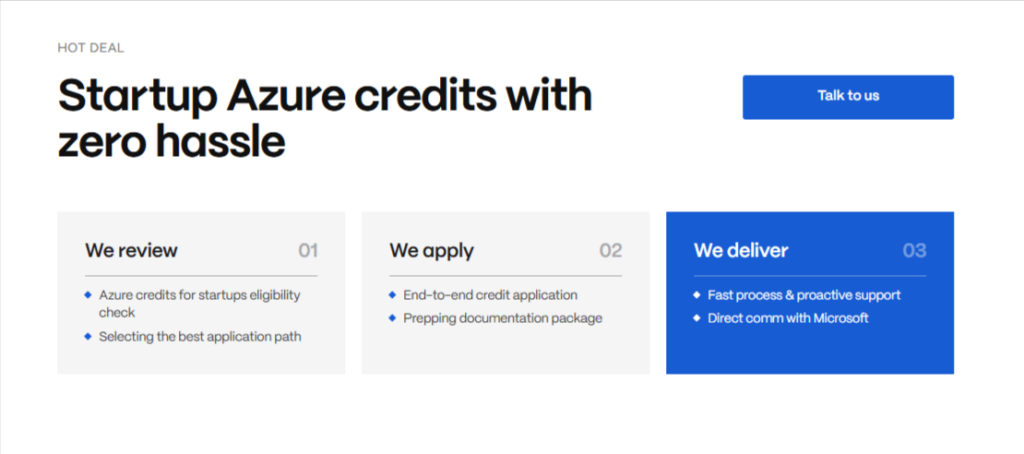
We support startups throughout the entire process. And most importantly, there are no upfront costs, payment applies only after the credits are successfully secured for your startup. Reach out to us to learn more.


Get discounts on your team’s favorite apps
Find deals for 10%, 30%, or even 70% off in our discount marketplace.
Check Discounts



