










AlloyDB: Guides, Pricing, Cost Optimization

Nowadays, modern applications demand no compromises: high performance, PostgreSQL compatibility, operational simplicity, scalability, resilience – these are all must-haves. Traditionally, teams had to choose between managed convenience and performance control. Now, Google Cloud AlloyDB bridges that gap.
In this guide, we’ll explore all the Google Cloud AlloyDB essentials: how it works, where it fits best, how pricing is structured, and which optimization strategies deliver the most impact.
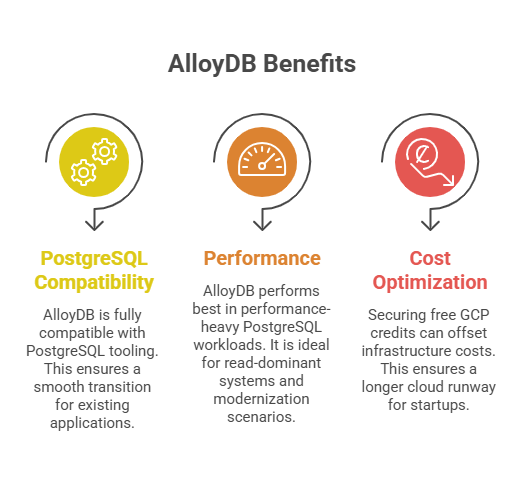
Key Takeaways
> Google Cloud AlloyDB combines familiar PostgreSQL tooling with cloud-native architecture to deliver a fully managed, PostgreSQL-compatible database.
> AlloyDB performs best in performance-heavy PostgreSQL workloads, read-dominant systems, and modernization scenarios, where teams want high-performing and scalable managed infrastructure without abandoning PostgreSQL compatibility.
> To offset Google Cloud Platform infrastructure costs, a smart financial strategy is securing free GCP credits (f.e., up to $200K For Seed-Series A startups) to ensure a longer cloud runway.
What Is Google Cloud AlloyDB?
Google Cloud AlloyDB for PostgreSQL is Google Cloud’s fully managed enterprise-grade PostgreSQL-compatible database that is optimized for performance and scalability (and boasting up to 2× better price-performance on average).
In doing so, it enhances standard PostgreSQL with:
- Separation of compute and storage;
- High-performance distributed storage engine ( with up to 4× faster transactional workloads and up to 100× faster analytics with built-in columnar support.;
- Automatic replication & failover;
- Built-in observability (AlloyDB Omni monitoring tools)
- AlloyDB’s machine learning-based optimization.
Unlike traditional PostgreSQL deployments that rely heavily on vertical scaling, AlloyDB separates compute from storage. This, in turn, allows read scaling without storage duplication and enables more flexible workload distribution.
| Traditional PostgreSQL | AlloyDB |
| Vertical scaling | Independent read scaling |
| Manual replication setup | Built-in replication |
| Storage tied to compute | Decoupled storage layer |
| Failover complexity | Automated high availability |
| Performance tuning manual | ML-assisted optimizations |
Above all, AlloyDB has several key highlights that make it stand out as a cost-efficient:
> Fully managed operations. Automated scaling, patching, backups, and ML-driven optimization, which altogether reduce operational overhead.
> High-performance engine. Up to 4× faster transactional workloads)
> Built-in resilience. Automatic failover, synchronous replication, and a 99.99% uptime SLA are embedded into the cluster design.
> Native AI capabilities. Integrated vector search and Vertex AI support for AI-native applications.
Let’s take a closer look at some of AlloyDB’s core features.
See how much you can save on your stack
Pick your team’s tools!
Click to select one or more tools.


What’s your company size?
Just click to select.
What’s your business email?
We'll send you calculations right away
The email is flying to your inbox!
Beyond discounts, you may qualify for up to $100K in AWS credits.

How AlloyDB Works: Key Capabilities
High-Performance PostgreSQL Engine
AlloyDB enhances standard PostgreSQL with a cloud-optimized architecture designed for higher throughput and lower latency. This allows AlloyDB to handle higher concurrency, stabilize performance under load, and support demanding mixed workloads, all without constant tuning or architectural workarounds.
Based on our observations in performance-heavy environments, these AlloyDB’s features make a difference:
- Optimized distributed storage architecture that separates compute from storage – to improve I/O efficiency and scalability;
- Built-in columnar acceleration for analytical queries (with up to 100× faster analytics), reducing scan overhead in mixed workloads;
- Intelligent multi-tier caching that minimizes disk reads and stabilizes latency under high concurrency;
- Independent compute and storage scaling to ensure elastic performance without overprovisioning;
- Up to 20 read replicas with cross-region clusters;
- Advanced query planning and execution optimizations for improved complex joins and transaction-heavy operations.
Read Scaling Without Storage Duplication
Unlike traditional PostgreSQL setups where replicas duplicate storage, AlloyDB separates compute from storage. Thanks to this, high-concurrency read workloads can scale horizontally without architectural rework.
This way, you get the following gains:
- No need to pay for full data copies;
- No replication lag introduced by storage duplication;
- Lower consistency management overhead;
- Lighter failover and scaling operations.
Because of this, this model is particularly effective for cases that require high concurrency: reporting and BI systems, SaaS platforms with read-dominant traffic, real-time dashboards, monitoring tools, you name it.
High Availability & Resilience
AlloyDB delivers enterprise-grade reliability with a 99.99% uptime SLA. AlloyDB embeds resilience directly into its cluster design, so that it’s not an optional configuration layer like in other systems. This way, there’s no need for custom replication topologies, third-party failover managers, operational playbooks, or other workarounds – which is a great advantage.
See more details on how exactly AlloyDB enables it (in the table below).
| Feature | Description | Impact |
| Automatic failover across zones | In the event of primary instance failure, traffic is automatically redirected to a secondary zone. | → Reduced RTO → Faster recovery |
| Synchronous cross-zone replication | Data is replicated in real time across zones before transactions are committed. | → Transactional consistency → Minimized data loss risk |
| Multi-zone deployment by design | Compute and storage are distributed across geographically separate zones by design. | → Protection against localized outages |
| Automated backups with point-in-time recovery (PITR) | Continuous backups with the ability to restore to a precise timestamp | → Recovery from operational mistakes |
| Embedded HA architecture | Availability is built into the cluster model. | → Reduces complexity → Lowered operational risks |
AI-Driven Operations
AlloyDB includes AI-assisted tooling across development and operations:
- SQL generation and natural language querying (Gemini in AlloyDB Studio);
- Fleet-level visibility and recommendations (Database Center);
- Performance and security optimization guidance.
This reduces manual tuning and accelerates troubleshooting workflows.
At the data layer, AlloyDB also introduces native AI and vector capabilities, thus enabling modern AI-driven applications without additional infrastructure. For example:
> Built-in vector search (ScaNN) supports fast vector and filtered vector queries directly within the database.
> Hybrid SQL + vector queries makу it possible to run both operational and AI workloads in a unified environment.
> Vertex AI integration provides direct access to enterprise-grade AI models.
> In-database embeddings eliminate the need for a separate vector database.
Top Use Cases for AlloyDB: A Hands-On Perspective
We’ve tested AlloyDB in several scenarios – see our results and findings below. For more use cases, see the official documentation.
✅ Case #1: High-Performance PostgreSQL Workloads
From our observations and testing, AlloyDB stands out in environments that rely on PostgreSQL but have outgrown the performance limits of traditional deployments. Here’s why.
The challenge in many systems isn’t PostgreSQL itself but the infrastructure around it. As workloads scale, there are a number of aspects that start pushing traditional PostgreSQL deployments to their limits: high transactional throughput, low-latency expectations, complex schemas, strict consistency requirements, etc.
It’s particularly compelling is how AlloyDB approaches this from an architectural perspective. By separating compute and storage and introducing optimized caching and query execution, it becomes much easier to sustain higher throughput and handle concurrency without the usual bottlenecks.
At the same time, it doesn’t force teams to abandon PostgreSQL. In my experience, this is a major advantage, because engineers can continue using the same SQL semantics, tools, and operational practices they already know while still gaining a significant boost in performance.
Assessment Highlights | |
| Primary Value | Enterprise-grade PostgreSQL performance |
| Workload Type | High-throughput transactional systems |
| Latency Behavior | Optimized low-latency response |
| Scalability Model | Decoupled compute and storage |
| Architectural Benefit | Handles complex joins & relational models |
| Key Consideration | Query and schema design still impact performance |
✅ Case #2: Read-Heavy Applications
AlloyDB also proved especially effective in read-heavy environments (for cases like reporting platforms, data exploration tools, and SaaS products delivering dashboards to large user bases).
In conventional PostgreSQL architectures, scaling reads generally involves adding replicas. However, this also duplicates the underlying storage layer, which increases both cost and operational complexity. For such scenarios, AlloyDB is a viable alternative: its architecture allows compute resources to scale independently through read pool instances. This, in turn, enables additional query capacity without multiplying storage and allows for higher concurrency. As a result, scaling becomes much more efficient.
Assessment Highlights | |
| Primary Value | Cost-efficient read scaling |
| Workload Type | Reporting, dashboards, BI queries |
| Scaling Mechanism | Read pool instances |
| Storage Impact | No storage duplication for read scaling |
| Concurrency Benefit | Improved performance under high read load |
| Key Consideration | Monitor replica utilization to avoid overprovisioning |
✅ Case #3: PostgreSQL Modernization
A third scenario where AlloyDB becomes particularly attractive is PostgreSQL modernization, especially for teams running self-managed clusters.
In many organizations, maintaining PostgreSQL infrastructure eventually becomes a growing operational burden: replication setup, failover orchestration, storage scaling, backups, you name it. AlloyDB reduces much of this complexity by embedding operational capabilities directly into the platform, including:
- Built-in high availability with automatic failover;
- Automated backups and point-in-time recovery;
- Simplified scaling for compute and storage;
- Integrated performance optimization and monitoring.
For engineering teams, this means less time spent on infrastructure maintenance and more focus on building and improving applications while still working within a fully PostgreSQL-compatible environment.
Assessment Highlights | |
| Primary Value | Operational simplification |
| Key Migration Benefit | Reduced infrastructure management |
| Availability Model | Built-in high availability |
| Backup & Recovery | Automated backups & point-in-time restore |
| Scaling Advantage | Simplified compute scaling |
| Key Consideration | Cost structure differs from single-node PostgreSQL setups |
When AlloyDB May Not Be Optimal: Key Limitations
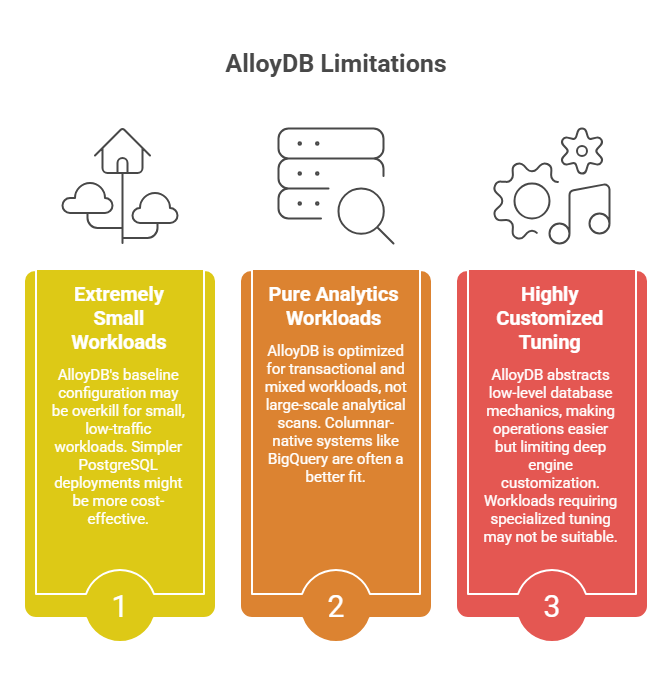
❌ Extremely Small Workloads
AlloyDB is designed for performance and scalability, which means it operates with a baseline cluster configuration. From our experience, this baseline capacity may exceed actual requirements for very small, low-traffic, or predictable workloads.
In this case, simpler PostgreSQL deployments (f.e., Cloud SQL or self-managed instances) may be more suitable at a lower cost.
❌ Pure Analytics Workloads
AlloyDB has been proven to perform impressively in mixed (HTAP) environments. However, it’s still fundamentally optimized for transactional (OLTP) and mixed workloads.
When considering large-scale analytical scans over massive datasets, they can consume significant compute resources in a row-based engine. This, in turn, can lead to increased infrastructure costs and longer query execution times.
Therefore, in such cases, columnar-native systems like BigQuery are often a better fit – from our experience, they are typically more cost-efficient and purpose-built for heavy aggregations and large joins.
❌ Highly Customized Engine-Level Tuning
Another important (and often-overlooked aspect): as per its design, AlloyDB intentionally abstracts many low-level database mechanics (including storage internals, replication behavior, and certain tuning controls).
This makes operations easier and reduces admin work. However, because of this, it may not suit workloads that require deep engine customization or specialized storage setups / performance tuning.
AlloyDB Pricing Overview
AlloyDB pricing is designed to be transparent and predictable, with customers paying only for the resources they use rather than hidden licensing or opaque I/O charges.
Overall, from our observations, AlloyDB helps reduce overall expenses (thanks to avoiding duplicate replica storage costs). Meanwhile, costs still scale – typically, linearly. As you increase vCPU and RAM allocation, add read replicas, retain more backups, or store more data, your monthly bill increases proportionally (based on usage duration and volume, as illustrated below).
| Key Pricing Components of AlloyDB | ||
| Component | Typical Pattern | Estimated Cost (USD) |
| Primary instance | Scales with machine size | ~$0.30-$0.80 per vCPU/hour equivalent |
| Read pool instances | Scales with concurrency | Same rate model as primary; each replica ~$400–$1,200/month depending on size |
| Storage | Grows with dataset | ~$0.10-$0.17 per GB/month |
| Backup storage | Retention-driven | ~$0.05-$0.10 per GB/month |
| Network egress | Cross-region dependent | ~$0.01-$0.12 per GB |
Free virtual cards for non-EU residents
Open in 1 working day, issue 100 virtual cards, and get up to 1.25% cashback.
Get a free account
Common Cost Pitfalls for AlloyDB
From practical observations, cost inefficiencies typically arise from configuration misalignment. Ultimately, AlloyDB amplifies workload design decisions, both good and bad ones. Therefore, from our experience, often-seen bottlenecks include:
- Oversized primary instance
- Excessive read pool instances
- Uncontrolled storage growth
- Excessive backup retention
- Cross-region traffic without a clear need
Fortunately, there are numerous ways in which these inefficiencies can be addressed or prevented. Let’s explore.
Cost Optimization Strategies for AlloyDB
Cost optimization in AlloyDB often begins with a few low-effort adjustments that can deliver immediate savings: eliminating overprovisioned compute resources, adjusting backup retention policies, identifying opportunities for instance downsizing, etc. See more details in the table below.
Quick Wins for AlloyDB Cost Optimization | |||
| Strategy | Effort | Savings | Impact Speed |
| Right-size primary instance | Low | High | Immediate |
| Remove unnecessary read replicas | Low | High | Immediate |
| Adjust backup retention | Very low | Medium | Gradual |
| Monitor CPU utilization | Low | High | Immediate |
| Review storage growth | Low | Medium | Short-term |
Meantime, in the long-term perspective of the AlloyDB cost optimization, it’s important not only to simply adjust infrastructure size, but to improve how the database is used. Check out some of these examples below.
Long-Term Structural Optimizations for AlloyDB | |||
| Strategy | Effort | Savings | Impact Speed |
| Optimize query patterns | Medium | High | Short-term |
| Refine indexing strategy | Medium | High | Short-term |
| Align read pool scaling with real concurrency | Medium | High | Short-term |
| Implement committed use discounts | Low | High | Immediate |
| Continuous performance monitoring | Medium | High | Ongoing |
Getting Started with AlloyDB: Step-by-Step
To start using AlloyDB, you simply create a cluster and primary instance within the Google Cloud console and connect via AlloyDB Studio or the Auth Proxy for immediate database access.
However, beyond the basics, you can expand your setup by deploying AlloyDB Omni for local or hybrid environments, enabling the Columnar Engine to dramatically speed up analytical queries, or utilizing the AI and Vector Search extensions for building high-performance generative AI applications. Explore the checklist below to see how to do that.
| Implementation Checklist for Google Cloud AlloyDB |
| Project & Service Preparation |
✅ Select or create a GCP project ✅ Verify billing is enabled ✅ Enable the AlloyDB API ✅ Configure IAM roles and access permissions ✅ Define network configuration (VPC, subnets, private IP) |
| Cluster Creation & Infrastructure Setup |
✅ Create AlloyDB cluster ✅ Select regional configuration ✅ Choose primary region ✅ Define maintenance window ✅ Configure backup settings (frequency & retention) |
| Primary Instance Configuration |
✅ Define primary instance type (CPU & memory) ✅ Allocate initial storage ✅ Configure high availability (multi-zone) ✅ Review estimated cost ✅ Deploy cluster |
| Database & Schema Setup |
✅ Create database ✅ Choose PostgreSQL version compatibility ✅ Define tables and schema structure ✅ Design primary keys to avoid hotspots ✅ Configure indexes based on query requirements ✅ Validate schema relationships and constraints |
| Connectivity & Security |
✅ Configure private connectivity ✅ Set up authorized client access ✅ Configure SSL/TLS ✅ Define role-based access control ✅ Implement least-privilege principles |
| Functional & Performance Validation |
✅ Insert representative sample data ✅ Execute core read/write queries ✅ Test concurrent transactions ✅ Validate failover behavior ✅ Monitor CPU, memory, and latency metrics ✅ Evaluate read scaling needs |
| Observability & Governance |
✅ Enable monitoring & logging ✅ Configure alerting thresholds ✅ Track storage growth trends ✅ Monitor backup health ✅ Review cost metrics and utilization ✅ Define scaling review cadence |

We can unlock discounts on 10,000+ tools you already use.
Next-Level Google Cloud Platform Optimization: Secure GCP Credits With Spendbase
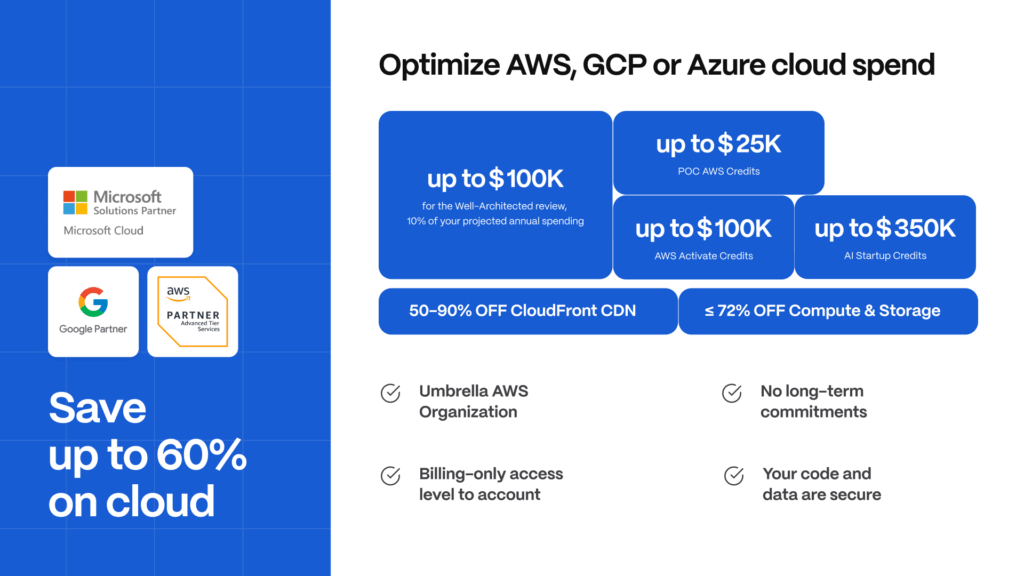
Optimizing AlloyDB is not only about architecture, it’s also about financial strategy. Therefore, by securing free GCP credits through Spendbase, organizations can offset the cost of migration, benchmarking, performance tuning, and scaling experiments. This is particularly valuable during PostgreSQL modernization, early production ramp-up, or high-load validation testing scenarios.
Spendbase simplifies access to credit programs across GCP, AWS, and Azure – unlocking up to $300,000 in credits so that organizations can secure free cloud runway and reallocate budget toward product development.


Get discounts on your team’s favorite apps
Find deals for 10%, 30%, or even 70% off in our discount marketplace.
Check Discounts



