











AWS Lambda is often considered extremely efficient, predictable, and operationally lightweight. But is it so in practice?
In this article, we’ll cover everything you need to understand AWS Lambda from a practical perspective: how it works, where it delivers the most value, how its pricing behaves under real workloads, what drives inefficiencies, and how to optimize both performance and cost at scale.
Key Highlights
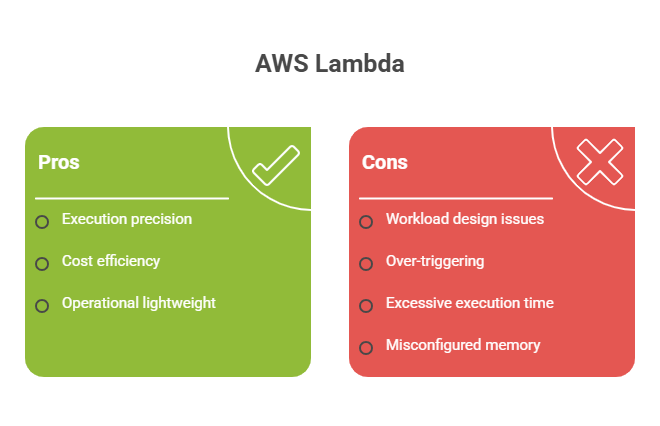
> The core value of AWS Lambda lies in execution precision. It allows compute to scale exactly with demand – and thus, eliminating idle infrastructure and enabling highly efficient resource utilization.
> Most cost inefficiencies come from workload design (and, unlike the popular opinion, not from AWS itself). Over-triggered functions, excessive execution time, misconfigured memory settings, and other aspects are the most common sources of waste.
> Financial visibility and extra optimization layers amplify efficiency – for example, by securing up to $100,000 in AWS credits.
See how much you can save on your stack
Pick your team’s tools!
Click to select one or more tools.


What’s your company size?
Just click to select.
What’s your business email?
We'll send you calculations right away
The email is flying to your inbox!
Beyond discounts, you may qualify for up to $100K in AWS credits.

What Is AWS Lambda
AWS Lambda is a serverless execution service that enables organizations to run code in response to events without provisioning or managing infrastructure.
From our experience, the greatest value of AWS Lambda lies in the fact that it abstracts away compute management for teams – by automatically handling environment provisioning, scaling, and execution.
Unlike traditional setups (that require capacity planning and continuous infrastructure management), AWS Lambda follows an on-demand execution model. See its core differentiation points in the table below.
| Traditional Approach | AWS Lambda |
| Provision and manage servers | No infrastructure to manage |
| Pay for running instances | Scales automatically with demand |
| Continuous maintenance required | Fully managed by AWS |
| Infrastructure-driven architecture | Event-driven execution model |
Beyond that, AWS Lambda introduces several additional key advantages for building modern cloud applications. In our view (and from a practical perspective), its game-changers are:
> Elastic execution. Lambda adjusts instantly to incoming events. This way, systems can handle variable and unpredictable workloads without manual scaling.
> Architectural flexibility. It integrates natively with AWS services and supports multiple runtimes, which helps designing loosely coupled event-driven systems.
> Cost alignment. With a usage-based pricing model, Lambda efficiently eliminates expenses associated with idle resources – by ensuring that compute costs are directly tied to actual execution.
Core AWS Lambda Capabilities
Event-Driven Processing
One of the most defining capabilities of AWS Lambda is its ability to enable truly event-driven architectures. In doing so, Lambda enables architectures where:
- Systems react to events instead of polling;
- Services are loosely coupled;
- Workloads are processed asynchronously.
This, in turn, reduces infrastructure overhead – yet, in the meantime, also increases architectural complexity.
From our experience, this capability fundamentally changes how systems are designed. Instead of building tightly coupled services with continuous compute, teams can shift toward event-driven pipelines where each component reacts independently (which improves scalability and resilience). However, this type of design has its specific considerations.
Key Considerations in Event-Driven Systems of AWS Lambda | ||
| Area | What It Involves | Potential Risks if Ignored |
| Event Design | → Defining trigger conditions → Controlling event scope | Over-invocation, unnecessary costs |
| Schema Management | → Standardizing data format → Managing schema versions | Broken integrations, data inconsistency |
| Dependency Control | → Decoupling via queues → Avoiding direct service calls | Tight coupling, cascading failures |
| Event Filtering | → Filtering events at source → Limiting unnecessary triggers | Excess executions, higher costs |
| Idempotency Handling | → Handling retries safely → Preventing duplicates | Duplicate actions, data errors |
Automatic Scaling
Another impactful capability of AWS Lambda is its ability to scale automatically with demand. Thanks to this, 3 core advantages come into play:
1 – No pre-provisioning is required;
2 – Workloads can handle unpredictable traffic patterns;
3 – Compute scales down to zero when idle.
This allows teams to rely on Lambda to scale execution automatically. Because of it, in real-world setups, this is one of Lambda’s most powerful (but also most misunderstood) capabilities. Consider this: if your workload is efficient, scaling improves performance – otherwise, it accelerates cost growth.
Built-In Fault Tolerance
AWS Lambda supports built-in reliability mechanisms to efficiently handle failures. They include:
- Automatic retries – meaning, Lambda automatically re-invokes failed executions to recover from temporary issues (e.g., network errors or service timeouts);
- Dead-letter queues (DLQs). Failed events are sent to a queue (e.g., SQS) for later inspection, debugging, or reprocessing;
- Event replay. Previously failed or stored events can be reprocessed to recover from errors or restore system state.
| AWS Lambda Reliability Mechanisms: Comparison | |||
| Aspect | Automatic Retries | DLQs | Event Replay |
| Purpose | Retry failed executions | Capture failed events | Reprocess events |
| When triggered | After failure | After retries fail | After fix/manual trigger |
| How it works | Re-invokes event | Sends event to queue | Reprocesses stored events |
| Main benefit | Handles transient issues | Prevents data loss | Enables recovery/backfill |
| Effort | Low | Medium | High |
| Key Risk | Duplicate executions | Unmonitored failures | Duplicate processing |
Deep AWS Ecosystem Integration
AWS Lambda is designed to work as a central execution layer within AWS – doing so, it connects multiple services into unified workflows. This allows teams to build scalable and loosely coupled systems without managing infrastructure.
Explore the table below to see the key integrations it supports and how they are used in practice.
| AWS Lambda Integrations | |||
| Integration Type | Example | Core Benefit / Use Case | Potential Risks |
| Storage | S3 triggers | Real-time processing | – High invocation volume – Unfiltered events |
| Database | DynamoDB streams | Event-driven updates, data synchronization | – Increased read/write ops – Throttling risk |
| API | API Gateway | Scalable backend | – Cold start latency – Request overhead – Rate limiting constraints |
| Messaging | SQS/SNS | Decoupled systems | – Message duplication – Retry amplification |
| Event Bus | EventBridge | Centralized event routing | – Over-triggering – Complex rule management |
| Streaming | Kafka | Real-time data processing at scale | – High throughput costs – Batch processing delays – Scaling complexity |
| Monitoring | AWS CloudWatch logs & events | Automated responses to system changes | – Excessive logging |
| Security | AWS Cognito triggers | Secure event-driven authentication flows | – Misconfigured permissions – Access risks |
DevOps | CodePipeline | Automated deployments | – Uncontrolled triggers – Redundant executions – Pipeline misconfigurations |
Free virtual cards for non-EU residents
Open in 1 working day, issue 100 virtual cards, and get up to 1.25% cashback.
Get a free account
Top Use Cases of AWS Lambda
An important point to mention, the effectiveness of AWS Lambda depends heavily on where and how it’s used. Therefore, ensure you align it with the right use cases and architectural patterns. As an example, the scenarios below show where we’ve seen the most impact.
| Use Case | Typical Triggers | What Lambda Does |
| Building scalable event-driven systems | – S3 uploads – DynamoDB streams – EventBridge events | Runs logic in response to events with automatic scaling |
| Automating backend processes | – Scheduled events – System triggers – User actions | Executes background jobs like data sync and notifications |
| Handling real-time workloads | – Streaming data – API calls – IoT events | Processes incoming data instantly with parallel execution |
| Powering APIs and microservices | HTTP requests via API Gateway | Runs backend logic and returns responses dynamically |
| Processing data pipelines (ETL) | – File uploads – Batch events – Stream ingestion | Transforms and moves data across systems |
| Integrating AWS & third-party systems | – Queue messages – Webhooks – Service events | Connects services and orchestrates workflows |
| Running scheduled tasks (cron jobs) | – Time-based triggers (cron schedules) | Executes periodic jobs like reports or backups |
| Supporting DevOps & automation workflows | – CI/CD events – Infrastructure changes | Automates deployments and operational responses |
✅ Case #1: Event-Based Data Processing
The first scenario we explore is event-based data processing – arguably one of the most natural and efficient use cases for AWS Lambda.
During our testing, we’ve observed the following:
> AWS Lambda performed exceptionally well when reacting to high-frequency event streams (for example, S3 uploads, log ingestion, etc.);
> Parallel execution across multiple concurrent invocations enabled efficient processing of large volumes of independent events;
> Event source integrations (e.g., S3, DynamoDB Streams) worked natively, which thus reduced integration overhead;
> Automatic scaling eliminated the need for throughput planning, even under unpredictable workloads;
> Stateless execution ensured consistent behavior across distributed processing tasks.
Assessment Highlights: AWS Lambda for Event-Based Processing | |
| Primary Value | High-throughput event handling |
| Workload Type | Event-driven / asynchronous |
| Performance Driver | Massive parallel invocation |
| Scalability Model | Per-event auto scaling |
| Architectural Benefit | Fully decoupled components |
| Key Consideration | Idempotency & retry handling |
✅ Case #2: Serverless APIs
The second scenario focuses on serverless APIs, where each request triggers a Lambda function. Let’s review how AWS Lambda performed in this case.
In particular, we’ve observed the following:
> Lambda provided a clean execution model for REST endpoints when integrated with API Gateway;
> Fine-grained scaling per request ensured consistent performance under variable traffic;
> Eliminating server management significantly reduced operational overhead and deployment complexity;
> Cold starts were noticeable in latency-sensitive scenarios but manageable with optimization techniques (e.g., provisioned concurrency);
> Stateless design aligned well with microservices principles and independent service deployment.
Overall, AWS Lambda proved itself highly effective for serverless APIs – particularly in microservices architectures and workloads with variable traffic. However, its true effectiveness depends on architectural discipline: meaning, teams that design for statelessness, latency constraints, and execution boundaries unlock its full potential.
Assessment Highlights: AWS Lambda for Serverless APIs | |
| Primary Value | On-demand API execution |
| Workload Type | Request-response (synchronous) |
| Performance Driver | Per-request scaling |
| Scalability Model | Automatic concurrency scaling |
| Architectural Benefit | No infrastructure management |
| Key Consideration | Cold start latency |
✅ Case #3: Automation & Background Jobs
In this case, we’ve observed the following:
> AWS Lambda handled scheduled workloads reliably when triggered via EventBridge;
> Background jobs (cleanup tasks, report generation, system sync, etc.) executed without persistent infrastructure;
> Pay-per-execution pricing proved highly cost-efficient compared to always-on compute;
> Tight integration with monitoring tools enabled automated remediation workflows;
> However, execution limits (timeout, memory) required thoughtful job design for longer-running processes.
Assessment Highlights: AWS Lambda for Automation | |
| Primary Value | Infrastructure-free automation |
| Workload Type | Scheduled / asynchronous |
| Performance Driver | Event-triggered execution |
| Scalability Model | On-demand scaling |
| Architectural Benefit | No idle resource cost |
| Key Consideration | Execution time limits |
✅ Case #4: Real-Time Event Systems
During our testing, we’ve observed the following:
> Lambda enabled near real-time processing of user actions, notifications, and system events;
> Integration with messaging services (SNS, SQS) allowed reliable event fan-out and decoupling;
> Low-latency execution supported responsive user experiences in event-driven applications;
> Distributed execution improved resilience and fault isolation across workflows;
> Designing for retries and eventual consistency was essential in high-throughput environments.
Assessment Highlights: AWS Lambda for Real-Time Event Systems | |
| Primary Value | Real-time responsiveness |
| Workload Type | Event-driven / reactive |
| Performance Driver | Low-latency execution |
| Scalability Model | Event-based scaling |
| Architectural Benefit | Decoupled event orchestration |
| Key Consideration | Consistency & retry logic |
When AWS Lambda Is NOT the Best Fit
From our observations, AWS Lambda is not universally suitable for every workload – even despite its flexibility and ease of use. Below are some real-life cases to consider.
❌ Long-running workloads
AWS Lambda is designed for short-lived executions, with a maximum runtime limit. Therefore, workloads that require continuous processing or extended execution times (e.g., large batch jobs or long-running computations) are not ideal.
In such cases, services like container-based platforms or virtual machines (e.g., Amazon ECS or EC2) can provide better control and stability.
❌ Compute-heavy processing
From our observations, AWS Lambda is not optimized for intensive resource-heavy workloads that require sustained CPU or GPU performance. We’ve observed it multiple times: tasks like this can become inefficient and costly when broken into small executions.
For these scenarios, in contrast, a better fit would be dedicated compute services or distributed processing platforms.
❌ Stateful systems
Since AWS Lambda operates in a stateless execution model (and therefore, each invocation is independent and does not retain state between runs), applications that rely on long-lived sessions or in-memory data sharing may face architectural complexity. In such cases, traditional application servers or stateful services provide a more natural fit.
❌ Ultra-low latency requirements
Although AWS Lambda can respond quickly, cold starts and execution environment initialization can introduce latency. For systems that require consistently low and millisecond-level response times, this variability can be problematic.
For these scenarios, consider always-on infrastructure or specialized low-latency systems – they often might serve as more appropriate choice.
How AWS Lambda Works: Execution Model
At a high level, AWS Lambda runs code in response to events – this way, it only uses compute when needed and stops when the execution is done.
Here’s how the execution process looks in real life:
Step 1. Event Trigger
An event is generated (API call, file upload, or stream event), which initiates the Lambda execution. This event defines both the input data and the context in which the function will run.
Step 2. Invocation Routing
This step ensures the correct function version and permissions are applied: AWS Lambda identifies the target function and routes the request based on the event source and configuration.
Step 3. Environment Provisioning
At this stage, an execution environment is either created (cold start) or reused (warm start), with the runtime, dependencies, and configuration initialized. Cold starts include environment setup and can introduce additional latency.
Step 4. Function Execution
The function runs with the allocated CPU and memory, processing the event and executing the defined logic. Performance and execution time depend on code efficiency and external dependencies.
Step 5.Output Handling
Results are returned (e.g., API response) or passed to downstream services – databases, queues, other AWS services, you name it. This step also often involves additional service interactions.
Step 6. Environment Lifecycle
Depending on demand and system behavior, the environment is either kept for reuse or terminated.
Meantime, not this – while the execution flow explains how Lambda runs, its real impact comes from a set of core characteristics that define how workloads behave at scale:
- Parallel execution. Multiple invocations run simultaneously, thus AWS Lambda can handle high volumes of requests with low latency;
- Ephemeral environments: No persistent compute state, meaning each execution is independent and requires external storage for data persistence;
- Automatic scaling: Capacity expands automatically based on incoming demand without manual intervention or pre-provisioning;
- Execution isolation. Each invocation runs independently in its own environment to improve fault tolerance and system reliability.
AWS Lambda Pricing: Major Cost-Driving Components
Based on our observations, estimating the actual AWS Lambda pricing can often be misleading. On paper, Lambda is one of the most cost-efficient AWS services – due to these:
- Lambda’s pricing model is pay-per-use;
- It’s capable of scaling down to zero;
- In many cases, small workloads cost only a few dollars per month.
However, here’s what many teams overlook: as usage grows, costs scale directly with execution (especially in high-throughput or poorly optimized environments). In real life, they are driven by several key factors:
- Invocation frequency. Defines how often functions are triggered (directly impacts request charges)
- Execution duration. Implies how long each function runs (one of the primary cost drivers)
- Memory allocation. Affects both performance and cost per execution
- Concurrency and scaling behavior. Determines how costs grow under load
- Data transfer and integrations. Incur additional costs from API calls, logs, connected services, etc.
To better understand and effectively manage spend, let’s break down these pricing components – see the table below.
| Component | What You Pay For | Pricing Behavior | Pricing |
Requests | Function invocations | Per request, scales with usage volume | – First 1M requests/month free – Then – $0.20 per 1M requests |
| Execution duration | Compute time (ms) | Per execution time (major cost driver) | $0.00001667 per GB-second |
| Memory allocation | Allocated memory (MB) | Impacts performance & cost | Included in GB-second pricing. higher memory = higher cost per ms |
| Provisioned concurrency | Pre-initialized environments | Per hour | $0.0000041667 per GB-second |
Data transfer | Network usage | Depends on traffic, varies by region | – First 100 GB free – Then – starting from $0.09 per GB |
Now, let’s consider a real-life AWS Lambda use case scenario of a typical mid-size serverless application setup – in particular:
- Handles ~2 million requests per day;
- Uses Lambda functions triggered via API Gateway;
- Runs functions with ~400–600 ms execution time;
- Allocates ~512 MB memory per function.
| AWS Lambda: Real-Life Example of Monthly Cost | ||
| Usage (Example Scenario) | Monthly Cost | |
| Requests | 20 million requests/month (first 1M free, 19M billable × $0.20 per 1M) | $3.80 |
| Compute (duration + memory) | 512 MB, avg 300 ms execution → ~3M GB-seconds × $0.00001667 | $50.00 |
| Provisioned concurrency | 5 instances × 512 MB running ~8h/day | $120.00 |
| Data transfer | ~500 GB outbound data × ~$0.09/GB | $45.00 |
| API calls, CloudWatch logs, monitoring overhead | $361.20 | |
| Total | $580/month | |
When examining the above-mentioned scenario, we’ve noticed several cost tendencies. In particular:
#1. Execution time drives cost
Even small increases in execution duration (e.g., inefficient code or slow external calls) can significantly impact total cost at scale. Therefore, reducing runtime can be one of the most effective optimization strategies.
#2. You pay per execution, not per infrastructure
Unlike cluster-based services, AWS Lambda charges per execution. This means that high invocation frequency can accumulate quickly into significant costs. Therefore, take care to avoid poorly designed triggers (e.g., noisy queues, unfiltered streams, etc.).
#3. The ecosystem often outweighs Lambda itself
While Lambda execution is typically inexpensive, the surrounding services (API Gateway, logging, monitoring, orchestration) often take up the majority of the total cost.
What Drives AWS Lambda Costs
From our experience, Lambda costs are primarily driven by how efficiently execution is designed and how well event flows are controlled over time. Here are some of our observations:
- Execution duration is one of the most significant cost drivers. Since Lambda charges per millisecond of execution, inefficient code, slow external calls, or excessive processing logic can quickly increase total cost at scale.
- Invocation patterns have a major impact. AWS Lambda charges per request, meaning that high-frequency triggers (especially redundant or poorly filtered ones) can lead to unnecessary cost accumulation without delivering additional value.
- Memory allocation directly affects both performance and pricing. Over-allocate memory – and it will increase cost per execution, under-allocate – and it can slow down execution (increasing total runtime and, ultimately, cost). Hence, the right balance here is critical.
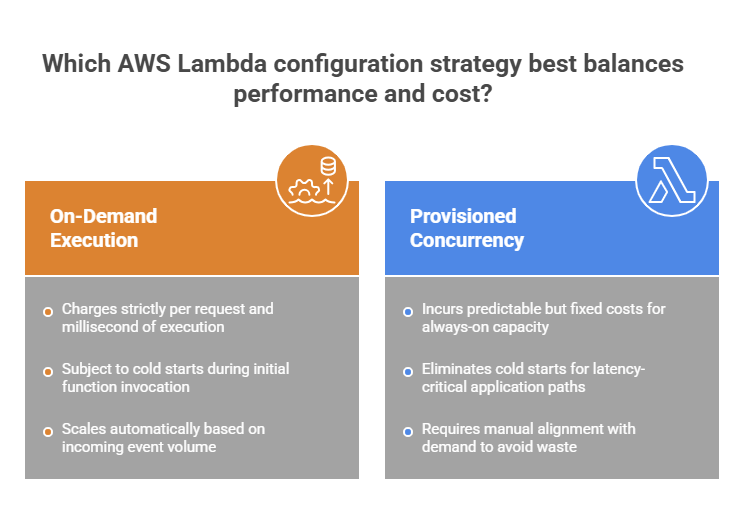
- Concurrency configuration introduces cost trade-offs. In particular, using provisioned concurrency adds predictable but fixed costs, particularly if not aligned with actual demand.
- The surrounding ecosystem often amplifies costs, too. In particular, API Gateway, CloudWatch Logs, and data transfer can exceed Lambda execution costs (especially in high-throughput or heavily instrumented systems).
| AWS Lambda: Capabilities vs Cost Risks | |||
| Capability | Cost Risk | Impact | Optimization |
| Automatic scaling | Uncontrolled concurrency | Cost spikes under high load | Set concurrency limits & throttling |
| Event triggers | Noisy or redundant events | Excessive executions | Filter events & ensure idempotency |
| Memory configuration | Over/under-provisioning | Higher cost or longer runtime | Tune memory for optimal performance |
| Provisioned concurrency | Always-on capacity | Increased fixed cost | Use only for latency-critical paths |
| Logging & monitoring | Excessive log volume | High CloudWatch costs | Reduce log verbosity & retention |
| Service integrations | Overuse of API Gateway, data transfer | Increased total cost | Optimize architecture & data flow |
| Stateless execution | Repeated initialization | Longer execution time | Optimize cold start & reuse resources |
Cost Optimization Strategies for AWS Lambda
AWS Lambda is inherently cost-efficient, but following best practices can significantly enhance its efficiency. We recommend these strategies to achieve quick wins.
- Optimize function execution time – reduce unnecessary computations, optimize external calls, streamline logic to minimize duration (since Lambda charges per millisecond, even small improvements scale significantly);
- Right-size memory allocation – continuously test different memory configurations, which can significantly improve CPU performance;
- Control event sources and triggers – filter incoming events (e.g., SQS batching, event filtering, deduplication);
- Minimize cold starts where needed – for latency-sensitive workloads, use provisioned concurrency selectively (not across all functions);
- Reduce logging and monitoring overhead – limit excessive log verbosity, configure retention policies, avoid high-volume logging that drives CloudWatch costs;
- Optimize integration patterns – reduce unnecessary calls to API Gateway, external APIs, and cross-region data transfers to;
- Use batching where possible – process multiple records per invocation (SQS, Amazon Kinesis, etc.) to reduce the number of executions and improve cost efficiency.
| Quick Wins for AWS Lambda Cost Optimization | ||
| Strategy | Effort | Speed |
| Reduce execution time | Medium | Fast |
| Tune memory allocation | Low | Immediate |
| Filter unnecessary events | Low | Immediate |
| Optimize logging | Low | Immediate |
| Use batching (SQS/Kinesis) | Medium | Fast |
| Limit provisioned concurrency | Medium | Fast |
Beyond the above-mentioned foundational steps, more advanced approaches can significantly improve long-term cost efficiency:
- Implement concurrency controls – set reserved concurrency limits (to prevent cost spikes);
- Adopt event-driven architecture discipline – focus on designing systems that avoid redundant event chains and unnecessary function invocations;
- Continuously monitor execution patterns – analyze duration, invocation count, error rates, retries, etc.;
- Refactor heavy workloads – move long-running or compute-intensive tasks to more suitable services (containers, batch processing, etc.);
- Control data transfer and payload size – aim at minimizing data movement between services;
- Track costs with tagging and observability – use AWS Cost Explorer and tagging strategies.
| AWS Lambda Cost Optimization: Advanced Strategies | ||
| Strategy | Effort | Speed |
| Concurrency control | Medium | Fast |
| Event flow optimization | Medium | Medium-term |
| Execution monitoring & tuning | High | Medium-term |
| Cold start optimization | Medium | Fast |
| Workload re-architecture | High | Long-term |
| Data transfer optimization | Medium | Medium-term |
| Cost tracking & tagging | Low | Immediate |
Step-by-Step AWS Lambda Setup & Governance Checklist
From what we’ve seen, the difference between efficient and costly Lambda environments often comes down to process, especially at the early setup and configuration stage. With a structured approach, you can prevent potential inefficiencies. Check the checklist below to ensure you’re fully covered at every step.
Step-by-Step AWS Lambda Setup & Governance Checklist |
| 1. Define workload & architecture |
| ✅Identify use cases (APIs, ETL, automation, streaming) ✅Define event sources (API Gateway, S3, SQS, streams) ✅Estimate request volume and concurrency patterns ✅Define latency and performance requirements ✅Determine state management strategy (stateless vs external storage) |
| 2. Design function architecture |
| ✅Define function granularity (single-purpose vs shared logic) ✅Choose runtime and dependencies ✅Optimize package size and cold start behavior ✅Define environment variables and configuration strategy ✅Plan error handling and retries |
| 3. Configure event sources |
| ✅Set up triggers (API Gateway, SQS, EventBridge, etc.) ✅Apply event filtering and batching where applicable ✅Ensure idempotency for repeated events ✅Validate trigger frequency and scaling behavior ✅Prevent duplicate or unnecessary invocations |
| 4. Configure scaling & concurrency |
| ✅Understand default concurrency limits ✅Set reserved concurrency for critical functions ✅Configure provisioned concurrency (if needed) ✅Test scaling behavior under load ✅Prevent uncontrolled scaling scenarios |
| 5. Implement monitoring & logging |
| ✅Enable CloudWatch metrics and logs ✅Track key metrics (duration, errors, throttles, concurrency) ✅Set up alerts for failures and anomalies ✅Optimize log retention policies ✅Avoid excessive logging |
| 6. Optimize performance & cost |
| ✅Tune memory allocation for performance/cost balance ✅Reduce execution time (optimize logic, external calls) ✅Use batching for event processing ✅Minimize cold starts where required ✅Monitor cost using AWS Cost Explorer |
| 7. Implement security & governance |
| ✅Configure IAM roles with least privilege ✅Secure environment variables and secrets ✅Enable encryption where required ✅Restrict access via API Gateway or VPC settings ✅Apply tagging for cost allocation |
| 8. Test & continuously improve |
| ✅Run load and performance tests ✅Simulate failure and retry scenarios ✅Monitor real-world usage patterns ✅Identify high-cost functions and optimize ✅Continuously refine architecture based on demand |

We can unlock discounts on 10,000+ tools you already use.
How Spendbase Helps Reduce AWS Lambda Costs
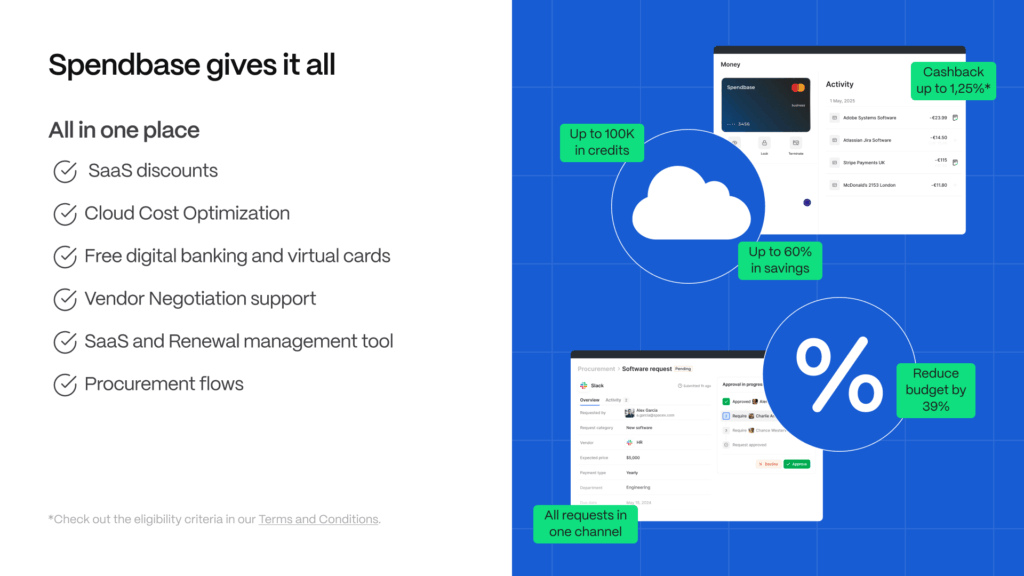
Optimizing AWS Lambda is not just about efficiency. First and foremost, it’s also about reducing upfront cloud spend. This is where Spendbase delivers immediate value.
As an official AWS partner, Spendbase helps companies secure up to $100,000 in AWS credits, enabling up to 2 years of AWS runway. This allows teams to experiment, scale serverless workloads, and optimize Lambda usage without immediate cost pressure.
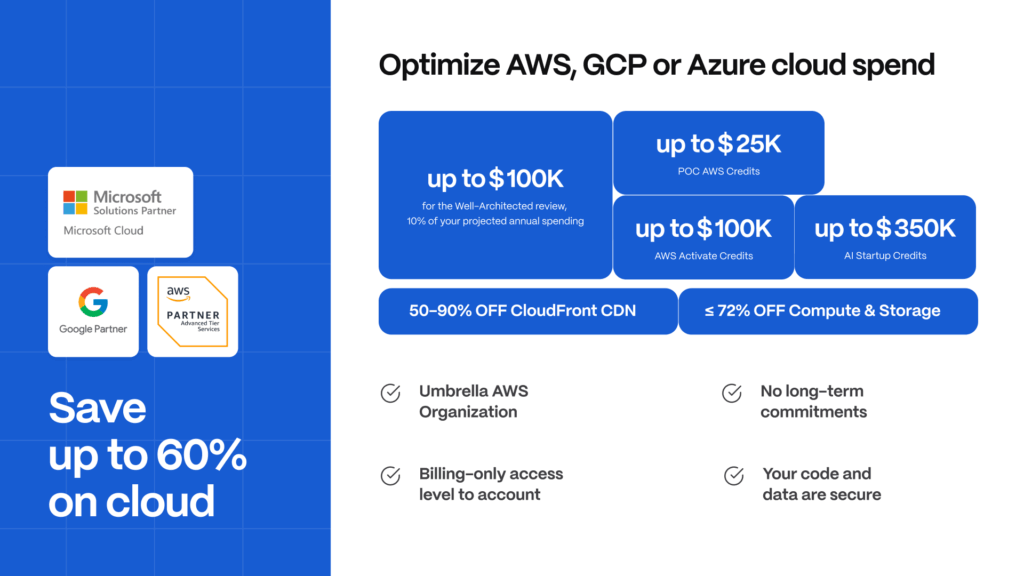
Combined with deeper cost visibility and optimization insights, Spendbase ensures that your Lambda environment remains both efficient and financially sustainable.


Get discounts on your team’s favorite apps
Find deals for 10%, 30%, or even 70% off in our discount marketplace.
Check Discounts



