










Amazon VPC Pricing and Data Transfer Costs

Amazon VPC is free to create, but the bill around it can grow faster than you expect. If you lead product, finance, or engineering, that gap matters because your AWS networking spend often comes from traffic patterns, not the virtual network itself.
When you review Amazon VPC pricing, focus on the cost buckets that move with scale: NAT Gateway, public IPv4, data transfer, interface endpoints, Transit Gateway, and newer add-ons. Once you see those paths clearly, the monthly bill stops looking random.
Start with the free parts so you know what you are not paying for
Amazon VPC, short for Amazon Virtual Private Cloud, is the private network layer that lets you deploy AWS resources inside your own address space. You use it to place an EC2 instance in subnets, control traffic, and decide what reaches the public internet.
The VPC basics that do not cost extra
The VPC itself is free. So are the structural pieces you use to create a VPC and make it work: subnets, route tables, network ACLs, security groups, and an internet gateway. Whether you stay in the default VPC or build a new VPC, AWS does not charge a separate fee for that foundation.
That matters because many teams see “Amazon VPC” on the pricing pages and assume the whole network is a paid service. It isn’t. Your bill usually starts when traffic moves or when you add billable networking tools around the VPC.
You can confirm that base structure on the AWS VPC pricing page. For most startups, this is the reassuring part of AWS VPC pricing.
Free items that still matter to your architecture
Some items look paid but are free to configure. Gateway endpoints for Amazon S3 and DynamoDB are the best example. They don’t carry hourly VPC endpoint charges, and they often reduce NAT spend.
A VPC peering connection also has no setup fee. Still, data transfer over that link can cost money, especially across Availability Zones or regions. The same pattern applies to basic controls in the AWS Management Console. Creating rules is free; the traffic and logging tied to them may not be.
The mistake is simple: you think you’re paying for the network, but you’re usually paying for how your traffic crosses it.
See how much you can save on your stack
Pick your team’s tools!
Click to select one or more tools.


What’s your company size?
Just click to select.
What’s your business email?
We'll send you calculations right away
The email is flying to your inbox!
Beyond discounts, you may qualify for up to $100K in AWS credits.

The main VPC charges that drive your AWS bill
Most VPC costs come from network paths you add after the base network exists. For founders and CFOs, these are the lines to watch first.
Why NAT Gateway is usually the first surprise
In us-east-1, NAT Gateway pricing is $0.045 per hour and $0.045 per GB processed as of April 2026. One gateway running all month costs about $32.85 before traffic starts. Send 1 TB through it, and you add about $45 in NAT processing alone.
If that traffic then goes from your VPC to the internet, AWS stacks internet egress on top. At common first-tier rates, outbound internet traffic is $0.09 per GB in US East. That means one GB can cost $0.135 when it passes through a NAT gateway and then leaves AWS.
This is why NAT becomes the first ugly surprise in smaller AWS environments. You put private subnets in place for safety, then routine package pulls, container image downloads, and API calls start flowing through NAT. AWS explains the fee structure in its NAT gateway pricing guidance.
Public IPv4 addresses now have a direct price
Public IPv4 address pricing is no longer background noise. Each public IP address costs $0.005 per hour, whether it is in use or idle. That is about $3.65 per month or $43.80 per year for each address.
This hits more places than many teams expect. A public IP can sit on an Amazon EC2 instance, a NAT gateway, a public-facing load balancer, or other public AWS resource. Idle Elastic IPs also cost the same rate. If you keep 20 public addresses around, you are near $73 per month before transfer fees.
There is one small cushion. New Amazon EC2 accounts still get 750 free hours per month of public IPv4 for 12 months. After that, the meter runs.
VPC endpoints, PrivateLink, and Transit Gateway can change the math
An interface VPC endpoint in US regions is about $0.01 per hour per AZ plus $0.01 per GB processed. If you place one endpoint in two AZs for a full month, the base is about $14.60 before data charges. For heavy traffic to one AWS service, that can be far cheaper than NAT.
Transit Gateway adds another layer. The common price is $0.05 per hour per attachment plus $0.02 per GB of processed traffic. At scale, that is useful. For a small stack, it can become one more fixed fee.
AWS also introduced newer pricing areas in 2026, including VPC Encryption Controls for non-empty VPCs. So, VPC pricing work now needs a wider review than it did a year ago.
A quick tradeoff view helps:
- Interface endpoints keep traffic private and often cut NAT data charges.
- Transit Gateway makes multi-VPC routing cleaner when your AWS account count grows.
- Both add hourly fees, so overbuilding them creates waste.
How data transfer costs turn small decisions into big bills
This is where Amazon VPC pricing gets slippery. Two apps can run the same workload and pay very different network costs because their traffic takes different paths.
Where data transfer gets expensive fast
Inside one AZ, private traffic is usually free. Once you cross AZs, regions, or the public internet, charges appear. In us-east-1, cross-AZ transfer is commonly $0.01 per GB each way. Cross-region VPC peering traffic is often about $0.02 per GB outbound. Data in from the internet is free, while data out to the public internet starts at $0.09 per GB in common tiers.
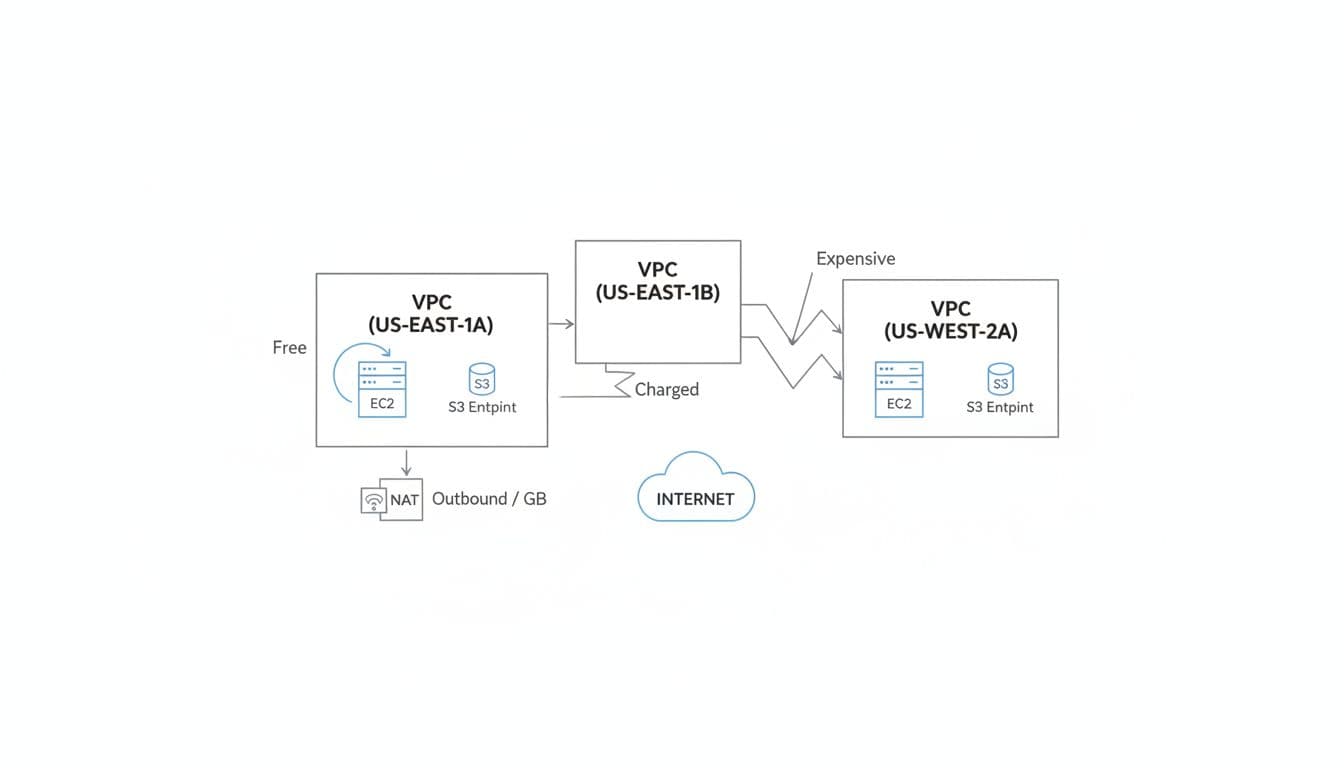
An EC2 instance in one AZ talking to Amazon RDS in another can create a steady cross-AZ tax. Amazon ECS tasks that pull images or logs through NAT can do the same. Even “internal” traffic becomes billable when the route crosses the wrong boundary.
A March 2026 NAT routing case study described 56 Amazon EC2 instances sending traffic to a NAT gateway in a different AZ. The result was about $3,000 a month in regional transfer charges, fixed with one route-table change.
A simple table of common transfer paths and what to watch
Use this table as a quick budgeting filter.
| Traffic path | Likely charge type | Budget risk |
|---|---|---|
| EC2 to EC2 in same AZ, private IPs | Usually free | Low |
| EC2 to EC2 across AZs | $0.01/GB each direction | Medium to high |
| VPC peering in same AZ | Usually free | Low |
| VPC peering across AZs or regions | Regional or inter-region transfer | Medium |
| Private subnet to internet through NAT | NAT hourly, NAT per GB, internet egress | High |
| EC2 to Amazon S3 through gateway endpoint | Endpoint is free, normal service rules apply | Low |
| EC2 to AWS service through interface endpoint | Hourly per AZ, $0.01/GB | Medium |
| VPC to VPC through Transit Gateway | Attachment hourly, $0.02/GB | Medium to high |
The takeaway is simple: keep traffic local when you can, and avoid sending AWS-to-AWS traffic through NAT if a better path exists.
What a real monthly VPC bill can look like
A bill becomes easier to trust when you can picture the layout behind it.
A two-AZ deployment example you can picture
Say you run a production app in two AZs with private subnets, one NAT gateway per AZ, one EC2 instance per AZ, and a public load balancer. You move 600 GB a month out to the internet, 300 GB to AWS services through NAT, and 250 GB each way across AZs.
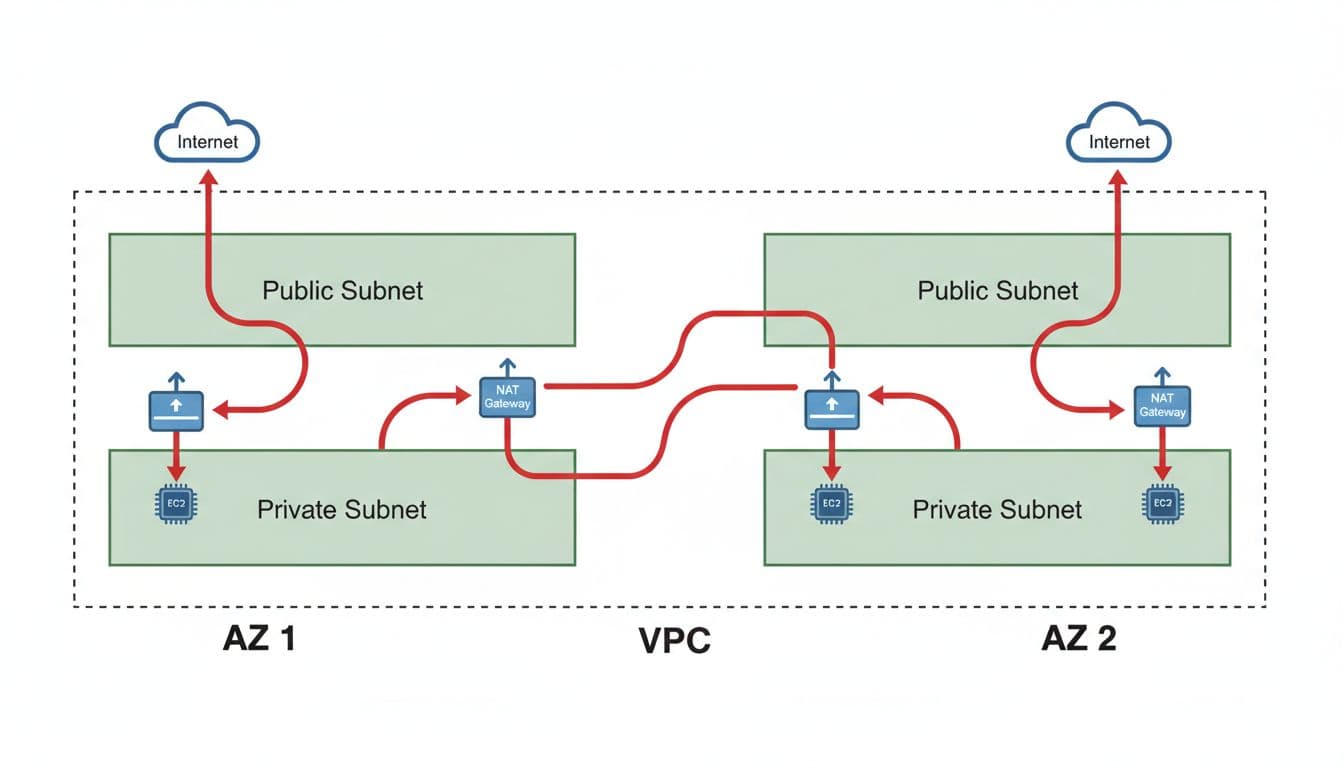
The math looks like this in US East:
- Two NAT gateways: about $65.70
- 900 GB of NAT processing: about $40.50
- 600 GB internet egress: about $54.00
- 500 GB cross-AZ traffic total: about $5.00
- Three public IPv4 addresses: about $10.95
That puts your monthly network total near $176.15, before compute or storage. Replace the S3-bound portion with a gateway endpoint, and the number drops.
A startup and a scale-up scenario side by side
The same AWS region can produce very different VPC costs.
| Scenario | Typical setup | Estimated monthly network cost | Main driver |
|---|---|---|---|
| Lean startup | 1 NAT gateway, 150 GB NAT traffic, 3 public IPv4, light cross-AZ traffic | $50 to $70 | Fixed NAT base and public IPs |
| Busy scale-up | 2 NAT gateways, 3 TB NAT traffic, 10 public IPv4, 2 TB cross-AZ, 6 interface endpoints in 2 AZs, 4 Transit Gateway attachments | $500+ | Data movement and hourly networking layers |
This pattern shows up in real audits. A 2026 startup AWS cost audit cut NAT waste by adding gateway and interface endpoints. Another set of AWS cost case studies reported savings from moving S3 and DynamoDB traffic off NAT.
Free virtual cards for non-EU residents
Open in 1 working day, issue 100 virtual cards, and get up to 1.25% cashback.
Get a free account
How to cut VPC costs without hurting performance
The best cost optimization strategies are usually boring. That is good news, because boring fixes compound.
Replace expensive paths with smarter ones
Start with traffic that leaves a private subnet only to reach another AWS service. Using VPC endpoints for Amazon S3, DynamoDB, ECR, or CloudWatch often reduces NAT Gateway usage. The endpoint may not be free, but it is often cheaper than NAT gateway pricing at scale.
Next, align each NAT gateway with the AZ where the resources live. That avoids cross-AZ transfer on top of NAT charges. If you use Transit Gateway, attach only what you need, because idle attachments still cost money.
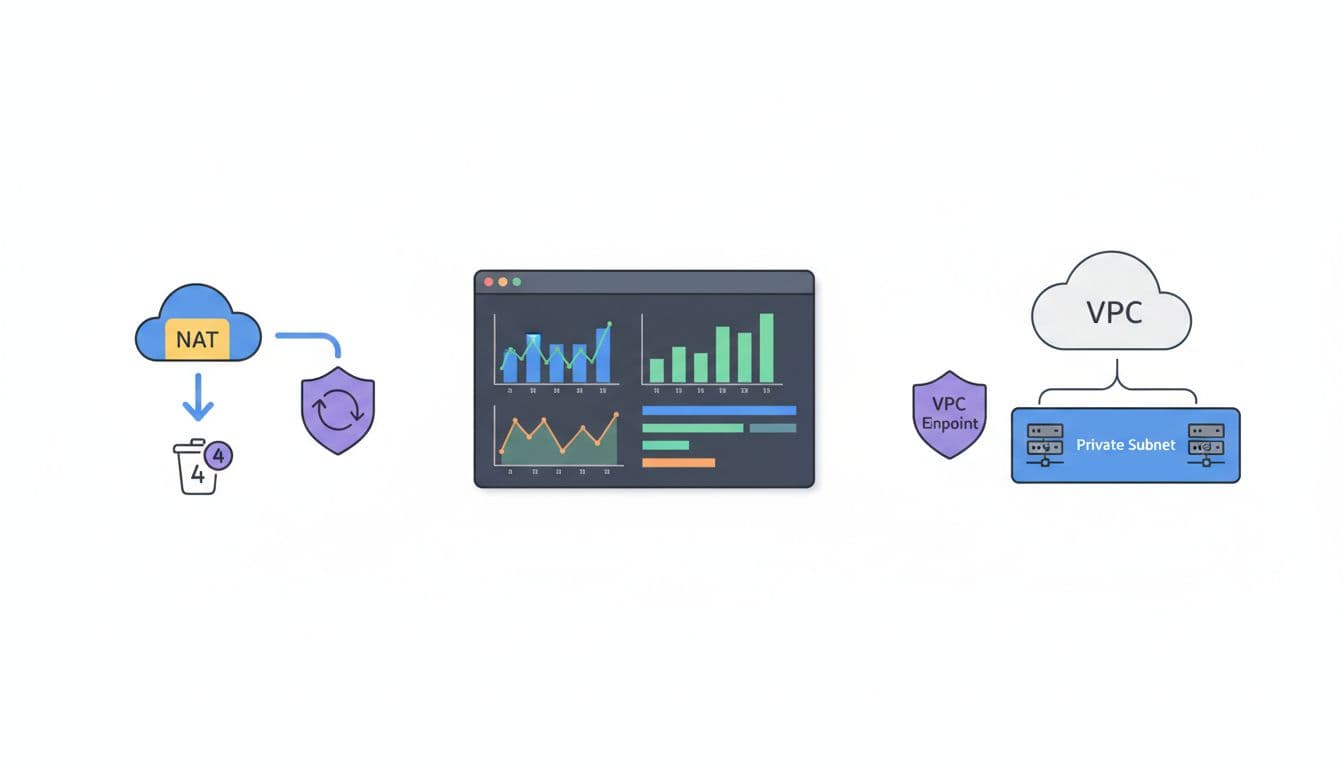
Track waste before it grows
Review cost and usage reports every month. Look for idle public IP address charges, overbuilt NAT layouts in non-prod, and interface endpoints that no longer serve traffic. A clean-up pass on ENIs in your Amazon VPC, old Elastic IPs, and unused vpc resources often pays back fast.
You do not need a huge FinOps team for this. You need a habit.
How Spendbase can help you reduce AWS spend
If you are trying to shrink AWS cost while traffic grows, credits can buy time. Spendbase offers free AWS credits up to $100K for eligible startups, along with support on discounts and savings opportunities.
That matters when VPC costs rise during product launch or migration. If you want a planning angle, this AWS credits guide for efficiency shows how credits and cost reviews can extend runway while you tighten networking design.

We can unlock discounts on 10,000+ tools you already use.
Conclusion
Your VPC is free to build, but your routes are not. NAT Gateway, public IPv4, cross-AZ transfer, interface endpoints, and Transit Gateway decide most of the bill.
The strongest takeaway is simple: traffic shape drives spend. If you review architecture before volume climbs, you can avoid turning a small networking choice into a recurring AWS bill that keeps getting heavier.


Get discounts on your team’s favorite apps
Find deals for 10%, 30%, or even 70% off in our discount marketplace.
Check Discounts



