










AWS S3 Explained: Storage, Cost, Security, and Use Cases

Your company likely creates more files than your team can track, logs, backups, images, models, exports, and archives. AWS S3 is where many of those files end up, because it scales without asking you to think like a storage admin.
Still, S3 isn’t simple once bills rise, permissions sprawl, or data access changes.
If you want to use amazon web services s3 well, you need to understand buckets, security, storage class choices, and where the hidden costs sit.
What AWS S3 is, and why so many teams build on it
AWS S3, short for Amazon Simple Storage Service, is cloud object storage. Instead of mounting a drive, you store objects inside an s3 bucket. Each object can hold the file itself, metadata, and a key name.
That sounds plain, but the scale is huge. Recent AWS reporting shows S3 stores more than 500 trillion objects and handles roughly 200 million requests per second.
For a CTO, that means proven headroom. For a founder, it means you don’t need to rebuild storage every time growth hits. For a CFO, it means you can align storage with usage, not hardware refresh cycles.

Amazon s3 is an object storage service, not classic file storage. That matters.
You don’t treat it like a local disk. You access amazon s3 using the AWS Management Console, AWS CLI, AWS SDKs, or the S3 API. Your apps send requests to amazon s3 using HTTP, and the underlying amazon s3 REST API handles reads, writes, copies, and deletes.
Common use cases include app assets, backup targets, log retention, data lakes, media libraries, and AI training data.
AWS has a useful breakdown of common AWS S3 use cases, and you’ll notice one pattern fast: S3 works best when data can live as objects, not as a shared office drive.
In April 2026, AWS also rolled out Amazon S3 Files Amazon S3 offers services in 34 AWS Regions. That gives you a bridge between s3 data and file-style access, which helps analytics and AI teams work with data in s3 without moving copies around first.
Think of an amazon s3 bucket as a warehouse, and each object as a sealed box with a barcode. You don’t browse shelves the same way you would on a laptop. You ask for the exact box, and S3 provides it.
See how much you can save on your stack
Pick your team’s tools!
Click to select one or more tools.


What’s your company size?
Just click to select.
What’s your business email?
We'll send you calculations right away
The email is flying to your inbox!
Beyond discounts, you may qualify for up to $100K in AWS credits.

How buckets, permissions, and ownership work in practice
Most S3 problems aren’t about uptime. They’re about access. A single weak policy can expose s3 files, backups, or customer exports.
Your first control is the bucket itself. An s3 bucket access policy decides who can do what. Then IAM policies, ACL settings, encryption, and object ownership rules join the picture.
Today, s3 block public access should be your default stance. Public access to s3 buckets is still one of the easiest ways to create a painful headline.
If you can’t explain who can access a bucket in one minute, your permissions are too loose.
A secure baseline usually includes these steps:
- Turn on block public access to s3 unless you have a clear public content use case.
- Use AWS Identity and Access Management roles instead of long-lived keys.
- Set Amazon S3 Object Ownership to simplify ownership of uploaded objects.
- Review resource-based permissions for your s3 buckets, especially cross-account access.
- Monitor your s3 bucket access policies with logging and alerts.
AWS reinforced this direction in its strategy to enhance how Amazon S3 provides storage solutions. April 2026 S3 security update, which started disabling SSE-C by default for new general purpose buckets.
That move won’t fix poor access design, but it shows where the platform is heading. AWS also keeps a strong set of S3 security best practices, including guidance on bucket policies, logging, encryption, and access review.
If you run multiple teams under one aws account, or several accounts under AWS Organizations, watch for permission drift.
Use IAM Access Analyzer for S3 to evaluate and monitor your s3 access. Then use Amazon S3 Storage Lens to spot storage access patterns to decide where controls or lifecycle changes make sense.
Picking the right S3 storage class saves real money
The easiest way to overspend on aws is to keep all data in S3 Standard. Many teams do it because it’s easy. Then six months later, half their data hasn’t been touched.
A good storage class strategy starts with one question: how often will you read this data?
Here’s a simple 2026 snapshot for US East (N. Virginia):
| S3 storage class | Typical price | Best fit | Tradeoff |
|---|---|---|---|
| S3 Standard | $0.023/GB month | Active content, app assets, hot data | Highest base storage cost |
| S3 Intelligent-Tiering | $0.023/GB in frequent tier, plus monitoring fee | Unclear access patterns | Small object monitoring charges |
| S3 Standard-IA | $0.0125/GB month | Backups, monthly access | Retrieval fees, 30-day minimum |
| S3 Glacier Instant Retrieval | $0.004/GB month | Rare access, fast retrieval | Retrieval pricing still applies |
| S3 Glacier Deep Archive | $0.00099/GB month | Long-term retention | Slow restore times |
| S3 Express One Zone | $0.16/GB month | Ultra-low-latency workloads | Expensive, single-zone design |
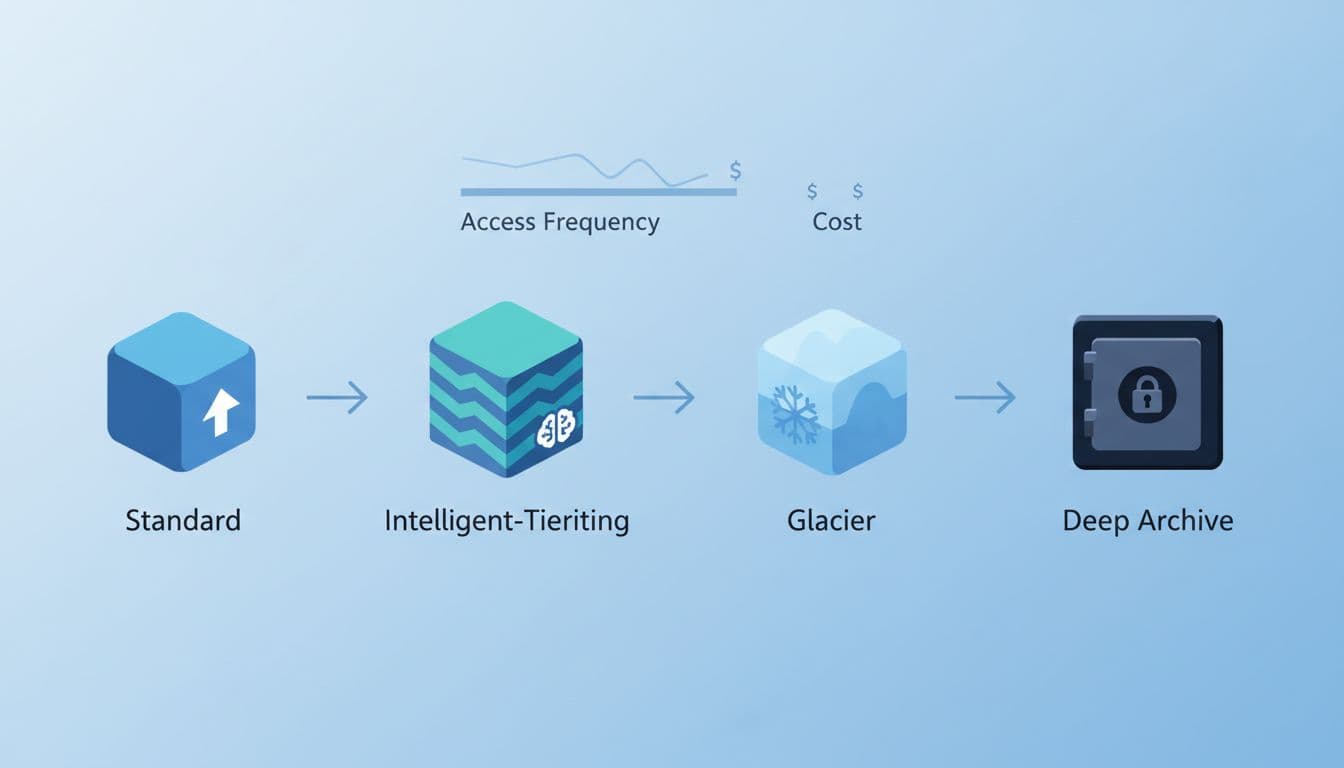
The big takeaway is simple: understanding S3 offers can save you money. access pattern beats instinct. If your team can’t predict reads, Intelligent-Tiering often helps. AWS says it has already saved customers more than $6 billion. If your legal or finance team needs records once a year, s3 glacier deep archive is often the better fit.
For a practical view of pricing traps, including request and retrieval charges, this 2026 S3 cost guide is worth a read.
Also remember that storage costs aren’t only storage. You also pay for requests, transitions, retrievals, and data transfer.
A bad s3 lifecycle rule can move millions of small objects and still leave you with a bigger bill than expected.
Real-world AWS S3 examples that show what good design looks like
You don’t need theory alone. Real companies show how amazon s3 features change cost and scale.
AWS shared a video-hosting platform case study where the company saved 70% on S3 at petabyte scale.
The lesson wasn’t magic, but understanding how Amazon S3 is designed can make a significant difference. The team matched storage classes to real access patterns and kept tuning.
This table shows three useful examples:
| Company | AWS S3 use | Reported result | What you can learn |
|---|---|---|---|
| Video hosting platform | Massive media archive | 70% S3 cost reduction | Lifecycle policy and class selection matter more than guesswork |
| Apollo Tyres | Hybrid backup and archive | 90% reduction in backup costs, over 160 TB stored | S3 works well when you need on-prem plus cloud flexibility |
| Snap | Long-term media retention | 1.5 trillion photos and videos stored, 2 exabytes migrated, 20% to 30% lower latency in some Regions | Glacier storage can cut cost without killing user experience |
Apollo Tyres used Amazon S3 File Gateway in a hybrid design, and AWS says the move cut backup costs by 90 percent. Snap moved media to S3 Glacier Instant Retrieval while keeping access fast enough for a consumer app at giant scale.
Those stories matter because they map to common business choices. A developer cares about retrieval time.
A CTO cares about architecture drift. A founder cares about launch speed. A CFO cares about whether cold data still sits in premium storage six months after nobody touched it.
If you want more runway before those bills pile up, it also helps to review free AWS credits up to $100K for eligible startups and new projects.

Free virtual cards for non-EU residents
Open in 1 working day, issue 100 virtual cards, and get up to 1.25% cashback.
Get a free account
Pros, cons, and a smart way to offset early AWS S3 costs
AWS S3 is strong, but it isn’t friction-free.
Pros
- It scales from tiny apps to multi-petabyte systems.
- It supports many s3 storage classes, so you can match cost to access.
- It works with most aws service stacks, from analytics to backup to AI.
- It gives you fine-grained controls for permissions of your amazon s3 resources.
Cons
- Pricing gets messy once requests, retrievals, and egress enter the bill.
- Bad bucket policies can expose data fast.
- S3 using folder-like prefixes can fool teams into thinking it’s a file system.
- S3 Express One Zone is fast, but its price changes the math quickly.
If you’re early-stage, credits can soften that learning curve. Spendbase promotes AWS discounts up to $100,000 and startup-focused credit support through its AWS savings and credits eligibility page.
The offer highlights up to $100K in credits, cloud discounts, and billing-focused support. Based on the published details, you stay focused on product work while they help with eligibility and partner arrangements.
That matters most when your aws account is still small, but your storage, inference, and backup bills are growing fast. If your team is using aws for prototypes, data storage, or new customer workloads, credits can buy time to set better lifecycle rules before waste becomes habit.

We can unlock discounts on 10,000+ tools you already use.
Conclusion: Why AWS S3 stays central
When you strip away the service names, AWS S3 is about one thing: putting each kind of data in the right place, with the right access, at the right price. That’s why it keeps showing up under apps, archives, analytics, and AI.
If your team treats S3 like a dumping ground, it will feel expensive and risky. If you treat it like a well-labeled warehouse, with clear ownership and smart lifecycle rules, it becomes one of the most dependable parts of your aws stack.


Get discounts on your team’s favorite apps
Find deals for 10%, 30%, or even 70% off in our discount marketplace.
Check Discounts



