











Cost optimization
How to Build a Global Infrastructure Without a Global Budget on Microsoft Azure

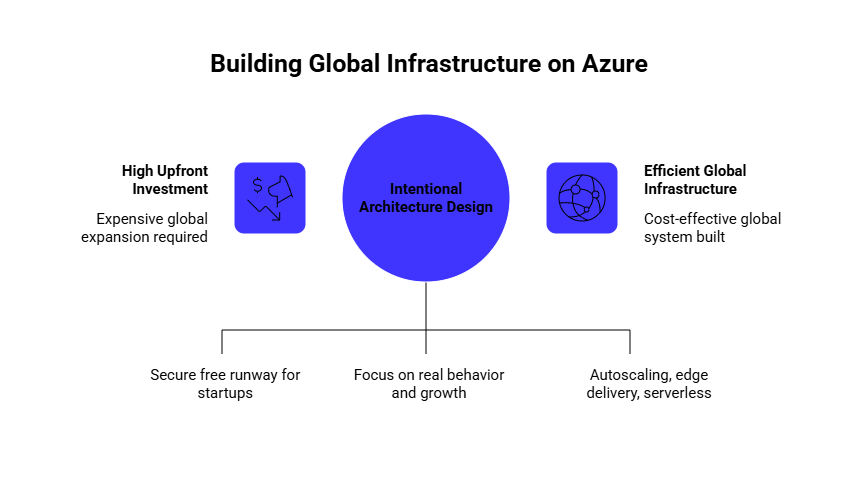
In the past, global expansion required significant upfront investment: multiple regions, duplicated infrastructure, complex failover setups, you name it.
Today, platforms like Microsoft Azure have changed that equation.
Yet, most importantly, your architecture should be designed intentionally.
In this article, we’ll walk through how to do that, backed up by our hands-on expertise of building a global-ready system without overbuilding the infrastructure.
Key highlights:
- Start with Azure credits, securing free runway with up to $250K in credits for software startups & infrastructure providers.
- The most efficient global infrastructures are designed around real workload behavior and measurable growth signals.
- Ensure you focus on intentional architecture decisions for cost optimization: autoscaling, edge delivery, serverless services, and cost controls from day one.
The Major Cost Drivers Behind “Global” Infrastructure
Based on our real-life observations of the scaling systems, cloud costs usually rise not from usage. But from overbuilding too early.
The good news is that, by understanding where costs come from will help you design more efficient architectures.
To do so, explore the table below.
| Cost Driver | What Typically Increases Costs | Common Pitfall |
| Multi-region deployments | – Duplicate infrastructure – Cross-region traffic – Synchronization overhead | Expanding globally too early |
| Overprovisioned compute | – Idle VMs – Oversized databases – Underutilized clusters | Sizing for theoretical peak demand |
| Data transfer & networking | – Cross-region traffic – Public internet egress – Load balancers – VPN gateways – Azure Front Door traffic – CDN usage at scale – Inter-service communication across regions | Poor traffic routing and service communication design |
| High availability everywhere | – Excessive redundancy – Failover infrastructure | Applying enterprise-grade resilience to all workloads |
| Operational complexity | – Increased DevOps workload – Increased maintenance effort | Overengineering infrastructure too early |
See how much you can save on your stack
Pick your team’s tools!
Click to select one or more tools.


What’s your company size?
Just click to select.
What’s your business email?
We'll send you calculations right away
The email is flying to your inbox!
Beyond discounts, you may qualify for up to $100K in AWS credits.

Single vs. Multi-Region: Making the Right Choice
From our experience, here’s an important (yet often overlooked) consideration before investing in global infrastructure.
Many teams believe multi-region deployments are the default path to high availability.
However, in many cases, a well-optimized single-region architecture can provide sufficient resilience.
At a significantly lower cost and operational complexity.
See a comparison below to see if multi-region strategy is justifiable for you.
| Single-Region | Multi-Region | |
| Cost | Lower infrastructure and ops costs | Higher due to duplicated infrastructure |
| Complexity | Simpler to manage | Higher operational complexity |
| Latency | Often sufficient with CDN/edge | Better for global low-latency workloads |
| Resilience | Limited regional redundancy | Stronger failover and disaster recovery |
| Networking | Lower traffic costs | Higher cross-region transfer costs |
| Engineering effort | Lower DevOps overhead | More monitoring and coordination required |
| Compliance | Limited geographic flexibility | Better for data residency requirements |
| Best fit | Startups, SaaS, internal systems | Global platforms and enterprise workloads |
When Multi-Region Does (And Doesn’t) Make Sense
Eventually, some businesses genuinely require multi-region infrastructure.
However, one of the most common cloud optimization mistakes is when teams implement globally distributed architectures before the business reaches the actual requirements that justify the additional complexity and cost: operational, or compliance ones.
From our experience, these are typical indicators that multi-region infrastructure may be justified:
- Rapid international traffic growth (across multiple geos) – when user demand expands across regions (in this case, additional deployments may help reduce latency).
- Strict disaster recovery requirements – businesses with strong uptime expectations often require regional failover capabilities to minimize operational disruption during outages.
- Regulatory or compliance constraints – some industries or countries require data residency, localized processing, or stricter infrastructure separation.
- Global customer bases with measurable latency issues – if latency directly impacts usability or conversion, regional infrastructure may become necessary.
- Revenue impact from regional outages – if downtime in a single region significantly affects revenue or operations.
- High availability commitments to enterprise customers – enterprise SLAs frequently require stronger resilience, redundancy, and disaster recovery guarantees across regions.
Besides, to evaluate whether the added infrastructure complexity and operational costs are truly justified, we recommend considering several aspects.
Check the table below:
Multi-Region Readiness Checklist (Add +2 points for every “Yes” answer) | |
| ✅ Latency issues are measurably impacting user experience or conversions | |
| ✅ Your global traffic is consistently growing across multiple regions | |
| ✅ Your business has strict disaster recovery or uptime requirements | |
| ✅ Downtime directly impacts revenue or critical business operations | |
| ✅ You have enterprise customers that require stronger SLA commitments | |
| ✅ CDN or edge optimization is no longer sufficient to solve latency issues | |
| ✅ Your engineering team can realistically support additional operational complexity | |
| ✅ Your current single-region architecture is approaching scalability or resilience limits | |
| Scoring:0–4: A single-region setup is likely sufficient6–10: Selective regional expansion may be beneficial12–16: Multi-region infrastructure is likely justified |
Besides, it’s important to ask the following questions:
– Can edge delivery or CDN optimization solve the problem first?
In many cases, caching and edge delivery solve latency issues more cost-efficiently.
– Does the workload truly require active-active redundancy?
Not every system needs enterprise-grade failover architecture. In some cases, efficient backup strategies or a well-optimized single-region setup can provide sufficient resilience.
– Can the engineering team realistically support added operational complexity?
Consider that multi-region setups increase monitoring, deployment, maintenance overhead, etc. Ensure your team is ready to that.
– Will the expected business value outweigh the infrastructure and operational costs?
Expansion should deliver measurable value, not just theoretical scalability.
Note this: in many cases, optimizing a well-designed single-region architecture (with edge delivery, caching, autoscaling, modular services, etc.) provides a far better cost-to-performance ratio than prematurely deploying globally distributed infrastructure.
Build a Cost-Efficient Global Architecture on Microsoft Azure: A Step-by-Step Framework
In this section, we’ll walk through a practical step-by-step framework for building global infrastructure on Azure.
The goal here is to achieve scalability without introducing unnecessary complexity or overspending.
Step 1. Start with a “Right-Sized” Multi-Region Strategy
A common mistake in global architecture is over-expansion at an early stage.
Instead of deploying across multiple regions from the outset, a more efficient approach is to begin with a single primary region supported by a paired secondary region for failover.
This setup provides a strong balance between performance, resilience, and cost control.
Azure’s paired regions are specifically designed to simplify disaster recovery and reduce operational complexity.
To leverage them efficiently, consider the following steps:
✅ Select a primary Azure region closest to your core user base.
✅ Configure a paired secondary region for disaster recovery.
✅ Prioritize active-passive instead of active-active deployments initially.
✅ Define clear failover and recovery objectives (RTO/RPO).
✅ Use CDN and edge delivery before adding more regions.
✅ Monitor latency, uptime, and traffic growth continuously.
✅ Expand regionally only after measurable growth or compliance needs appear.
✅ Avoid duplicating non-critical workloads across regions unnecessarily.
| Optimization Area | Recommended Solution | Core Impact |
| Primary infrastructure deployment | Single primary Azure region | > Lower initial infrastructure complexity |
| Disaster recovery | Paired secondary region | > Improved failover readiness |
| Availability strategy | Active-passive architecture | > Reduced infrastructure duplication |
| Recovery planning | Defined RTO/RPO objectives | > Better operational resilience |
| Performance optimization | CDN and edge delivery | > Lower latency without extra regions |
Step 2. Use Edge Instead of Full Replication
Instead of replicating backend systems across multiple regions, a more cost-efficient strategy is to bring performance closer to users through edge services.
Through a range of Azure solutions that enable intelligent routing and content caching at a global level.
To do that, follow these recommendations:
✅ Deploy Azure Front Door or Azure CDN for global traffic distribution.
✅ Cache static assets closer to end users.
✅ Route traffic based on latency or geographic proximity.
✅ Reduce unnecessary backend replication across regions.
✅ Optimize image, API, and content delivery performance.
✅ Monitor cache hit ratios and latency metrics continuously.
✅ Use edge optimization before deploying additional backend regions.
| Optimization Area | Recommended Solution | Core Impact |
| Global content delivery | Azure CDN / Azure Front Door | > Lower latency for global users |
| Static asset delivery | Edge caching | > Reduced backend load |
| Traffic routing | Latency-based routing | > Improved performance efficiency |
Overall, by caching static assets and routing traffic based on proximity or latency, you can significantly improve user experience without maintaining a fully replicated infrastructure.
This approach effectively decouples performance from infrastructure scale, and thus delivers a global experience while keeping costs under control.
Step 3. Go Serverless Where It Makes Sense
Serverless is especially effective for APIs, background processing, and event-driven workflows, where demand fluctuates and efficiency is critical.
Consider these benefits if you aim to reduce cost and improve scalability without manual intervention.
Serverless architecture shifts the cost model from provisioned capacity to actual usage.
This way, it’s particularly valuable for systems with variable or unpredictable demand, and services like Azure Functions and Azure Logic Apps allow applications to scale automatically in response to real-time events.
To improve scalability, follow these steps:
✅ Identify workloads with variable or unpredictable demand.
✅ Use Azure Functions for event-driven workloads and APIs.
✅ Automate workflows with Azure Logic Apps where applicable.
✅ Reduce always-on infrastructure for low-utilization services.
✅ Configure autoscaling thresholds and monitoring.
✅ Optimize execution time and resource consumption.
✅ Prioritize serverless for asynchronous and background processing workloads.
Thanks to these practices, you’ll eliminate the need to maintain idle infrastructure and enable global scalability, without upfront capacity planning.
| Optimization Area | Recommended Solution | Core Impact |
| Global content delivery | Azure CDN / Azure Front Door | > Lower latency for global users |
| Static asset delivery | Edge caching | > Reduced backend load |
| Traffic routing | Latency-based routing | > Improved performance efficiency |
Step 4. Optimize Data Strategy
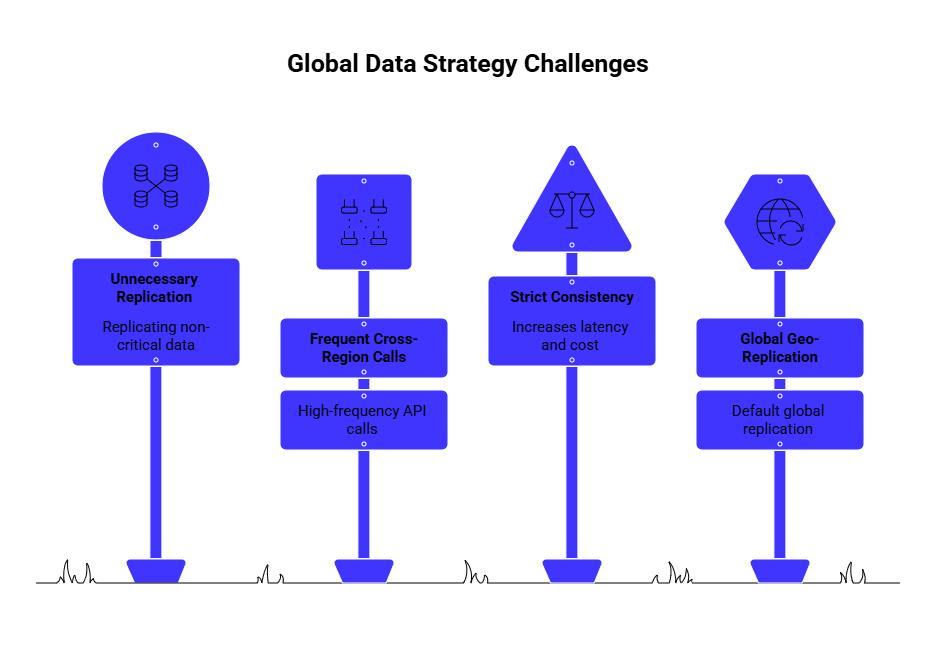
In global systems, data architecture often has a greater impact on cost than compute.
We frequently see replication, synchronization, and cross-region communication costs grow much faster than expected.
To avoid this, consider these practices:
✅ Replicate only business-critical data across regions.
✅ Keep write operations localized whenever possible.
✅ Minimize unnecessary cross-region communication (especially high-frequency cross-region API calls and background synchronization tasks).
✅ Evaluate consistency requirements carefully.
✅ Monitor data egress and replication costs continuously.
✅ Use geo-replication selectively instead of globally by default.
✅ Align database architecture with real workload behavior.
Overall, a more efficient approach is to keep write operations localized while replicating only the data necessary for global access.
Choosing the right consistency model is also critical, as strict consistency across regions can significantly increase both latency and cost.
| Optimization Area | Recommended Solution | Core Impact |
| Data replication | Business-critical data replication | > Lower replication costs |
| Write operations | Localized write strategy | > Reduced cross-region latency |
| Geo-replication | Selective geo-replication usage | > Reduced infrastructure complexity |
Step 5. Autoscale Everything
Designing for peak capacity leads to inefficiency, especially in systems with fluctuating demand.
To avoid this, use autoscaling, and it will allow your infrastructure to adjust dynamically based on real usage patterns, ensuring that you only pay for the resources you actually need.
✅ Configure autoscaling policies for compute resources.
✅ Scale based on real usage metrics (CPU, requests, queue length, etc.).
✅ Implement scheduled scaling for predictable traffic patterns.
✅ Reduce idle infrastructure during low-demand periods.
✅ Continuously monitor scaling efficiency and utilization.
✅ Test scaling behavior under peak traffic conditions.
✅ Avoid permanently provisioning for worst-case scenarios.
Besides, here’s a pro tip: when combined with scheduled scaling for predictable traffic patterns, autoscaling creates a balance between performance and cost efficiency.
| Optimization Area | Recommended Solution | Core Impact |
| Resource scaling | Autoscaling policies | > Better utilization efficiency |
| Traffic handling | Scheduled scaling | > Reduced idle infrastructure |
| Peak capacity management | Avoid permanent overprovisioning | > Lower infrastructure costs |
Step 6. Leverage Cost Controls from Day One
Cost optimization should be embedded into your architecture from the beginning.
Azure provides a range of tools to monitor and control spending, including budgeting, alerting, resource tagging, etc.
To implement these controls early, follow these steps:
✅ Set Azure budgets and spending alerts early.
✅ Implement resource tagging for cost allocation visibility.
✅ Monitor utilization and infrastructure spend continuously.
✅ Use Reserved Instances or Savings Plans for stable workloads.
✅ Consider Spot Instances for non-critical or interruptible workloads.
✅ Identify and eliminate idle or underutilized resources regularly.
✅ Establish cost governance policies from the beginning.
| Optimization Area | Recommended Solution | Core Impact |
| Cost visibility | Budgets and spending alerts | > Better spend control |
| Resource allocation | Resource tagging | > Improved cost visibility |
| Stable workloads | Reserved Instances / Savings Plans | > Lower long-term infrastructure costs |
| Non-critical workloads | Spot Instances | > Reduced compute expenses |
Step 7. Design for “Good Enough” Resilience
Another common source of overspending is overengineering reliability.
While high availability is important, not every system requires maximum redundancy or zero downtime.
Therefore, consider this:
✅ Define realistic RTO and RPO objectives early.
✅ Prioritize resilience for business-critical workloads only.
✅ Use active-passive architectures where appropriate.
✅ Avoid applying maximum redundancy to all systems.
✅ Separate critical and non-critical workloads by SLA requirements.
✅ Test failover and recovery procedures regularly.
✅ Continuously evaluate whether resilience investments match business impact.
| Optimization Area | Recommended Solution | Core Impact |
| Recovery planning | Defined RTO/RPO objectives | > Balanced resilience expectations |
| SLA segmentation | Workloads separation by SLA tier | > Better resource allocation |
| Reliability validation | Regular failover testing | > Improved operational readiness |
Key Considerations To Keep Cost-Efficient Global Infrastructure on Azure
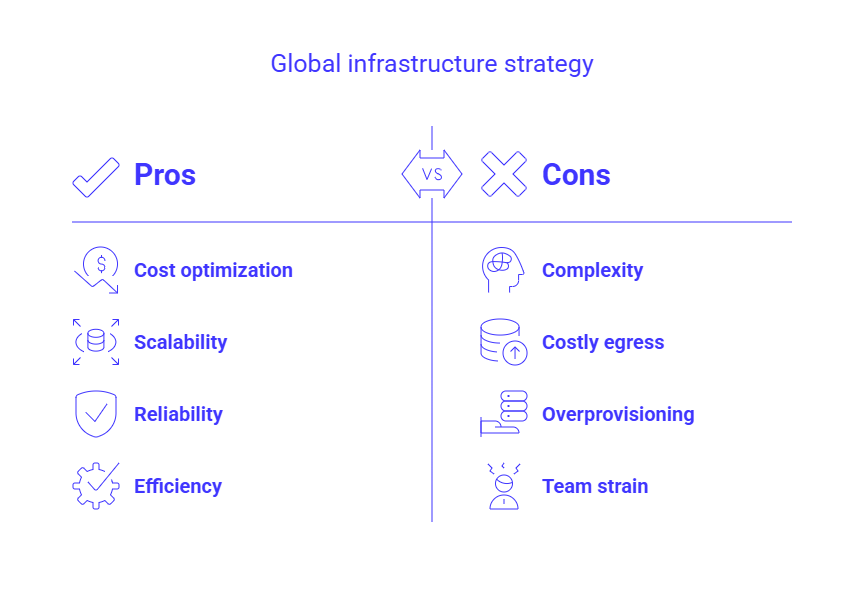
Many inefficiencies in global infrastructure come from incorrect assumptions made early on.
Therefore, before jumping into architecture decisions, ensure you define the basics that will influence performance and cost.
In doing so, thoroughly consider the following aspects:
> Your actual user distribution
Infrastructure should reflect real usage, not expectations. If most of your users are concentrated in one region, optimize for that first and expand only when demand justifies it.
To do so efficiently, follow these benchmarks:
- If 70-80% of your users are in one region, start with a single primary region;
- Add a second region when approx. 20–30% of traffic consistently comes from another geography;
- Monitor latency by region (as an example, 150-200 ms may justify expansion).
> Latency sensitivity of your product
Not every product requires ultra-low latency.
Define what “fast enough” means for your use case, as this directly impacts how much you invest in edge delivery, caching, or multi-region setups. Overestimating latency needs is a common source of overspending.
Common benchmarks here are:
- <50 ms – real-time systems (trading, gaming)
- 50–150 ms –user-facing apps (SaaS, marketplaces)
- 150–300 ms – acceptable for dashboards, internal tools
Also, consider using edge delivery (CDN) and caching as the first optimization layer before investing in multi-region infrastructure, as many latency issues can be resolved closer to the user without the added complexity, synchronization overhead, and operational costs of running workloads across multiple regions.
> Data gravity and compliance requirements
Your data layer will anchor your architecture.
Regulations (such as GDPR and industry-specific requirements) can limit where data is stored and how it moves. In this case, do the following:
- Keep write operations region-local whenever possible;
- Replicate only read-heavy or critical datasets;
- Be aware that cross-region egress costs can account for 10-40% of total spend in global systems.
> Traffic patterns and variability
Your scaling strategy should reflect how your system is used in reality. To handle this efficiently, follow several best practices based on real-world infrastructure scenarios.
See them below:
- Case #1: Spiky workloads (for example, seasonal traffic spikes, event-driven platforms, AI inference bursts). We recommend using serverless / autoscaling. It will help dynamically match infrastructure to demand and reduce idle resource costs.
- Case #2: Predictable workloads (internal systems, stable SaaS usage, continuously running backend services). For this, it’s better to use reserved capacity, as it can potentially deliver 20-60% savings compared to on-demand pricing.
- Case #3: Low infrastructure utilization. If your average utilization consistently remains below 40-50%, your environment is likely overprovisioned, meaning you are paying for capacity your workloads rarely use.
> Critical vs. non-critical workloads
Not every component requires the same level of resilience. In our experience, applying high-availability patterns across the entire system often leads to unnecessary infrastructure complexity and higher costs.
We recommend segmenting workloads based on their actual business impact and availability requirements. In particular, apply this segmentation approach:
- Tier 1 (critical – revenue-generating, user-facing systems). Use higher SLA targets (99.9-99.99%) and stronger redundancy measures.
- Tier 2 (supporting services that affect workflows but do not immediately block core business operations). In this case, moderate resilience is usually sufficient to balance reliability and cost.
- Tier 3 (internal tools, background jobs, and asynchronous workload, etc.). These systems are typically better suited for cost-optimized infrastructure and lower SLA targets.
| Workload Tiering Recommendations | |||
| Tier | Typical Examples | Typical SLA Approach | Recommendations |
| Tier 1 | – Payment processing – Customer-facing apps – Checkout flows – Production APIs | 99.9–99.99% SLA | → Use multi-AZ deployments → Implement failover mechanisms → Apply stronger alerting → Prioritize fast recovery |
| Tier 2 | – Reporting systems – Analytics dashboards – CRM integrations – Notification services | Moderate resilience | → Use backup / recovery strategies → Apply moderate redundancy |
| Tier 3 | – Internal admin panels – Batch processing – Development environments – Scheduled sync jobs | Lower SLA acceptable | → Prioritize cost optimization → Use flexible recovery expectations → Optimize for efficiency over maximum availability |
> Budget constraints vs. growth expectations
Another important aspect to consider is designing for current needs without limiting future growth.
To do so, choose architectures that scale incrementally, without forcing major architectural rewrites or unnecessary upfront infrastructure costs.
In particular, follow these practical signals:
- Avoid multi-region setups until clear growth signals exist
- Prioritize modular and loosely coupled services
- Target linear cost scaling, with costs growing proportionally with usage
> Team capacity and operational maturity
Your team’s size and experience should directly shape your architecture. For example, consider these real-life observations:
- For lean engineering teams, prioritize managed services and serverless-first approaches (it will help reduce operational overhead and allow teams to focus more on product development instead of infrastructure maintenance).
- If operations and infrastructure management consume more than 20-30% of engineering time, it is often a sign that the architecture has become overly complex relative to the team’s size or business stage.
Another useful tip: whenever possible, opt for automation over manual infrastructure management.
Use Infrastructure as Code (IaC), automated scaling, monitoring, deployment pipelines, self-healing systems, etc. This will improve reliability + reduce operational effort.

We can unlock discounts on 10,000+ tools you already use.
Final Thoughts
Summing up, building global infrastructure on Microsoft Azure does not require a global-sized budget from day one.
The most efficient architectures are usually not the most complex ones.
They are the ones aligned with real workload behavior, actual business priorities, realistic growth expectations, you name it.
For many startups and SaaS companies, Azure credits can become one of the most impactful early-stage optimization opportunities.
Programs offering up to $250K in Azure credits help offset infrastructure costs and reduce financial pressure during scaling – and with the help of Spendbase, companies can secure them with minimal effort.
Get in touch to see how we can help.


Get discounts on your team’s favorite apps
Find deals for 10%, 30%, or even 70% off in our discount marketplace.
Check Discounts



