










A VM hums along all day, all night, all month. Meanwhile, your bill climbs in the background, quiet as a parking meter that never stops. Sustained Use Discounts turn that steady runtime into automatic savings, which makes them one of the simplest ways to cut Google Cloud costs without signing a contract.
If you run long-lived workloads, this matters more than it seems. A stable app server, an analytics worker, or a baseline node pool can quietly earn credits while you focus on shipping code and keeping finance calm.
Below, you’ll see how sustained use discounts work, where they help, where they fall short, how they compare with a committed use discount, and how to automate better savings with clearer cost controls.
What Google Cloud Sustained Use Discounts are and why they matter
In plain English, Sustained Use Discounts are automatic price breaks for eligible Compute Engine usage that runs for a large part of the month. You don’t buy them. You don’t turn them on. Google Cloud applies them when an eligible compute engine resource keeps running long enough within a cloud billing account.
That’s why they’re easy to miss. You launch a VM instance at on-demand rates, then Compute Engine automatically calculates and applies credits later in the month.
As of 2026, discounts start after about 25% monthly usage, and full-month eligible usage can reach about 30% blended savings, although the exact discount rate depends on the machine type and family.
Google’s own Sustained Use Discounts documentation remains the best source for current eligibility and limits.
Think about a steady internal app server. It isn’t flashy, but it runs nearly all month and supports payroll, dashboards, or internal tools. That kind of quiet, boring workload often turns into the cleanest sustained use discount win.

Which workloads usually qualify for the biggest savings
The best fits are long-running workloads with stable uptime. In practice, that often includes always-on app servers, batch workers that run most days, dev or staging environments nobody shuts down, and baseline nodes behind Google Kubernetes Engine when those nodes sit on eligible Compute Engine instances.
A real-world case looks like this: your SaaS app keeps six baseline nodes alive all month for normal traffic, then autoscaling adds short-lived nodes during peaks. The baseline usage receives higher discounts, while the burst layer stays flexible.
Still, not every google cloud service qualifies. App Engine, some discounts for GPUs, and certain machine families follow different rules. Some custom machine types and memory-optimized machine types may also have different maximum rates.
Key features that make SUDs easy to use
No setup lives in the Google Cloud Console for this. The trick is workload shape, not a switch you flip.
Here’s why teams like SUDs:
- They apply automatically.
- There’s no upfront payment.
- There’s no commitment term.
- The discount percentage grows with usage.
- Credits show up at month-end.
- They fit teams that want savings without procurement delays.
For a CTO, that means less operational drag. For a CFO, it means lower waste without contract risk. For a developer, it means fewer pricing gymnastics.
See how much you can save on your stack
Pick your team’s tools!
Click to select one or more tools.


What’s your company size?
Just click to select.
What’s your business email?
We'll send you calculations right away
The email is flying to your inbox!
Beyond discounts, you may qualify for up to $100K in AWS credits.

How Sustained Use Discounts work across a billing month
Sustained use discounts work like a staircase, not a coupon. Google Cloud uses monthly runtime to decide when discounts apply automatically. A common month is modeled at about 730 hours, so the level of compute engine usage matters more than the day you launched a resource.
The simple version looks like this for many eligible compute engine resources:
- 0% to 25% of the month, no discount
- 25% to 50%, 20% off those hours
- 50% to 75%, 40% off those hours
- 75% to 100%, 60% off those hours
Because those are incremental discounts, your blended savings end up lower than the deepest final band. A VM that runs all month often lands near 30% off overall. That’s why list price and final billed price can differ.
Compute Engine uses these credits after usage accrues, rather than dropping the hourly price from the first minute.
A simple example of the discount building over time
Say you run one eligible compute engine VM for the full month at a list cost of $1,000. The first quarter of usage gets no discount. The next quarter gets 20% off. Then the deeper bands kick in.
You don’t get 60% off the entire month. You receive a discount for every incremental hour after each threshold. So your final charge might land closer to $700, not $400. In other words, the deeper the discount, the later it appears.
If your finance team compares list price to the final invoice mid-month, the numbers can look odd. The credits usually tell the real story at month-end.
Table and diagram to make the billing logic easy to scan
This quick table shows the common tier model for a sustained use discount.
| Monthly usage band | Discount on that band | Approx. blended savings by month-end |
|---|---|---|
| 0% to 25% | 0% | 0% |
| 25% to 50% | 20% | About 5% to 10% |
| 50% to 75% | 40% | About 10% to 20% |
| 75% to 100% | 60% | Up to about 30% |
The main takeaway is simple: the discount increases as runtime grows, but only on later usage bands.
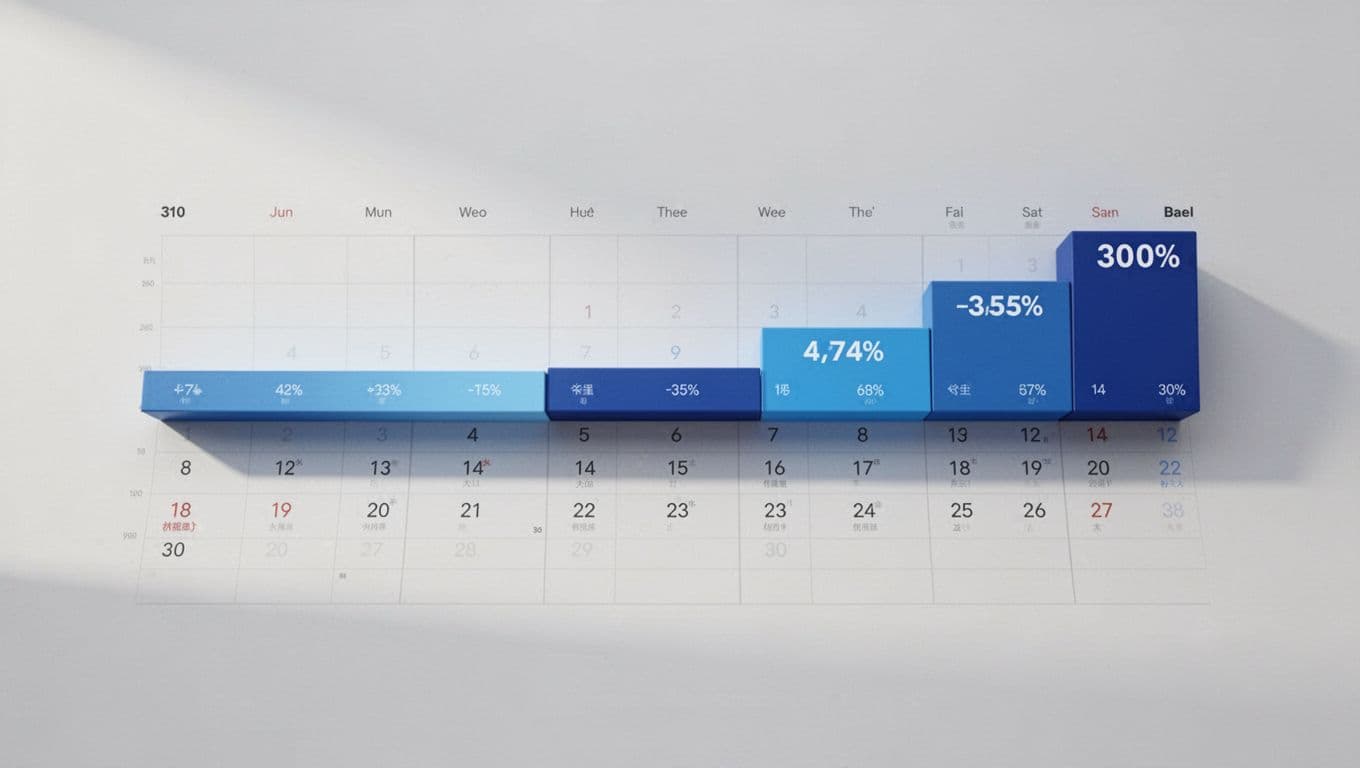
Month timeline diagram
Day 1 to 7 → no discount Day 8 to 15 → 20% off those hours Day 16 to 22 → 40% off those hours Day 23 to month-end → 60% off those hours
SUDs vs committed use discounts, when flexibility beats a contract
If you’re weighing committed use discount vs sustained options, the tradeoff is plain. SUDs are automatic and flexible. Committed use discounts can save more, but they ask you to make a 1-year or 3-year commitment with Google Cloud.
That gap is big in 2026. SUDs can reach about 30% blended savings for full-month eligible use. By contrast, a committed use discount can often reach 55% to 70%, depending on the resource type and commitment model, with memory-optimized machine types at the high end. Google’s CUD recommendations tool can help you test when stable usage should move into compute flexible CUDs or resource-based commitments.
This is where gcp cud vs sud becomes a business question, not a technical one. During migration, uncertain product growth, or changing environments, you want room to move. Once your baseline settles, deeper commitments usually win.

Comparison table, Sustained Use Discounts vs committed use discounts
This side-by-side view helps both engineering and finance scan the decision fast.
| Factor | Sustained Use Discounts | Committed Use Discounts |
|---|---|---|
| Commitment | None | 1-year or 3-year term |
| Savings potential | Up to about 30% blended | Often 55% to 70% |
| Flexibility | High | Lower |
| Operational effort | Low | Higher, planning required |
| Risk of overcommitting | None | Real if demand drops |
| Best fit | Changing or uncertain long-running workloads | Stable baseline production use |
| Billing behavior | Credits after usage | Monthly commitment charges |
The big picture is clear: use discount vs sustained use discount comes down to flexibility versus maximum savings.
When each discount model makes the most sense
Use SUDs for seasonal traffic, migration periods, new environments, or products with fuzzy growth curves. They also work well when you use resources across changing projects and don’t want to guess next quarter’s floor.
Pick CUDs for steady databases, core production APIs, and known baseline usage. If the same compute engine instances run month after month, you’ll often save more with a commitment. If you want to reduce admin work later, Google also lets you renew commitments automatically.
Spot VMs and other google cloud discounts can change the picture, so check overlap rules before you assume discounts stack.

We can unlock discounts on 10,000+ tools you already use.
Benefits, limits, and the best ways to maximize SUD savings
SUDs shine because they cut spend without asking you to predict the future. That matters when google cloud costs rise through slow sprawl, not one giant mistake. They support long-running workloads, help during uncertain growth, and reduce the pain of always-on systems that don’t justify a hard commitment yet.
They also have limits. Not every machine type or service qualifies. Some workloads won’t hit the 25% threshold. If your usage is highly stable, committed use discounts and sustained use discounts don’t offer equal value, and CUDs usually save more. Resources receiving any other discounts may not also use these credits beyond their own rules.
To maximize savings, keep the advice practical:
- Right-size always-on compute engine instances instead of carrying oversized headroom.
- Reduce VM churn, because frequent stop-start patterns can weaken a sustained use discount.
- Keep steady baseline workloads on an eligible compute engine resource when possible.
- Use autoscaling for spikes instead of overprovisioning 24/7.
- Review billing reports monthly in the Google Cloud Console.
- Model scenarios with the Google Cloud pricing calculator and compare them with your actual bill.
- Re-test each workload once usage stabilizes, because a CUD may beat SUD later.
Ideal scenarios for SUDs, and cases where they fall short
Best-fit cases include migrations, growing SaaS products, always-on but not fully predictable apps, and teams that want a no-contract automatic discount.
Weak-fit cases include very short-lived jobs, ineligible machine types, workloads already covered by a stronger type of discount, or highly stable usage where a committed use discount vs sustained model clearly favors the commitment.
A quick case study makes this concrete. A retailer moved a reporting stack to GCP and kept three VMs running almost nonstop during a six-month migration. SUDs cut spend while traffic patterns stayed messy. Later, once the reporting stack stopped changing, the team moved the baseline to a commitment with google cloud offers that better matched steady demand.
Use Spendbase to find waste, model discounts, and cut more from your bill
Automatic discounts help, but they don’t fix waste on their own. You still need visibility into oversized instances, idle baseline capacity, and the point where SUDs should give way to commitments.
That’s where Google Cloud discount options from Spendbase can help. The offer is clear, up to 5% off, and the bigger value is context. You can compare workload fit, spot over-sized instances, and decide whether your current compute flexible setup, custom machine types, or steady baseline usage belongs on SUDs or a CUD instead.
For a CTO, that means clearer architecture tradeoffs. For a CFO, it means cleaner forecasts. For a developer, it means less guesswork around which compute engine offers the best cost path.
Long-running workloads are like lights left on in an office. If they need to stay on, you want the bill to recognize that. Sustained Use Discounts do exactly that for eligible Google Cloud workloads, and they do it automatically.
TL;DR
- SUDs are automatic credits for eligible Compute Engine usage.
- Discounts start after about 25% monthly runtime.
- Full-month eligible usage can reach about 30% blended savings.
- CUDs usually save more, but only when your usage is stable enough for a contract.
- SUDs work best for long-running, flexible workloads with uncertain growth.
- You maximize them by right-sizing, reducing churn, and reviewing whether stable workloads should move to a commitment.
Your next step is simple: audit every always-on VM, then decide whether it should stay on SUDs, be right-sized, or move to a committed plan.


Get discounts on your team’s favorite apps
Find deals for 10%, 30%, or even 70% off in our discount marketplace.
Check Discounts



