











Access Expense Discount - Up to 50% off
Manage expenses online and automate tasks for increased efficiency, saving your finance team time and gain a better employee
Get discountCategory
Expense Report Software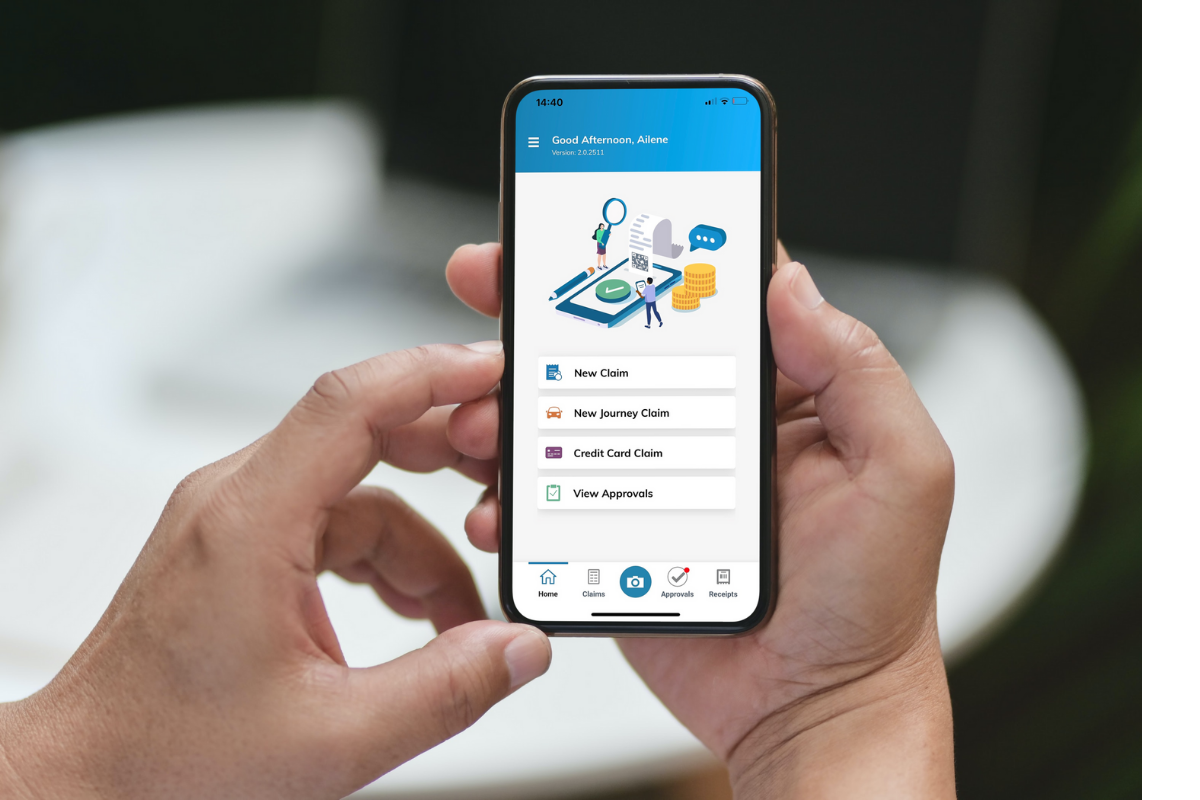
What is Access Expense?
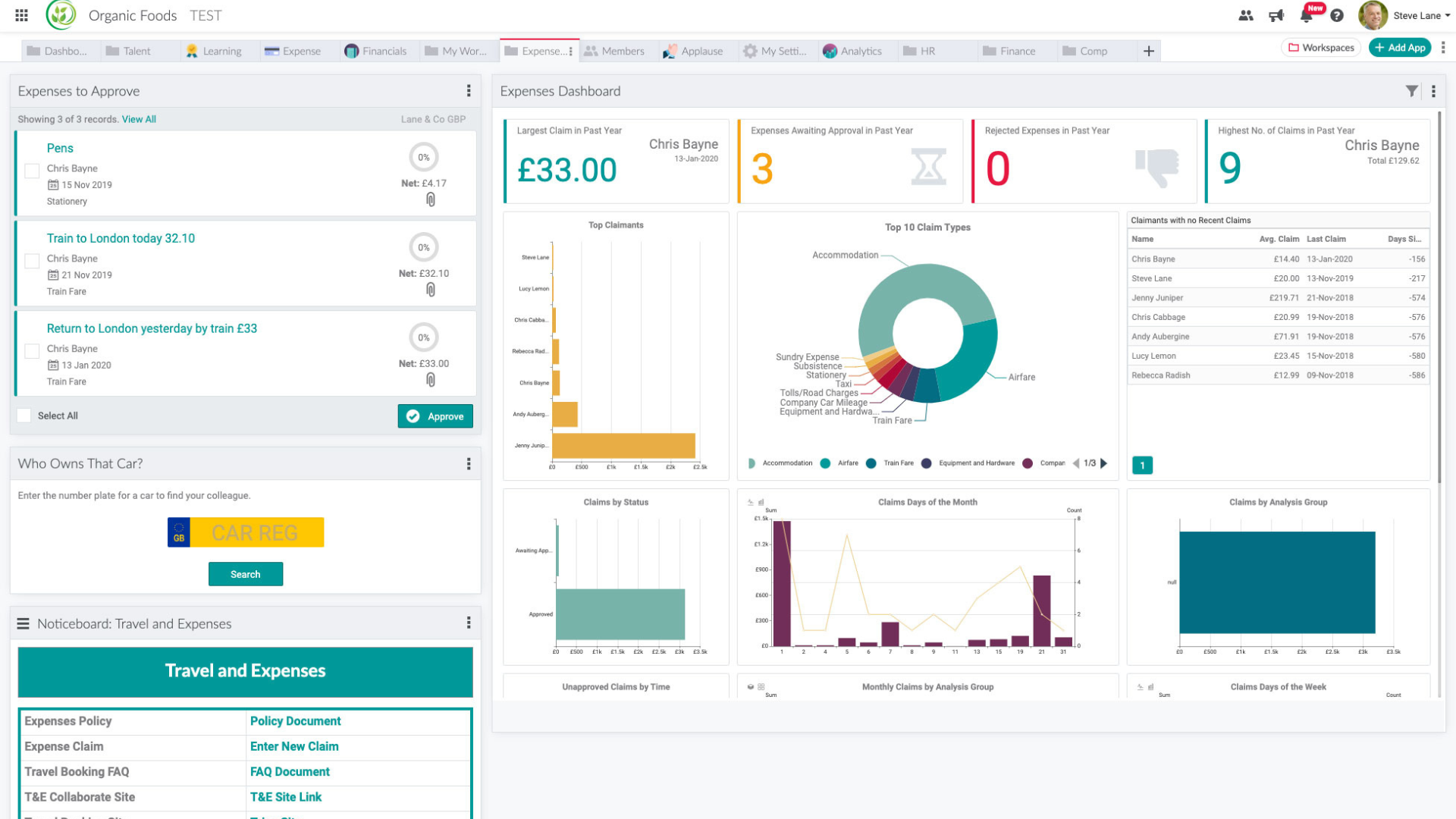
Access Expense is a cloud-based expense management solution designed to automate and streamline the process of logging, approving, reconciling, and reimbursing business expenses. It enhances efficiency and compliance by reducing manual errors and accelerating processing times. Key features include automated expense processing, a mobile app for on-the-go expense capture, real-time data analytics for insightful reporting, customizable settings to enforce company expense policies, integration capabilities with existing financial systems, and support for multi-currency and taxation rates. These features collectively simplify expense management, improve the employee experience, and aid in better financial decision-making.
- Automated expense capture and processing workflows
- Customizable policy controls and compliance rules
- Intuitive, streamlined employee expense submission
- Real-time spend visibility for better decisions
- Scalable platform adapting to business growth
- Cloud-based, multi-device access to expenses
Eligibility
Number of Seats/Users: Access Expense offers discounts based on the number of users or seats. A higher volume typically leads to a better discount structure, especially for enterprise-level usage.
Commitment to a Long-Term Contract: Discounts are often provided to companies that commit to using the service for a longer period (e.g., 1-year or 3-year contracts). A longer commitment shows Access Expense that the company is serious and willing to invest in the platform long-term.
No Active Discounts: Companies that are not already receiving other active discounts may have a better chance of qualifying for additional discounts from Access Expense. Access Expense reserves discounts for new customers or those not currently under promotional pricing.
Volume or Usage Commitment: Access Expense offers discounts if you agree to a minimum amount of usage or transaction volume. This could be based on data storage, transactions, or other metrics tied to how much you will use the platform.
Enterprise-Level Negotiation: Companies that qualify as “enterprise” due to their size or complexity (e.g., having large teams, multiple departments, or geographical presence) may be eligible for additional discounts from Access Expense. Such companies are often in a position to negotiate for better pricing.
Early Renewal or Prepayment: Access Expense often offers discounts if you renew early or prepay for the entire contract period. This is a common approach to securing a lower price.

Access Expense - Up to 50% off
Reviews
Here at Spendbase our internal data shows that Access Expense is generally viewed positively, especially for companies that want to move away from manual expense processes without deploying a heavy, complex tool.
From what Spendbase clients tell us, a few clear themes stand out:
1) Strengths we see most often
– Simple to adopt
– “Agile” and light to run day to day
– Scales up well as headcount and expense volume grow
Clients often highlight that Access Expense works well for:
– Replacing spreadsheets and email-based expense tracking
– Bringing basic structure and control to expense submissions
– Supporting growing teams without constant reconfiguration
2) Experience on different platforms
Our internal data shows that the main friction point is the desktop experience:
– Desktop can feel “clunky”
– Navigation is not always intuitive for new users
– Some employees need extra guidance or short training to get comfortable
Mobile and core workflows tend to be smoother, while desktop UI is where we see the most usability complaints.
3) Alignment with finance goals
Based on Spendbase conversations, Access Expense fits best when the priorities are:
– Enforcing a clear expense policy
– Reducing manual checks and approvals
– Getting cleaner, more structured data for finance decisions
Finance teams like that it removes a lot of low-value admin and gives them more reliable expense data.
4) Spendbase discount & deployment guidance
When we negotiate Access Expense for clients, we typically recommend:
– Match licenses closely to active expense users (don’t over-buy)
– Pilot with one or two departments to iron out desktop UX issues
– Provide a short how-to guide focused on the desktop version
In summary, our internal data shows that Access Expense is a solid, scalable option for simplifying expenses, with its main improvement area being a more modern, intuitive desktop interface.
See how much you can save on your stack
Pick your team’s tools!
Click to select one or more tools.


What’s your company size?
Just click to select.
What’s your business email?
We'll send you calculations right away
The email is flying to your inbox!
Beyond discounts, you may qualify for up to $100K in AWS credits.

FAQ
1. What is Access Expense?
Access Expense is a mobile app designed to capture, submit, approve, and manage expenses on the go, simply and easily.
2. How do I access the Access Expense app?
Download the app from the App Store, sign in or sign up with your registration code, and start managing expenses.
3. Can I use Access Expense for personal expense tracking?
Access Expense is primarily designed for business expense management; personal use may not be supported.
4. Is there a cost associated with using Access Expense?
Access Expense is free to download; however, usage may require a subscription or be part of an organizational plan.
5. What should I do if I encounter issues with the app?
Contact customer service at customerservice@memberweb.com for assistance with any app-related issues.
6. Does Access Expense support receipt scanning?
Yes, the app allows users to capture and submit receipts for expense reporting.
7. Is Access Expense compatible with all devices?
Access Expense requires iOS 13.4 or later and is compatible with iPhone, iPad, and iPod touch.
8. How secure is my data on Access Expense?
Access Expense adheres to privacy practices, collecting data linked to your identity and ensuring secure handling.
Related discounts

Locomote
Expense Report Software
Up to 45% off

Volopa
Expense Report Software
Up to 35% off

Roomex
Expense Report Software
Up to 45% off

Cardata
Expense Report Software
Up to 25% off

Vyay
Expense Report Software
Up to 20% off

fees PRO
Expense Report Software
Up to 15% off
Software cost optimization
Access Expense savings in five steps
Let’s estimate your potential savings and see how you can scale your cloud infrastructure.
One call. No cost. No commitments


meet vendor relationship EXPERTS
Our customers save millions with us



Save on Access Expense
It’s time to shrink your bill
Let our SaaS cost optimization experts check what deals you can get and how much you can save on your corporate subscriptions
See how you can:
- Learn about pricing benchmarks and discounts
- Present potential savings by vendor to your team
- Meet your SaaS and cloud cost optimization goals
Get Access Expense discount
We’ll email you back within 1 business day