











Day Off Discount - Up to 40% off
Track attendance & PTO with rotating shifts, WFH, flexible hours & more. Trusted by 50K+ teams. Starting from $1 USD
Get discount
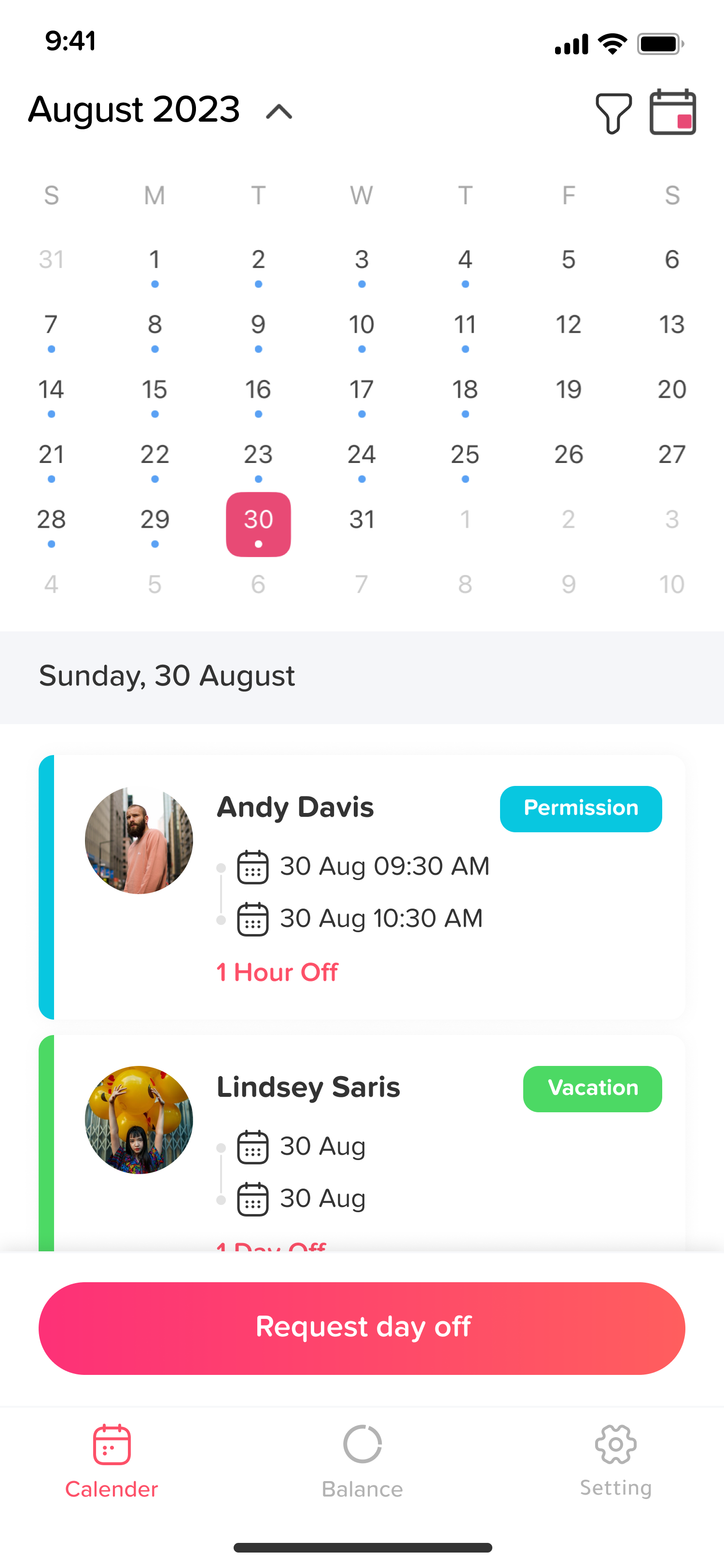
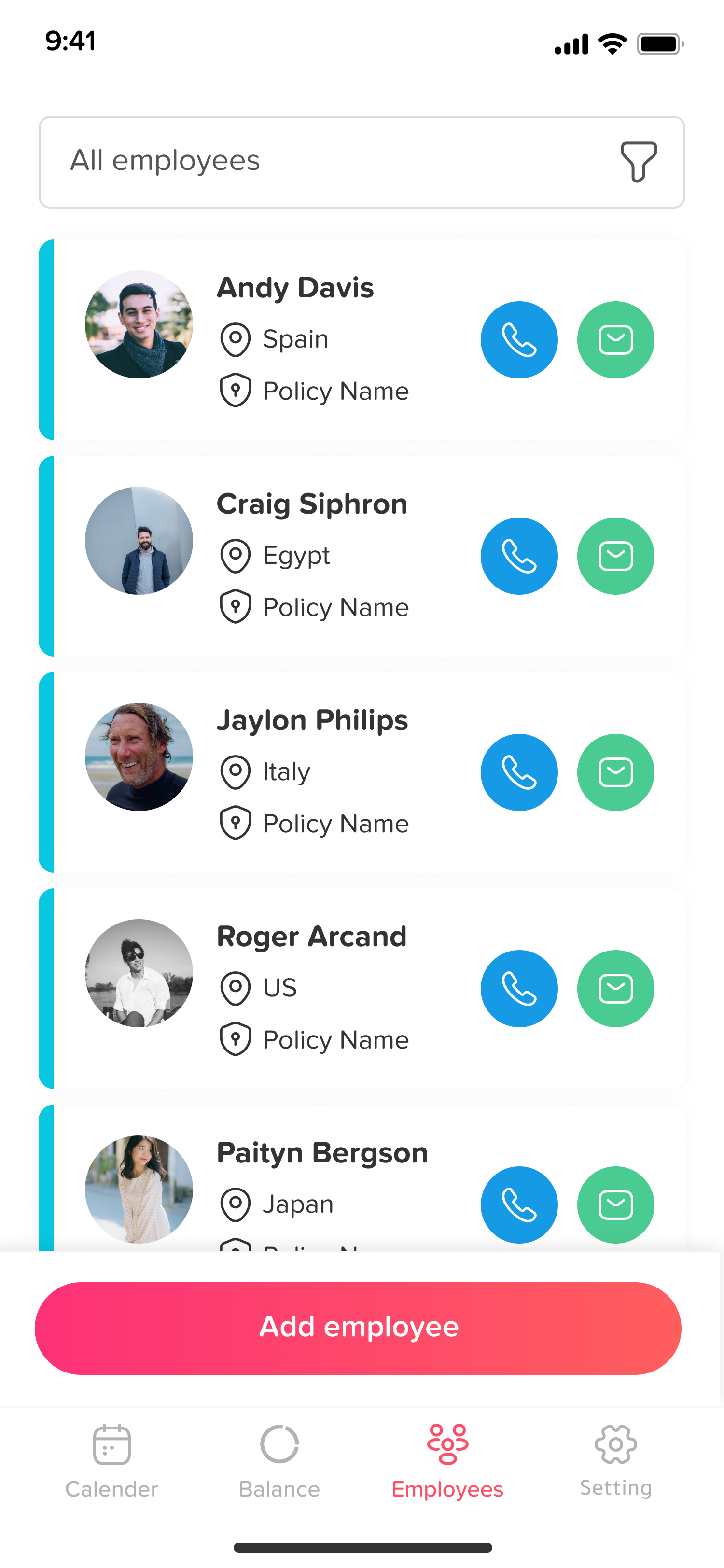
What is Day Off?
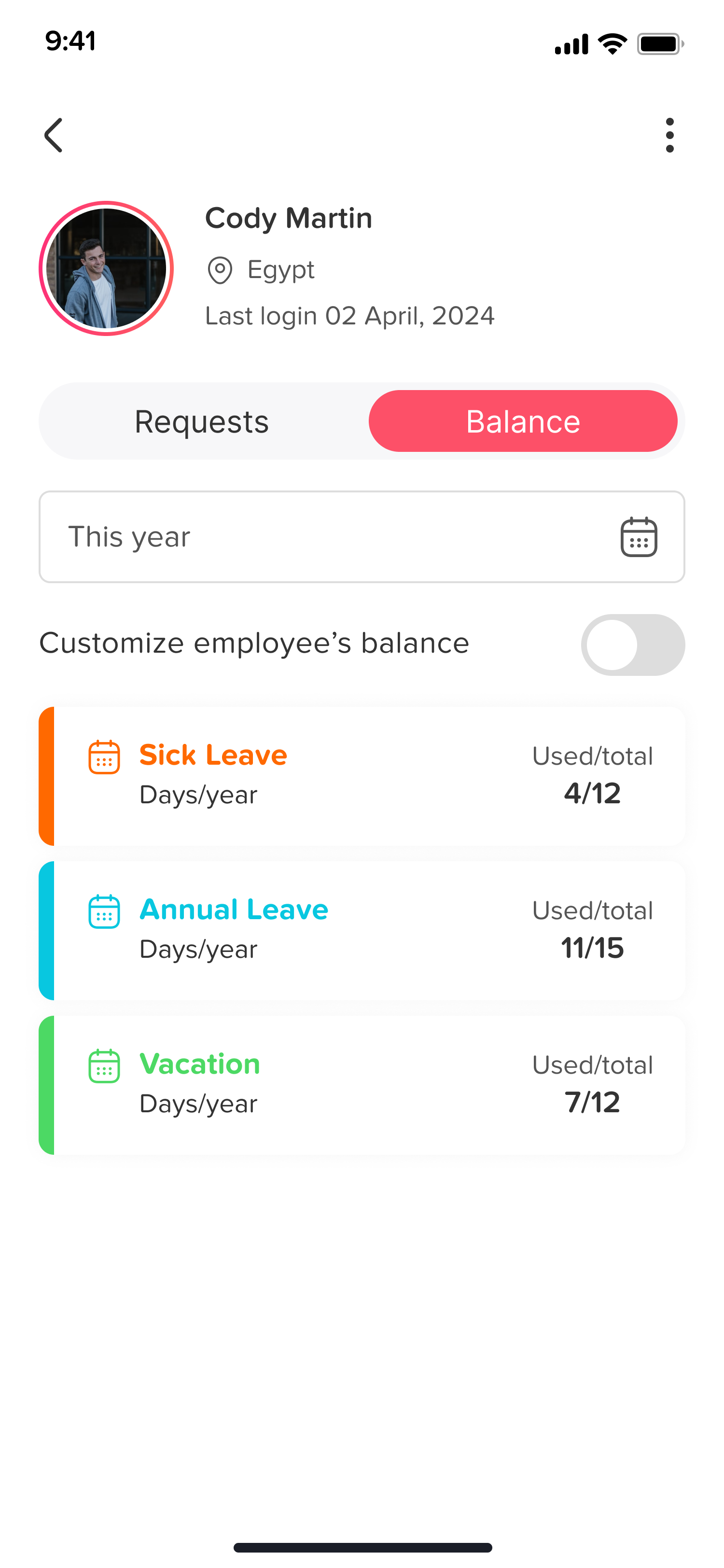
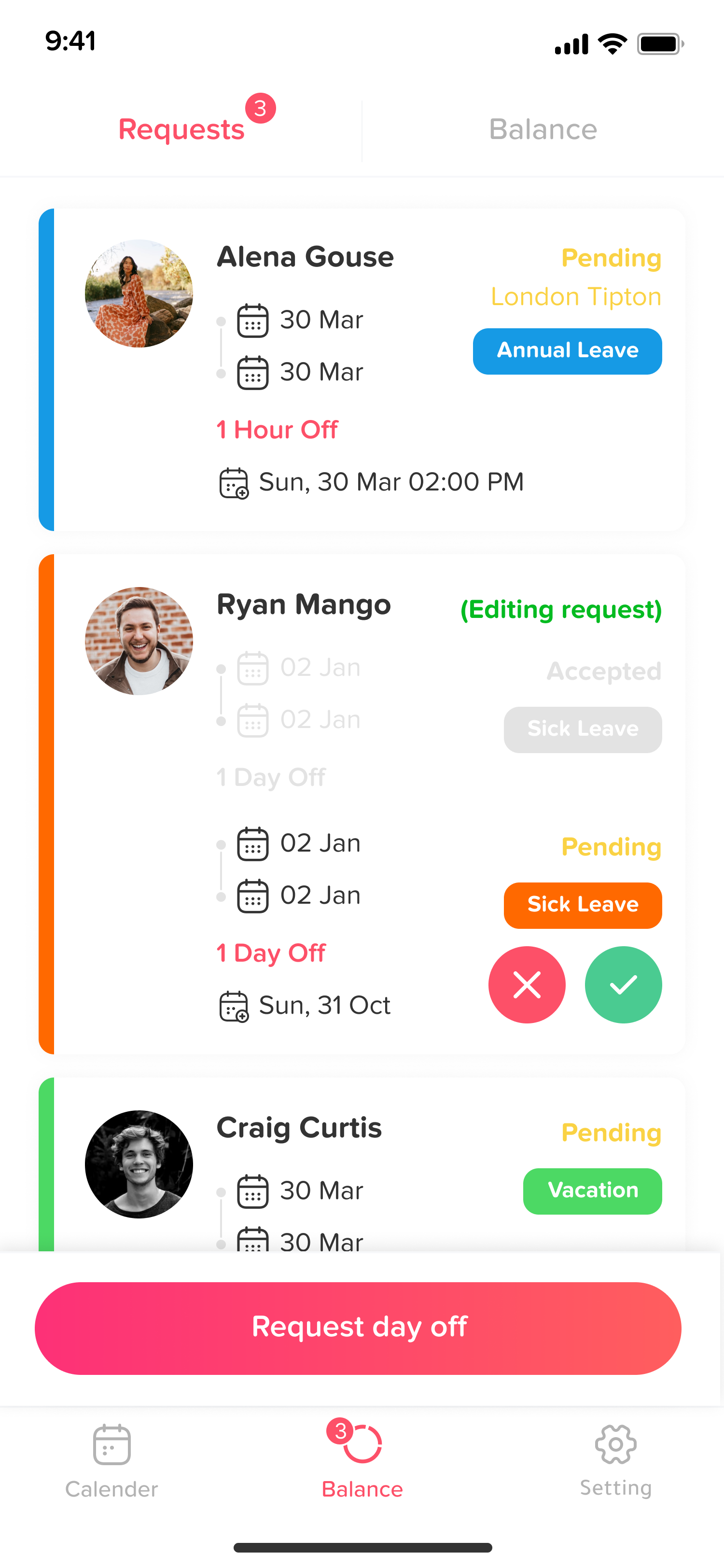
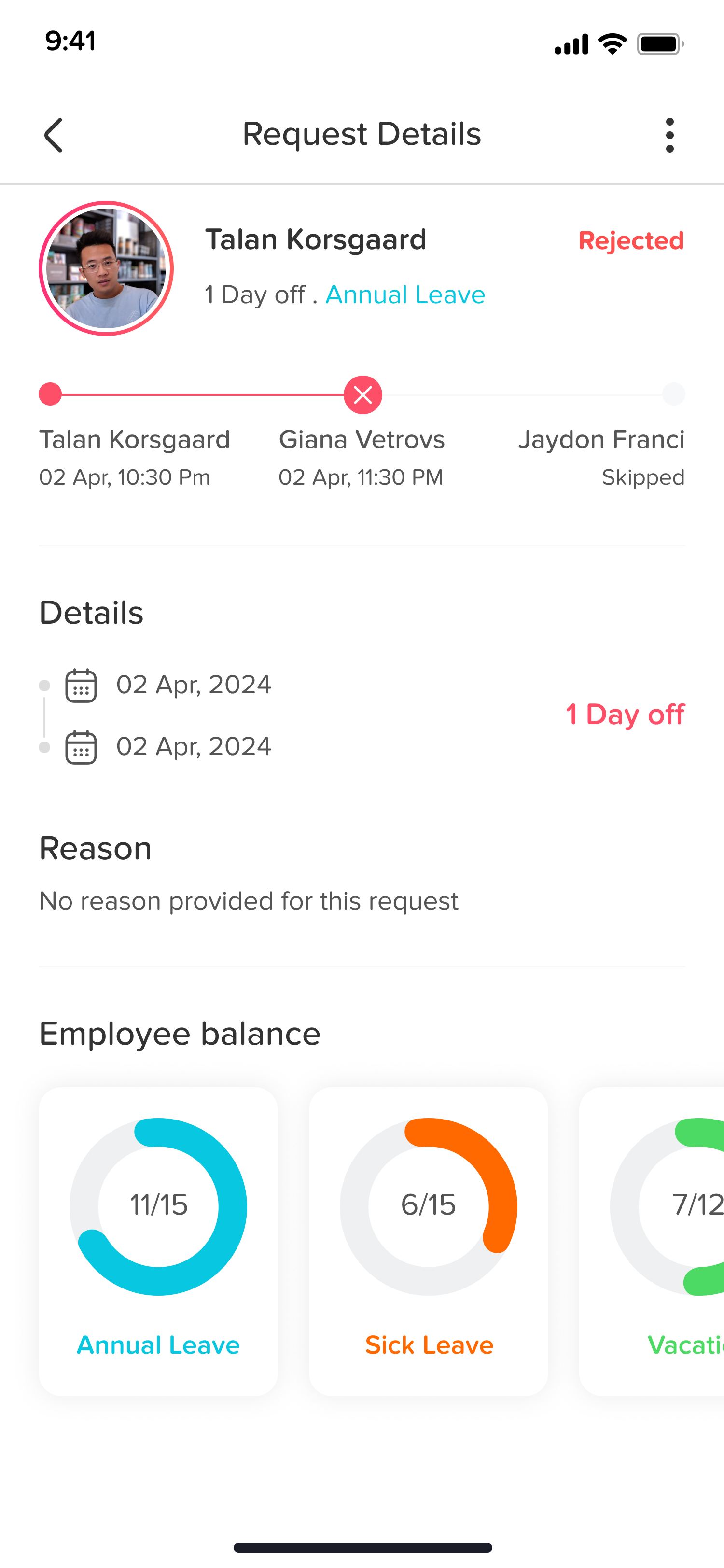
Day Off is a user-friendly leave management system designed to streamline the tracking and approval of employee time off. It offers a visual dashboard for quick overviews of staff availability, allowing employees to easily request leave and managers to approve requests efficiently. Key features include support for multiple approvers, unlimited teams and locations, and the ability to manage leave in both days and hours. The platform also provides customizable leave policies and integrates with calendars for seamless scheduling. With its intuitive interface and comprehensive functionality, Day Off simplifies leave management for organizations of all sizes.
- Intuitive self-service web and mobile interface
- Centralized calendar dashboard showing team absences
- Customizable leave types, balances, and accruals
- Multi-location support with country-specific holidays
- Flexible approval workflows with manager notifications
- Low-cost, scalable pricing for all businesses
Eligibility
Number of Seats/Users: Day Off offers discounts based on the number of users or seats. A higher volume typically leads to a better discount structure, especially for enterprise-level usage.
Commitment to a Long-Term Contract: Discounts are often provided to companies that commit to using the service for a longer period (e.g., 1-year or 3-year contracts). A longer commitment shows Day Off that the company is serious and willing to invest in the platform long-term.
No Active Discounts: Companies that are not already receiving other active discounts may have a better chance of qualifying for additional discounts from Day Off. Day Off reserves discounts for new customers or those not currently under promotional pricing.
Volume or Usage Commitment: Day Off offers discounts if you agree to a minimum amount of usage or transaction volume. This could be based on data storage, transactions, or other metrics tied to how much you will use the platform.
Enterprise-Level Negotiation: Companies that qualify as “enterprise” due to their size or complexity (e.g., having large teams, multiple departments, or geographical presence) may be eligible for additional discounts from Day Off. Such companies are often in a position to negotiate for better pricing.
Early Renewal or Prepayment: Day Off often offers discounts if you renew early or prepay for the entire contract period. This is a common approach to securing a lower price.

Day Off - Up to 40% off
Reviews
Here at Spendbase our internal data shows that Day Off is hitting the mark for most Spendbase clients, especially on usability and price, with a few clear areas where teams still feel friction.
Key positives our clients highlight:
- Ease of use & adoption
- Very little or no training needed
- Staff can self-serve: submit, track, and manage PTO on their own
-
Managers like the quick overview via calendar and dashboards
-
Operational impact
- Major time saver vs spreadsheets and manual tracking
- Better visibility into who’s off and when, which supports staffing and planning
-
Built-in communication and approval workflows reduce back-and-forth
-
Fit for smaller budgets
- Per-seat price is called out as “so much cheaper than the competition”
- Free and trial tiers are used heavily by small businesses and non-profits
-
Some clients still need to justify even $1/user, which is where discounts and optimization help
-
Flexibility
- Custom leave types (e.g., sick, birthday, special PTO)
- Ability to support multiple teams and holidays across countries
- Mobile access is a real plus for some teams
At the same time, our internal data shows consistent themes where Spendbase clients feel Day Off could improve:
- Integrations & compatibility
- Strong demand for Outlook/O365 and Google Calendar sync
-
Desire for smoother work with Safari and more third-party tools
-
Calendar & reporting quirks
- Confusion around week start (Monday vs Sunday) and date formats
- Reporting and analytics seen as “fickle” or not clear enough
-
Accrual issues, especially for employees starting mid-year
-
Feature gaps
- More granular time tracking (late arrivals/early departures)
- Easier handling of split days and TOIL (time off in lieu)
- Archiving ex-employees instead of deleting
- Copying holidays across locations
- More control over notification times and stronger support resources
From a Spendbase discount perspective, this tells us:
- Day Off is already a high-value, low-cost solution for PTO management.
- However, missing integrations and advanced features can lead to extra tools or manual work.
- When negotiating or right-sizing Day Off plans, we focus on:
- Matching the paid tier only to the features your team will actually use
- Ensuring you don’t over-buy seats or functionality just to work around these gaps.
See how much you can save on your stack
Pick your team’s tools!
Click to select one or more tools.


What’s your company size?
Just click to select.
What’s your business email?
We'll send you calculations right away
The email is flying to your inbox!
Beyond discounts, you may qualify for up to $100K in AWS credits.

FAQ
1. What is Day Off Discounts?
Day Off Discounts offers exclusive deals on various products, providing significant savings for our customers.
2. How can I access the discounts?
Simply visit our website, browse the available deals, and make your purchase directly through our platform.
3. Are the discounts available every day?
Yes, we offer new discounts daily to ensure you always have access to fresh deals.
4. Do I need to create an account to use the discounts?
No, you can browse and purchase without an account, but creating one offers a more personalized experience.
5. Are there any hidden fees associated with the discounts?
No, the price you see is the price you pay; there are no hidden fees.
6. Can I combine multiple discounts on a single purchase?
Our system currently supports one discount per purchase to ensure fairness for all customers.
7. What should I do if I encounter issues with a discount code?
Please contact our customer support team for assistance with any discount code issues.
8. How often are new discounts added?
We add new discounts daily to provide a variety of deals for our customers.
Related discounts

Kammi SIRH
Attendance Tracking Software
Up to 20% off

Turno.pt
Attendance Tracking Software
Up to 20% off

TimeTrakGO
Attendance Tracking Software
Up to 15% off

Officekit
Attendance Tracking Software
Up to 50% off

Hotel Effectiveness
Attendance Tracking Software
Up to 40% off

TimeIPS
Attendance Tracking Software
Up to 35% off
Software cost optimization
Day Off savings in five steps
Let’s estimate your potential savings and see how you can scale your cloud infrastructure.
One call. No cost. No commitments


meet vendor relationship EXPERTS
Our customers save millions with us



Save on Day Off
It’s time to shrink your bill
Let our SaaS cost optimization experts check what deals you can get and how much you can save on your corporate subscriptions
See how you can:
- Learn about pricing benchmarks and discounts
- Present potential savings by vendor to your team
- Meet your SaaS and cloud cost optimization goals
Get Day Off discount
We’ll email you back within 1 business day