











Do Your Order Discount - Up to 45% off
Do Your Order: The most mobile-friendly, self-onboarding restaurant management solution, available in 22 languages and 175 markets.
Get discountCategory
Bar POS Software

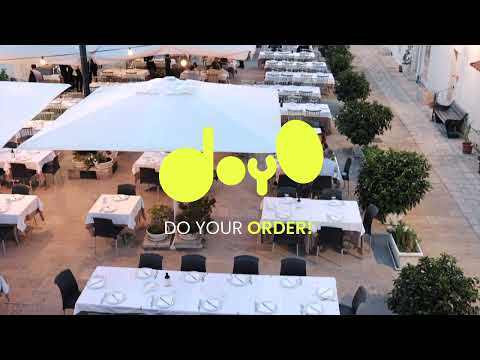

What is Do Your Order?
Do Your Order (DOYO) is a cloud-based SaaS platform designed to streamline restaurant operations without the need for additional hardware. It offers digital menus in 22 languages, self-ordering capabilities, a Kitchen Display System (KDS), and a robust Point of Sale (POS) solution. The platform features self-onboarding with automated instructions, enabling quick and independent setup. Additional functionalities include real-time reporting, table service management, and multilingual menus with allergen filters, all accessible via smartphones or tablets. DOYO is suitable for various establishments, from local cafes to international chains, aiming to enhance workflow efficiency and service quality.
Based on the provided product data, the six most important features of Do Your Order are:
-
Hardware-free, user-centric SaaS platform: Operates on everyday devices like smartphones or tablets.
-
Digital menus in 22 languages: Enhances accessibility for diverse customers.
-
Self-ordering capabilities: Empowers customers to place orders independently.
-
Comprehensive Point of Sale (POS) solution: Manages transactions efficiently without specialized hardware.
-
Self-onboarding feature: Allows quick, effortless setup with automated instructions.
-
Kitchen Display System (KDS): Streamlines kitchen operations with real-time order updates.
Eligibility
Number of Seats/Users: Do Your Order offers discounts based on the number of users or seats. A higher volume typically leads to a better discount structure, especially for enterprise-level usage.
Commitment to a Long-Term Contract: Discounts are often provided to companies that commit to using the service for a longer period (e.g., 1-year or 3-year contracts). A longer commitment shows Do Your Order that the company is serious and willing to invest in the platform long-term.
No Active Discounts: Companies that are not already receiving other active discounts may have a better chance of qualifying for additional discounts from Do Your Order. Do Your Order reserves discounts for new customers or those not currently under promotional pricing.
Volume or Usage Commitment: Do Your Order offers discounts if you agree to a minimum amount of usage or transaction volume. This could be based on data storage, transactions, or other metrics tied to how much you will use the platform.
Enterprise-Level Negotiation: Companies that qualify as “enterprise” due to their size or complexity (e.g., having large teams, multiple departments, or geographical presence) may be eligible for additional discounts from Do Your Order. Such companies are often in a position to negotiate for better pricing.
Early Renewal or Prepayment: Do Your Order often offers discounts if you renew early or prepay for the entire contract period. This is a common approach to securing a lower price.

Do Your Order - Up to 45% off
Reviews
Hello! As a Spendbase discount specialist, I’ve gathered some insights from our clients about the Do Your Order (DOYO) platform. Here’s what we’ve found:
Key Benefits:
-
User-Friendly Interface: Our clients appreciate DOYO’s intuitive design, which simplifies the ordering process and enhances the overall user experience.
-
Comprehensive Feature Set: The platform offers a robust suite of tools, including digital menus in multiple languages, self-ordering capabilities, Kitchen Display Systems (KDS), and a Point of Sale (POS) solution, all contributing to streamlined restaurant operations.
-
Cost-Effective Solution: By eliminating the need for specialized hardware, DOYO operates seamlessly on everyday devices like smartphones and tablets, reducing costs and promoting sustainability.
-
Efficient Self-Onboarding: The self-onboarding feature allows restaurants to set up and start using the platform quickly and effortlessly, minimizing downtime and support dependency.
Areas for Improvement:
-
Internet Dependency: Some clients have noted that the platform’s performance is heavily reliant on stable internet connectivity, which can be a challenge in areas with inconsistent service.
-
Integration Challenges: Integrating DOYO with existing POS systems may require additional configuration or fees, which could be a consideration for some establishments.
Overall Impression:
Our clients find that Do Your Order significantly enhances restaurant operations by offering a flexible, user-centric, and cost-effective solution. While there are some considerations regarding internet dependency and integration, the platform’s benefits in streamlining processes and improving customer experience are highly valued.
If you’re considering implementing DOYO in your establishment, these insights should help you make an informed decision.
See how much you can save on your stack
Pick your team’s tools!
Click to select one or more tools.


What’s your company size?
Just click to select.
What’s your business email?
We'll send you calculations right away
The email is flying to your inbox!
Beyond discounts, you may qualify for up to $100K in AWS credits.

FAQ
1. How do I set up a promotion or discount on certain menu items?
Navigate to restaurant settings, select 'Promotion,' choose products, define time range, and save. The discount will apply as specified.
2. Can I schedule promotions in advance for specific dates and times?
Yes, you can schedule regular or one-off promotional campaigns for specific dates and times through our platform.
3. Is it possible to apply discounts to the entire menu or specific product groups?
Absolutely, promotions can be added to the entire menu or targeted to specific groups of products as needed.
4. Can I run email campaigns for existing guests as part of the loyalty program?
Yes, our system allows you to run email campaigns targeting your existing guests within the loyalty program framework.
5. How can I manage promotions to reduce food waste?
You can provide product discounts on items close to expiration dates to effectively reduce food waste.
6. Does the system support split bill functionalities?
Yes, we support split bill functionalities, allowing billing by item or splitting the total equally among guests.
7. Can I apply different payment methods and tips during the billing process?
Yes, during billing, you can insert tips per client and use different payment methods, aiding in accurate revenue tracking.
Related discounts

ready2order
Bar POS Software
Up to 30% off

Practi POS system
Bar POS Software
Up to 25% off

Barcop POS Software
Bar POS Software
Up to 25% off

posBoss
Bar POS Software
Up to 35% off

Genius for Restaurants
Bar POS Software
Up to 25% off

Tabology EPOS
Bar POS Software
Up to 35% off
Software cost optimization
Do Your Order savings in five steps
Let’s estimate your potential savings and see how you can scale your cloud infrastructure.
One call. No cost. No commitments


meet vendor relationship EXPERTS
Our customers save millions with us



Save on Do Your Order
It’s time to shrink your bill
Let our SaaS cost optimization experts check what deals you can get and how much you can save on your corporate subscriptions
See how you can:
- Learn about pricing benchmarks and discounts
- Present potential savings by vendor to your team
- Meet your SaaS and cloud cost optimization goals
Get Do Your Order discount
We’ll email you back within 1 business day