











DreamPlan Home Design Software Discount - Up to 50% off
3D home design and architecture software. Create floor plans. Plan out your landscape. Customize paint, textures and decorations.
Get discountCategory
3D Architecture Software
What is DreamPlan Home Design Software?
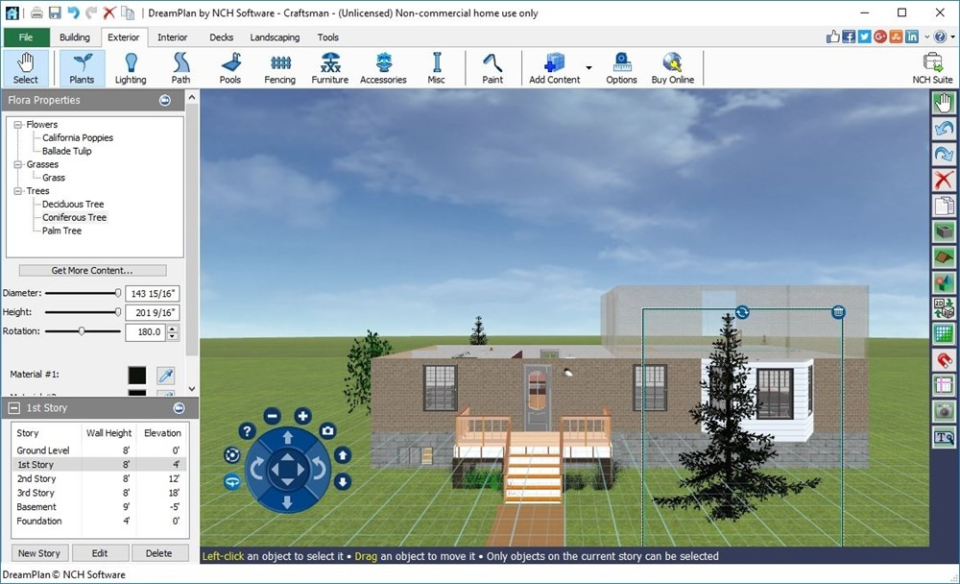
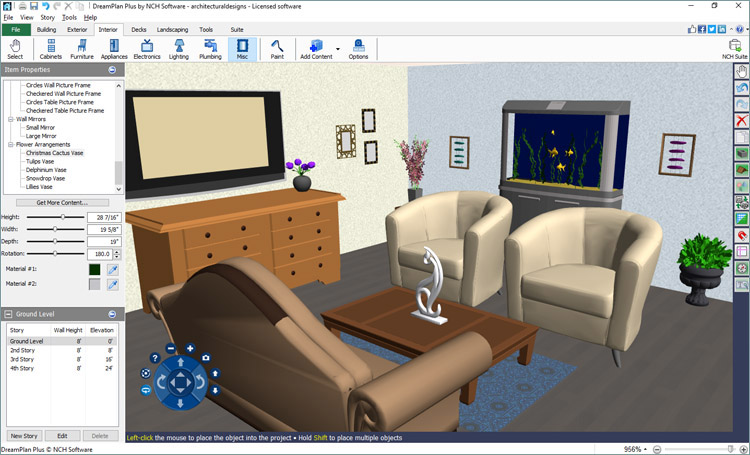
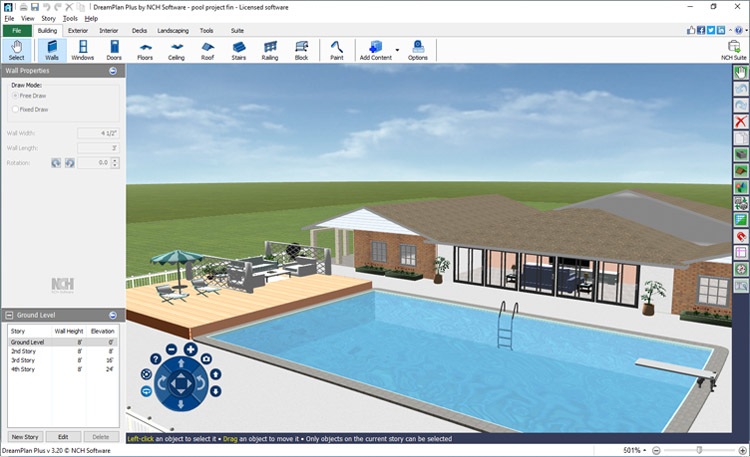
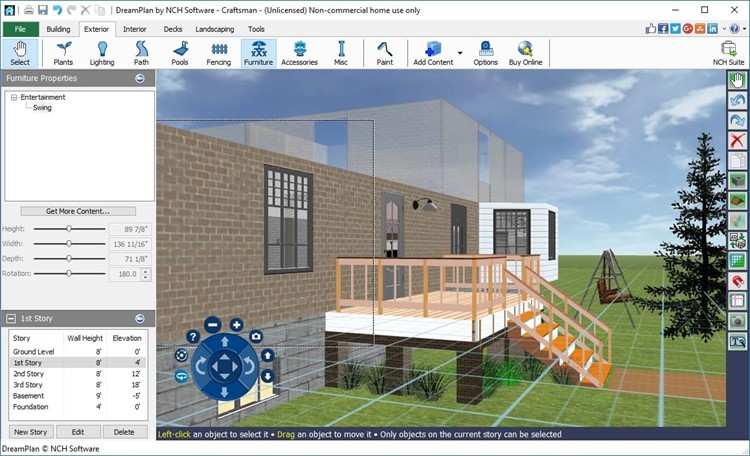
DreamPlan Home Design Software is an intuitive tool for designing and visualizing home and landscape projects. It enables users to create detailed 3D floor plans, build multiple stories, and customize roofs. The software offers extensive interior design options, including furniture placement, appliance selection, and decoration. For exterior planning, it provides landscaping features like garden design, terrain adjustments, and pool creation. Users can switch between 3D, 2D, and blueprint views for comprehensive project visualization. Additional features include importing existing floor plans, applying various textures and colors, and exporting designs in multiple formats. DreamPlan is compatible with both Windows and Mac operating systems.
- Design complete home interiors and exteriors
- Create multi-story floor plans with roofs
- Furnish layouts with furniture and fixtures
- Visualize designs in 2D, 3D, Blueprint
- Experiment with different textures and colors
- Beginner-friendly, very easy to learn
Eligibility
Number of Seats/Users: DreamPlan Home Design Software offers discounts based on the number of users or seats. A higher volume typically leads to a better discount structure, especially for enterprise-level usage.
Commitment to a Long-Term Contract: Discounts are often provided to companies that commit to using the service for a longer period (e.g., 1-year or 3-year contracts). A longer commitment shows DreamPlan Home Design Software that the company is serious and willing to invest in the platform long-term.
No Active Discounts: Companies that are not already receiving other active discounts may have a better chance of qualifying for additional discounts from DreamPlan Home Design Software. DreamPlan Home Design Software reserves discounts for new customers or those not currently under promotional pricing.
Volume or Usage Commitment: DreamPlan Home Design Software offers discounts if you agree to a minimum amount of usage or transaction volume. This could be based on data storage, transactions, or other metrics tied to how much you will use the platform.
Enterprise-Level Negotiation: Companies that qualify as “enterprise” due to their size or complexity (e.g., having large teams, multiple departments, or geographical presence) may be eligible for additional discounts from DreamPlan Home Design Software. Such companies are often in a position to negotiate for better pricing.
Early Renewal or Prepayment: DreamPlan Home Design Software often offers discounts if you renew early or prepay for the entire contract period. This is a common approach to securing a lower price.

DreamPlan Home Design Software - Up to 50% off
Reviews
Here at Spendbase our internal data shows that DreamPlan Home Design Software is seen as a solid entry‑level tool with a clear trade‑off between low cost and limited capabilities.
Key positive insights from Spendbase clients
– Very fast onboarding: many clients report being “up and running” in about 15 minutes.
– Easy to use: especially appreciated by non‑technical teams that just need simple 2D/3D floor plans.
– Good for early‑stage planning: works well to “get your feet wet” with home and interior design before committing to higher‑end tools.
– Visual versatility: the ability to switch between 2D, 3D and blueprint views is used a lot for quick stakeholder demos.
Main drawbacks flagged in our data
– Limited feature depth:
– Less suitable for complex, professional‑grade projects.
– Missing more advanced options for materials, objects and architectural detail.
– UI and UX concerns:
– Described as dated and not very polished.
– On Mac, specifically, some clients call the interface “un-Mac-like.”
– Stability and bugs on some systems:
– In a few cases, whole groups of features were unavailable due to technical issues.
– Support was described as slow to resolve product-level bugs.
How Spendbase clients position DreamPlan in their stack
– Good fit when:
– You need a very low‑cost or free solution for basic layouts.
– Teams value speed and simplicity over precision and advanced rendering.
– It’s used as a temporary or training tool before upgrading.
– Poor fit when:
– You require reliable cross‑platform performance (especially on Mac).
– You need professional visuals, extensive object libraries, or detailed customization.
– Design output is critical to client presentations or sales.
Discount-oriented takeaway from our side
– For cost‑conscious teams, DreamPlan often makes sense as a starter tool, but:
– Budget should factor in a potential future switch to a more robust platform.
– Savings on license cost may be offset if bugs or missing features slow projects down.
Overall, our internal data shows that DreamPlan works best as a low-risk, low-cost entry solution, not as a long-term cornerstone design platform.
See how much you can save on your stack
Pick your team’s tools!
Click to select one or more tools.


What’s your company size?
Just click to select.
What’s your business email?
We'll send you calculations right away
The email is flying to your inbox!
Beyond discounts, you may qualify for up to $100K in AWS credits.

FAQ
1. Are there any current discounts available for DreamPlan Home Design Software?
Yes, we offer limited-time promotions with discounts up to 90%. Check our website for the latest deals.
2. How can I apply a discount code when purchasing DreamPlan?
Enter the discount code during checkout to apply the savings to your purchase.
3. Is there a free trial available for DreamPlan Home Design Software?
Yes, we offer a free trial with limited features so you can explore the software before purchasing.
4. Do you offer volume discounts for multiple licenses?
Yes, volume discounts are available for bulk purchases. Contact our sales team for more information.
5. Can I upgrade from the Home Edition to the Plus Edition at a discounted rate?
Yes, upgrade options are available. Please visit our website for details on upgrading your edition.
6. Are there any additional fees for software updates after purchase?
No, all software updates are included with your purchase at no additional cost.
7. Is DreamPlan compatible with both Windows and Mac operating systems?
Yes, DreamPlan is compatible with both Windows and Mac operating systems.
8. Can I import my own furniture and decor items into DreamPlan?
Yes, you can import your own images to customize your design even further.
Related discounts

Giraffe
3D Architecture Software
Up to 35% off

Bluebeam Revu
3D Architecture Software
Up to 25% off

Medium by Adobe
3D Architecture Software
Up to 20% off

IDEA Architecture
3D Architecture Software
Up to 20% off

Foyr Neo
3D Architecture Software
Up to 25% off

CR-8000 Design Force
3D Architecture Software
Up to 30% off
Software cost optimization
DreamPlan Home Design Software savings in five steps
Let’s estimate your potential savings and see how you can scale your cloud infrastructure.
One call. No cost. No commitments


meet vendor relationship EXPERTS
Our customers save millions with us



Save on DreamPlan Home Design Software
It’s time to shrink your bill
Let our SaaS cost optimization experts check what deals you can get and how much you can save on your corporate subscriptions
See how you can:
- Learn about pricing benchmarks and discounts
- Present potential savings by vendor to your team
- Meet your SaaS and cloud cost optimization goals
Get DreamPlan Home Design Software discount
We’ll email you back within 1 business day