











QuickBooks Solopreneur Discount - Up to 20% off
Accounting solution that helps automate expense categorization to track expenses for travel, assets, advertising, insurance, and more.
Get discountCategory
Accounting Software


What is QuickBooks Solopreneur?
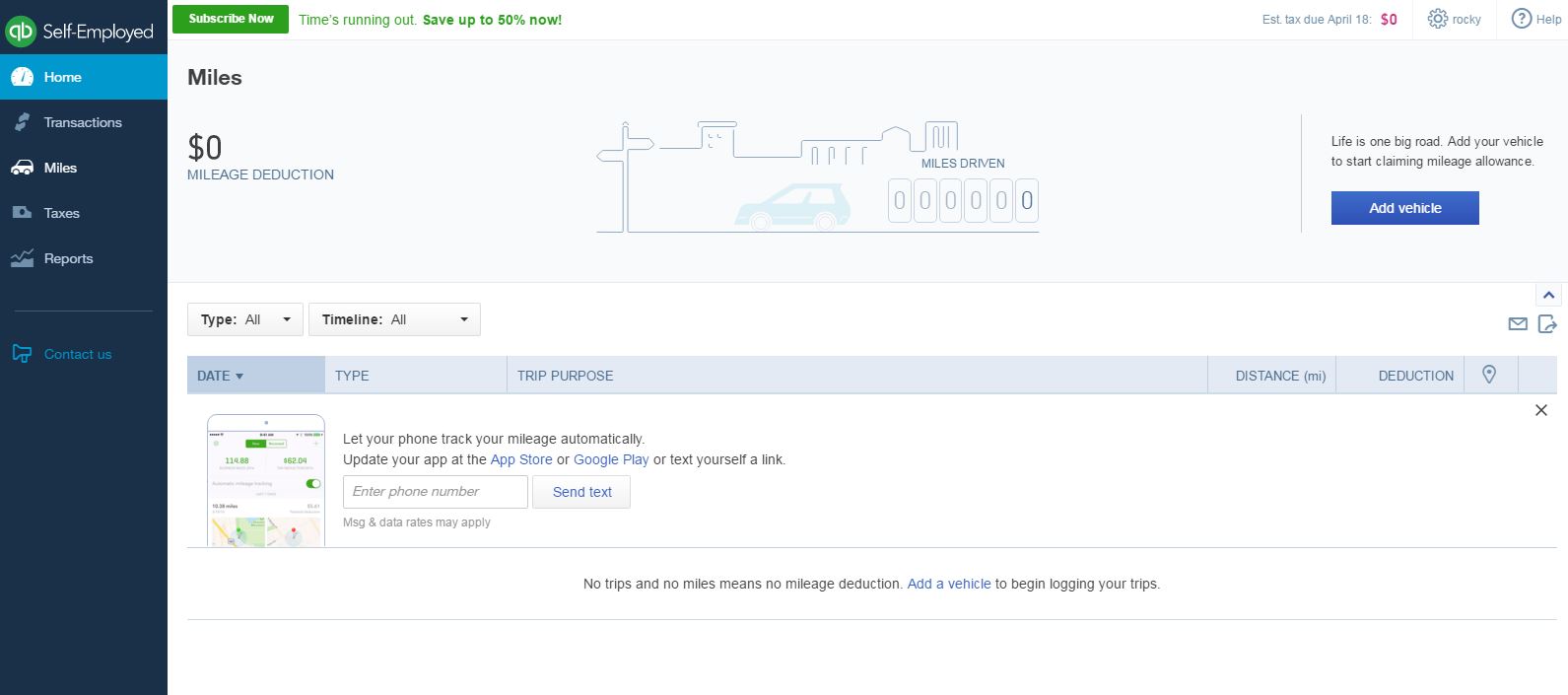
QuickBooks Solopreneur is an accounting and tax software tailored for self-employed individuals, including freelancers and small business owners. It offers features such as automatic expense categorization, mileage tracking via GPS, and the ability to capture receipts through a mobile app. Users can generate financial reports, estimate quarterly taxes, and seamlessly transfer data to TurboTax for tax filing. The software also supports invoicing, allowing the creation and sending of customized invoices and estimates. Additionally, it provides tools for setting and tracking business goals, offering insights to drive informed decisions. These features aim to streamline financial management and tax preparation for solopreneurs.
Looking for a great deal on QuickBooks Solopreneur?
Good news! QuickBooks Solopreneur is currently offering discounts of up to 20% off regular subscription rates. This is your chance to leverage premium photo editing tools to enhance team coordination and productivity at a significantly reduced cost.
- Track and categorize business and personal expenses
- Automatic mileage tracking via phone GPS
- Capture and store receipt images easily
- Estimate and track quarterly tax payments
- Integrates with TurboTax for tax filing
- Connects with bank and credit accounts
Eligibility
Number of Seats/Users: QuickBooks Solopreneur offers discounts based on the number of users or seats. A higher volume typically leads to a better discount structure, especially for enterprise-level usage.
Commitment to a Long-Term Contract: Discounts are often provided to companies that commit to using the service for a longer period (e.g., 1-year or 3-year contracts). A longer commitment shows QuickBooks Solopreneur that the company is serious and willing to invest in the platform long-term.
No Active Discounts: Companies that are not already receiving other active discounts may have a better chance of qualifying for additional discounts from QuickBooks Solopreneur. QuickBooks Solopreneur reserves discounts for new customers or those not currently under promotional pricing.
Volume or Usage Commitment: QuickBooks Solopreneur offers discounts if you agree to a minimum amount of usage or transaction volume. This could be based on data storage, transactions, or other metrics tied to how much you will use the platform.
Enterprise-Level Negotiation: Companies that qualify as “enterprise” due to their size or complexity (e.g., having large teams, multiple departments, or geographical presence) may be eligible for additional discounts from QuickBooks Solopreneur. Such companies are often in a position to negotiate for better pricing.
Early Renewal or Prepayment: QuickBooks Solopreneur often offers discounts if you renew early or prepay for the entire contract period. This is a common approach to securing a lower price.

QuickBooks Solopreneur - Up to 20% off
Reviews
Here at Spendbase, our internal data shows that QuickBooks Solopreneur and its Self-Employed version offer distinct advantages for freelancers, entrepreneurs, and self-employed professionals—but there are a few important points to keep in mind.
Ease of Use and Value
– The majority of Spendbase clients find QuickBooks Solopreneur easy to set up and convenient for daily expense and mileage tracking.
– Features like snapping photos of receipts, categorizing expenses, and effortless bank account connections are considered big time-savers.
– Our clients highlight the straightforward interface, which helps solo business owners stay organized for tax season and manage estimated quarterly payments efficiently.
Tax Readiness and Automation
– Many Spendbase clients appreciate the integration with TurboTax, stating that it simplifies the tax process and reduces the year-end prep hassle.
– The ability to create basic invoices, estimate taxes, and export documents quickly for accountants receives high marks, especially for last-minute tax crunches.
Cost Considerations
– Affordability is a recurring theme; however, some clients mention that the monthly fees add up, raising concerns about long-term value—especially without a high level of customization.
– For those with more complex needs, moving to higher-tier QuickBooks products is recommended but may require a bigger budget.
Customization and Technical Glitches
– Spendbase clients note limitations in customizing categories, editing bank account names, and adding features like quotes or detailed reporting.
– There are consistent reports of persistent bugs, slow mobile app performance, syncing issues, and battery drain from mileage tracking on smartphones.
– Some users experience trouble with logging in at critical times or facing inconvenient session timeouts.
Customer Support
– Our internal data also shows that satisfaction with customer support is mixed. Some clients struggle to resolve issues quickly, especially for urgent needs or weekend support, leading to frustration.
Summary of Key Pros
– Easy expense tracking and receipt management
– Strong integration with TurboTax
– Efficient mileage and bank transaction tracking
– Cost-effectiveness for basic needs
Key Cons to Watch
– Limited customization for advanced users
– Occasional glitches with app performance and transaction importing
– Customer service sometimes hard to reach
If you’re a solopreneur with straightforward accounting, QuickBooks Solopreneur can be a good fit to streamline operations and prep for tax season. But for those needing deep customization or robust support, it’s wise to assess these needs before making a commitment. At Spendbase, we recommend taking advantage of discounts where available to maximize your spend efficiency!
See how much you can save on your stack
Pick your team’s tools!
Click to select one or more tools.


What’s your company size?
Just click to select.
What’s your business email?
We'll send you calculations right away
The email is flying to your inbox!
Beyond discounts, you may qualify for up to $100K in AWS credits.

FAQ
1. What discounts are available for QuickBooks Solopreneur?
We offer 50% off for the first three months or a 30-day free trial for new subscribers.
2. Is there a free trial for QuickBooks Solopreneur?
Yes, we provide a 30-day free trial to explore all features before subscribing.
3. Can I switch from QuickBooks Self-Employed to Solopreneur?
Yes, transitioning is seamless, allowing you to retain your data and enjoy enhanced features.
4. Does QuickBooks Solopreneur include tax filing services?
While it simplifies tax preparation, direct tax filing requires integration with TurboTax.
5. Are there any limitations in QuickBooks Solopreneur compared to other versions?
Solopreneur lacks payroll management and multi-user access, focusing on single-user operations.
6. How does QuickBooks Solopreneur help with expense tracking?
It automatically categorizes expenses, separating business and personal transactions for easy review.
7. Is QuickBooks Solopreneur suitable for small businesses with employees?
It's designed for one-person businesses; those with employees may need more advanced versions.
Related discounts

FastBank
Accounting Software
Up to 50% off

QuickQore
Accounting Software
Up to 50% off

Infor Construction
Accounting Software
Up to 35% off

Brightpearl
Accounting Software
Up to 20% off

ERPAG
Accounting Software
Up to 25% off

Neat
Accounting Software
Up to 15% off
Software cost optimization
QuickBooks Solopreneur savings in five steps
Let’s estimate your potential savings and see how you can scale your cloud infrastructure.
One call. No cost. No commitments


meet vendor relationship EXPERTS
Our customers save millions with us



Save on QuickBooks Solopreneur
It’s time to shrink your bill
Let our SaaS cost optimization experts check what deals you can get and how much you can save on your corporate subscriptions
See how you can:
- Learn about pricing benchmarks and discounts
- Present potential savings by vendor to your team
- Meet your SaaS and cloud cost optimization goals
Get QuickBooks Solopreneur discount
We’ll email you back within 1 business day