











VSDC Video Editor Discount - Up to 20% off
VSDC is a free video editor for Windows
Get discountCategory
Video Editing Software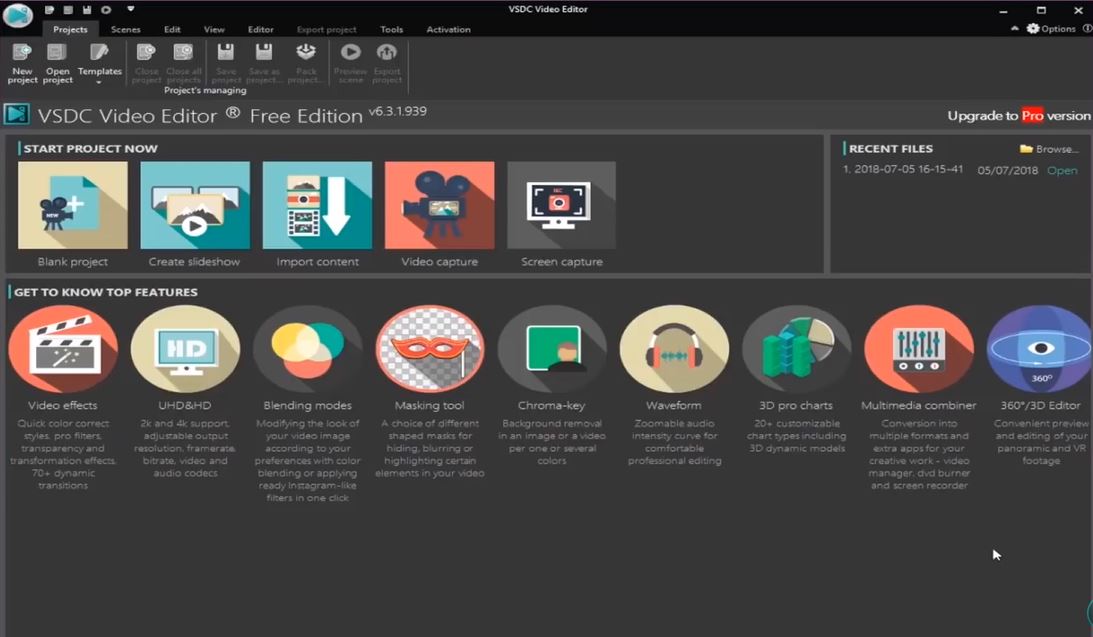

What is VSDC Video Editor?
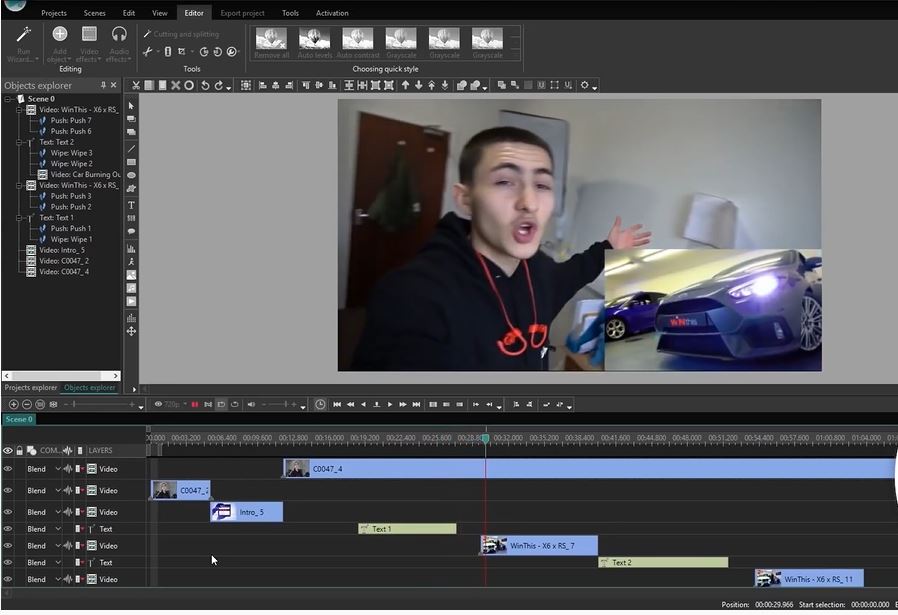
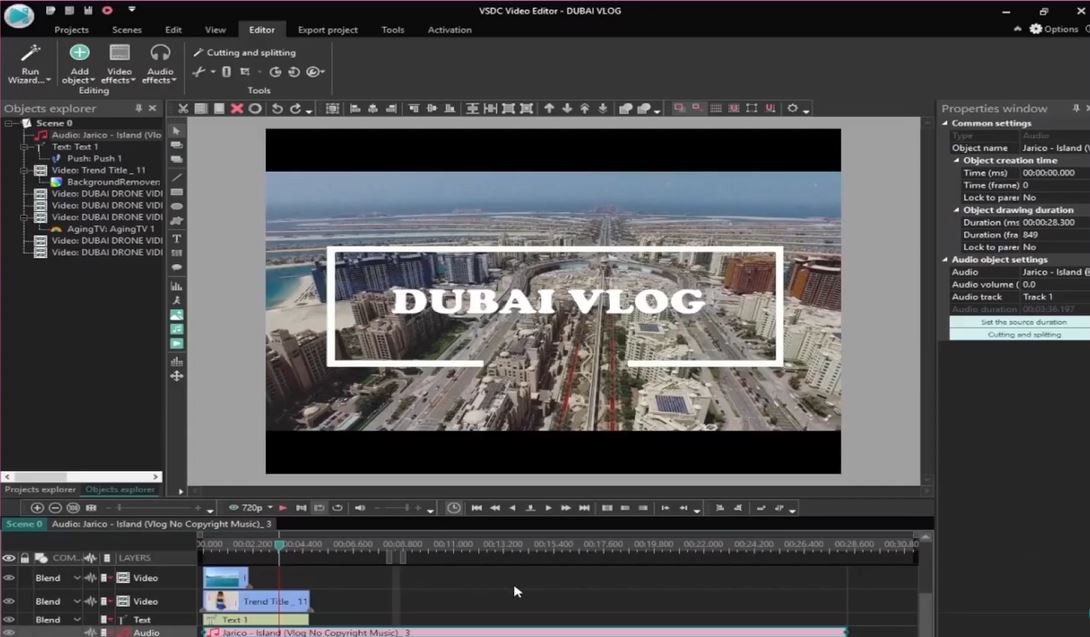
VSDC Video Editor is a non-linear editing application developed by Flash-Integro LLC, designed for Windows platforms. It supports high-resolution footage, including 4K UHD, 3D, and 360-degree videos. Key features include cutting, splitting, merging, rotating, and flipping videos; applying text and subtitles; and utilizing over 70 transition effects. Advanced tools encompass color correction, motion tracking, and support for VirtualDub plug-ins. Additionally, VSDC offers screen recording, voiceover capabilities, and a built-in video converter supporting multiple formats. The software also provides audio editing tools like normalization, fade effects, and noise reduction.
- Free non-linear video editor for Windows
- Wide support for video/audio formats
- Advanced effects including chroma keying
- Built-in screen, webcam, and audio recording
- Efficient performance with hardware acceleration
- One-click export presets for social platforms
Eligibility
Number of Seats/Users: VSDC Video Editor offers discounts based on the number of users or seats. A higher volume typically leads to a better discount structure, especially for enterprise-level usage.
Commitment to a Long-Term Contract: Discounts are often provided to companies that commit to using the service for a longer period (e.g., 1-year or 3-year contracts). A longer commitment shows VSDC Video Editor that the company is serious and willing to invest in the platform long-term.
No Active Discounts: Companies that are not already receiving other active discounts may have a better chance of qualifying for additional discounts from VSDC Video Editor. VSDC Video Editor reserves discounts for new customers or those not currently under promotional pricing.
Volume or Usage Commitment: VSDC Video Editor offers discounts if you agree to a minimum amount of usage or transaction volume. This could be based on data storage, transactions, or other metrics tied to how much you will use the platform.
Enterprise-Level Negotiation: Companies that qualify as “enterprise” due to their size or complexity (e.g., having large teams, multiple departments, or geographical presence) may be eligible for additional discounts from VSDC Video Editor. Such companies are often in a position to negotiate for better pricing.
Early Renewal or Prepayment: VSDC Video Editor often offers discounts if you renew early or prepay for the entire contract period. This is a common approach to securing a lower price.

VSDC Video Editor - Up to 20% off
Reviews
Here at Spendbase our internal data shows that VSDC Video Editor is a strong fit for cost-conscious teams, especially creators on Windows who don’t want to pay for premium suites.
From what our Spendbase clients report, the main strengths are:
- Excellent value for money
- Free tier is already powerful enough for basic–mid level editing.
- Pro version is seen as “cheap” and “a steal” compared to Adobe or Final Cut–level tools.
-
Great option for YouTubers, trainers, small businesses, and hobbyists.
-
Performance and compatibility
- Runs smoothly on low-end laptops and older CPUs.
- Supports all major formats and exports to platform-ready presets (YouTube, Instagram, etc.).
-
Hardware acceleration and adjustable preview quality help keep editing responsive.
-
Feature set
- Non-linear editing, chroma key, split screen, picture-in-picture, color correction.
- Built-in screen and audio recording, plus a video converter.
- Many Spendbase clients call out:
- Easy trimming, splitting, merging
- Voiceovers and subtitles
- Multi-format export for training and marketing content
At the same time, our internal data shows several recurring pain points:
- Learning curve and UX
-
Interface is generally called “intuitive”, but:
- Some commands and shortcuts are inconsistent with common tools.
- Timeline behavior and symbols can feel confusing.
- Preview playback can be choppy while editing.
-
Layout and updates
- Frequent UI/layout changes after updates force teams to re-learn workflows.
-
This is a real cost if you have to train multiple people.
-
Limitations for advanced use
- Media/effects library is seen as weak compared to pro suites.
- Some higher-end features are locked behind the Pro paywall.
-
Power users eventually hit limits vs DaVinci Resolve or Final Cut.
-
Licensing expectations
- A portion of our Spendbase clients would prefer a one-time purchase over subscription for Pro.
In Spendbase terms, VSDC is a great “high ROI, low TCO” editor for:
– Early-stage content teams
– Educational and training video production
– Solo creators on a tight budget
For heavy professional post-production, it’s best treated as a starter or backup tool rather than the final destination.
See how much you can save on your stack
Pick your team’s tools!
Click to select one or more tools.


What’s your company size?
Just click to select.
What’s your business email?
We'll send you calculations right away
The email is flying to your inbox!
Beyond discounts, you may qualify for up to $100K in AWS credits.

FAQ
1. Are there any current discounts available for VSDC Video Editor Pro?
Yes, we offer up to 77% off on VSDC Video Editor Pro during promotional periods.
2. How can I obtain a discount code for VSDC Video Editor?
Subscribe to our newsletter or check our official website for the latest discount codes.
3. Does VSDC offer educational discounts?
Yes, students and educators can receive a 50% discount by providing valid academic identification.
4. Are there lifetime licenses available for VSDC Video Editor Pro?
Yes, we offer a lifetime license option for VSDC Video Editor Pro at a discounted rate.
5. Can I combine multiple discount codes for VSDC Video Editor?
Typically, only one discount code can be applied per purchase.
6. How often does VSDC offer promotional discounts?
We offer discounts during major sales events like Black Friday, Anniversary Sales, and Back-to-School promotions.
7. Is there a free version of VSDC Video Editor available?
Yes, we offer a free version with basic features and no watermarks or export limitations.
8. Do VSDC discount codes expire?
Yes, discount codes have expiration dates; please check the validity period before use.
Related discounts

MAGIX Video Pro X
Video Editing Software
Up to 40% off

Headliner
Video Editing Software
Up to 50% off

AnyMP4 Video Editor
Video Editing Software
Up to 20% off

Tipard MP4 Video Converter
Video Editing Software
Up to 15% off

Wax
Video Editing Software
Up to 25% off

VCam
Video Editing Software
Up to 50% off
Software cost optimization
VSDC Video Editor savings in five steps
Let’s estimate your potential savings and see how you can scale your cloud infrastructure.
One call. No cost. No commitments


meet vendor relationship EXPERTS
Our customers save millions with us



Save on VSDC Video Editor
It’s time to shrink your bill
Let our SaaS cost optimization experts check what deals you can get and how much you can save on your corporate subscriptions
See how you can:
- Learn about pricing benchmarks and discounts
- Present potential savings by vendor to your team
- Meet your SaaS and cloud cost optimization goals
Get VSDC Video Editor discount
We’ll email you back within 1 business day