











Workstaff Discount - Up to 50% off
Flexible tools to build custom schedules and manage temp and flexible staff! A robust offer, booking and scheduling engine.
Get discountCategory
Catering Software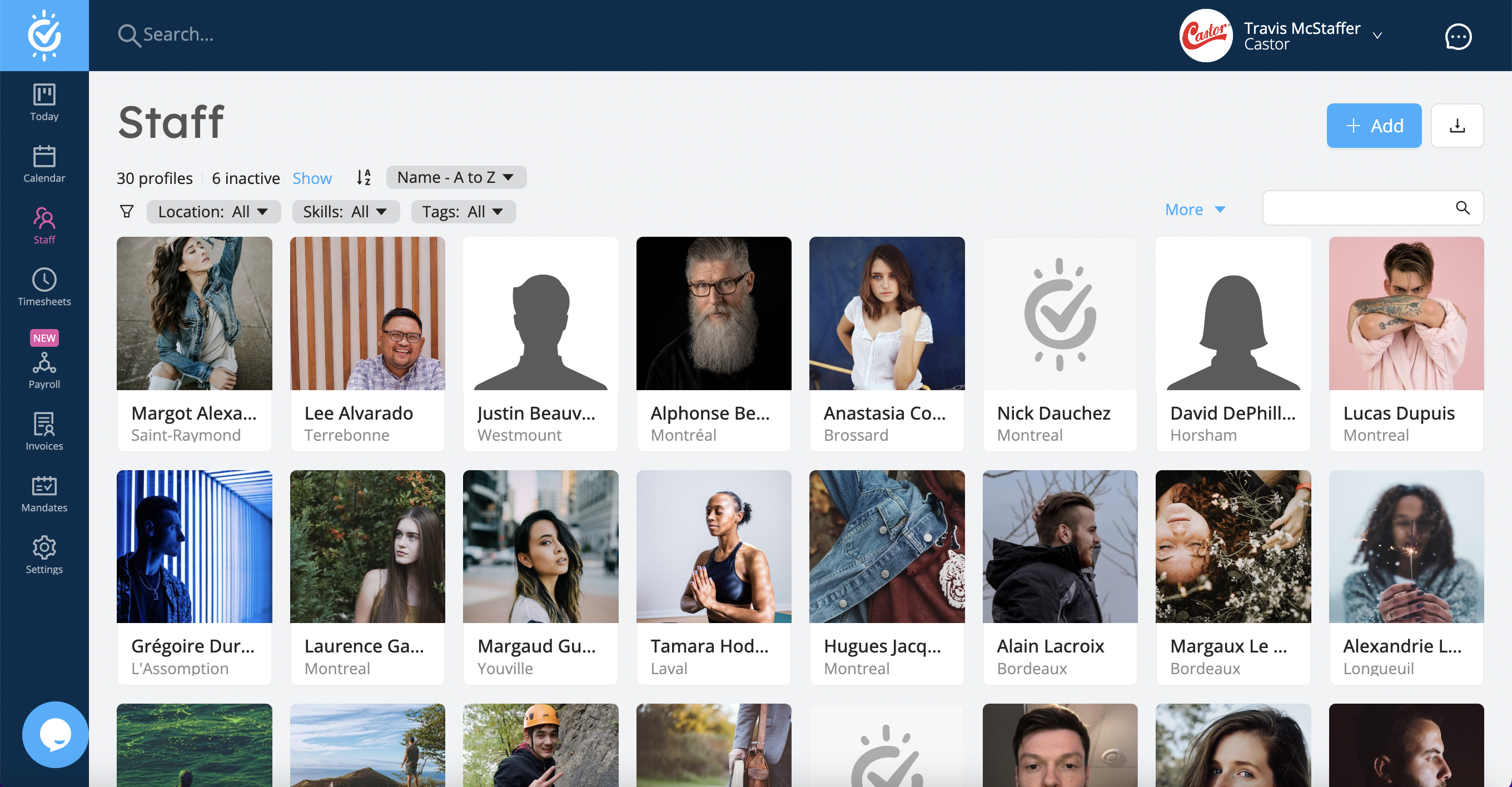
What is Workstaff?
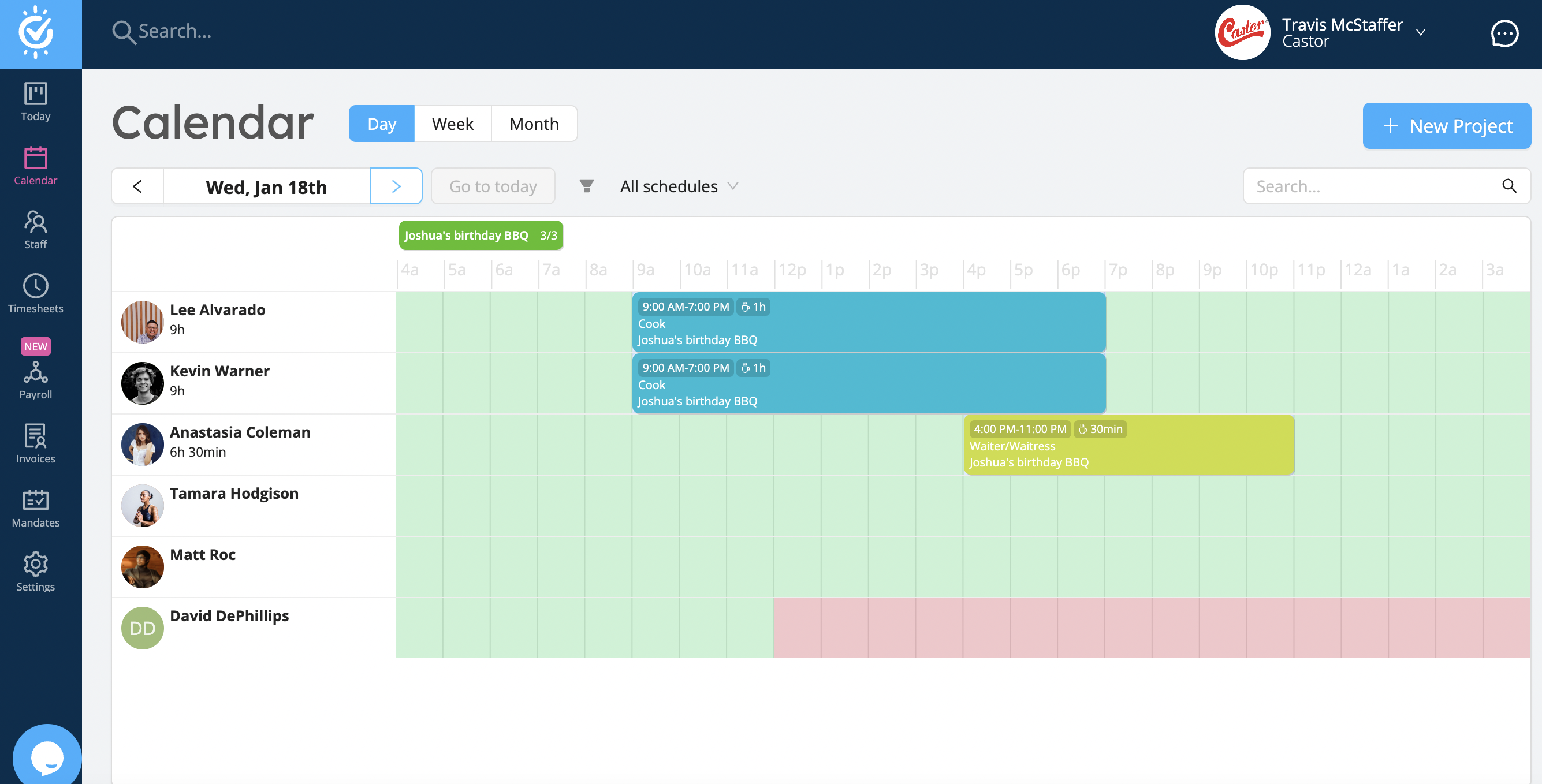
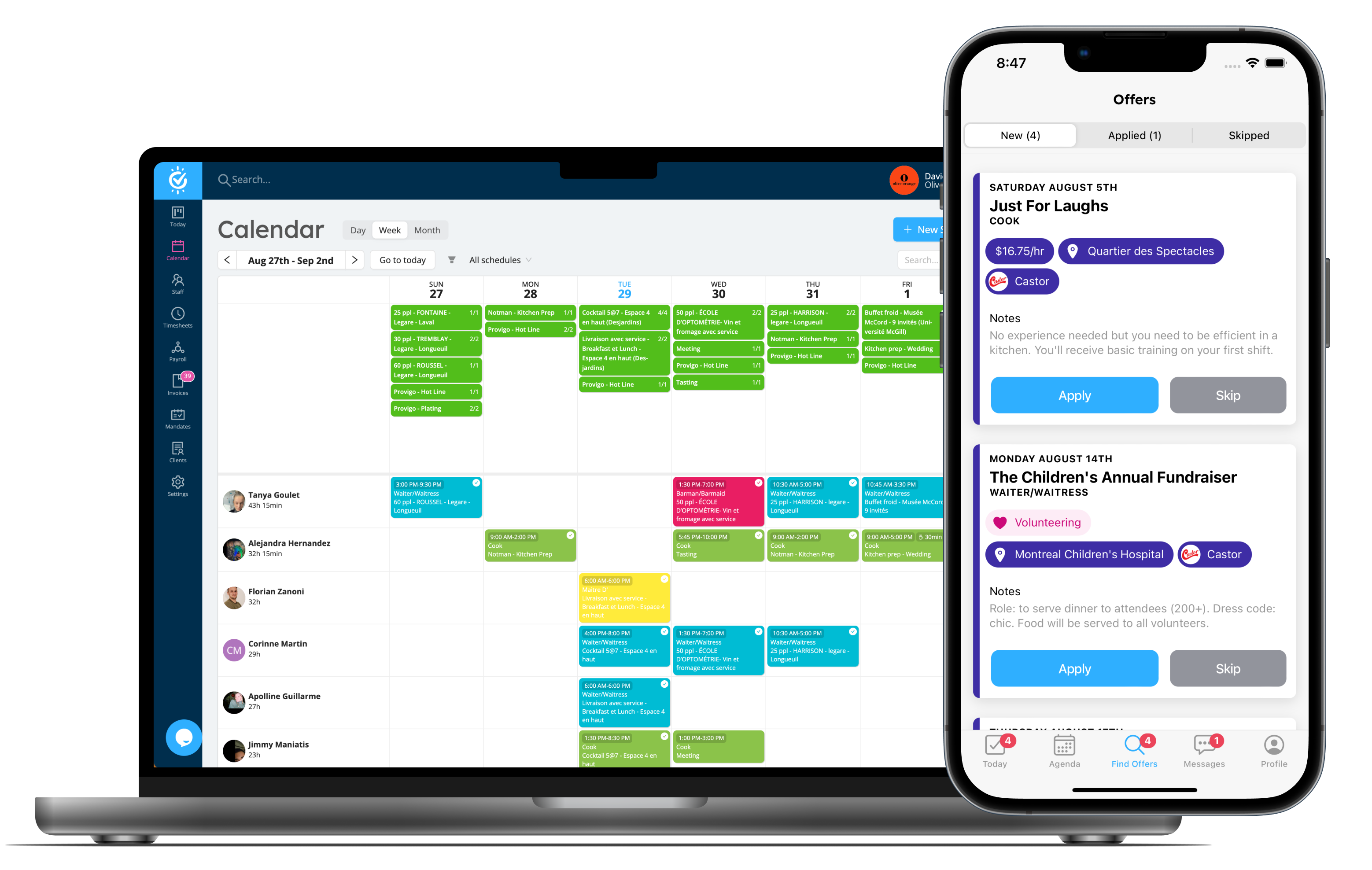
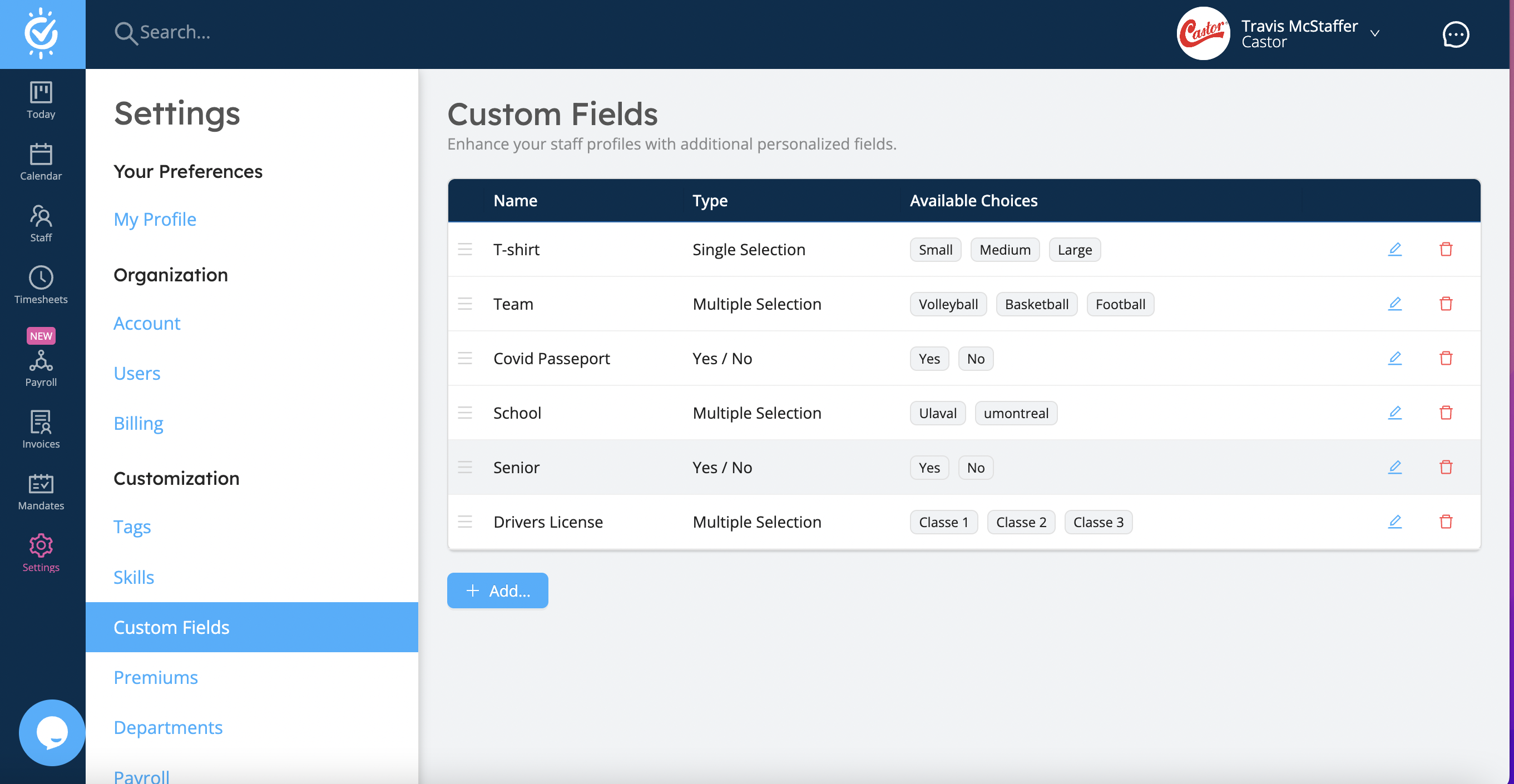
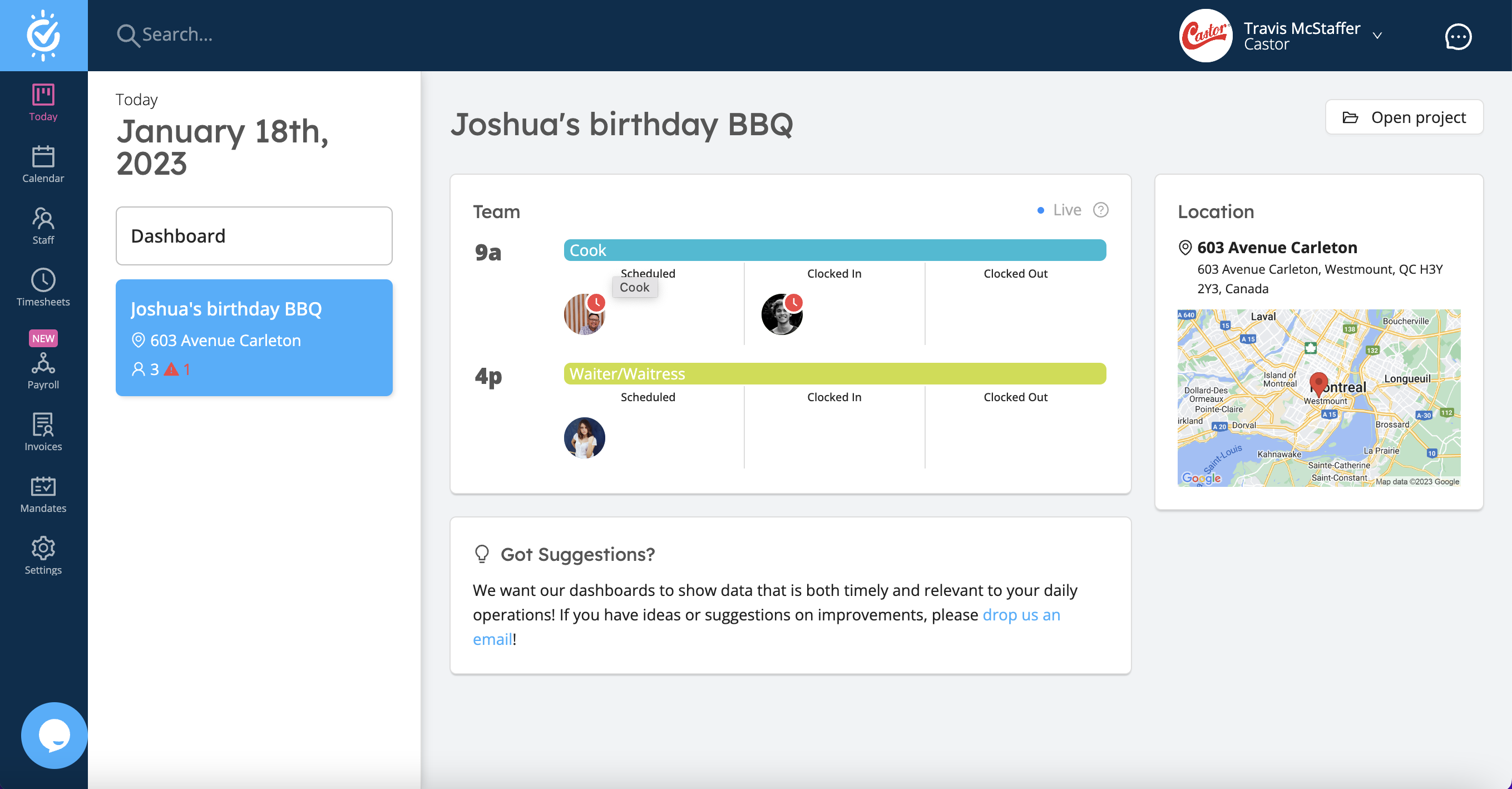
Workstaff is a comprehensive workforce management solution designed for staffing agencies and industries managing flexible and temporary staff. It streamlines staff scheduling, time tracking, payroll processing, and client management. Key features include:
-
Shift Scheduling: Quickly create shifts, events, and send offers to temp staff or book them directly based on their availability.
-
Time Tracking: Monitor attendance with clock-in/out tools and manage timesheets efficiently.
-
Communication Tools: Facilitate team communication through instant messaging and broadcast messages.
-
Payroll and Invoicing: Automate payroll processes and enable contractors to submit invoices directly via the mobile app.
-
Client Portal: Provide clients with a customizable portal for project updates and staff requests.
Workstaff’s mobile app ensures real-time access to schedules, shift offers, and communication tools, enhancing operational efficiency.
- Flexible temp staff scheduling and booking
- Create detailed shifts, events, locations
- Client portal for streamlined staffing requests
- Track attendance, clock-ins, breaks, premiums, payroll
- Organize staff by departments and availability
- In-app communication, instructions, and photo sharing
Eligibility
Number of Seats/Users: Workstaff offers discounts based on the number of users or seats. A higher volume typically leads to a better discount structure, especially for enterprise-level usage.
Commitment to a Long-Term Contract: Discounts are often provided to companies that commit to using the service for a longer period (e.g., 1-year or 3-year contracts). A longer commitment shows Workstaff that the company is serious and willing to invest in the platform long-term.
No Active Discounts: Companies that are not already receiving other active discounts may have a better chance of qualifying for additional discounts from Workstaff. Workstaff reserves discounts for new customers or those not currently under promotional pricing.
Volume or Usage Commitment: Workstaff offers discounts if you agree to a minimum amount of usage or transaction volume. This could be based on data storage, transactions, or other metrics tied to how much you will use the platform.
Enterprise-Level Negotiation: Companies that qualify as “enterprise” due to their size or complexity (e.g., having large teams, multiple departments, or geographical presence) may be eligible for additional discounts from Workstaff. Such companies are often in a position to negotiate for better pricing.
Early Renewal or Prepayment: Workstaff often offers discounts if you renew early or prepay for the entire contract period. This is a common approach to securing a lower price.

Workstaff - Up to 50% off
Reviews
Here at Spendbase, our internal data shows that Workstaff scores very high with Spendbase clients who manage flexible and temporary staff, especially in event and shift-based businesses.
Overall sentiment
Our internal data shows that:
- Satisfaction is consistently very high (close to “5 out of 5” across the board)
- The product is seen as “central hub” software for scheduling, staffing, and payroll-related tasks
- Clients highlight fast, friendly support as a major reason they stay
Key strengths our clients report
Our Spendbase clients most often praise:
- Centralized scheduling & booking
- Easy creation of shifts and events
- Simple way to send offers to large pools of temp workers and see who accepts
-
Good fit for on‑call and last‑minute staffing
-
Operational visibility & organization
- Clear overview of projects and past shifts
- Departments and classifications to keep large teams organized
-
Helpful history of what each worker has done for better future planning
-
Payroll, time, and billing
- Strong for gathering information for payroll
- Time tracking, clock‑ins and outs, and bonuses/premiums
-
Simple invoicing flow for autonomous workers and staff billing
-
Ease of use for staff
- Staff find it easy to access shift information, instructions, and upload photos
-
The mobile app works well on the worker side
-
Support & updates
- Client support is described as responsive, accessible, and “A1”
- Frequent updates and feature additions based on client needs
Main friction points we see
Our internal data shows some recurring challenges:
- Learning curve
-
Managers and staff need some onboarding before using all features confidently
-
Performance at scale
-
With very large numbers of workers, time sheets and data can load more slowly
-
Feature gaps
- Managers would like to do more from the mobile app
- Some daily tasks still have to be done outside Workstaff
Spendbase takeaway
From a cost-efficiency angle, Workstaff tends to deliver strong value when:
- You have a sizable temp workforce
- You consolidate multiple tools (scheduling, communications, payroll prep) into Workstaff
- You invest a bit in onboarding, then optimize licenses and modules around actual usage patterns to avoid overpaying.
See how much you can save on your stack
Pick your team’s tools!
Click to select one or more tools.


What’s your company size?
Just click to select.
What’s your business email?
We'll send you calculations right away
The email is flying to your inbox!
Beyond discounts, you may qualify for up to $100K in AWS credits.

FAQ
1. What is a seat in Workstaff?
A seat refers to an administrative user managing your workforce on Workstaff.
2. How does Workstaff's pricing model work?
Workstaff charges based on the number of active administrative users, not the number of field staff.
3. Can I try Workstaff's paid features before purchasing?
Yes, Workstaff offers a 14-day trial for the Max plan upon request.
4. How do I manage my Workstaff subscription?
Access subscription details via Settings > Billing in your Workstaff account.
5. Why can't my staff see published offers?
Ensure staff profiles have associated skills and are within 100 km of the job location.
6. How do I apply for open shifts on Workstaff?
Navigate to 'Find Offers', select a shift, and click 'Apply' to submit your application.
7. Can I cancel my Workstaff subscription anytime?
Yes, you can cancel your subscription at any time; it will remain active until the end of your contract period.
8. Does Workstaff offer discounts for non-profits?
Workstaff has offered discounts to programs representing new industries or operating states.
Related discounts

Inflight Catering systems
Catering Software
Up to 40% off

Curate
Catering Software
Up to 15% off

Flex Catering
Catering Software
Up to 20% off

KitchenFuel
Catering Software
Up to 45% off

Optimo VENUE & SPACE MANAGEMENT
Catering Software
Up to 45% off
Software cost optimization
Workstaff savings in five steps
Let’s estimate your potential savings and see how you can scale your cloud infrastructure.
One call. No cost. No commitments


meet vendor relationship EXPERTS
Our customers save millions with us



Save on Workstaff
It’s time to shrink your bill
Let our SaaS cost optimization experts check what deals you can get and how much you can save on your corporate subscriptions
See how you can:
- Learn about pricing benchmarks and discounts
- Present potential savings by vendor to your team
- Meet your SaaS and cloud cost optimization goals
Get Workstaff discount
We’ll email you back within 1 business day