











Zight Discount - Up to 20% off
Share information faster with visual context. Create, annotate, and share screenshots, videos, screen recordings, GIFs.
Get discountCategory
Collaboration Software


What is Zight?
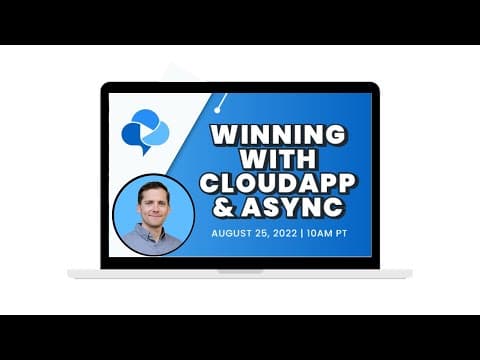
Zight, formerly known as CloudApp, is a comprehensive visual communication tool designed to enhance productivity by enabling users to capture, create, and share visual content seamlessly. It offers features such as screen recording with optional webcam overlay, screenshot capture with annotation capabilities, GIF creation, and instant sharing via secure links. Zight integrates with popular applications like Slack, Microsoft Teams, and Jira, facilitating efficient collaboration. Additionally, it provides AI-powered functionalities, including automatic transcriptions, smart titles, and summaries, streamlining content creation and reducing the need for lengthy meetings.
Looking for a great deal on Zight?
Good news! Zight is currently offering discounts of up to 20% off regular subscription rates. This is your chance to leverage premium photo editing tools to enhance team coordination and productivity at a significantly reduced cost.
- Screen recording and screenshot capture tools
- Instant sharing via cloud-hosted links
- Image and video annotation functionality
- GIF creation and easy file uploads
- Custom branding and link customization
- Centralized cloud storage with organizational folders
Eligibility
Number of Seats/Users: Zight offers discounts based on the number of users or seats. A higher volume typically leads to a better discount structure, especially for enterprise-level usage.
Commitment to a Long-Term Contract: Discounts are often provided to companies that commit to using the service for a longer period (e.g., 1-year or 3-year contracts). A longer commitment shows Zight that the company is serious and willing to invest in the platform long-term.
No Active Discounts: Companies that are not already receiving other active discounts may have a better chance of qualifying for additional discounts from Zight. Zight reserves discounts for new customers or those not currently under promotional pricing.
Volume or Usage Commitment: Zight offers discounts if you agree to a minimum amount of usage or transaction volume. This could be based on data storage, transactions, or other metrics tied to how much you will use the platform.
Enterprise-Level Negotiation: Companies that qualify as “enterprise” due to their size or complexity (e.g., having large teams, multiple departments, or geographical presence) may be eligible for additional discounts from Zight. Such companies are often in a position to negotiate for better pricing.
Early Renewal or Prepayment: Zight often offers discounts if you renew early or prepay for the entire contract period. This is a common approach to securing a lower price.

Zight - Up to 20% off
Reviews
Here at Spendbase, our internal data shows that Zight (formerly CloudApp) is becoming a go-to choice for teams looking to save time and improve workplace communication. Based on insights from Spendbase clients, Zight stands out for making visual communication easy, streamlining workflows, and cutting down on miscommunications.
What Our Clients Love Most:
– User-friendly interface: Almost everyone finds Zight simple and intuitive. Even those with little tech experience are able to pick it up quickly.
– Versatile functionality: Clients highlight the ability to take screenshots, record videos, create GIFs, annotate images, and share content instantly via links.
– Quick sharing: Being able to share with just a link, without downloads or third-party logins, saves time for both clients and their customers.
– Cloud storage: People appreciate that files are stored online, easy to organize, and accessible from anywhere.
– Productivity boost: Many Spendbase clients are seeing fewer meetings and quicker issue resolution, thanks to more direct, visual communication.
Top Features Noted by Our Clients:
– Annotation tools: Helpful for feedback, explanations, and tutorials.
– Integrated notifications: It’s great to know when a clip has been viewed.
– Custom branding: Brands can use their own domain for professional file sharing.
– Search and organization: Files are easier to find, especially with folders and search features.
Most Common Requests and Cons:
– Buggy at times: Occasional crashes, upload issues, or problems with certain operating systems (especially Mac M1 or after reboots).
– Limited mobile support: Clients want better Android and iOS apps.
– Lack of some functionality: For example, bulk downloads, recording calls/audio from tabs, and full-page screen captures.
– Customer service: Some found support unresponsive when urgent help was needed.
– Feature development: A few think the pace of updates has slowed, and want more integrations (e.g., Gmail, Chrome, Intercom).
– Data limits: Large file sharing (like major launches) can quickly hit caps.
Why Teams Keep Using Zight:
– Huge time savings—especially for remote teams and client support.
– Quick onboarding and minimal learning curve.
– Clients love the ability to make feedback visual and actionable.
If your team is considering Zight, our Spendbase insights show it’s highly effective for fast, clear team communication. But if integrations and rock-solid support are your top priorities, it may be worth looking into their roadmap and support guarantees first. We’re always happy to help Spendbase clients find the best deals and solutions for their needs!
See how much you can save on your stack
Pick your team’s tools!
Click to select one or more tools.


What’s your company size?
Just click to select.
What’s your business email?
We'll send you calculations right away
The email is flying to your inbox!
Beyond discounts, you may qualify for up to $100K in AWS credits.

FAQ
1. Does Zight offer discounts for educators?
Yes, Zight provides free Pro accounts for individual teachers, students, and qualifying non-profits with valid educational email addresses.
2. Are there any promotional codes available for Zight subscriptions?
Yes, promotional codes are occasionally available. For instance, a 30% off promo code was offered in July 2025.
3. What happens when I reach my 50-item limit on the free plan?
You can only access the most recent 50 items. To access more, consider upgrading to a Pro account with unlimited items.
4. How can I try a paid Zight plan for free?
You can try the Pro plan free for 7 days or the Teams plan free for 14 days. Contact Sales for Enterprise trials.
5. Does Zight require a credit card for trials?
Yes, a credit card is required for the Pro plan trial. You won't be charged until the trial ends and can cancel anytime.
6. What are the differences between Zight's free and paid plans?
Paid plans offer unlimited uploads, longer recording times, high-resolution recording, advanced editing tools, and more.
7. How do I switch to a different Zight plan?
Access your plan page via the application to view and change your current subscription.
Related discounts

Jandi
Collaboration Software
Up to 15% off

Textline
Customer Success Software
Up to 25% off

Liveoak
Collaboration Software
Up to 45% off
Dropbox Business
Collaboration Software
Up to 15% off

CaptivateIQ
Collaboration Software
Up to 25% off
Rocketlane
Customer Success Software
Up to 15% off
Software cost optimization
Zight savings in five steps
Let’s estimate your potential savings and see how you can scale your cloud infrastructure.
One call. No cost. No commitments


meet vendor relationship EXPERTS
Our customers save millions with us



Save on Zight
It’s time to shrink your bill
Let our SaaS cost optimization experts check what deals you can get and how much you can save on your corporate subscriptions
See how you can:
- Learn about pricing benchmarks and discounts
- Present potential savings by vendor to your team
- Meet your SaaS and cloud cost optimization goals
Get Zight discount
We’ll email you back within 1 business day