










AWS Billing Terms Explained for Smarter Cloud Spend

AWS feels simple when you hear “pay as you go.” Then your first bill lands, and the line items read like a spreadsheet written in another dialect.
If you’re a CTO, CFO, or founder, that confusion gets expensive fast. A single invoice can mix usage, credits, taxes, discounts, and charges across regions, teams, and services. Once you understand the main AWS billing terms, you can forecast with more confidence, catch waste earlier, and explain cloud spend without hand-waving.
Start with the console, because that’s where the story of your monthly spend begins.
How the AWS Billing Console helps you see what you owe
Your AWS Billing Console is the first stop when you want to check what your AWS account owes this month. It shows current charges, credits, taxes, discounts, payment status, and billing reports in one place. AWS describes the core view in its AWS Billing FAQs, and that matches how most finance teams use it day to day.
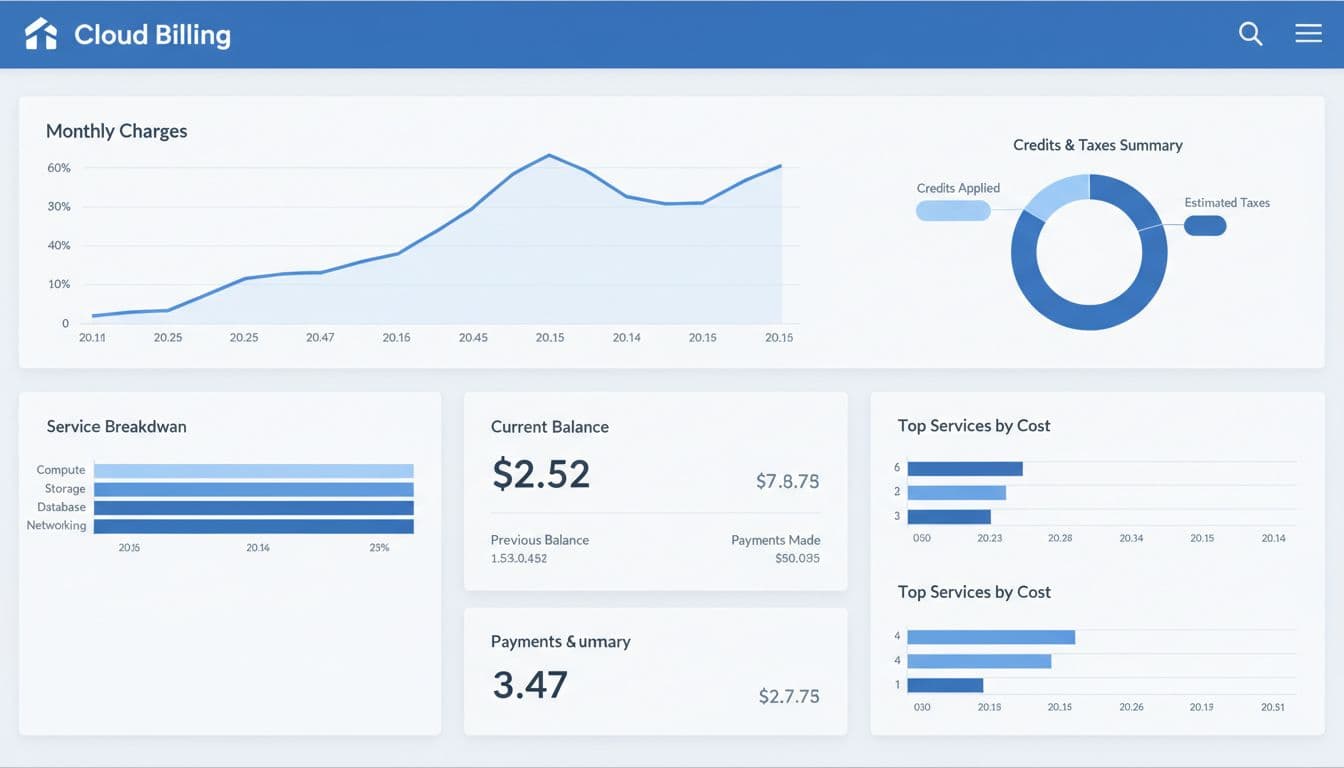
A practical workflow helps. First, open Bills. Next, compare estimated charges with last month. Then filter by service, linked account, usage type, or AWS region. If something jumps, drill into the line item before month-end closes.
What you can find on the Bills page
The Bills page gives you the snapshot view. You can see estimated charges while the month is still open, then final charges after the billing cycle closes. You also see credits, taxes, refunds, and whether an invoice is paid or still pending.
That quick view matters because finance teams often need a number now, not a deep analysis later. If your CEO asks why AWS spending is up 18 percent this month, the Bills page is the fastest place to start.
When to use the billing console instead of Cost Explorer
Use the billing console for today’s answer. Use Cost Explorer for patterns.
The billing console is about what you owe and what AWS may bill on the next invoice. Cost Explorer is better when you want trends, forecasts, or a long view by service, account, or tag. AWS explains the difference in its guide to Billing and Cost Explorer data.
See how much you can save on your stack
Pick your team’s tools!
Click to select one or more tools.


What’s your company size?
Just click to select.
What’s your business email?
We'll send you calculations right away
The email is flying to your inbox!
Beyond discounts, you may qualify for up to $100K in AWS credits.

The core AWS cost terms you need to know
A few billing terms shape almost every AWS invoice. Usage is the measured activity. Charges are the dollar amounts tied to that usage. Credits lower what you owe. Discounts reduce price under a pricing program or agreement. Taxes sit outside service consumption, but still hit cash flow. A support plan or partner arrangement can also add a service fee.
How usage turns into charges
AWS does not charge one way across all AWS services. EC2 can bill by second or hour, depending on the resource. S3 often bills by GB stored, API requests, and data transfer. AWS Lambda bills by request count and execution time.
That means two teams can “use AWS” heavily and create very different invoices. A data team running compute all day will look different from a product team serving millions of small Lambda calls.
The difference between charges, credits, discounts, and taxes
Charges are the base cost of what you consumed. Credits subtract from that balance. Discounts change the effective rate, sometimes before the charge is finalized, sometimes through a commitment structure. Taxes sit on top, based on your account settings and location.
During the month, the bill is often an estimate. Your final invoice can still change when credits, discounts, and taxes settle.
Before you close the month, check all four. Many teams focus on usage and miss expiring credits or a tax setting that changed after a legal entity update.
Why region and service type change the final price
The same workload can cost more in one AWS region than another. Compute, storage, and data transfer also follow different pricing logic. Data transfer is the classic trap, because it often looks small until traffic grows.
If you need help reading credit rules, expiration dates, or coverage, this guide on how to get free AWS credits is a useful companion.
Understanding AWS pricing models before you choose a service
AWS pricing models shape both your unit cost and your risk. On-Demand keeps flexibility high. Reserved Instances and Savings Plans trade flexibility for lower rates. Spot pricing can cut cost hard, but interruptions are part of the deal.
Here is the short version:
| Pricing model | Best for | Commitment | Billing impact |
|---|---|---|---|
| On-Demand | New or unpredictable workloads | None | Highest unit price, simple monthly billing |
| Reserved Instances | Stable EC2 usage | 1 to 3 years | Lower compute cost, less flexibility |
| Savings Plans | Steady compute usage across services | 1 to 3 years | Broad discounts, often easier to manage than RIs |
| Spot | Fault-tolerant jobs | None | Lowest price, but capacity can disappear |
Long-term commitments can cut compute cost by about 72 percent in the right cases. Spot can go much lower, but only for workloads that can pause.
On-Demand, Reserved Instances, Savings Plans, and Spot pricing
On-Demand is easy to approve and easy to stop. The downside is price. Reserved Instances and Savings Plans lower your AWS cost when usage is steady. Spot fits batch jobs, CI runners, and analytics, not your core checkout flow.
Pros and cons matter here:
- On-Demand keeps you flexible, but your monthly bill stays higher.
- Savings Plans usually give strong savings, but you commit spend.
- Spot is cheap, but it can interrupt workloads at the worst moment.
How AWS pricing changes with volume and enterprise deals
As your AWS spending grows, pricing can change. Larger AWS customers may receive volume pricing, private offers, or custom terms through AWS Marketplace or partner channels. Those deals affect the invoice structure, so finance should track the discount source, coverage period, and what happens at renewal.
How AWS billing cycles work from usage to invoice
AWS tracks usage throughout the month, rolls it into estimated charges, then closes the billing cycle and issues the formal invoice. Timing matters because your accounting team may see one number mid-month and another at close.
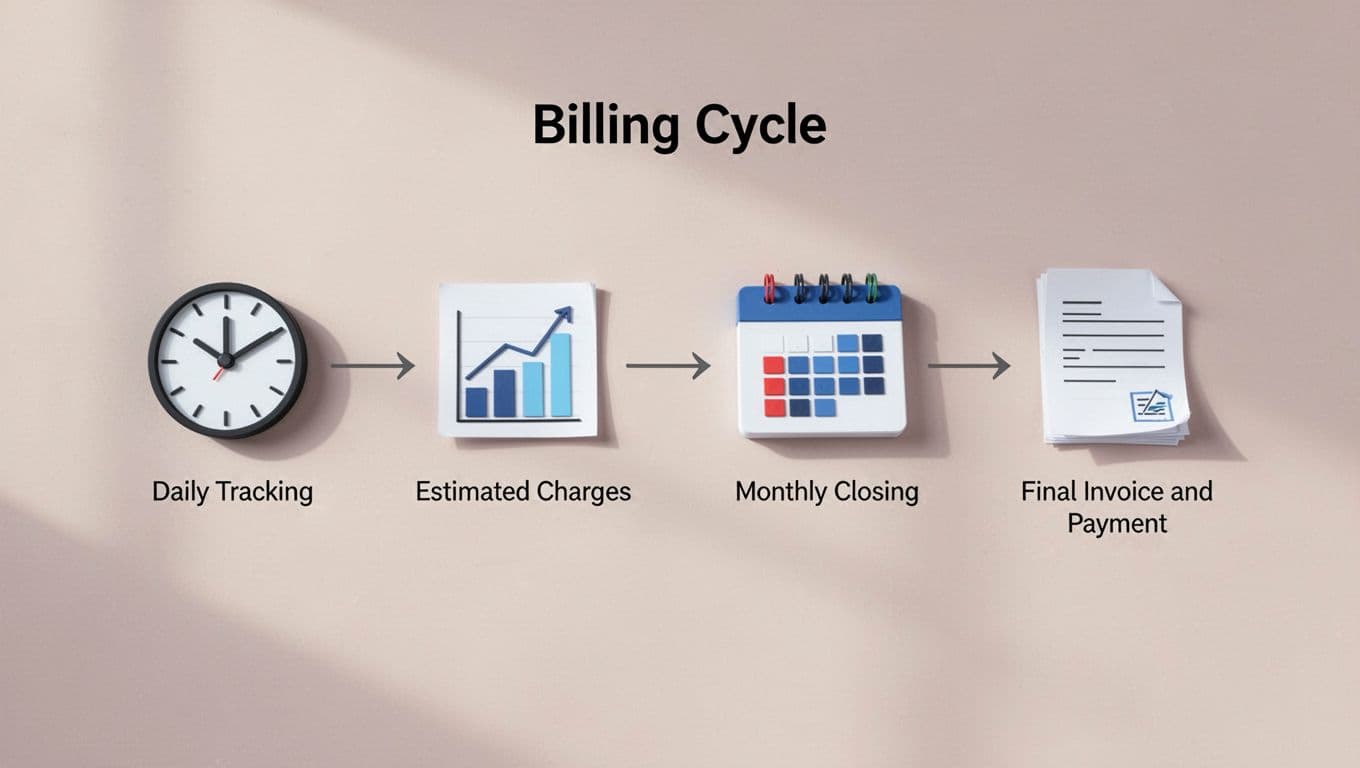
For the official view of what appears on the bill, AWS documents understanding your bill in detail.
Why the bill and invoice do not always look the same
These documents sound similar, but they are not the same.
| Document | What it shows | Best use |
|---|---|---|
| Bill | Current or final charges in the console | Fast review of what you owe |
| Invoice | Formal payment document | AP, audit trail, tax records |
| Cost and Usage Report | Detailed raw usage data | Analysis, chargeback, forecasting |
If your controller wants the legal payment record, send the invoice. If your FinOps lead wants detail by tag and resource, send the CUR.
What consolidation means for multiple AWS accounts
If you’re using AWS Organizations, consolidated billing pulls multiple AWS accounts into one payer view. That helps with visibility, shared discounts, and chargeback across teams. It also means one finance team can review total spend while engineering still keeps separate accounts.
Free virtual cards for non-EU residents
Open in 1 working day, issue 100 virtual cards, and get up to 1.25% cashback.
Get a free account
How the Free Tier and service pricing can change what you pay
As of May 2026, AWS Free Tier rules are not what many founders remember. For new accounts created after July 15, 2025, AWS shifted to a credit-based model for new users. You may start with $100 in signup credits, and some users can earn up to $100 more through activities, while always-free limits still apply on more than 30 services.
Which common services can cost more than you expect
Amazon EC2 charges for running instance time. Amazon S3 bills for stored data, requests, and transfer. CloudFront adds distribution and transfer costs. AWS Lambda bills by execution time and requests. DynamoDB can bill for reads, writes, storage, and backup. Snowball introduces job-based fees that look different from ordinary cloud usage.
That mix is why one product launch can spike storage, requests, and transfer at the same time.
How the Free Tier helps, and where it can still surprise you
The Free Tier is useful for testing. It does not protect you from idle resources, transfer overages, or workloads that cross the cap. If an EC2 instance keeps running after a proof-of-concept, AWS billing starts to climb without much drama in the console.
If you’re trying to stretch startup runway, you can review free AWS credits up to $100K before your free balance runs out.
How to monitor spending with alerts, Cost Explorer, and budgets
Waiting for the monthly invoice is like checking your fuel gauge after the road trip. You need signals earlier.

Use Budgets for threshold alerts, Cost Explorer for trends and forecasts, and CloudWatch alarms when you want flexible triggers tied to usage or spend behavior.
What Cost Explorer tells you that the bill does not
The bill tells you what happened. Cost Explorer shows how spend changes over time by service, tag, linked account, or region. It also supports forecasts and anomaly views, which helps you spot a bad week before it becomes a bad quarter.
How alerts and alarms can stop bad surprises
A basic billing alert warns you when total charges cross a threshold. A CloudWatch alarm gives you more control and can route notifications through SNS. For a small team, that can stop a forgotten test cluster from burning cash all weekend.
How AWS terms and contract details affect your bill
Your invoice reflects more than usage. It also reflects the AWS customer agreement, service terms, license terms, terms and conditions, and your payment method. If you’re using the invoicing payment method instead of a card, approval flow, tax handling, and purchase order rules become more important.
Why payment method and contract terms matter for finance teams
Finance teams should review the terms of this agreement before spend scales. The service level agreement, support plan, and separate terms and conditions for AWS Marketplace or partner offers can change what appears on the invoice and when payment is due. Check the AWS site when your entity, address, or tax status changes.
How country-specific AWS entities can change the paperwork
The applicable AWS contracting party can vary by location. For example, you may see Amazon Web Services EMEA SARL, Amazon Web Services India Private Limited, Amazon AWS Servicos Brasil Ltda, or AWS Turkey Pazarlama Teknoloji on paperwork. That affects the legal name on the invoice, tax treatment, and compliance review.
Ways to reduce unnecessary AWS spending without slowing teams down
Most savings come from boring fixes. Rightsize compute. Turn off idle resources. Clean old snapshots. Review storage classes. Check data transfer paths. Tag workloads so you know who owns the bill.
A practical case looks like this: a seed-stage SaaS team ran dev EC2 instances 24/7, stored logs forever in S3 Standard, and paid On-Demand for a steady production workload. After rightsizing, lifecycle rules, and a Savings Plan, the team cut monthly AWS spending without touching customer-facing performance.
Simple savings moves that usually pay off first
Start with the moves that are easy to verify:
- Shut down unused instances and old test environments.
- Move stale data to lower-cost storage classes.
- Delete forgotten snapshots and unattached volumes.
- Review transfer-heavy architecture, because traffic often hides waste.
Where Spendbase can help you lower AWS costs
If you want a faster path to lower spend, Spendbase offers AWS discounts up to $100K, including the chance to qualify for up to $100,000 in AWS credits. That can help if you’re trying to cut near-term cloud cost, extend runway, or pair credits with ongoing AWS cost optimization.

We can unlock discounts on 10,000+ tools you already use.
Conclusion
Once you know the main AWS billing terms, the invoice stops looking random. You can separate usage from discounts, credits from taxes, and short-term spikes from structural waste.
That clarity changes how you run the business. You forecast better, question bad spend sooner, and choose pricing models with open eyes. For CTOs, CFOs, and founders, control is the real win, because cloud growth is much easier to manage when your monthly AWS bill makes sense.


Get discounts on your team’s favorite apps
Find deals for 10%, 30%, or even 70% off in our discount marketplace.
Check Discounts



