











You want faster page loads, stronger protection, and cleaner traffic. You do not want a bigger bill every month because a few settings were left on autopilot.
That tension sits at the center of Cloudflare spend. Part of your cost is the plan fee, yet a growing share can come from usage-based charges, extra domains, and edge work you did not mean to buy. The smartest savings come from removing waste at the edge, not from turning off the parts that protect revenue.
Start with what Cloudflare is doing for your business
If your traffic is proxied through Cloudflare, your site is not talking straight to your origin server anymore. Requests are routed through Cloudflare’s global network first, which helps with content delivery, DNS speed, attack filtering, compression, and lower latency.
For a simple explainer tied to budgets, see what Cloudflare does for your stack.
The three jobs Cloudflare does best
First, it speeds up delivery. A CDN, edge caching, image optimization, and DNS reduce page loads, especially when visitors sit far from your server.
Next, it blocks bad traffic. The web application firewall, bot controls, and WAF rules stop junk before it burns bandwidth or hits your app.
It also absorbs spikes. Product launches, media mentions, and API bursts hit the edge first, so your origin load stays lower and your team sees fewer incidents.
When Cloudflare is worth the cost
You usually get a strong return when revenue depends on uptime. That includes ecommerce, SaaS, APIs, content sites, and brands with global traffic.
Paid plans make sense when speed and protection are business-critical. The free plan is fine for low-risk domains. A paid tier starts to pay off when you need stronger bot controls, more granular rules, better analytics, or support tied to an SLA.
See how much you can save on your stack
Pick your team’s tools!
Click to select one or more tools.


What’s your company size?
Just click to select.
What’s your business email?
We'll send you calculations right away
The email is flying to your inbox!
Beyond discounts, you may qualify for up to $100K in AWS credits.

See how Cloudflare pricing turns into a bill
As of May 2026, self-serve pricing still starts small and scales fast per domain.
| Plan | Price | Best fit | Main watchout |
|---|---|---|---|
| Free | $0 | small sites | fewer controls |
| Pro | $20 annual, $25 monthly | marketing, content, small stores | per-domain fee |
| Business | $200 annual, $250 monthly | revenue-critical apps | expensive across many domains |
| Enterprise | custom, often $2,000+ | strict SLA, finance, large SaaS | contract complexity |
The big point for a CFO is simple: Cloudflare billing is usually per zone, not per account. Fifty Business domains can turn into a five-figure monthly line item.
Common pricing pieces you need to watch
The headline plan price is only the start. Usage-based charges often come from Cloudflare Workers, R2 storage, Argo Smart Routing, AI Gateway, durable objects, KV, and other Cloudflare services. Workers Paid still starts at $5 per month and includes a base pool of requests and CPU milliseconds, according to this Workers pricing doc.
In 2026, unified AI billing also matters. If you route model traffic through Cloudflare, your AI costs can show up on the same invoice. For a clean reference on metered products, review this usage-based billing guide.
Where bills start to creep up
Most surprise spend comes from traffic shape and feature sprawl, not from the first plan choice.
| Spend pattern | Why it gets expensive | First fix |
|---|---|---|
| Paid staging domain | full plan price per domain | move noncritical zones down |
| Dynamic pages miss cache | more origin fetch and bandwidth | rewrite caching rules |
| Worker on every request | more billable requests and CPU | bypass or cache first |
| Old add-on still active | unused monthly spend | review renewals monthly |
If you want to optimize Cloudflare spend, start where work becomes billable, not where the logo looks expensive.
Five configuration tweaks that lower billable usage without hurting performance
These changes cut waste without stripping away protection. You keep speed, yet you stop paying for edge work that adds little value.
| Tweak | What it saves | Main risk | Safe starting point |
|---|---|---|---|
| Better caching | origin fetches, bandwidth | stale dynamic content | cache marketing and product pages |
| Rate limiting | bot waste, API abuse | false positives | narrow by path and method |
| Smaller Workers paths | requests, CPU, fetch calls | logic gaps | cache before Worker |
| Alerts and reviews | surprise billing | noisy signals | weekly dashboard check |
| Plan and renewal check | fixed fees, add-on waste | underbuying | match tiers to risk |
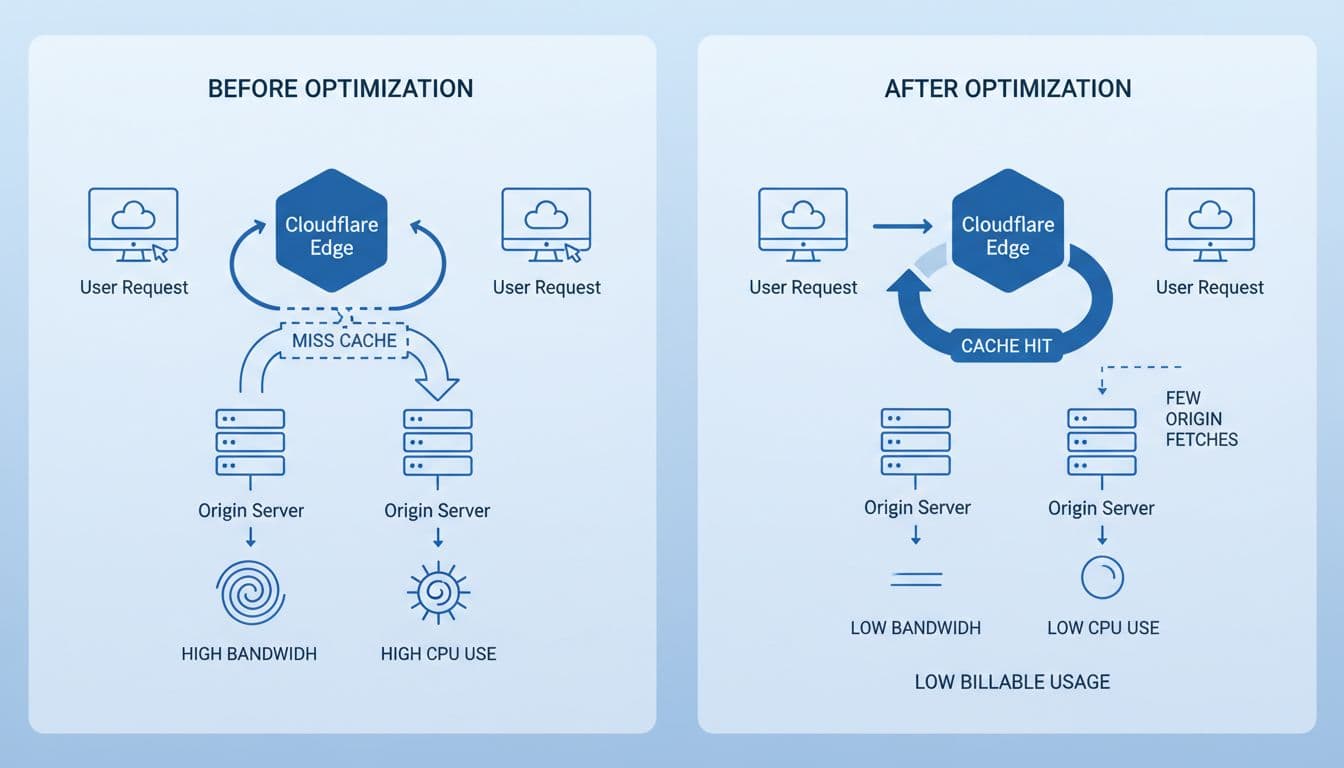
Increase cache hit ratio so fewer requests reach your origin
Your cheapest request is the one your origin never sees. Use Cache Everything with care on public pages, then add smart bypass rules for carts, logins, search, and other dynamic content. Match TTLs to content-type, and use edge caching for pages that change by the hour, not by the second.
A simple example helps. If a product page gets hit ten times in five minutes, you want one origin fetch, not ten. The upside is lower origin load, lower bandwidth, and faster responses. The tradeoff is stale content if you cache account or checkout paths too broadly.
Use WAF rate limiting to stop bot waste at the edge
Bad bot traffic turns into billable work fast. Login abuse, scraping, and noisy API probes can hammer your edge, then your app. Rate limiting stops that before it becomes a cost problem.
Configure limits by path, method, IP pattern, user agent, or API token. Good rules target abuse, not normal users. Your goal is fewer junk requests and a cleaner proxy path, not a harsher experience for real customers.
Right-size Workers and code paths to reduce compute and request volume
Cloudflare Workers are easy to overuse because they feel cheap at first. Costs rise when every request hits a Worker, which then makes extra fetch calls, reads KV too often, or fans out to durable objects and external APIs.
Move static responses in front of the Worker with caching. Trim JavaScript-heavy workflow steps. Keep CPU time low, and keep hot paths under about 50 ms when you can. Use one API token per service, watch each metric, and keep AI calls off the request path unless they add real business value.
Set budget alerts and billing notifications before spend gets away from you
Cloudflare cost monitoring works best when you do not wait for the invoice. Use the Cloudflare dashboard, real-time analytics, and billing notifications to catch jumps early. That turns root cause analysis into a ten-minute check instead of a month-end surprise.
Watch these items each week:
- request spikes on public paths or APIs
- drops in cache hit ratio
- new add-on usage, especially Argo, R2 storage, or load balancing
- Worker request growth without matching business traffic
An outside calculator like FlareCalc can help you sanity-check projected run rates before a busy launch.
Avoid paying for more than you need with renewal and plan checks
Annual billing still saves about 20% on Pro and Business in 2026. That matters, but the bigger win often comes from removing waste first. Review staging domains, old rulesets, unused add-on products, image optimization on sites that already serve WebP, and Argo on traffic that is already fast enough.
Before renewal, compare your quote against a quick Cloudflare discount benchmark. For another outside view, this effective cost per GB analysis is useful when your CDN and egress math starts to drift.
What these changes look like in real teams
These are composite team scenarios, but the settings are real and the math is typical.
| Team | Problem | Change | Result |
|---|---|---|---|
| Ecommerce brand | product pages missed cache | added edge rules, bypassed cart | fewer origin hits, faster pages |
| SaaS login app | bot spike on auth | rate limiting on login and API | lower bad traffic, fewer incidents |
| Content publisher | Worker ran on every page | cached public pages first | lower request volume |
| B2B platform | no alerts | added dashboard alert and email notification | faster spend response |
| Founder-led startup | too many paid domains | moved staging to lower tier | lower fixed monthly cost |
Fast sites that needed fewer origin hits
A common ecommerce setup starts with dynamic templates everywhere. After rule cleanup, the team caches product, blog, and help pages at the edge while bypassing cart and account routes. Page loads improve, and the origin server stops doing the same work over and over.
Teams that cut bot traffic and API abuse
A SaaS app with public login and open APIs often pays for attack traffic twice, once in edge work and again at origin. Tight rate limits and bot rules reduce abusive requests, lower bandwidth, and protect downstream services.
Founders who found waste in Workers, renewals, and add-ons
Small teams often discover cost in the boring places. One team removed a Worker rewrite that no longer mattered, cut an unused add-on, and stopped paying Business rates for a staging domain. The fix was not flashy, but the billing result was clear.
Free virtual cards for non-EU residents
Open in 1 working day, issue 100 virtual cards, and get up to 1.25% cashback.
Get a free account
Use a simple savings map before you change anything
Start with a map of where value comes from and where spend grows.
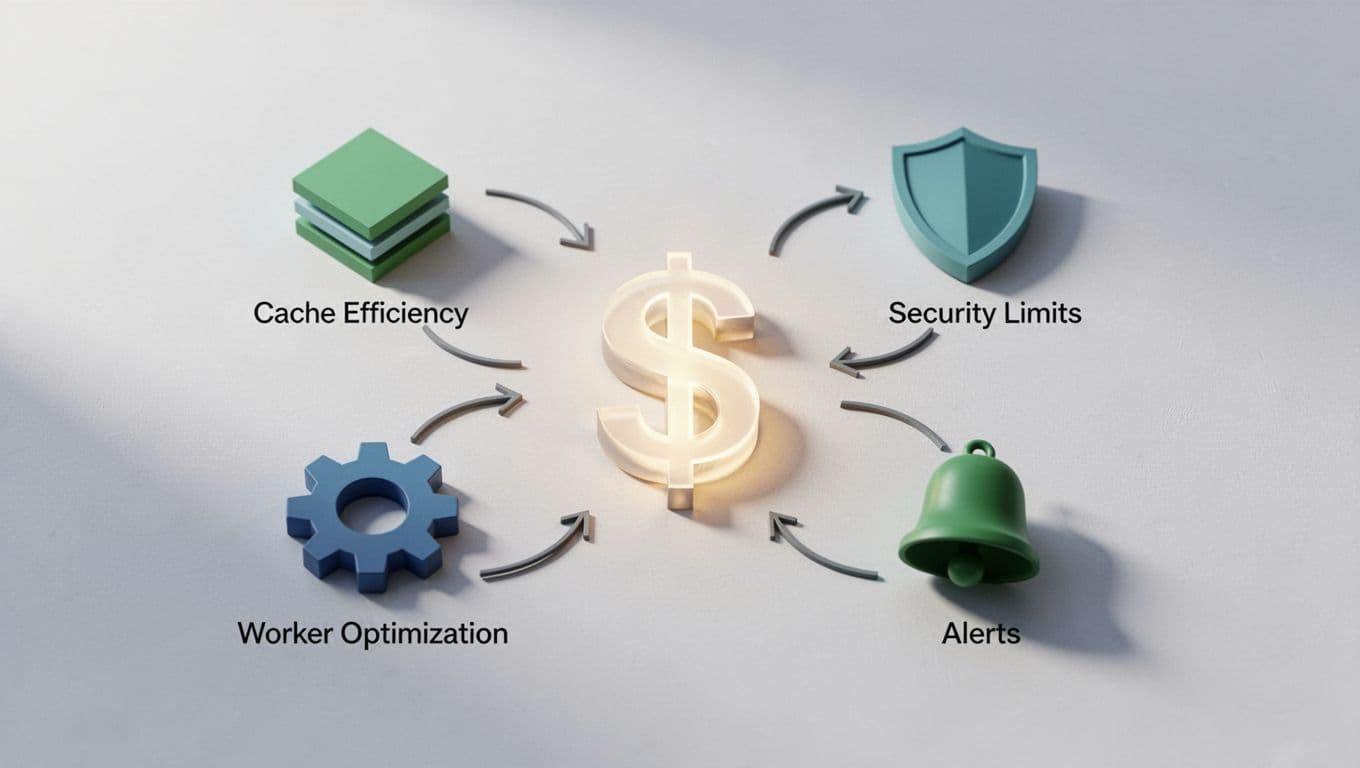
The Cloudflare features that matter most to your bill
| Feature | Usually saves money? | Cost lever |
|---|---|---|
| CDN and DNS | yes | better page loads, less origin work |
| WAF and bot tools | yes | block waste early |
| Workers | maybe | watch request and CPU volume |
| R2 storage | maybe | watch operations, not only bytes |
| Argo | maybe | buys latency, adds usage-based cost |
| Load balancing | maybe | useful, but paid |
| AI Gateway | depends | useful only if routed calls add value |
The questions you should ask before the next invoice
| Ask this | Check this metric | Action |
|---|---|---|
| Is public traffic cached well? | cache hit ratio | optimize caching rules |
| Are bad bots reaching origin? | WAF analytics | tighten rules |
| Are Workers earning their keep? | requests, CPU, fetch count | trim code paths |
| Did a new add-on start billing? | dashboard and invoice | remove or justify |
| Does each domain need its plan? | per-zone spend | downgrade staging |
If you want one more outside benchmark for self-serve pricing and Cloudflare products, this 2026 Cloudflare cost guide is a useful comparison point.

We can unlock discounts on 10,000+ tools you already use.
Conclusion
You do not need to turn Cloudflare off. You need to tune it. The biggest gains usually come from five moves: better caching, tighter rate limiting, smaller Workers paths, real alerts, and hard renewal reviews.
That is how you optimize Cloudflare spend without giving up speed or protection. When your settings match real traffic and real business value, the bill gets easier to defend. Put one hour on your calendar this week, open the dashboard, and find the first request you should stop paying for.


Get discounts on your team’s favorite apps
Find deals for 10%, 30%, or even 70% off in our discount marketplace.
Check Discounts



