











Zencommerce Discount - Up to 30% off
Zencommerce India creates a global online platform for your business with an e-commerce website and store.
Get discountCategory
B2B eCommerce Platform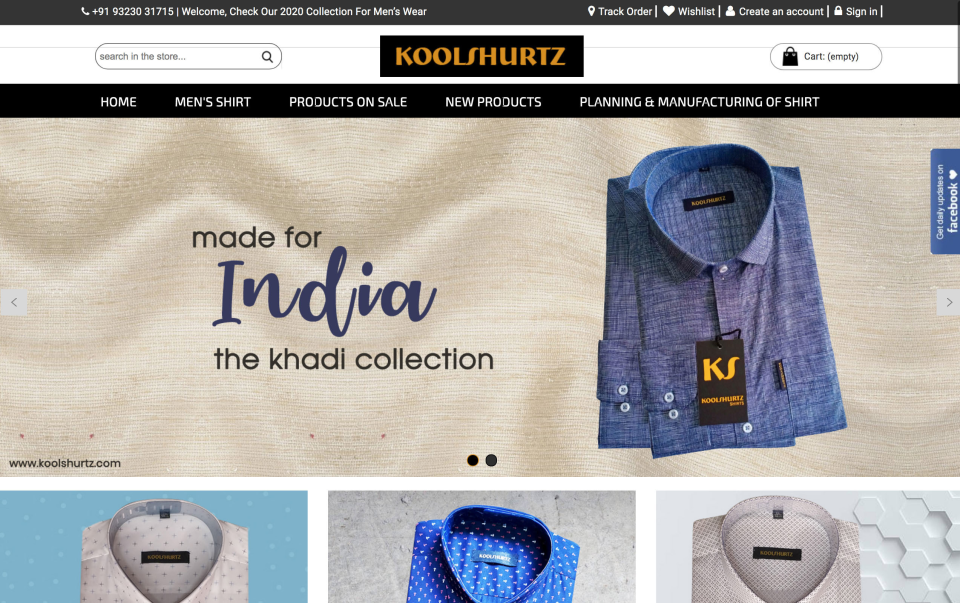

What is Zencommerce?
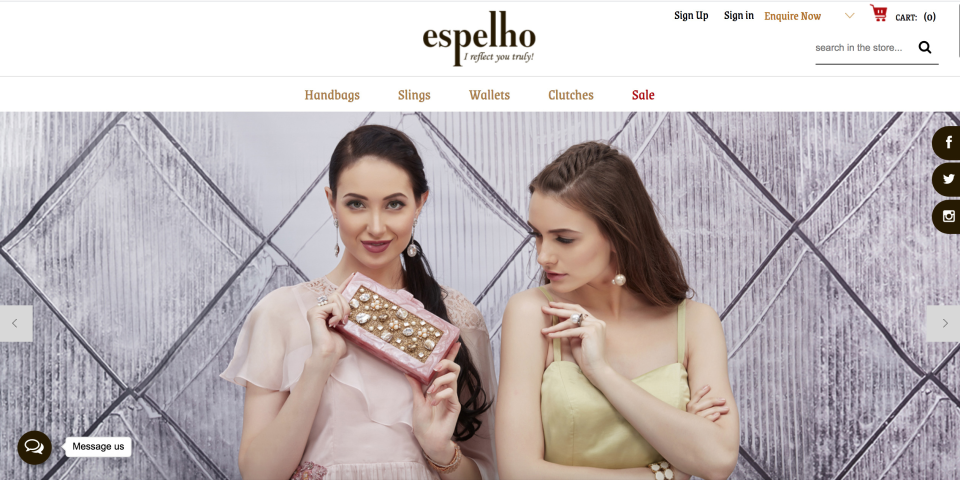
Zencommerce is an e-commerce platform designed to help businesses establish and manage online stores efficiently. It offers customizable storefronts, enabling a unique shopping experience tailored to your brand. The platform integrates with various social media channels, allowing you to sell directly on platforms like Facebook, Instagram, and Pinterest. Zencommerce provides a mobile-responsive design, ensuring optimal display across devices, and includes a dedicated mobile app for store management on the go. Additional features encompass built-in analytics for real-time sales tracking, inventory management, and seamless integration with multiple payment gateways. With scalable solutions, Zencommerce caters to businesses of all sizes, supporting growth and expansion.
- Affordable, ready-made B2B eCommerce webstores
- No-coding setup, intuitive user-friendly interface
- Integrated payment, shipping, accounting, marketing tools
- Drag-and-drop product management and merchandising
- CRM, reporting, SEO capabilities for growth
- Technical support and implementation assistance available
Eligibility
Number of Seats/Users: Zencommerce offers discounts based on the number of users or seats. A higher volume typically leads to a better discount structure, especially for enterprise-level usage.
Commitment to a Long-Term Contract: Discounts are often provided to companies that commit to using the service for a longer period (e.g., 1-year or 3-year contracts). A longer commitment shows Zencommerce that the company is serious and willing to invest in the platform long-term.
No Active Discounts: Companies that are not already receiving other active discounts may have a better chance of qualifying for additional discounts from Zencommerce. Zencommerce reserves discounts for new customers or those not currently under promotional pricing.
Volume or Usage Commitment: Zencommerce offers discounts if you agree to a minimum amount of usage or transaction volume. This could be based on data storage, transactions, or other metrics tied to how much you will use the platform.
Enterprise-Level Negotiation: Companies that qualify as “enterprise” due to their size or complexity (e.g., having large teams, multiple departments, or geographical presence) may be eligible for additional discounts from Zencommerce. Such companies are often in a position to negotiate for better pricing.
Early Renewal or Prepayment: Zencommerce often offers discounts if you renew early or prepay for the entire contract period. This is a common approach to securing a lower price.

Zencommerce - Up to 30% off
Reviews
Here at Spendbase our internal data shows that Zencommerce is seen as a solid, budget‑friendly option for small and mid‑size businesses, but with some clear trade‑offs that our Spendbase clients care about.
Overall sentiment
– Strong positive bias toward:
– Low cost vs alternatives
– Ease of use once set up
– Pain points mostly around:
– Customization limits
– Integrations and API reliability
– Inconsistent support quality
What Spendbase clients like most
– Pricing & value:
– Described as “most affordable” and “value for money”
– Good fit for startups and early‑stage online stores
– Ease of use:
– Drag‑and‑drop product handling
– Non‑technical owners can launch and manage stores
– All‑in‑one stack:
– Built‑in: payment gateways, shipping, accounting, marketing integrations
– Good for businesses wanting a single console instead of multiple tools
– Business impact:
– Multiple clients report:
– Better reach (Pan‑India and beyond)
– Sales growth over time
– Support (when good):
– Several comments about helpful, responsive staff and specific team members
– Educational content (like tutorials) appreciated
Key limitations and risks
Our internal feedback highlights recurring gaps that can generate hidden operational costs:
- Customization & scalability:
- Limited customization, especially vs Shopify/Wix/WooCommerce
- Not ideal for complex or fast‑scaling setups
- Restricted third‑party/API use
- Support consistency:
- Some clients report fast, friendly help
- Others report:
- Slow responses
- Many follow‑ups for fixes
- Week‑long delays for API issues, causing revenue impact
- UX & design:
- Checkout flow often multi‑step; requests for one‑page checkout
- Themes called “simple”; desire for more modern and attractive options
- Limited options like product videos
- Technical issues:
- Performance slowdowns with heavy media
- No automatic image compression
- Security features seen as improvable
- Occasional non‑working add‑ons (e.g., mobile app) called out strongly
How we at Spendbase position Zencommerce for clients
– Best fit:
– Cost‑sensitive businesses
– Smaller catalogs or simpler workflows
– Teams that value an all‑in‑one tool over deep customization
– Caution zones:
– High‑growth brands needing rich integrations and scalability
– Stores where delayed support or API issues directly hit revenue
– Design‑driven brands that need advanced themes and UX control
In short, our internal data shows Zencommerce can be a very cost‑effective starting point, as long as you’re aware of its limits on flexibility, integrations, and advanced features.
See how much you can save on your stack
Pick your team’s tools!
Click to select one or more tools.


What’s your company size?
Just click to select.
What’s your business email?
We'll send you calculations right away
The email is flying to your inbox!
Beyond discounts, you may qualify for up to $100K in AWS credits.

FAQ
1. How can I apply a discount to my Zencommerce store?
Navigate to Marketing > Discounts, select 'Add Discount', and configure the desired settings to apply discounts.
2. Can I offer percentage-based discounts on specific products?
Yes, you can set percentage discounts for specific products by selecting 'Item level' under Discount types.
3. Is it possible to set time-based discounts?
Yes, you can configure discounts to be active during specific days and times in the 'Applicable Days and Time' section.
4. How do I create a 'Buy One Get One Free' offer?
Use the 'Buy X Get Y' option in the discount settings to create BOGO offers.
5. Can I limit discounts to certain customer groups?
Yes, you can restrict discounts to specific customer groups by configuring the 'Loyalty Only' option.
6. How do I set a minimum purchase amount for a discount?
In the discount settings, specify the 'Minimum Amount' field to set the required purchase amount.
7. Is it possible to apply multiple discounts to a single invoice?
Yes, by selecting 'Multiple campaigns can be applied on' in the discount settings, multiple discounts can be applied.
8. How can I offer free shipping as a discount?
Create a coupon with the 'Free delivery' option to offer free shipping to your customers.
Related discounts

PrestaShop
B2B eCommerce Platform
Up to 15% off

ROMA
B2B eCommerce Platform
Up to 40% off

DJUST
B2B eCommerce Platform
Up to 40% off

Miva
B2B eCommerce Platform
Up to 45% off

eCommfy
B2B eCommerce Platform
Up to 25% off

b2b.store
B2B eCommerce Platform
Up to 30% off
Software cost optimization
Zencommerce savings in five steps
Let’s estimate your potential savings and see how you can scale your cloud infrastructure.
One call. No cost. No commitments


meet vendor relationship EXPERTS
Our customers save millions with us



Save on Zencommerce
It’s time to shrink your bill
Let our SaaS cost optimization experts check what deals you can get and how much you can save on your corporate subscriptions
See how you can:
- Learn about pricing benchmarks and discounts
- Present potential savings by vendor to your team
- Meet your SaaS and cloud cost optimization goals
Get Zencommerce discount
We’ll email you back within 1 business day